

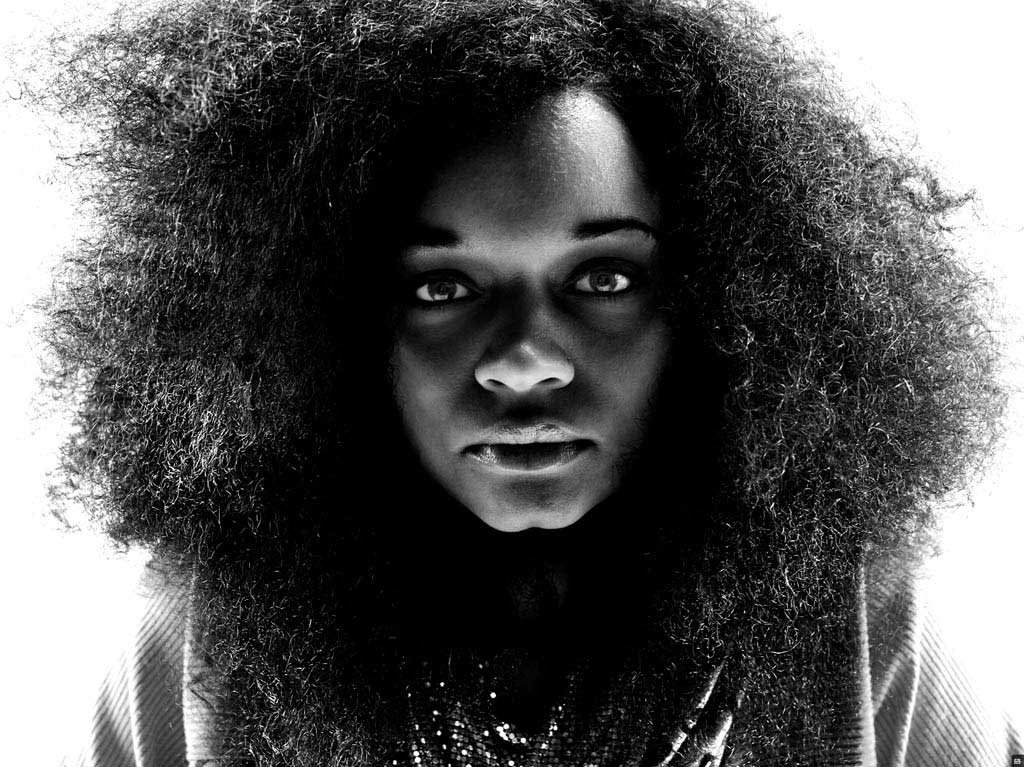
Aperture Finished File
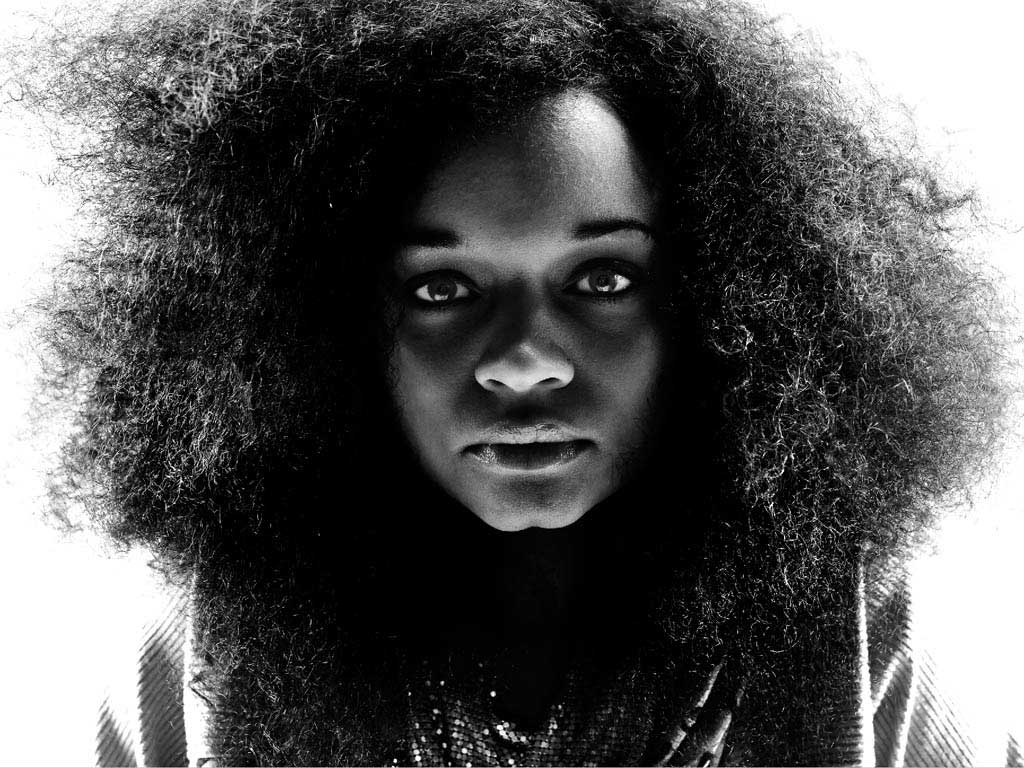
Photoshop Finished File
——–
Note: NO, we didn’t have too much eggnog and accidentally re-publish a post from just before the holidays… We did, however, get a TON of reader requests from a lot of y’all who are using less and less Photoshop, and asked Scott if he could get similar results in Aperture or Lightroom. Short answer is YES. To that end, Scotty re-worked this image using Aperture and wanted to share his process with you here. Take it away Scott!
——-
Update: I just heard that this black & white work from Seattle 100 was just featured today in Communication Arts! I’m a huge fan of Comm Arts… very humbled and very stoked. Please check it out here. [thx Lou Maxon!]
—-
The above file on the left was processed entirely in Aperture. The above file on the right is the Photoshop version that we discussed before the holidays. One can certainly nitpick to find details that are different between the two, I know I did, but that would be missing the point.
Speaking of the point, let me get to it. These two images were processed with different RAW algorithms, retouched, adjusted, smooth, and sharpened with different tools with different abilities and nuances. People will rant and rave ad nauseum online about the differences between software offerings. Yet despite all of the obvious discrepancies between the Aperture and Photoshop methods, the net result is very much the same. The vision is important, the method is not. Join me after the jump to learn more.
Lest I come off ungrateful, let me make clear that I love the tools. Photoshop is a brilliant program that has literally set the bar. Aperture has more features packed in than ever though possible even a couple of years ago, and continues to encroach on ground that has historically been squarely in Adobe’s court while providing usability and integration that is absolutely groundbreaking. These two, and a number of other programs offer the photographer and retoucher a set of tools that provide almost limitless possibilities. These are fun times.
In the spirit of sharing and transparency, I’d like to run through the process that I went through in Aperture in order to create the final image, as long as y’all promise not to get too caught up in the details.
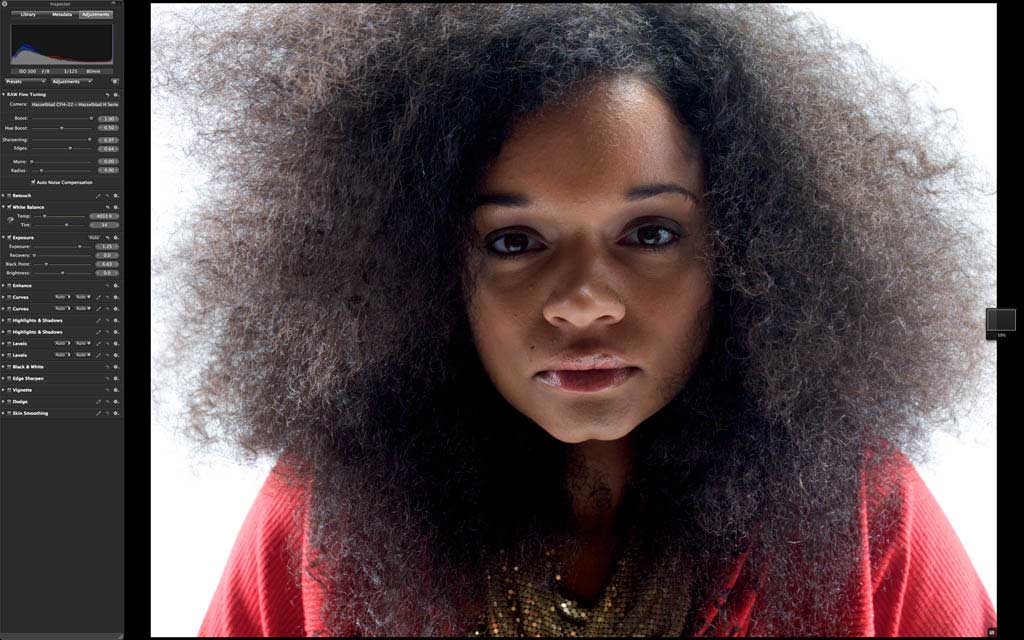
Original DNG in Aperture
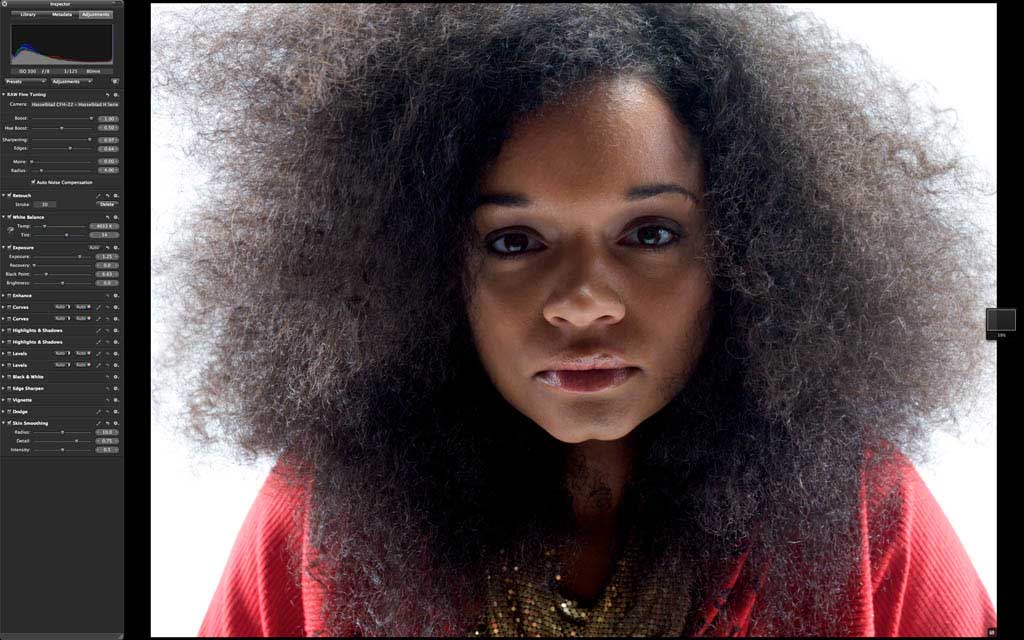
Step 1. Light cosmetic retouching with retouch brush and skin smoothing brush.

Step 2. Converted to black and white using the Aperture Black and White tool.
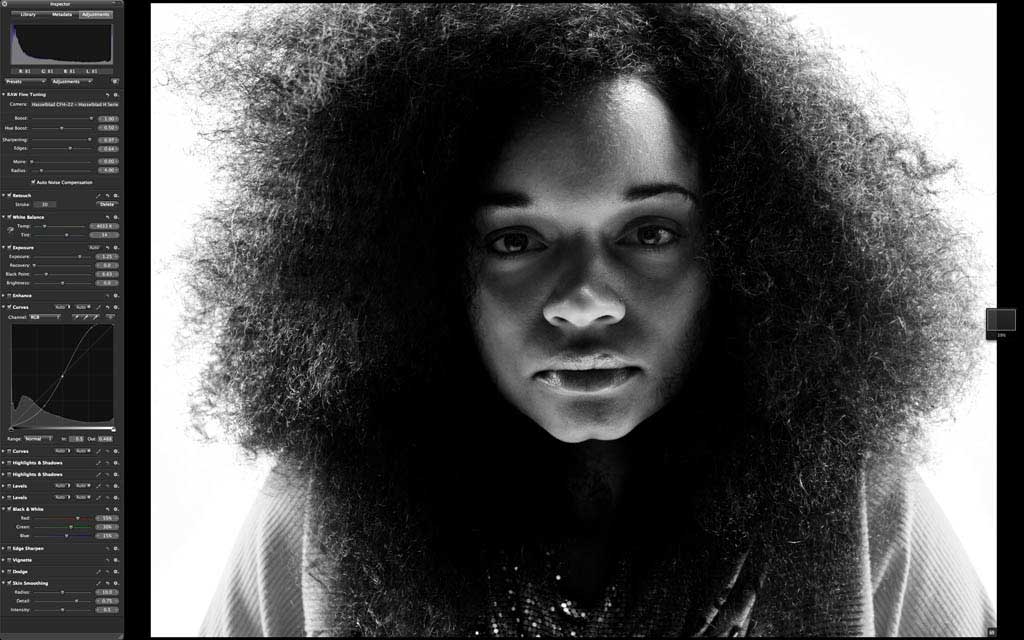
Step 3. Curves to increase overall contrast.
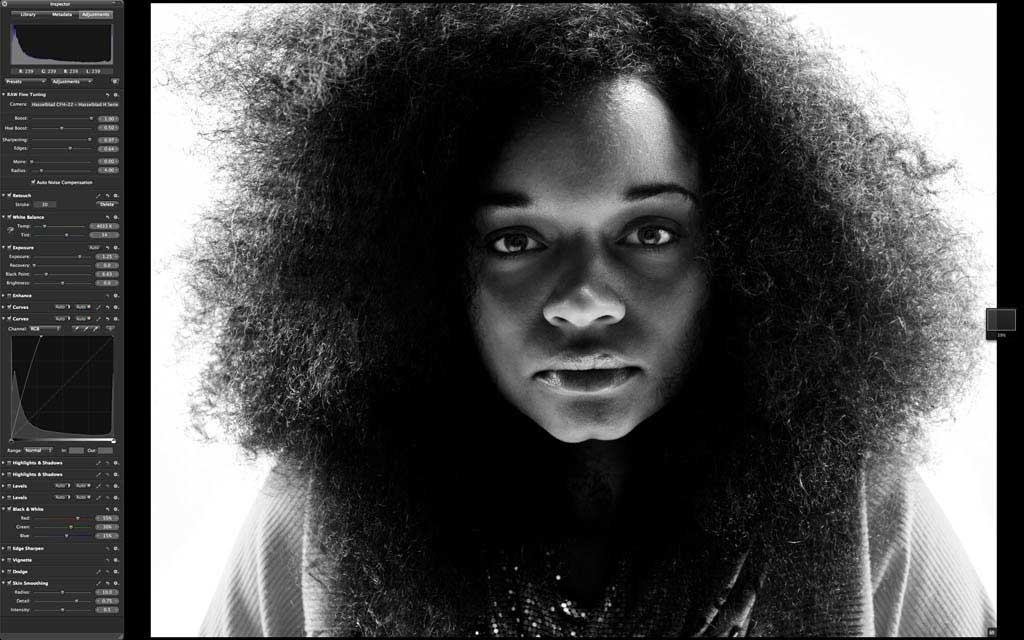
Step 4. Curves brushed in to increase brightness in her eyes.

Step 5. Levels to darken shadows and midtones while maintaining bright highlights.
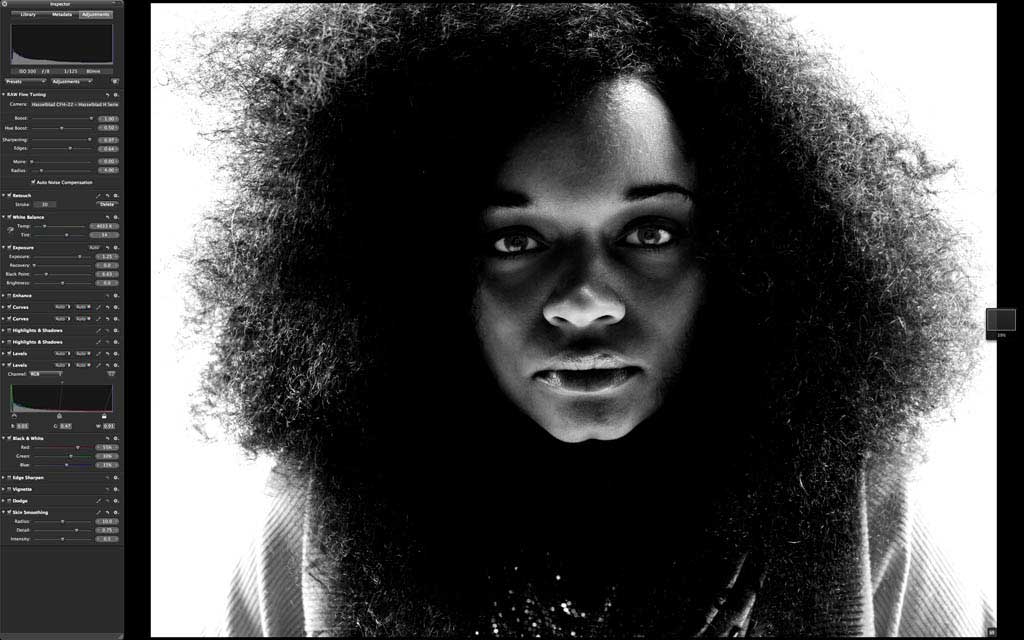
Step 6. Levels to push whites in exterior areas to bright white.
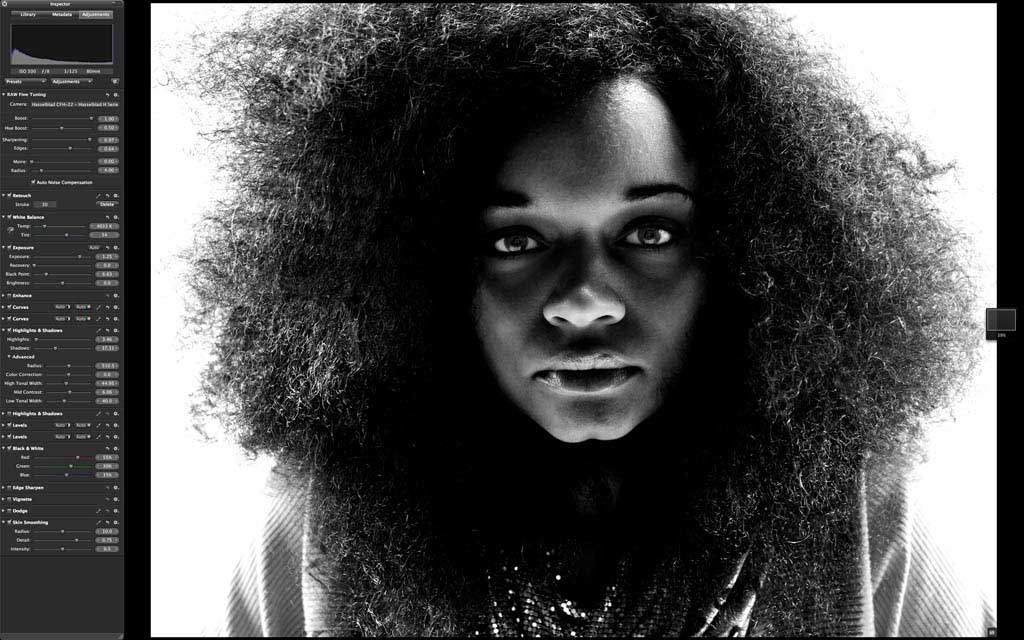
Step 7. Highlights and Shadows tool brushed in to increase hair texture.

Step 8. More of the same with the Highlights and Shadows tool.
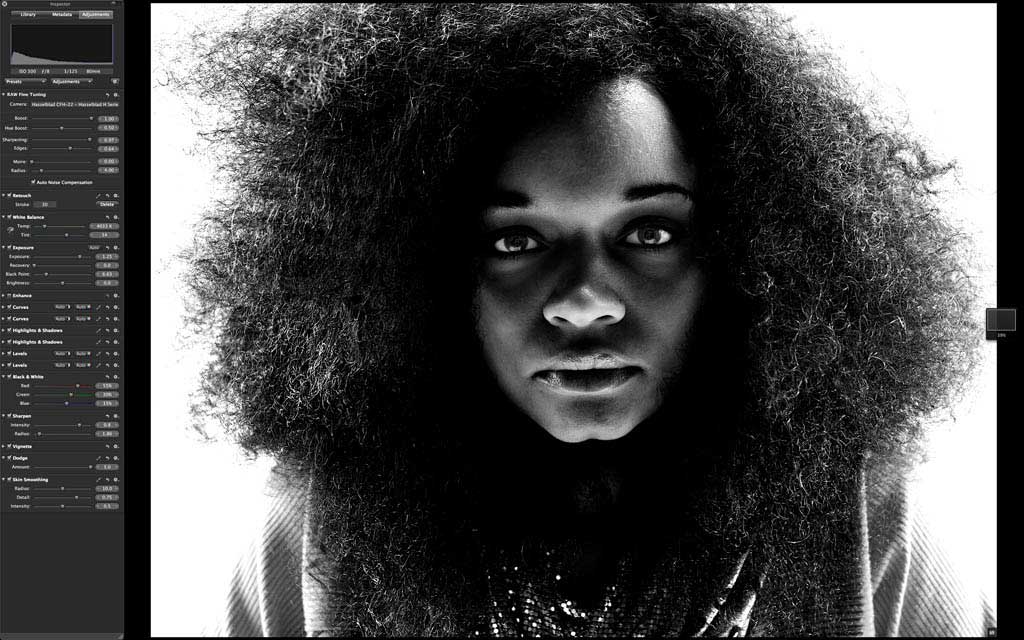
Step 9. A little dodging brush in the eyes, a light vignette to keep the hair on the far edges from blowing out, and some moderate sharpening with the sharpen tool.
That’s it. Cool, eh? Let’s all go forth and play. Any software, any hardware. Just bring your creativity, it’s all you need.
BTW, if you haven’t seen the snazzy Seattle 100 site developed by our friends at TheSuperformula, there are about 900 more B&W images, plus a whole lot more. Check it out here and click around a little–it’s not to be missed. Happy New Year! -Scott










I love using Photoshop. I never warmed up to Aperture and was actually thinking of using Lightroom instead. Even when Aperture is supposed to be more for pro photographers. i find it all confusing.
I don’t think that use of Aperture over Lightroom says you are a professional. Both produce great work guided by the user. The tools are there it is just which one you prefer.
Personally, I use Lightroom, but I have Aperture and was there on Day 1 with both.
Aperture’s new price via the Mac App Store brings it into the realms of all.
This post clearly illustrates you can achieve the same kind of results in Aperture as you can in Photoshop. So not only do I get the organizational tools of Aperture, but I can finish the images within Aperture and know my files are as good as anything I can do in Photoshop.
i dont want to spam but i wrote a little article about why i think aperture is a real game changer:
http://pixelmixture.com/post/640660549/why-aperture-3-is-a-real-game-changer
hope it helps
I’m not an aperture user, simply because I do not own a Mac (I would like to, but they’re quite expensive and I don’t have that much spare money…), but this is definitely an interesting post. Thanks for sharing Scotty 🙂 Result is very nice.
Daniel, Macs aren’t that much more and, if it breaks with Apple Care (recommended especially for Macbooks, iPads, iPhones), Apple will pretty much fix anything as long it was not a drop or dent. I buy refurbs from Apple to save money too. When I have had a refurb (or a new device) go bad (wireless mouse, DVD drive in Macbook, some other things) I reserve a time online at the Apple store, take it in, then the Apple people confirm it is bad and hand me a NEW wireless mouse no charge! If you pick up a refurb of a model that was older, sometimes they hand you the next new version. All this can also be done via quick turnaround FedEx to Apple.
Plus, no viruses for 20+ years.
Well, nearly any respectable computer manufacturer takes warranty issues seriously. What I love about Dell, though, is that you get a technician at your door the next business day, fixing your computer. Definitely beats mailing hardbare back and forth 😉
No viruses since I’m using a computer. Mostly on Windows, too 😉
Awesome post Scott-
Just wondering, were you working in Aperture 2 or 3? I’m still running the old one.
And to Joe, there are actually viruses written for OS X, you’re just less likely to come across them because pc users are a way easier target.
About viruses. Well. If you get Apple then every grandma can hack your computer because you even don’t need a password to get in according to this article.
http://www.h-online.com/security/news/item/Mac-OS-X-Lion-fails-to-check-passwords-when-authenticating-via-LDAP-1328704.html