

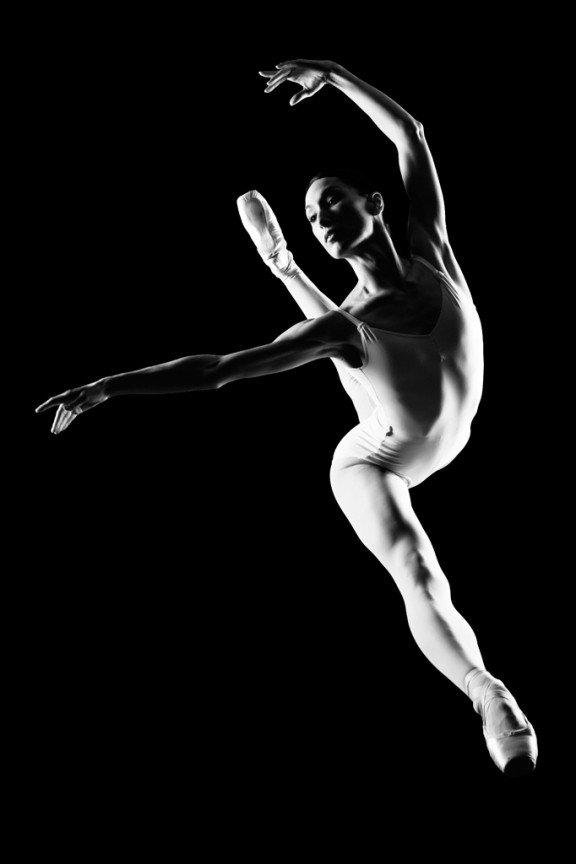
I learned to light after years of deconstructing the work of other photographers. And I know from your previous feedback that you guys are fond of these posts, so let’s dig into another one.
How did I make this picture?
Is it a lucky snapshot?
Is it lit?
If so, how?
The camera Settings?
The direction?
Post production?
Whatever details you think are needed to make this image.
Looking forward to you trying to pick this apart… I’ll reveal everything in a followup post. The person who gets the closest gets… …a chest bump and a pizza, or signed book or something. Don’t be shy. Let er rip.











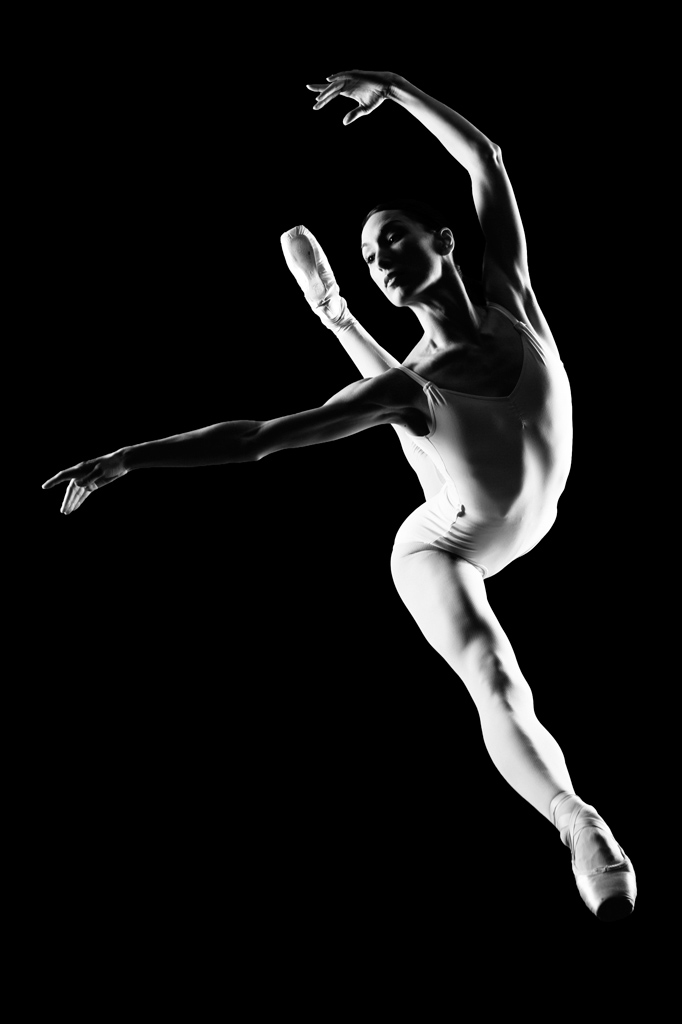
This is not a jump. I think is a splits on the floor, the cam was above her, two studio flash from left and right with a softbox, f 11 or 16, exposure 1/60, in PP you erased the floor and background
I’m with the rest on the whole f8 @ 1/250 or whatever your fastest sync is. Can’t see the bokeh, so I can’t guess whether it’s a zoom or prime. Given the quality, though, I’m guessing a f1.4 50mm or similar 85mm (35mm equivalent). Could be Hasselblad too, since it’s studio, but that’s inconsequential in this case.
Lighting is from both sides, bottom-left and bottom right of the frame, with softboxes on both. Left soft box looks a bit nearer to model, pointed slightly further up the frame. Lights are studio strobes on pocketwizards.
Model is on a surface, directed to do a split. Surface could be a plexiglass over a black background that sucks out light (sheet of felt?) – but that’s a lot of work. Easier to use a green/blue screen and PP that out later. My vote is with the latter since the edges are too well-defined, too neat.
PP, other than making it B/W, is likely to be burning out all traces of the backdrop/surface. Some corrections also done to fix the tonal range to cover the full stretch, since B/W requires good contrast to pull off.
I’d say that you used a soft light from left and right with a black background. And the dancer is doing her move with a trampolin to get some more air.
Dancer posing on toe atop pexiglass large soft light cr slightly behind and low pointing up one cl behind and higher pointing down. focal length around 70mm probably 24-70 lens, f-16@250 though it would be easy to blow out the ambient cause i think the light is close but i think you photoshopped in a black background
Its a gr8 shot.. but wht i have in mind is.. She is stretching on ground and shot was taken from top.