

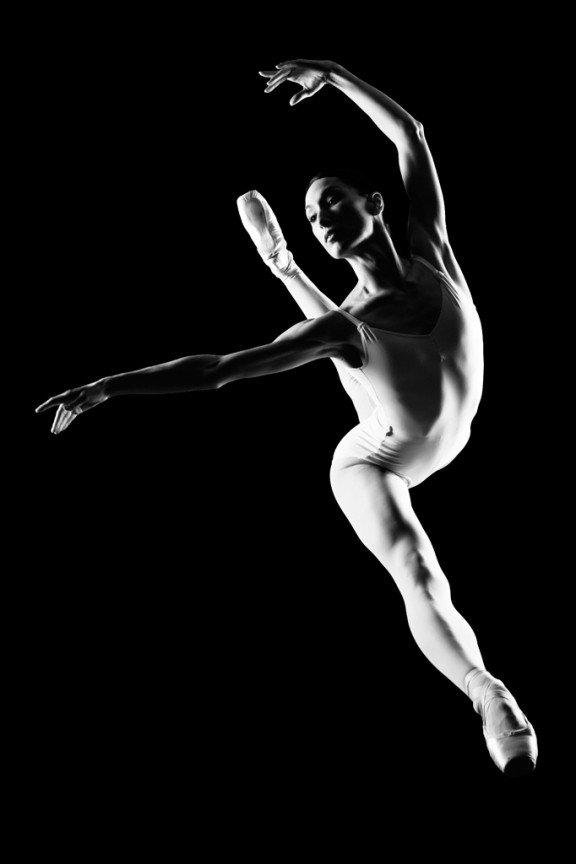
I learned to light after years of deconstructing the work of other photographers. And I know from your previous feedback that you guys are fond of these posts, so let’s dig into another one.
How did I make this picture?
Is it a lucky snapshot?
Is it lit?
If so, how?
The camera Settings?
The direction?
Post production?
Whatever details you think are needed to make this image.
Looking forward to you trying to pick this apart… I’ll reveal everything in a followup post. The person who gets the closest gets… …a chest bump and a pizza, or signed book or something. Don’t be shy. Let er rip.











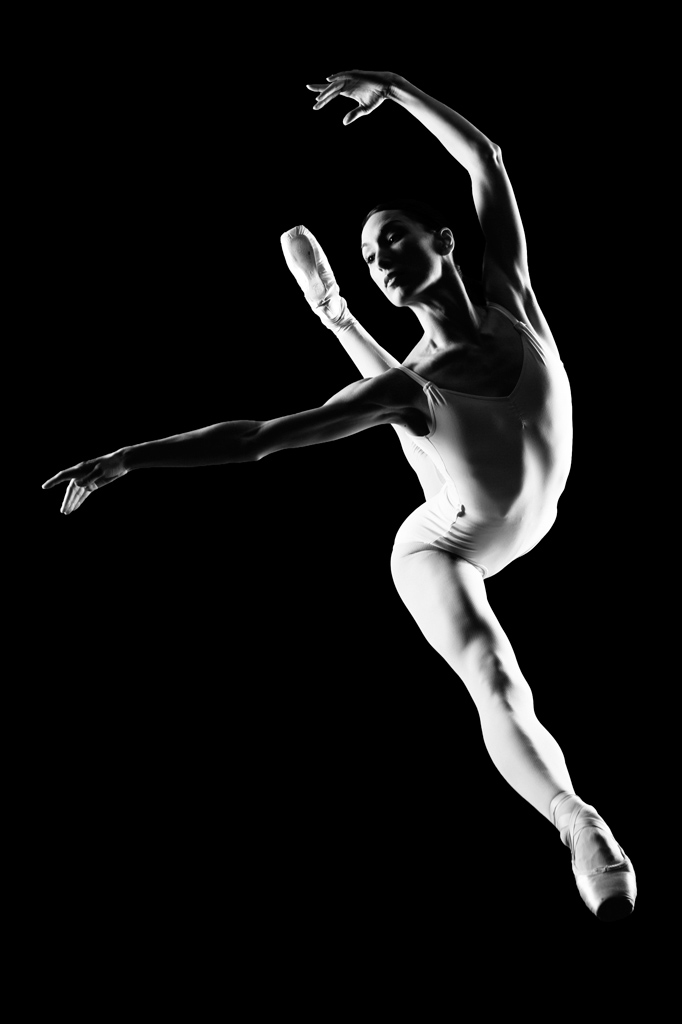
I thinks she is sittiing in the floor(split position in ballet) and the picture is taken from above! Hard light in lower right (5 oclock) and 2 softer lights in her left(7 oclock and 10 oclock). All lights nearly at ground level.
I think she is still, not moving at all.
Some postprocess to dark the ground and that’s all!!
Let me know if I am right!
Shot at f 8.0, 1/250. Fired with Pocket wizards. Lights placed 180 degrees apart and bare bulb. Shot while sitting on ground with her jumping. Behind her is a black backdrop. Lens was probably longer rather than shorter.
Forgot to say – probably slightly wider than 50mm lens.
I don’t know how you find time to read all this stuff, but here’s my chapter:
How did I make this picture?
I think she is actually jumping and probably shot on stage or in some other cavernous arena with no backdrop, but a fairly high shutter speed to darken the background out. Probably f5.6 if it’s a Nikon lens to get everything sharp.
Is it a lucky snapshot?
No.
Is it lit?
Yes.
If so, how?
Probably was a bit of ambient, but taken care of by underexposing for it. Two fairly harsh lights (maybe small softboxes, or more likely strobes set to widest setting) crosslighting from pretty much perpendicular to the axis between camera and subject – light on the left a little forward, light on right a little back – lights at about hip height. Maybe an extra rim light behind her.
The camera Settings? f6.3 1/250th
The direction?
As in what direction did you give her? – “Do an Attitude Leap”
Post production?
Knocking out anything still lit in the background. Adjusting the curve to make the darks a bit darker, a bit more contrast.
Whatever details you think are needed to make this image.
Possibly took more than one take.
2 Lights:
-> 1 is 45 degrees-ish above her to her right (computer viewer’s left), and angled behind her head more then infront, hence the beautiful REMBRANDT.
-> 2nd seems to be a long Strip light..in front and off to the side..hence the kicker highlights you get on the arm surface & the greater amount of light coverage you get on the broader part of her main body.
Ratio:
->1:1 (shadows & highlights)
Camera Settings:
ISO:100 (doesn’t seem to be noisy)
F11-F16 @ 1/125th
Backdrop:
-> Black Seamless / Gobos / Black Room (any 1 of these # of combo’s!)
Post-Production:
-> Levels tweak for that absolute black and punchy whites (blownout look on computer viewers right).
-> Curves tweak for contrast pull
…you could have done anything.. that’s the beauty of Photoshop.. 🙂