

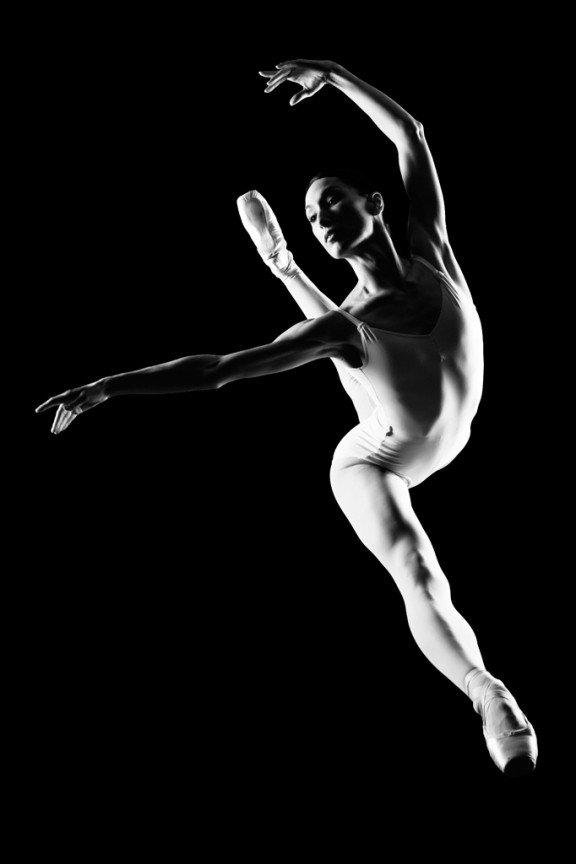
I learned to light after years of deconstructing the work of other photographers. And I know from your previous feedback that you guys are fond of these posts, so let’s dig into another one.
How did I make this picture?
Is it a lucky snapshot?
Is it lit?
If so, how?
The camera Settings?
The direction?
Post production?
Whatever details you think are needed to make this image.
Looking forward to you trying to pick this apart… I’ll reveal everything in a followup post. The person who gets the closest gets… …a chest bump and a pizza, or signed book or something. Don’t be shy. Let er rip.












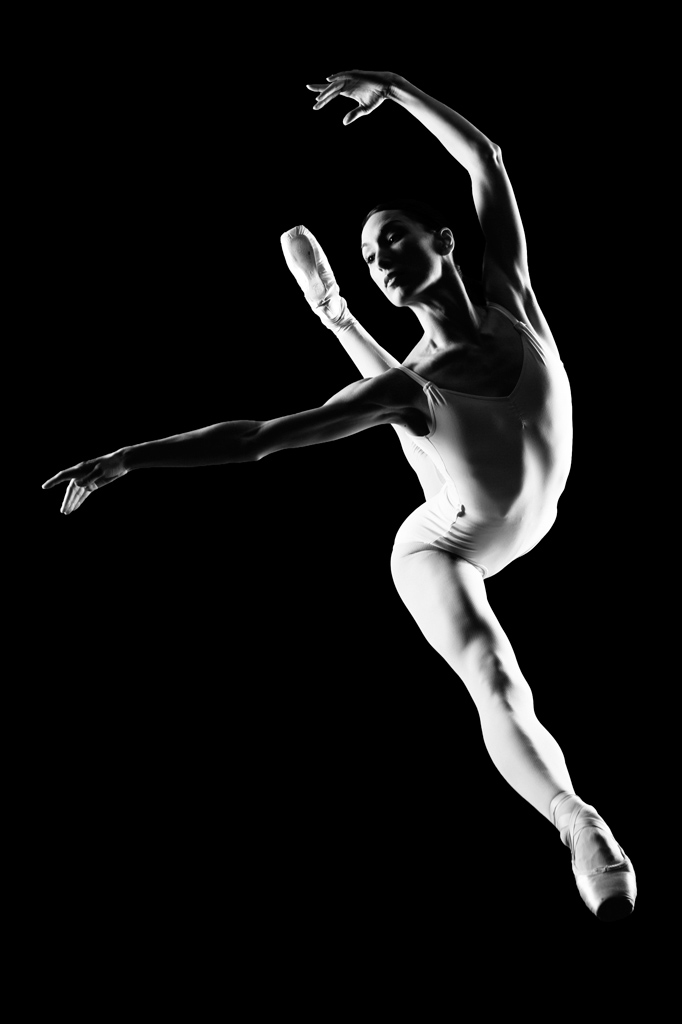
Lights left and right of camera; series of shots as dancer reached apex of movement on highly polished, glassy surface; camera above, shooting f8 to f11; ISO 100 (maybe 50); 85mm prime. Capture is the reflection of the dancer. Primary was removed in post processing. After conversion to B&W, minor tweaks were made for tonal quality.
Nice shot, however you did it.
The jumping ballerina was lit from left and right against a black backdrop. Should be around F8. Post production turned the shot to B&W
Cool – this is fun!
2 strobes or hot lights, gridded, wearing go-bos or snoots enough so as not to get any flare at the camera or funny spill.
One light high and up to the left – about 9 feet up – aimed directly at the other light aimed up from the low right – 1 foot up. Low right is aimed slightly to the back as well. The left side needs the go bo more than the right.
Dull black floor and black, dark empty theatre stage. You’re low – at the stage level in the first few rows of seating, with a longer lens, 100mm, shooting slightly up.
Fast exposure, 1/250 – f 11, ISO100
Your model is a professional dancer. You gave her the go ahead to dance through the lit area in any way she knew how to do it. Trust your people and their skills . . . that’s your method.
Post – slight cleanup on the floor, removed evidence of floor light spill. Tightened contrast a little. Made sure that catch lights were nice and big in the eyes.
Thanks for the game.
Cheers,
~ Roger
PS : see my new photoshelter site – http://www.rogerduncanphoto.com
Deconstruct my “Tommy” imagery if you like. The poster and the group shot – both were fun to light.
plexiglass as “floor”; lights left and right, aimed for the back part of her body.
right light little more aimed to the back.
nice effect all together
How did I make this picture?ballerina standing on a glass
Is it a lucky snapshot?- NOPE
Is it lit?- YES
If so, how?- 2-3 lights at the buttom point upwards on both side
The camera Settings?iso 250 , shutter speed 1/20sec , f7.1
The direction? photographer underneath the glass ,abit front – left of the subject
Post production?lightroom – photoshop
Whatever details you think are needed to make this image