

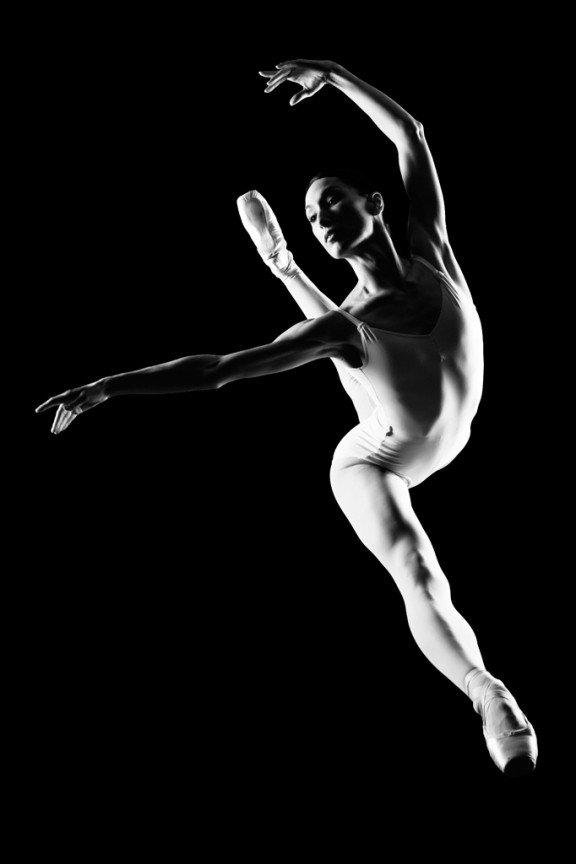
I learned to light after years of deconstructing the work of other photographers. And I know from your previous feedback that you guys are fond of these posts, so let’s dig into another one.
How did I make this picture?
Is it a lucky snapshot?
Is it lit?
If so, how?
The camera Settings?
The direction?
Post production?
Whatever details you think are needed to make this image.
Looking forward to you trying to pick this apart… I’ll reveal everything in a followup post. The person who gets the closest gets… …a chest bump and a pizza, or signed book or something. Don’t be shy. Let er rip.











She’s definitely on plexi – that’s not a jump. Under a tent of some sort – obviously relatively dark to shoot a higher SS to kill ambient. One strobe high, camera left and one camera right, also pretty high, I’d say even with the left strobe, actually – both fired at a higher output, shot at probably something like f/11-ish…That’s my guess.
Plexiglass rig used with 2 lights of equal power both left and right of the subject, and at about 90deg to subject. Camera left light is set high whilst the camera right light is set lower.
So want a plexiglass rig for my Self Sportrait series I have on my blog.
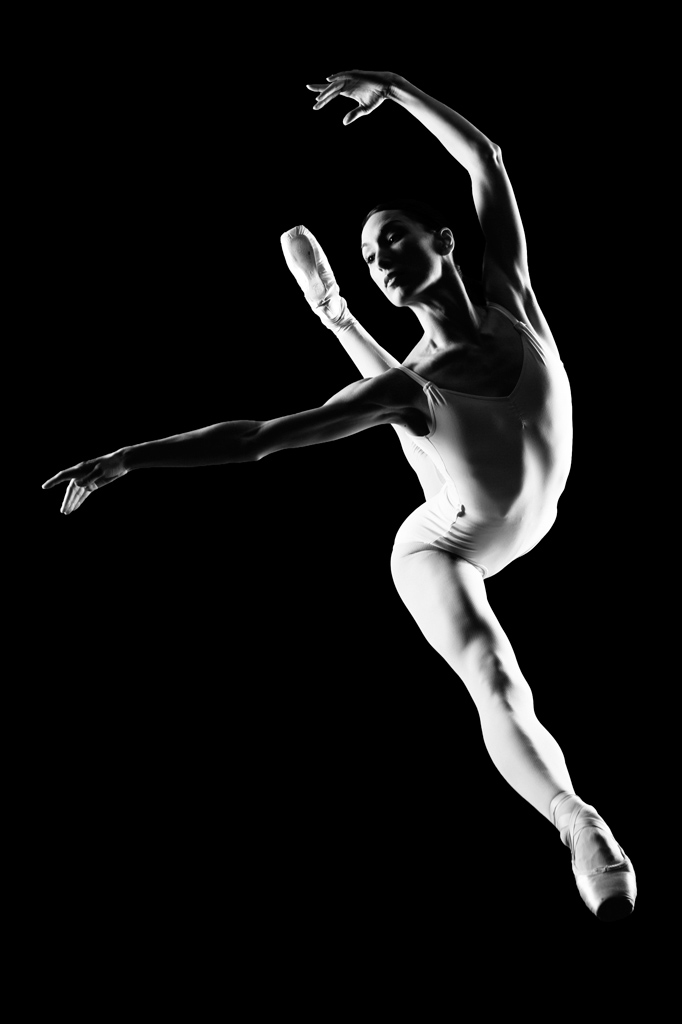
it seems to be rim lit with softboxes on both sides of her, at the 10:00 and 2:00 angles. Flagged so as to not hit the camera with light and cause flare. while it may be a lucky shot, it seems staged, for dancers can repeat moves like this.
post-processing seems to have softened it, maybe a nice noise removal to soften the image. you also blackened the blacks and lightened the highlights. [increased the contrast]
obviously you made it black and white.
I think its lit mainly by two lights that are sandwiched slightly from underneath. The right hand light looking at the photo is the strongest my guess is beween one two stops above the other. It is fairly hard lit, but got some really soft shadows happening. So my guess is that there is used some diffusion material. A softobox or just a flash through diffusion of some kind.
I think the dancer looks as gracious as only dancers can. It is beautifully lit, and my guess that you have had a few takes on this one to get the light as in the face and so on right. Dig it!
Best Regards Espen
I’d say this was done with 2 lights possibly 36″ strip domes in the position where kicker lights normally might go… to possibly forward to the photographer… black velvet backdrop*, and the photographer shooting upwards with a 35mm lens. Camera settings f11 at 1/200th – ISO 100
Edits – contrast boost and black levels 15…
*or model was cut out from a different shot and pasted on the black backdrop 😀
What did I win? :p