

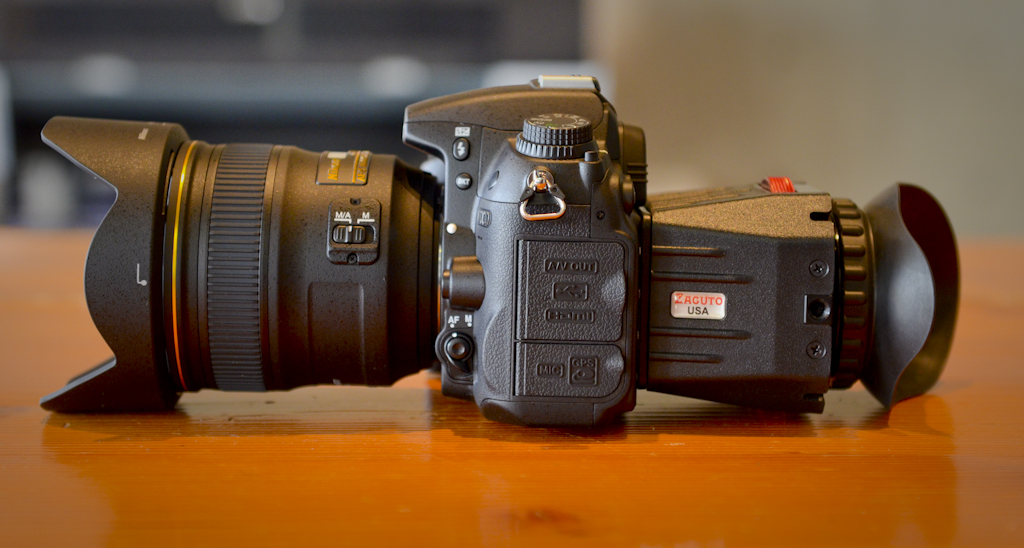
Our digital cinema guru, Erik, wanted to take a minute to chat gear with you. This is his second guest post, so please give him another warm welcome… This post is another installment of a series that our staff is doing about the gear that we consider essential for our work…the stuff we don’t leave home without.
When shooting behind the scenes videos and even some of our commercial work, we shoot with HDSLRs whenever it’s the right tool for the job. They’re lightweight and quick and produce amazing visuals, but they’re first and foremost still cameras, so they require a few extra accessories to make them function more like a cinema camera. It’s those accessories that I’ll be blogging about, beginning today with the simple but crucial challenge of keeping your footage in focus. For that I use the Zacuto Z-Finder.
On larger film/video sets there’s a small team of camera assistants dedicated to maintaining and combatting the shallow depth of field you get when shooting on large formats (35mm, RED cameras, etc). Now we have that same depth of field in easily affordable and accessible HDSLR’s, except most of us don’t have the means of bringing along a camera assistant to measure and mark focus points on our lens. There are a lot of options out there to keep your video sharp, from monitors, to follow focus systems, to my personal favorite; loupes. I’ve been using the Zacuto Z-Finder since the day I picked up an HDSLR, and I never step onto set without it.
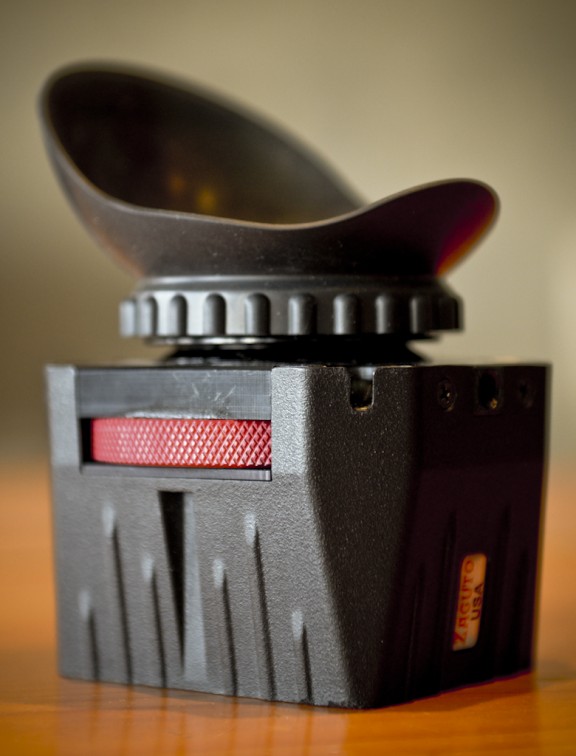
This thing is brilliant, and dead simple. It’s essentially a magnifying glass with an eyepiece, but seriously, the first time I popped it on the back of my camera it was like the LCD was transformed into a movie theater screen. It’s that detailed.
Zacuto offers up 2 ways of mounting the Z-Finder to your camera. The first is to stick a mounting frame to the border of the LCD. It’s a semi permanent fixture, you can peel it off of the camera when you don’t want it on there anymore, but then that frame is pretty much shot. The other option is Zacuto’s Gorilla Plate. You mount the plate to the bottom of the camera, and then you attach the appropriate mounting frame (depending on what camera you’re using) to the Gorilla Plate. That setup time is a bit of a setback for us as we usually bring a lot of cameras to our shoots and we work very quickly, so just pasting a sticky mounting plate to each camera is our preference.
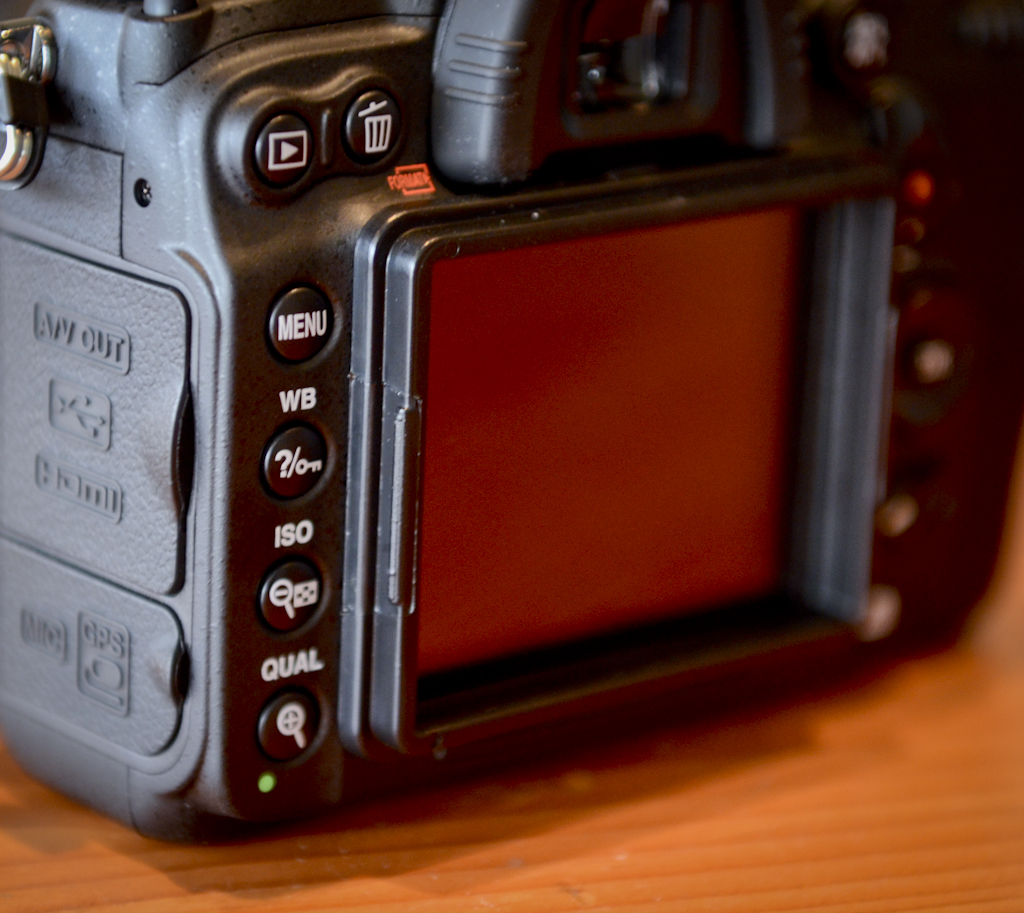
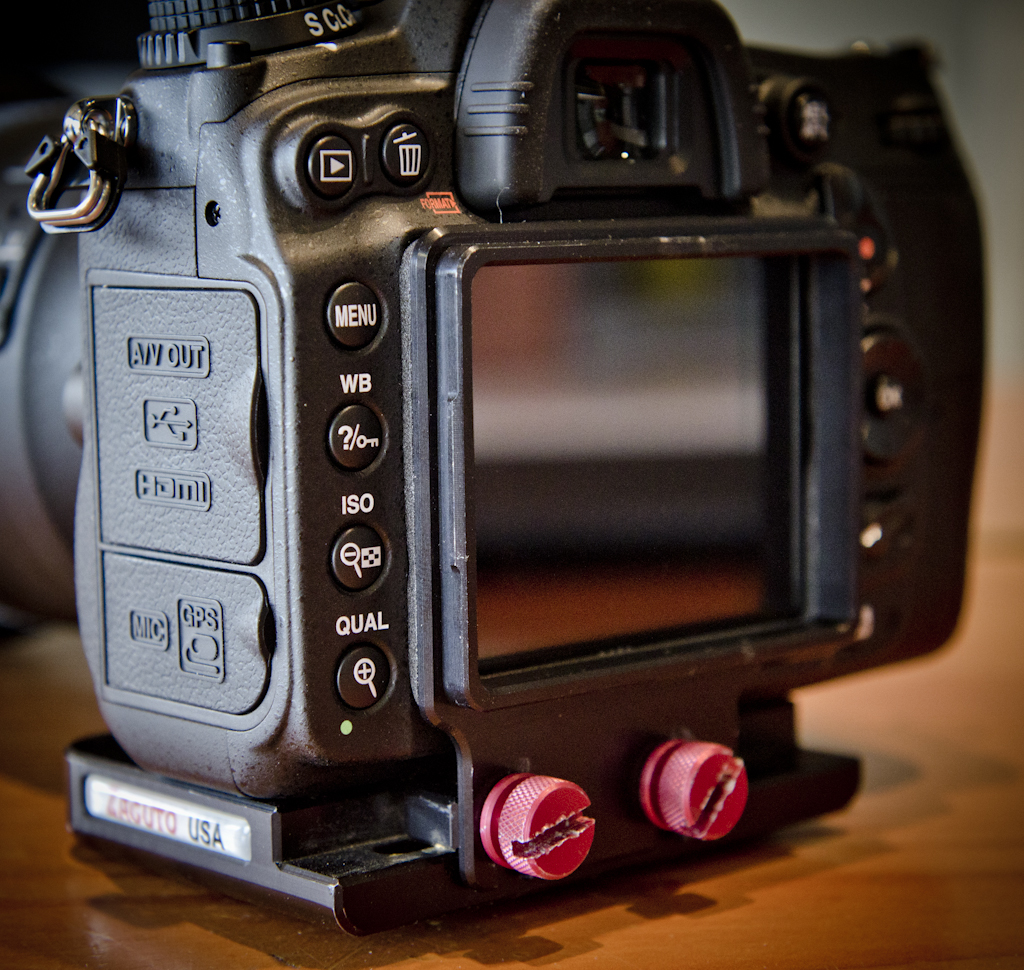
The Z-Finder has a price tag of around $375 on B&H Photo (that price includes the Gorilla Plate), which I know may sound expensive, but when it comes to risking whether or not your footage is consistently in focus, the cost is worth it.
To see the Z-Finder and a whole bunch of other badass camera toys in action, check out our Camera’s at Risk video:
One last note…. When your Z-Finder is mounted to your camera, DO NOT leave the eyepiece pointing towards the sun for any extended period of time. It’s a magnifying glass with it’s focal point set perfectly to your LCD screen, and it will burn it. I learned that lesson the hard way when I nearly put a hole in the LCD of a Nikon D3s. Yikes.
– Erik Hecht













Hi Chase, pls what are your thoughts concerning HOODMAN CF & SD RAW cards?
Looks like a nice piece of equipment to me 🙂 Thanks for sharing Erik, I’m looking forward to the next part of the serie 🙂
Great post Eric. I just picked up the Z-Finder 3x, I was amazed by the stability that it added just by itself when pressed against my face. I did however find it hard to tell if my subjects were in focus in wider shots. I think it may just take some getting used to. It also seems to look better when using on the 5DM2 in comparison to the T2i, the refresh rate of the LCD screens might be different? With the T2i I noticed a lot more strobing action.
I completely agree. Hard to tell if the shots are in focus.
The other thing is that it is (or at least I find it to be) quite difficult to keep only one eye open, especially when a single take is over seven minutes long.
When the eye not being used is open it becomes difficult to gauge focus, and so, I’d tape my left eye shut so I could properly use this thing.
I’ll preface this by saying I don’t do a lot of cinematography and am more of just a gear nut, but I have used with a z-finder and talked with one of their reps before. One of the things I hadn’t really thought about was the fact that when used with the gorilla plate and pressed firmly to your eye, the z-finder actually stabilizes the camera (which is something a diy won’t do). If you use this in conjunction with a follow focus / shoulder brace, it makes for a much more stable camera.
I totally agree Jon (and wish I had mentioned that in my post). If we’re really running and gunning, I’ll often times ditch a shoulder mount all together and just use the Z-Finder pressed against my face as my only stabilization. It gets uncomfortable after a while, but it’s great for quick takes.
erik’s face is stable…
Hi Erik,
Thanks for the post, some insights about the focus issues I had while shooting video. I got one question about the camera mounters ? as in what do you guys use to put/mount camera while hand-holding it, when not on a crane or on tripod ?
Thanks in advance!
Saneesh