


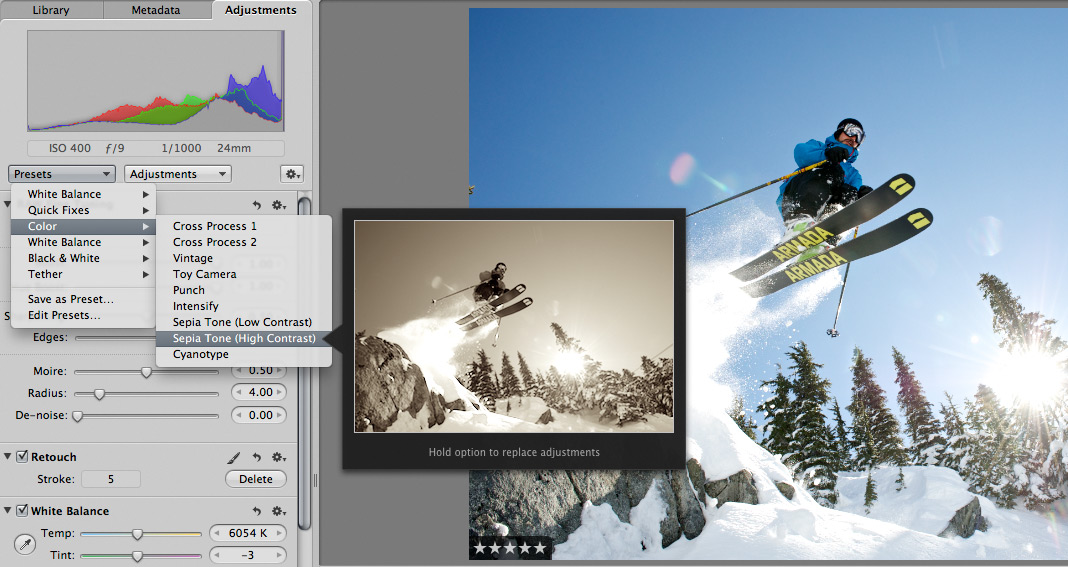
 Scott here. Many of you know that I’m the primary retoucher here around the Chase Jarvis studio. I was surprised to get into a fairly spirited debate the other day with some of my co-workers. The topic? Adjustment presets and plug-ins in Aperture or Lightroom or Photoshop.
I’ve got a strong opinion on this, but this experience has once again reminded me that there are a thousand ways to skin a cat and that my way is just that, my way.
Instead of letting a debate rage inside the office and then fade out, I figured, why not make it public? I want to hear from you.
Do you use presets for the post production of your images?
Do you make your own, or download them from other users online?
Do you use them for initial inspiration, or to create your final files?
What are your favorites and why?
I’m interested to hear your thoughts in the comments below. Don’t be shy. For those of you who give a rip, I’ll follow up this post with my personal take and we’ll all be a little more informed.












Don’t use presets as I feel that each image is different and therefore needs different attention. It does take a ton of extra time but to me it’s a part of photography.
I believe that actions serve a short purpose; either to provide a quick boost of creative inspiration, or to act as a shortcut in the workflow. Is it easy to sit back and let the preset do the heavy lifting? Hit apply and call it a worked up image? [yeah.. we’ve all been there..] Far too easy! But once the understanding that these presets are, more often then not, someone else’s vision, working toward imparting a personal touch on that image seems imperative to a pure [photographic] conscience. {but that’s just a chunk of my brain}
I can’t stand presets. For me it’s important to actually DO the retouching, because the process is important. It’s not just getting the final picture, it’s creating it. If I use a preset and it’s not what I want, it’s very very difficult for me to go from there. It’s much easyier to do it all on my own, because this way I think along the process, which makes it easier for me to see where I want to get.
I use plug-ins though. Can’t live without silver efex pro anymore. 🙂
Presets are a handy way to get started, but never my final solution.
I don’t use presets all that much. The only thing I use occasionally are some frequency separation actions in ps. My favorite thing to use is an adjustment layer.