


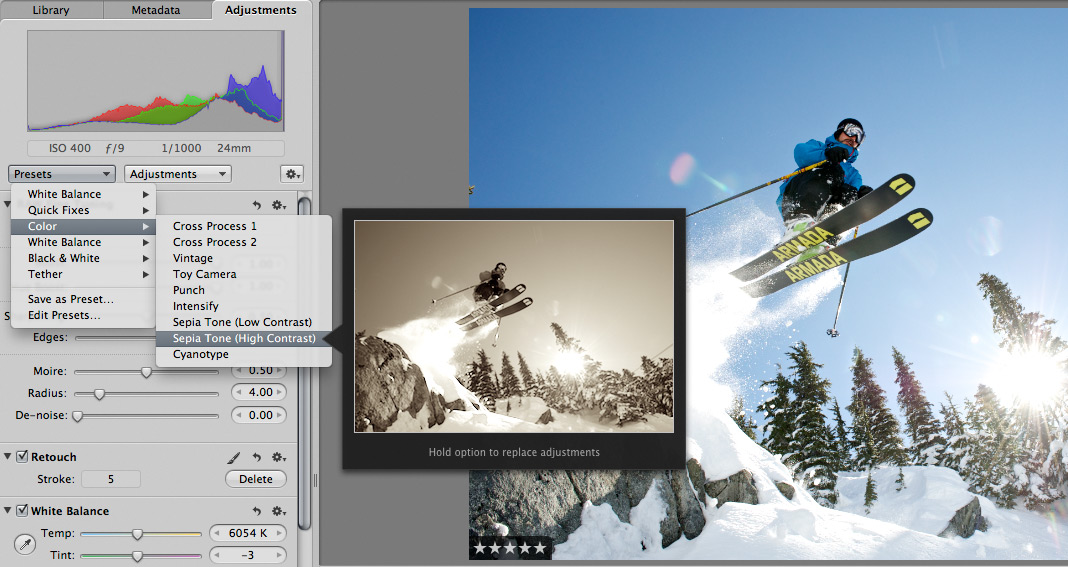
 Scott here. Many of you know that I’m the primary retoucher here around the Chase Jarvis studio. I was surprised to get into a fairly spirited debate the other day with some of my co-workers. The topic? Adjustment presets and plug-ins in Aperture or Lightroom or Photoshop.
I’ve got a strong opinion on this, but this experience has once again reminded me that there are a thousand ways to skin a cat and that my way is just that, my way.
Instead of letting a debate rage inside the office and then fade out, I figured, why not make it public? I want to hear from you.
Do you use presets for the post production of your images?
Do you make your own, or download them from other users online?
Do you use them for initial inspiration, or to create your final files?
What are your favorites and why?
I’m interested to hear your thoughts in the comments below. Don’t be shy. For those of you who give a rip, I’ll follow up this post with my personal take and we’ll all be a little more informed.







I make my own and use them when I have to edit tons of pictures in a row. In the case of more serious photoshoots, I do quick tests with presets to get an idea, and then I move to photoshop to get things done in a more clean and detailed way (in my opinion)
I’m in love with Silver Efex Pro and Alien Skin Exposure 3. But I don’t use them right out of the box, I mix and match, adjust to create custom filters. I add Photoshop adjustment layers like curves, selective colour and the B&W layer mask trick Scott showed on this very blog.
I have heard it all…I’ve heard that if everyone uses the same plug-ins and presets that every ones work would be the same or that it’s cheating if you don’t know how to do everything purely with Photoshop. The way I look at it is that in the film days, just because everyone used the same film, that didn’t mean all the work looked the same. Was it considered cheating if you had a lab develop your film? Of course not.
What’s important is the final result and not how you get there. If a plug-in gets you the look you want then use it…Just like you used the format/film that gave you the look you wanted in the film days.
I only use a could of presets. One for black and white and one to put a curved white border on my images for my blog. I created both myself. I think presets are seen as a four letter word, but they are a powerful way to speed up your workflow. I think it is best to make them yourself. Purchasing them leads to creating images that look like everyone else’s. Don’t throw the baby out with the bath water.
sometimes it can be a good starting point if you know the look you generally want. after narrowing images down from thousands to the keepers it gets easier to look at each exposure individually.
I routinely use the WB (Daylight, Cloudy, etc) and B&W (Red Filter, Orange Filter, etc) presets that came with Aperture 3, but usually as a jumping off point that I’ll fine tune on a per-image basis. I’ve never bothered buying or downloading any other presets.