


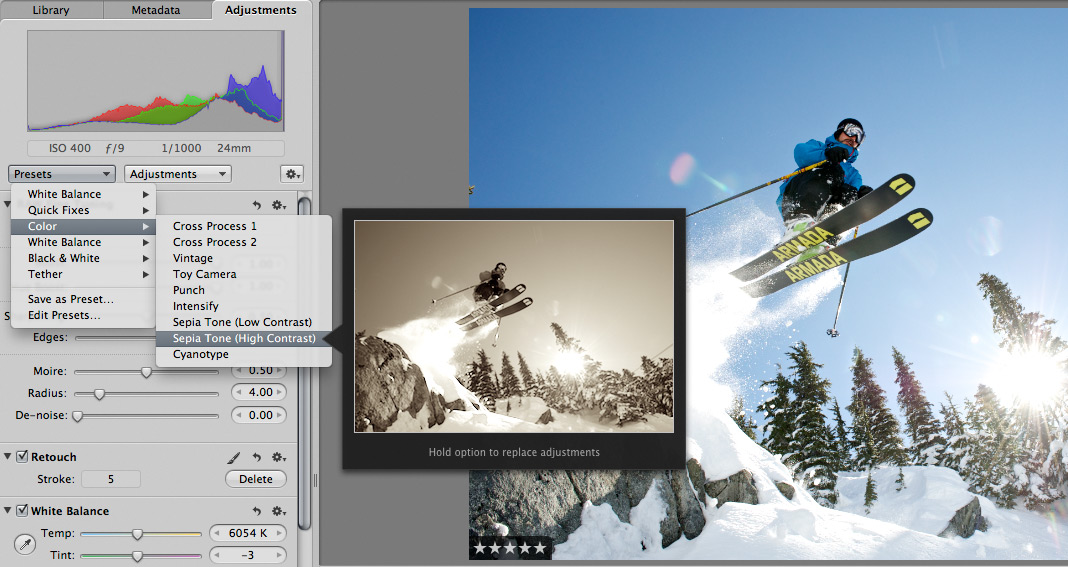
 Scott here. Many of you know that I’m the primary retoucher here around the Chase Jarvis studio. I was surprised to get into a fairly spirited debate the other day with some of my co-workers. The topic? Adjustment presets and plug-ins in Aperture or Lightroom or Photoshop.
I’ve got a strong opinion on this, but this experience has once again reminded me that there are a thousand ways to skin a cat and that my way is just that, my way.
Instead of letting a debate rage inside the office and then fade out, I figured, why not make it public? I want to hear from you.
Do you use presets for the post production of your images?
Do you make your own, or download them from other users online?
Do you use them for initial inspiration, or to create your final files?
What are your favorites and why?
I’m interested to hear your thoughts in the comments below. Don’t be shy. For those of you who give a rip, I’ll follow up this post with my personal take and we’ll all be a little more informed.











I often use Lightroom presets as a base, mainly of my own creation, and then go from there. I find it is a quick way to check that my original vision for the post will roughly work out how I would like it to.
My favourite is a B&W filter I created after being inspired by Hedi Slimane’s work. The results themselves are not actually that similar to Hedi’s… but the preset has taken on a life of it’s own, and has actually helped to inspire me to develop a new vision and style in my photographs.
I might not have started shooting this way at all had I not created the preset.
1. My processing technique is determined by the assignment. Larger jobs with more images and shorter deadlines require custom made presets to help speed things up.
But I am of the belief that every image is different and therefore a pre-determined adjustment would not be appropriate.
2. I make my own.
3. They are used to create a final file. I find inspiration in places other than presets.
4. My favorites are those that fit the theme of the image, dont distract but compliment the image and of course the ones that develop an interesting name. Current favorite custom preset..jalapeno’s revolt!
I love presets. I use them as a bit of creative inspiration when I’m working on a photo, trying different looks on.
That being said, the preset is only the begininng for me…lots of agonising over fine adustments before exporting to CS5 for a bit more panel beating…
As a wedding photographer, presets, especially in Adobe Lightroom are an invaluable time saver. We make our own for everything we commonly need to adjust: exposure, noise, sharpening, B+W conversion, etc. etc. We also have a large number of processes automated using actions in photoshop for creating our galleries, proofing discs, hi res discs, you name it. Final touch up is always done by hand in CS4. With out presets we use, there is no way we would be able proof an entire wedding in less than 8 hours (2 shooters).
I highly recommend everyone make your own presets for what you do and how you work.
i download then use it sometimes..