Choosing the right platform to build your online presence is one of the most critical decisions you’ll make in your creative career. It’s not just about having a portfolio; it’s about creating a digital headquarters for your brand, a space where you can showcase your work, connect with clients, and build a business that lasts. The two biggest names in the game are Squarespace and WordPress.
We’ll analyze their core functionalities, their strengths and weaknesses for portfolio-based businesses, and the real-world implications of choosing one over the other. The goal is to give you a clear, direct path to making an informed decision that will serve your creative business for years to come.
The Basics: Squarespace vs. WordPress
Before diving into the deep end, let’s establish a clear baseline of what these platforms actually are.
Squarespace
Squarespace is an all-in-one, closed-source website builder. This means that the platform, hosting, templates, and tools are all provided and managed by the company itself. You pay a monthly or annual fee for a subscription that includes everything you need to get a site online. The core value proposition of Squarespace is simplicity and design. It’s known for its stunning, professionally designed templates and an intuitive drag-and-drop editor that allows you to build a beautiful website with zero coding knowledge. It’s a curated, walled-garden approach to website creation, prioritizing ease of use and aesthetic polish over limitless customization.
WordPress
WordPress, on the other hand, is an open-source content management system (CMS). This is a crucial distinction. “Open-source” means the software is free for anyone to use, modify, and distribute. However, you are responsible for finding and paying for your own web hosting and domain name. WordPress gives you the foundational software, but you have complete control—and responsibility—over everything else. This opens the door to infinite customization through a massive ecosystem of third-party themes and plugins. It’s the platform that powers a huge percentage of the internet for a reason: its flexibility is unparalleled. But with that power comes a steeper learning curve and a more hands-on management requirement.
How Creative Professionals Can Use Squarespace and WordPress
Let’s move beyond the technical definitions and into practical application. How do these platforms stack up in the areas that matter most to photographers, designers, writers, and other creative entrepreneurs?
Portfolio and Visual Galleries
For any visual artist, the portfolio is the heart of the website. The way your work is presented can be the difference between landing a dream client and getting passed over.
Using Squarespace for Portfolios
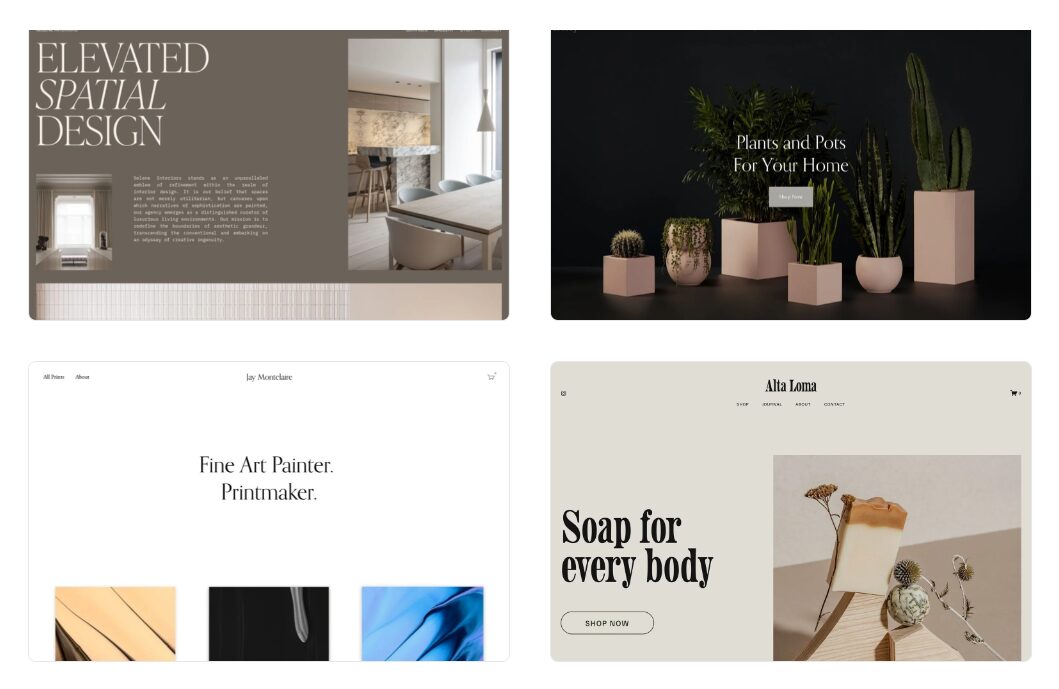
Squarespace excels here. Its templates are designed with creatives in mind, offering a wide range of elegant, minimalist, and visually-driven layouts. The platform’s built-in gallery blocks are powerful and easy to use, allowing you to create stunning presentations of your work with just a few clicks.
You can choose from various layouts like grids, stacked presentations, and carousels. The platform automatically handles image resizing and optimization to ensure your site loads quickly without sacrificing quality, which is critical for high-resolution photography and design work. For videographers, embedding from Vimeo or YouTube is seamless and maintains the clean aesthetic of the templates. The focus is on letting the work speak for itself with minimal distraction. Actionable tip: Use the “Gallery Sections” feature with a full-bleed grid layout to create an immersive, high-impact landing page that immediately showcases your best work.
Using WordPress for Portfolios
WordPress offers endless options, but it requires more work to get right. You’ll need to select a theme built specifically for portfolios. Premium themes from sites like ThemeForest or specialized providers like Imagely (creators of the NextGEN Gallery plugin) are often worth the investment. Free themes can be a mixed bag in terms of quality and support.
The real power of WordPress for portfolios comes from plugins. You can use plugins like NextGEN Gallery or Modula to create highly customized, filterable galleries. These tools offer features far beyond what Squarespace provides, such as client proofing systems where you can share private galleries, allow clients to select their favorite images, and even handle print orders directly from your site. It’s more complex to set up, but the level of control is on another level. Getting your hands dirty and really understanding how to configure these tools is a key step to building a life you love. For a deeper dive into taking bold steps in your career, check out this free chapter from Chase Jarvis’ book “Never Play It Safe.”
Blogging and Content Creation
A blog is a powerful tool for attracting new clients, establishing your expertise, and controlling your own narrative. It’s a way to do work that matters and share it with a wider audience, a key principle in Seth Godin’s playbook for creators.
Blogging on Squarespace
Squarespace has a solid, built-in blogging engine that covers all the essentials. You can create posts, categorize them, add tags, and schedule them to be published later. The editor is clean and straightforward, mirroring the what-you-see-is-what-you-get (WYSIWYG) feel of the rest of the platform. For most creatives who want to maintain a simple blog to share project updates, behind-the-scenes content, or industry thoughts, it’s more than enough. However, it lacks the advanced functionality that serious content marketers might need.
Blogging on WordPress
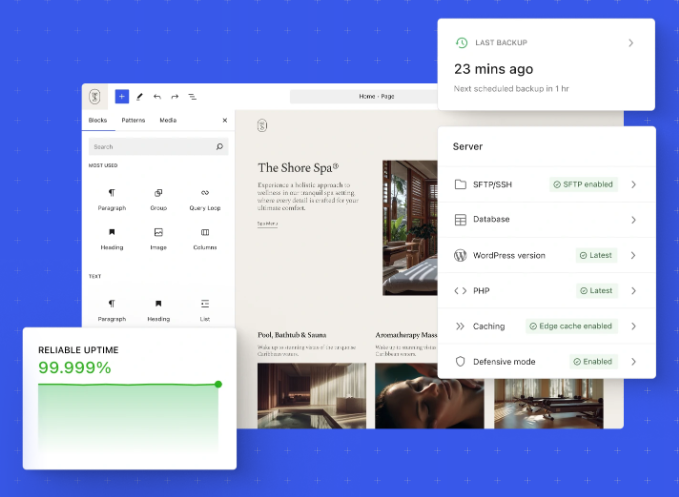
This is where WordPress is the undisputed champion. It started as a blogging platform, and that DNA is still at its core. The Gutenberg block editor is incredibly powerful, allowing you to build rich, media-heavy articles with complex layouts. The real advantage, however, lies in plugins.
You can supercharge your content strategy with tools like Yoast SEO or Rank Math to optimize every post for search engines, getting granular control over keywords, meta descriptions, and schema markup. You can use plugins to build an email list, create advanced contact forms, manage editorial workflows, and analyze your content’s performance. If content creation is a primary pillar of your business strategy, WordPress provides a professional-grade toolset that Squarespace can’t match.
E-commerce for Creatives
Selling prints, digital products, presets, or even client services directly from your site can be a significant revenue stream.
Squarespace E-commerce
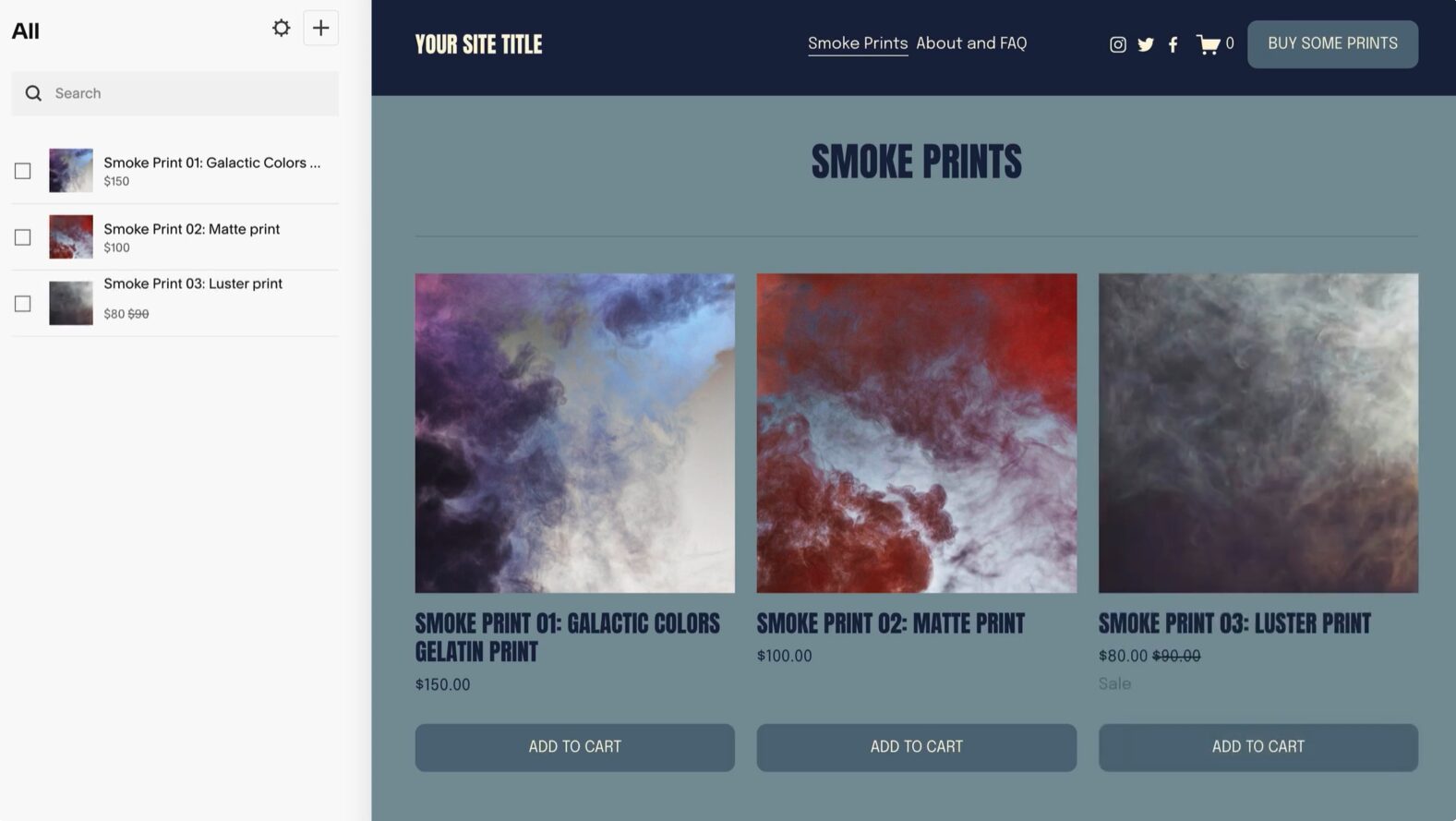
Squarespace has e-commerce functionality built directly into its platform. With their Business and Commerce plans, you can set up a beautiful, fully integrated online store. It’s incredibly easy to use. You can sell physical products, digital downloads, and services without needing any third-party integrations. For photographers wanting to sell prints, Squarespace offers integrations with print-on-demand services like Printful. The entire experience, from product page to checkout, is seamless and matches the design of your site. The trade-off is that it’s a closed system. You’re limited to the payment gateways and features that Squarespace offers.
WordPress E-commerce
With WordPress, the go-to solution for e-commerce is WooCommerce. It’s a free plugin that transforms your site into a powerful, full-featured online store. The level of customization is staggering. You can sell anything, from physical goods to subscriptions and online courses. There’s a vast marketplace of extensions for WooCommerce that allow you to add any functionality imaginable, from advanced shipping calculators to integration with virtually any payment processor in the world.
For a creative professional, this means you could build a store that sells Lightroom presets, handles bookings for workshops, and sells prints with dozens of framing options, all from one dashboard. It requires a more intensive setup process than Squarespace, but the ceiling for what you can build is infinitely higher.
Customization and Extensibility
Your website is an extension of your creative brand. For some, a beautiful template is enough. For others, the ability to control every pixel is non-negotiable.
Squarespace Customization
Squarespace is built on templates. While you have a good degree of control over colors, fonts, and page layouts within the editor, you are fundamentally working within the constraints of the template you’ve chosen. You can add custom CSS to override some styles, but you cannot fundamentally alter the underlying structure of the theme. This is by design. Squarespace trades limitless customization for simplicity and reliability. You can’t “break” a Squarespace site in the same way you can a WordPress site, which is a major advantage for those who want to focus on their creative work, not on website maintenance.
WordPress Customization
WordPress is the definition of extensibility. Your customization options are, for all practical purposes, infinite. You can start with a basic theme and build on it, or you can use a powerful theme builder like Elementor or Divi to create a completely custom design from scratch with a visual, drag-and-drop interface.
Beyond aesthetics, the plugin repository is where WordPress truly shines. With over 60,000 free plugins available, you can add almost any feature you can think of: advanced SEO tools, social media integrations, membership portals, forums, learning management systems, and more. This freedom means you can build a website that evolves with your business. You might start with a simple portfolio but later add a private client area or an online course. With WordPress, you’re never locked in.
The Bottom Line: Is Squarespace or WordPress for You?
The choice between these two platforms comes down to a single, critical question: do you want to be a website manager, or do you want to be a creative with a website?
Choose Squarespace if:
- You prioritize design and ease of use above all else. You want a stunning, professional-looking website without a steep learning curve.
- Your primary need is a visually-driven portfolio. Your main goal is to showcase photography, design, or video work in a clean, elegant way.
- You are not a coder and have no desire to be. You want a platform that handles all the technical heavy lifting—hosting, security, updates—for you.
- You need a simple, integrated solution for blogging and e-commerce. You want to sell prints or digital products without the complexity of managing third-party plugins.
Squarespace is the right tool for the creative who wants a powerful, professional, and low-maintenance online presence that just works, allowing them to focus their time and energy on their craft. For a deeper look, check out our full Squarespace review for creative pros.
Choose WordPress if:
- You want complete creative control and limitless customization. You have a specific vision for your site and need the flexibility to build it without constraints.
- Content creation is a core part of your business strategy. You need a powerful blogging platform with advanced SEO and marketing tools.
- You plan to build a complex, feature-rich website. Your site needs to do more than just show a portfolio—think memberships, online courses, or highly specific e-commerce functionality.
- You are comfortable with a more hands-on approach. You don’t mind handling your own hosting, running updates, and managing plugins to get the power and flexibility you need.
WordPress is the right tool for the creative entrepreneur who sees their website as a dynamic business asset and is willing to invest the time to build and manage a truly custom platform. This approach aligns with the philosophy of rejecting hustle culture to build a sustainable creative business. It requires more from you, but the potential rewards are far greater. It’s about building a system that serves your vision for creative freedom. If you’re serious about building a business and life around your creative work, consider signing up for the Seven Levers For Life email course, which is designed to help you do just that.