Choosing the right tool to build your online presence is one of the most critical decisions a creative professional can make, much like the Affinity Studio vs Adobe Creative Cloud debate for design software. Your website isn’t just a digital business card; it’s your gallery, your storefront, and your primary point of contact with clients and collaborators. The platform you build it on dictates what you can create, how fast you can ship, and how much control you have over your own brand. It can either be a powerful amplifier for your work or a constant source of technical friction.
In the world of professional web design without code, two platforms stand at the forefront: Webflow and Framer. Both offer immense power to designers, but they approach the task from fundamentally different philosophies. This isn’t about which one is “better” in a vacuum. It’s about which one is the right tool for you, your specific workflow, and your creative ambitions. This guide will break down the essential differences to help you make an informed decision.
The Basics: Webflow vs Framer
Before diving into the granular details, let’s establish a baseline for what these platforms are. They might seem similar on the surface, but they’re built for different mindsets.
What is Webflow?
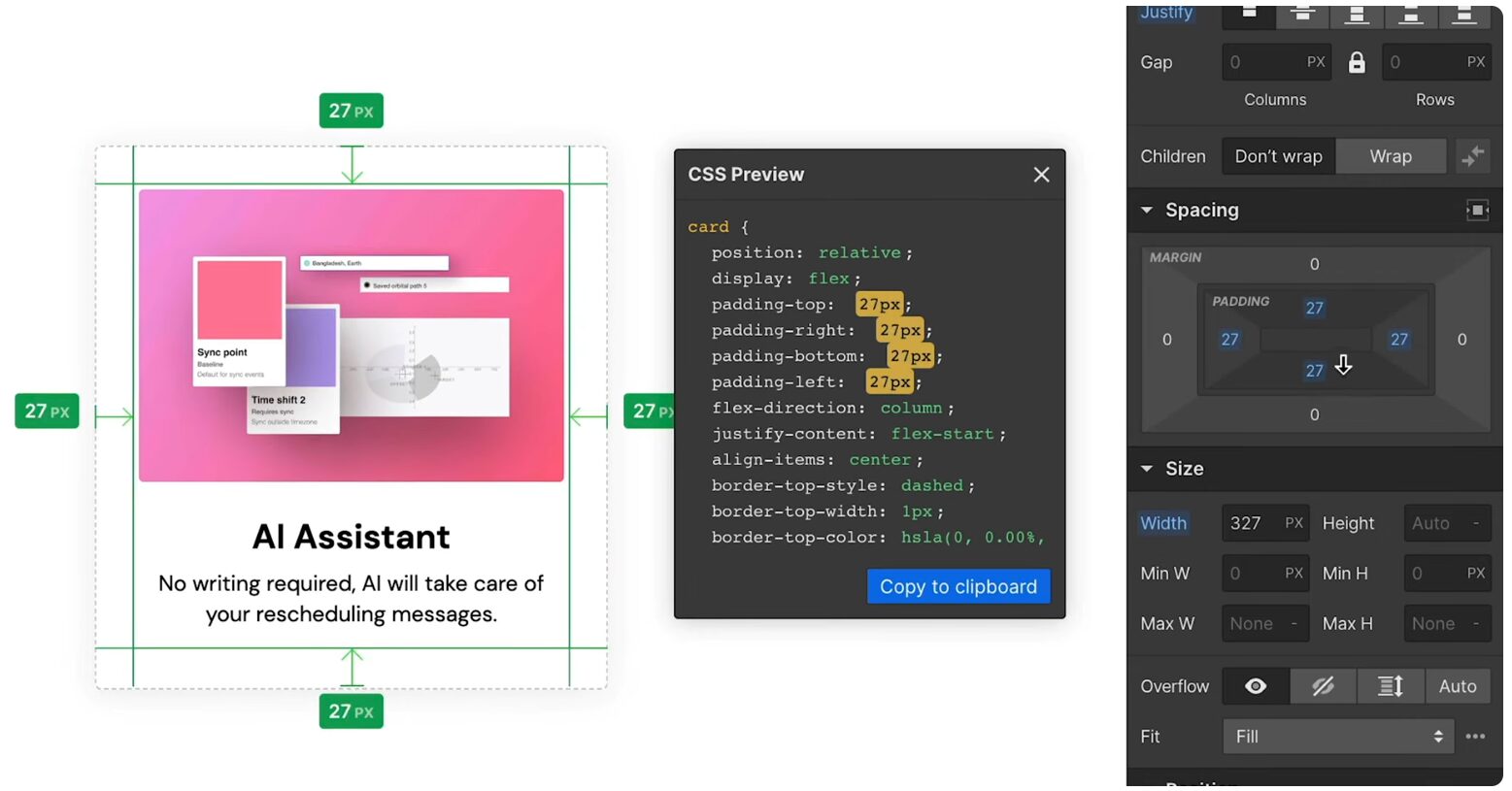
Webflow is a visual web development platform designed to build professional, production-ready websites without writing code. The key phrase here is “web development.” Using Webflow feels like you’re building a website from the ground up, but with a visual interface. It gives you direct access to the underlying structure and styling properties of the web—things like the HTML box model, CSS classes, flexbox, and grid—but you manipulate them with sliders, buttons, and menus instead of code. It’s known for its immense power, deep customization, and an industry-leading Content Management System (CMS).
What is Framer?
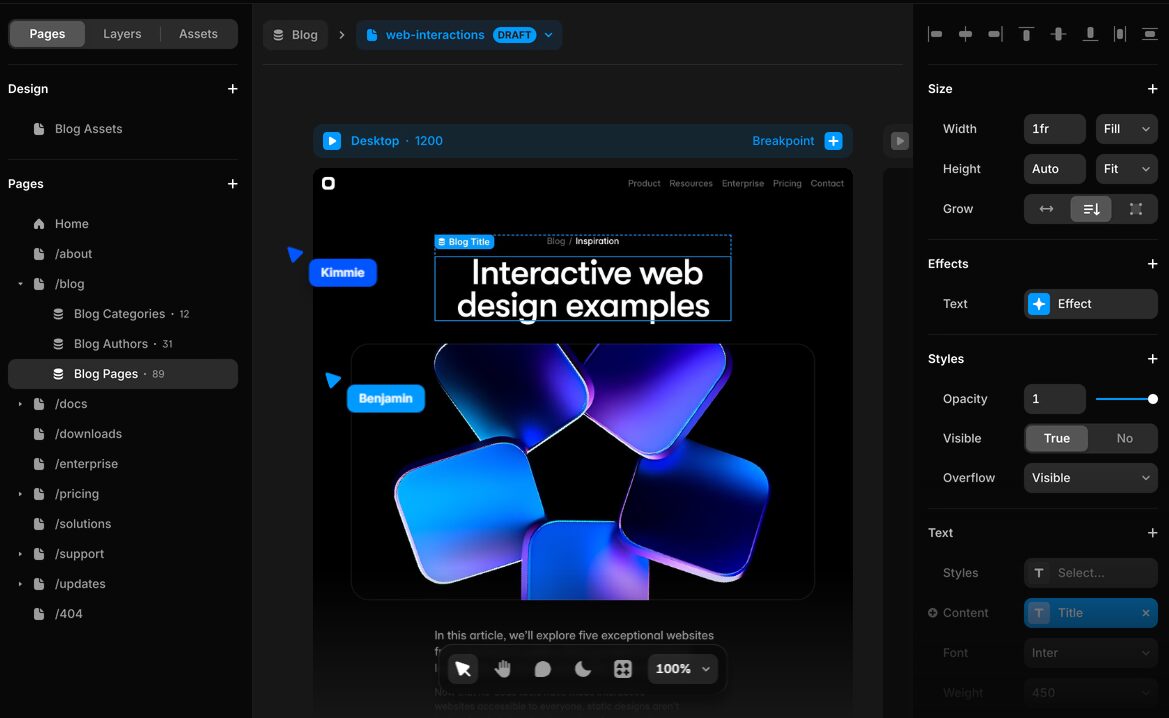
Framer began its life as a high-fidelity prototyping tool for designers but has evolved into a powerful, all-in-one platform for designing and publishing websites. Its core strength lies in its interface, which is intentionally similar to design tools like Figma and Sketch. This allows designers to feel right at home, working on a free-form canvas to create pixel-perfect, interactive designs that can be published to the web with a single click. Framer excels at speed, ease of use, and creating fluid animations and interactions.
How Creative Professionals Can Use Webflow and Framer
This is where the rubber meets the road. How do these platforms actually perform when it comes to the tasks that matter to a creative professional? Let’s break it down by function.
Design and Customization
Your ability to translate the vision in your head to the screen is paramount. This is a primary differentiator between the two tools.
Webflow: Granular, Developer-Level Control
Webflow’s design canvas is a structured environment. You don’t just drag and drop elements anywhere; you place them within the structure of a webpage, just as a developer would. You work directly with concepts like div blocks, sections, and containers. You style elements by creating and applying CSS classes, which means you can make a change to one class and have it update everywhere it’s used—a massive timesaver for site-wide consistency.
This structure gives you unparalleled control. Want to create a complex, overlapping layout with CSS Grid? You can. Need to build a fully responsive design that behaves differently across five different breakpoints? It’s built-in. This is the platform for the creative who wants absolute, pixel-perfect authority over their final product and is willing to learn the web-native principles to get there. It’s not just a website builder; it’s a professional web design tool.
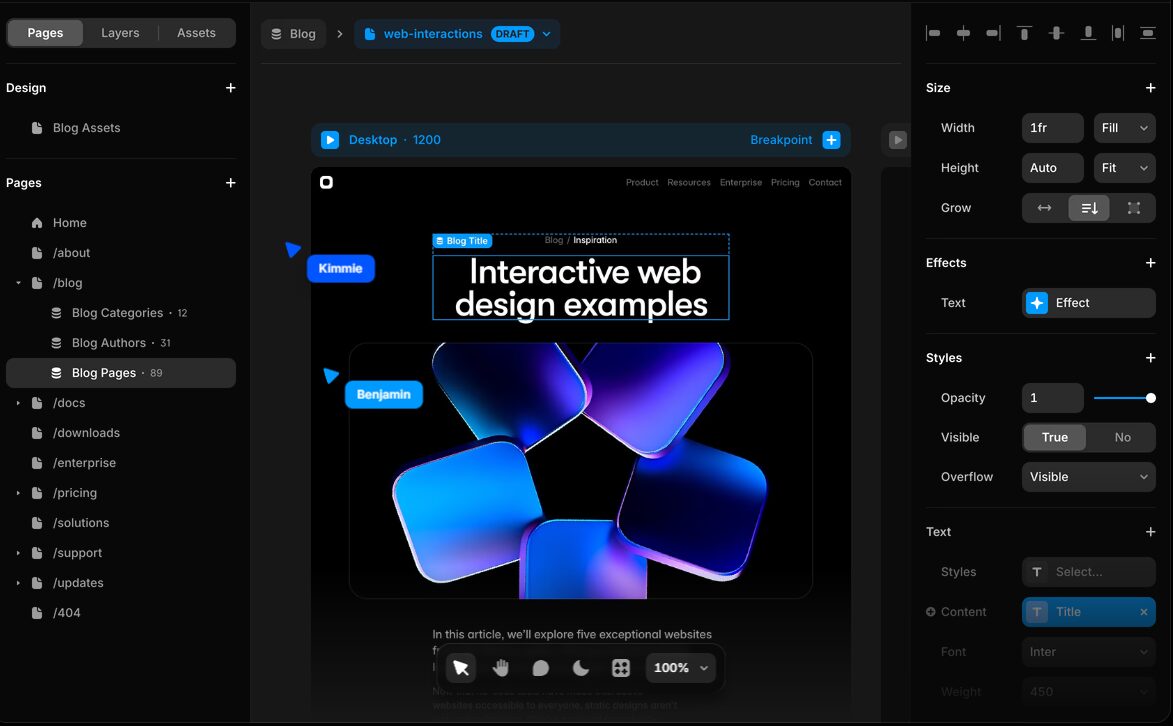
Framer: The Freedom of a Design Canvas
Framer’s approach feels entirely different. It provides a free-form canvas that will be instantly familiar to any UI/UX designer. You can draw frames, add text, and position elements with the same freedom you have in Figma, which continues to evolve with tools like Weavy (Figma Weave). Responsiveness is handled primarily through “Stacks,” its intuitive take on flexbox, and a powerful layout system that makes it simple to set constraints and resizing rules.
This makes the initial design and iteration process incredibly fast. You can go from a blank page to a visually stunning, fully-realized design in a fraction of the time. Framer also has a massive library of pre-built components, effects, and integrations that you can drag-and-drop right into your project. It’s built for speed and visual iteration, allowing you to design directly for the web without feeling constrained by its technical architecture.
Interactivity and Animations
A modern website is more than a static page. Motion and interactivity guide the user, create a mood, and showcase your work in a dynamic way.
Webflow: A Cinematic Animation Timeline
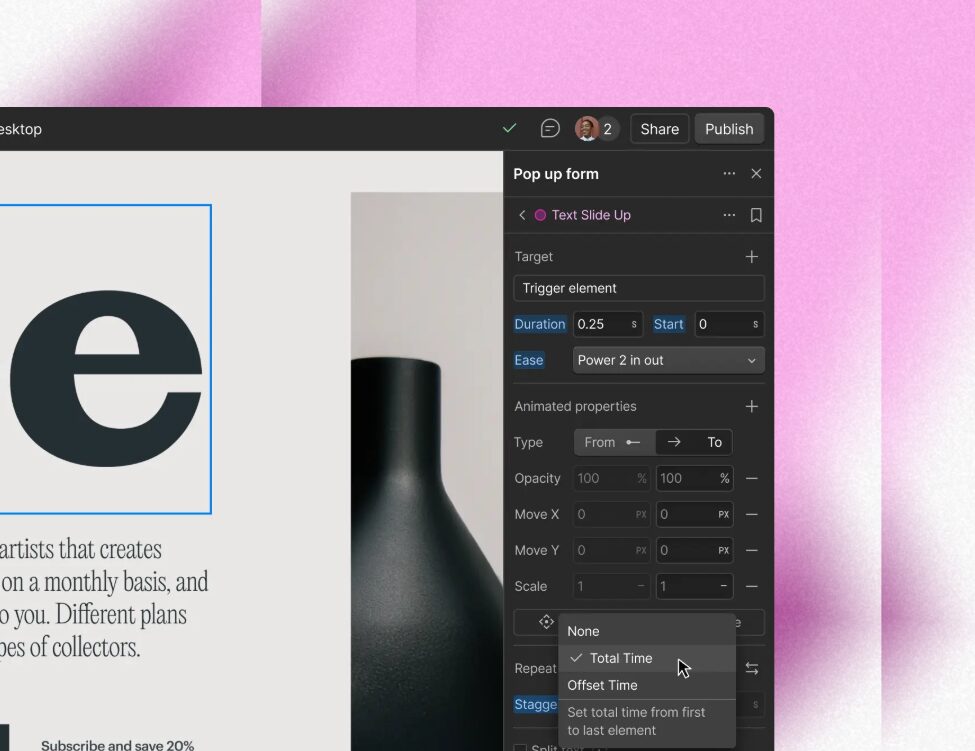
Webflow’s “Interactions 2.0” is a beast. It’s a visual timeline-based animation tool that lets you create incredibly complex, multi-step animations tied to user actions like scrolling, clicking, and hovering. You can choreograph elements to move, fade, scale, and rotate based on their position in the viewport. This allows for rich, storytelling experiences—think cinematic parallax scrolls, intricate loading sequences, and interactive portfolio pieces that come to life as the user explores. The power here is immense, but it comes with a corresponding learning curve. Mastering Webflow Interactions is a skill in itself.
Framer: Effortless and Slick Micro-interactions
Framer makes creating beautiful animations incredibly simple. It has a library of pre-built “Effects” for things like scroll transforms, appear animations, and looping behaviors that you can apply with a single click. For more custom interactivity, you create “Components” with multiple “Variants.” For example, you can design a button’s default state and its hover state as two separate variants and have Framer automatically animate between them. This component-based workflow is a fast and intuitive way to build a library of interactive elements, and it’s perfect for creating the kind of slick, satisfying micro-interactions that make a site feel modern and polished.
Content Management (CMS)
For any creative professional with a blog, a portfolio, or client case studies, the CMS is the heart of their website.
Webflow: A True Relational Database
The Webflow CMS is arguably its most powerful feature. It’s a true, visual database for your website content. You can create custom “Collections” for anything: blog posts, team members, portfolio projects, client testimonials, whatever you need. Within each collection, you can define specific fields—rich text, images, video links, dates, colors, and even references to other collections. This relational capability is what sets it apart. You can, for example, create a “Clients” collection and a “Projects” collection, and then easily link each project to the corresponding client. This is professional-grade content management that can scale to handle massive, complex websites.
Framer: Simple and Straightforward
Framer’s CMS is more direct and easier to get started with. It’s perfectly capable for managing a blog or a standard portfolio. You can create content collections, add fields, and write and manage your content in a clean, Notion-like editor. It covers the essentials and does it well. However, it lacks the advanced relational database features of Webflow. For a creative who needs a straightforward blog or a simple portfolio, it’s more than enough. For those looking to build a complex digital publication or a site with deeply interconnected data, Webflow’s CMS remains the more powerful option.
AI Capabilities
The integration of artificial intelligence is rapidly changing the landscape of creative tools, and website builders are no exception.
Webflow: Catching Up
Webflow has been making strides to integrate AI into its platform, introducing features for AI-powered content generation and style application within the Webflow Designer. These tools can accelerate workflows, but they feel like additions to an already established platform. The core Webflow experience is still one of manual, precise control.
Framer: AI-Native from the Ground Up
Framer, on the other hand, has made AI a central part of its product. It offers a suite of AI tools that can generate entire pages from a text prompt, write or refine copy on the fly, and even translate your entire site into different languages with a few clicks. This “AI-native” approach makes Framer feel like a tool built for the current moment. For creatives looking to leverage AI to speed up their workflow from start to finish, Framer offers a distinct advantage, and understanding how creative pros can use ChatGPT can unlock even more potential.
The Bottom Line: Is Webflow or Framer for You?
There’s no single right answer, only the right answer for your needs, skills, and goals (and for some, the best option might even be a simpler platform like the one we covered in our Squarespace for Creative Pros review).
Choose Webflow if:
You want to build a truly custom, deeply branded web presence with zero creative limitations. You need a powerful, scalable CMS to manage a complex portfolio, blog, or resource hub. You see your website as a long-term professional asset and are willing to invest the time to master a tool that gives you the same level of granular control as a front-end developer. Webflow is for the creative who wants to build something enduring from the ground up, with no compromises.
Choose Framer if:
Your top priority is to go from design to a live, beautiful website as quickly as possible. You are already comfortable in design tools like Figma and want a web-building experience that feels just as intuitive and fluid. You want to create slick, modern animations and interactions without a steep learning curve, and you’re excited to leverage AI to accelerate your entire creative process. Framer is for the creative who wants to design, publish, and iterate at the speed of thought.