If you’re tired of tweaking a prompt or reference images, waiting for it to update, and repeating the cycle over and over, you’re going to be excited about Krea Realtime Edit.
It’s exactly what it sounds like: a generative AI app that lets you create in real time. Honestly, I was skeptical at first – we’ve all seen tools that promise “instant” results but deliver a laggy mess. But after putting it through the paces in my own workflow, I can tell you it’s the real deal.
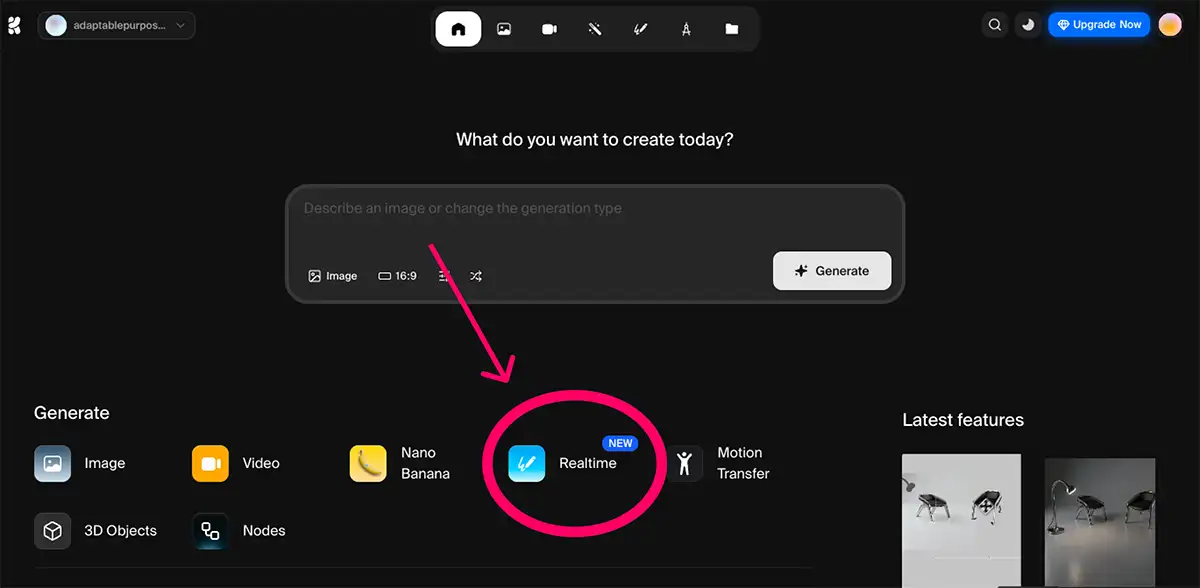
How to Access Krea Realtime Edit
Accessing it is straightforward. You just head over to Krea.ai and look for the Realtime button. It runs right in your browser.
While there’s a free tier to get your feet wet, if you’re using this for professional work or high-speed iteration, you’ll run out of credits fairly fast (especially if you use your webcam as an input) so be prepared for that.
The magic of Krea is how it bridges the gap between your hand and the machine. Here’s how I put it through its paces:
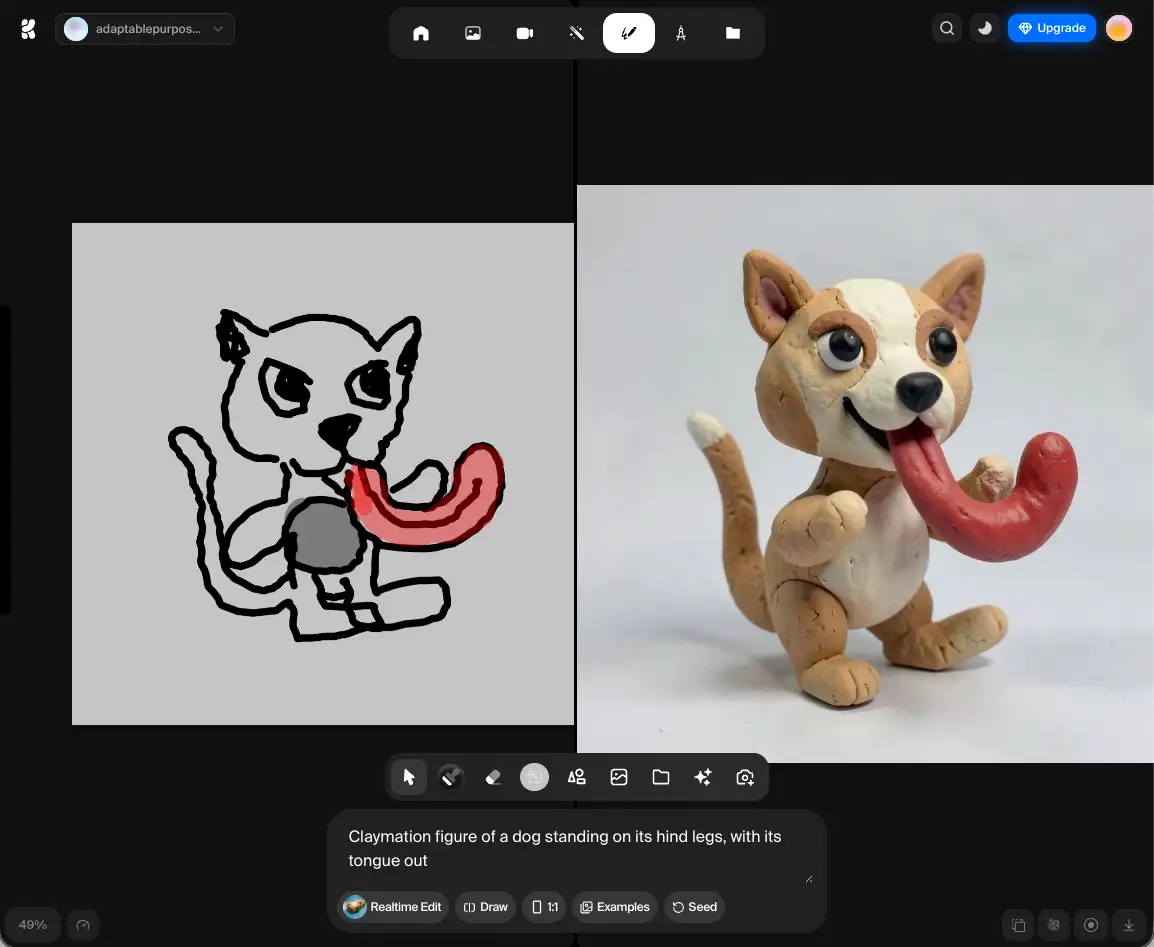
Draw + Get Realtime Updates
This is where the “realtime” part shines. You can draw lines and fill shapes, and the AI interprets them instantly on the right side of the screen. The best part? The lines can be selected and moved like vector objects or erased like bitmap images.
Note: Drawing with a mouse sucks. If you want to actually feel like an artist, use a Wacom tablet or an iPad. The tactile feedback makes the AI feel like a natural extension of your hand.
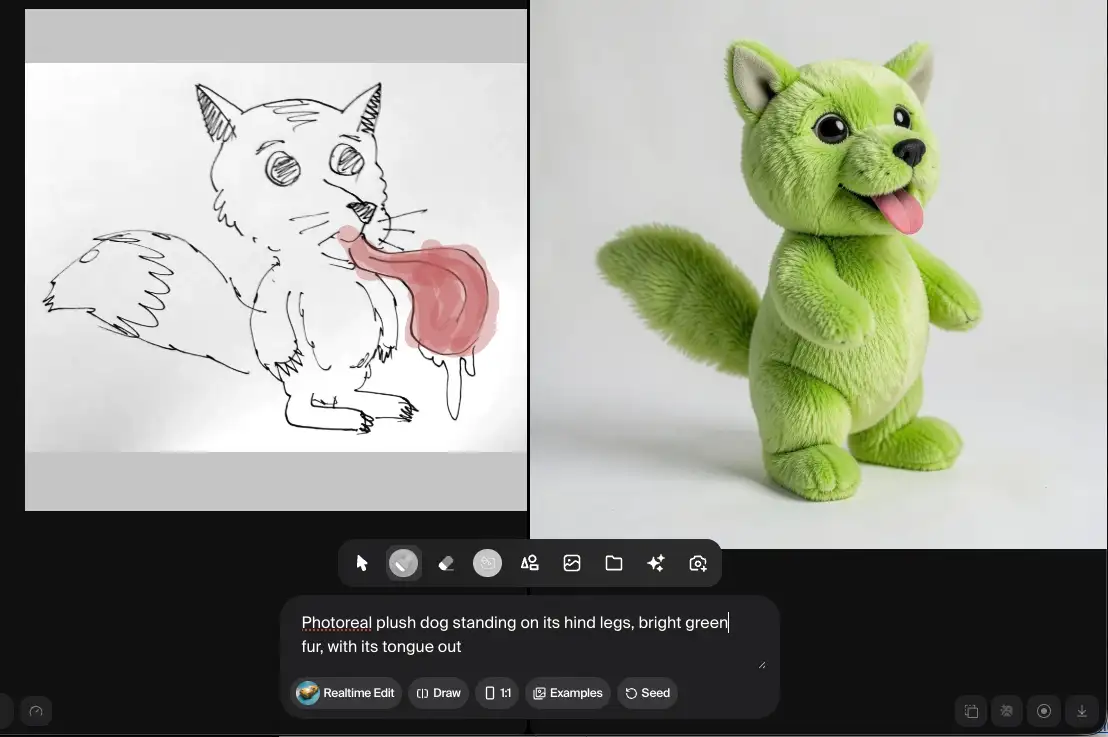
You can upload also a rough image—like my sketch of a dog—and draw directly on top of it. The AI uses your sketch as a structural guide (kind of like a style reference in Midjourney) and builds the high-fidelity version live.
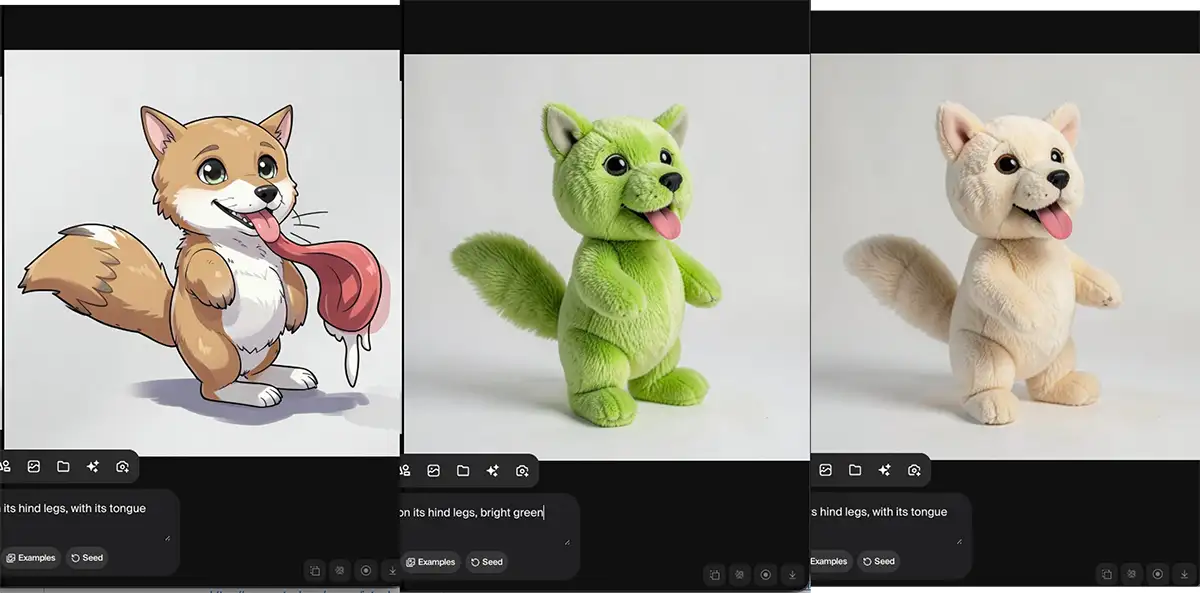
Change the prompt = change the style
You can change the prompt text while the image is active. I took that same underlying dog sketch and swapped the prompt from a “plush doll” to a “claymation model,” an “anime drawing,” and even a “vinyl toy.” It updated the look in about 0.5 seconds. You can literally see the material and lighting shift as you type.

Webcam Integration
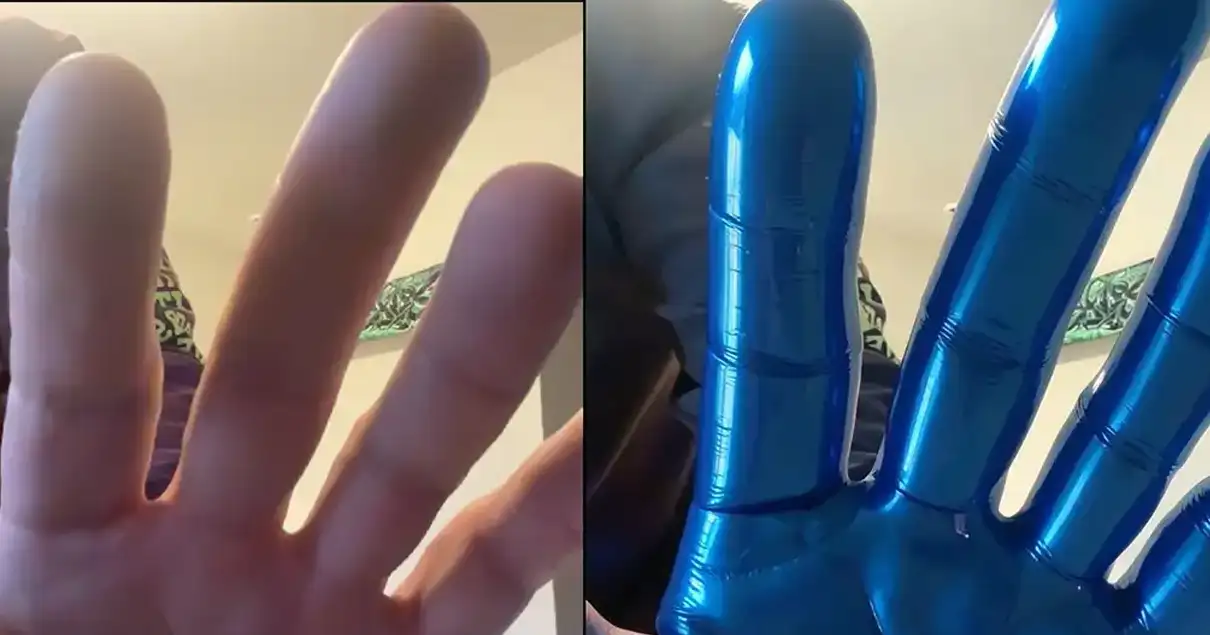
This is wild. You can feed your webcam into the canvas. I held up my hand, typed “shiny blue vinyl,” and watched my hand transform into a high-gloss 3D render instantly.
The Bottom Line
If you want to iterate FAST, there’s just nothing else like it.
We’ve talked a lot about how AI doesn’t create the work—you do. Tools like Krea aren’t here to replace your vision; they’re here to remove the friction between your brain and the canvas.
The best way to use this? Use Krea to find your composition and vibe in seconds, then take that result into Krea Elements or other apps like Nano Banana, Midjourney, ComfyUI, etc to do the final heavy lifting and refinement.