We are living through the single biggest shift in the creative workflow since we moved from analog darkrooms to digital sensors. But here is the reality check for everyone reading this in late 2025: The novelty phase is over.
No more generating weird, six-fingered hands for a laugh on Twitter. As creative professionals – photographers, art directors, designers, and agency owners – we don’t need toys. We need tools that ship work.
So whether you are a photographer looking to extend a plate, a designer building a global campaign, or an agency owner terrified of IP liability, this is your definitive guide to the AI landscape right now.
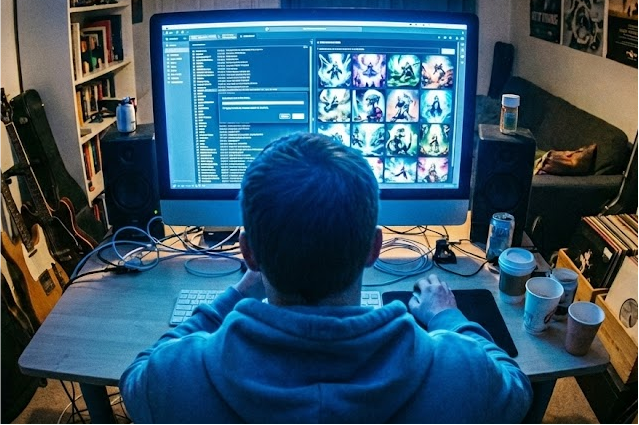
Big Picture: How to Judge AI as a Pro
Before we talk about specific software, you need a filter. When I evaluate a tool, I’m not just looking at how fun it is. I’m looking at four specific pillars. You should too.
1. Image Quality & Control
Does it look like stock photography sludge, or does it have a soul? More importantly, who is in charge?
- Prompt Adherence: Does the tool listen to your specific lighting and lens directions?
- Text Rendering: Can it spell? (This is the massive leap we’ve seen this year).
- Consistency: Can I generate the same character or brand style across 50 different shots?
- Editing: Does it support “inpainting” (fixing small areas) and “outpainting” (extending the canvas) without destroying the original pixels?
2. Workflow Integration
This is the dealbreaker for pros. If I have to leave my app, go to a Discord server, download a generic JPEG, upscale it, and drag it back in, you’ve lost me.
- Ecosystem: Does it sit inside Photoshop, Figma, or Premiere?
- Non-Destructive: Can I turn the layer off?
3. Licensing & IP Risk
If you are working for a Fortune 500 client, you cannot use a model trained on stolen data without understanding the risk.
- Indemnification: Will the vendor pay your legal fees if you get sued? (Adobe and a few others say yes).
- Commercial Rights: Do you own the output?
4. Customization
- Fine-tuning: Can I train the model on my photography style so it acts as my assistant, not my replacement?
There are hundreds of apps, but these are the ones actually moving the needle in production environments in 2025. I’ve grouped them by what they actually do for your business.
Adobe Firefly & Creative Cloud
Position: The “Safe” Assistant.
Key Differentiator: Deep integration into Photoshop and Illustrator with full IP indemnification for enterprise use.
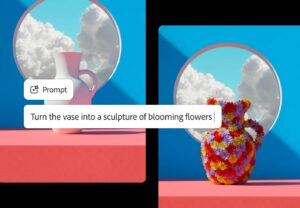
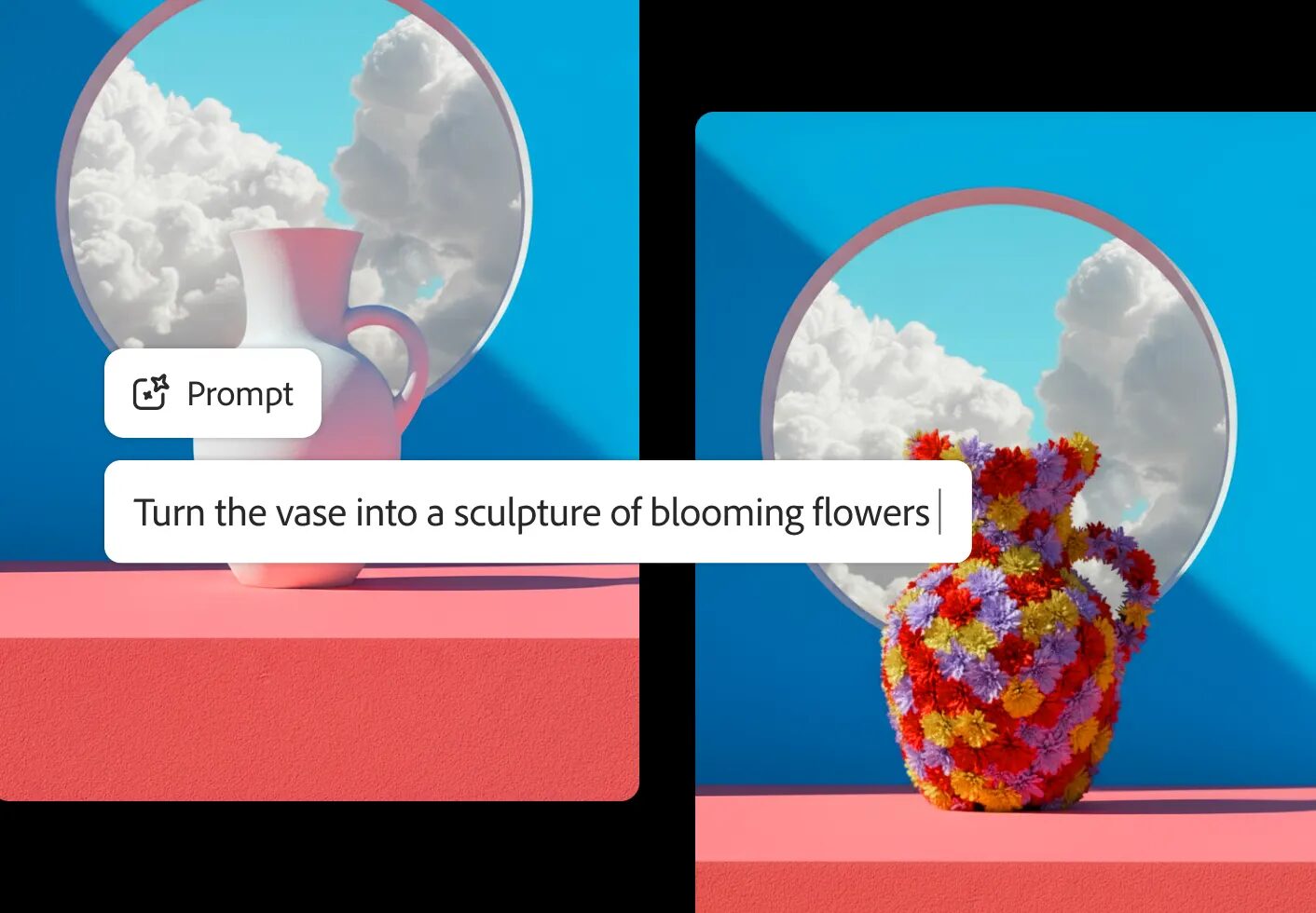
If you live in the Creative Cloud, Firefly is the path of least resistance. Adobe has integrated this tightly into Photoshop (Generative Fill/Expand), Illustrator (Vector Recolor), and Express. It’s non-destructive; you aren’t generating a flat image, you are generating a layer. Recently, Adobe opened up the backend, allowing you to switch between Firefly, Nano Banana Pro, and FLUX models right inside the Generative Fill dialog. If you are pitching to a risk-averse client like Nike or Apple, this is your safest bet.
Midjourney
Position: The Visual Heavyweight.
Key Differentiator: Unmatched aesthetic quality, texture, and lighting “vibes” straight out of the box.
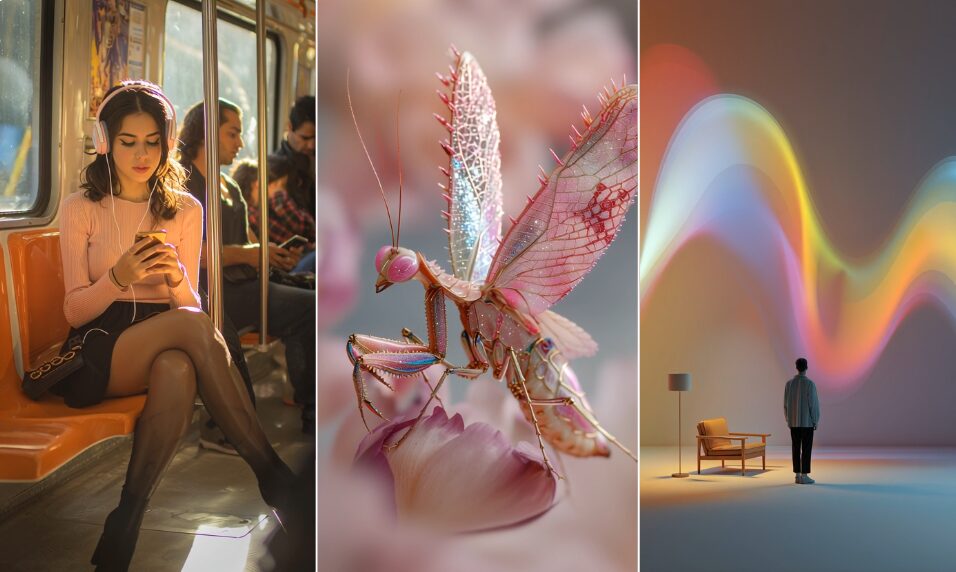
As of the v7 launch in April 2025, Midjourney remains the king of aesthetics. It understands texture, lighting, and cinematic composition better than almost anything else. The “Character Reference” and “Style Reference” features allow you to lock in a look across a series of images- essential for storyboarding or campaign consistency. The downside? The legal cloud hangs heavy here (no indemnification), and the workflow often still involves Discord. Use it for ideation, not final assets for big brands.
Higgsfield
Position: The Mobile Motion Studio.
Key Differentiator: Precise control over camera movement and character consistency in video, designed for social-first creators.
Higgsfield has rapidly graduated to a core tool because it solves the hardest problem in generative AI: control over motion. It bridges the gap between static imagery and video. The new Popcorn model is a game-changer, allowing for true character consistency across different video clips, while its mobile app allows you to apply specific cinematic camera movements (pans, zooms, 3D rotations) to static images. If your output is vertical video or social ads, this replaces the “Ken Burns effect” with actual cinema and Higgsfield Soul is still somewhat useful
Nano Banana Pro (Gemini 3 Pro Image)
Position: The Smart Designer.
Key Differentiator: World knowledge, context awareness (up to 14 reference images), and superior text rendering.
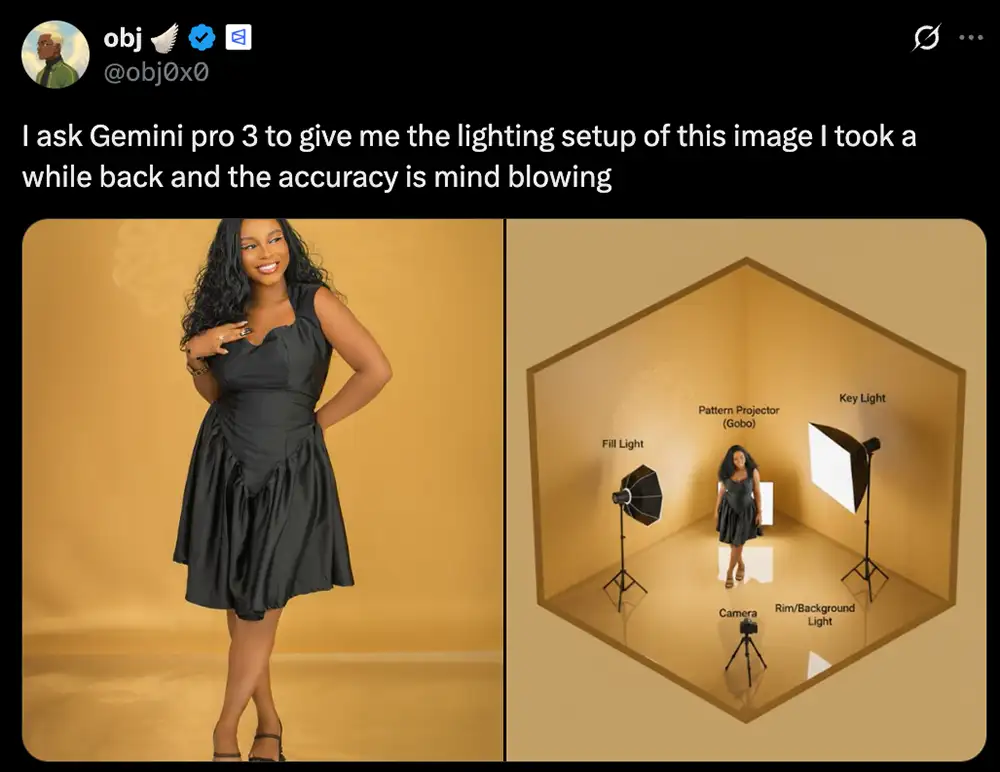
Google’s latest entry, branded “Nano Banana Pro” (based on Gemini 3), is a powerhouse for one reason: Context. It spits out 4K native images and handles on-image text (headlines, labels on bottles) better than almost anyone. Because it’s built on Gemini 3, it has “world knowledge”—you can ask for a diagram of a specific engine part, and it gets the technical details right. It’s the bridge between a design tool and a research assistant.
And you can easily use it to create videos with Veo 3 or AI video generators like Google Flow.
Stable Diffusion 3.5 & ComfyUI
Position: The Engine Room.
Key Differentiator: Total control, privacy, and the ability to run locally without subscriptions.
This is the deep end of the pool. Stable Diffusion isn’t just a tool; it’s an engine. You can run it via DreamStudio (easy web app) or ComfyUI (node-based local software). ComfyUI uses a node-graph interface (think Nuke or Houdini) giving you granular control over every step. You can run it locally on your own GPU, meaning total privacy. It is the only option for studios that need to build a proprietary pipeline that doesn’t rely on a tech giant’s API.
Canva AI (Magic Media)
Position: The Democratizer.
Key Differentiator: Frictionless speed for high-volume social and marketing content where “good enough” is the goal.
Canva has folded AI into its core product so seamlessly that you barely notice you’re using it. It’s not for high-end retouching, but for the social media manager who needs to ship 10 posts a day, it is undefeated. The “Magic Switch” and “Magic Media” tools let you generate assets, resize them for every platform, and export them in one browser tab. It prioritizes speed and ecosystem over raw pixel fidelity. Krea is also in the mix here.
ChatGPT & DALL-E 3
Position: The Brainstorming Partner.
Key Differentiator: Conversational iteration that allows you to refine images using natural language loops.
DALL-E 3, integrated directly into ChatGPT, is less of a “tool” and more of a creative partner. Honestly pretty hard to recommend given how great Nano Banana Pro is. But if you are a ChatGPT lover and you’ve got a lot of context in there that you depend on, it might be useful for you. But the quality is pretty weak as of now and it’s very slow.

Ideogram 2.0
Position: The Typographer.
Key Differentiator: Best-in-class text rendering that actually integrates typography into the artwork.
If you need a logo, a poster, or a T-shirt design where the typography is the art, Ideogram is currently beating everyone. While other models struggle to spell “coffee,” Ideogram can render complex, stylized fonts perfectly integrated into the artwork. It positions itself as the graphic designer’s best friend rather than a photographer’s tool, solving the biggest pain point of early AI models: literacy.
Kittl AI
Position: The Merch Factory.
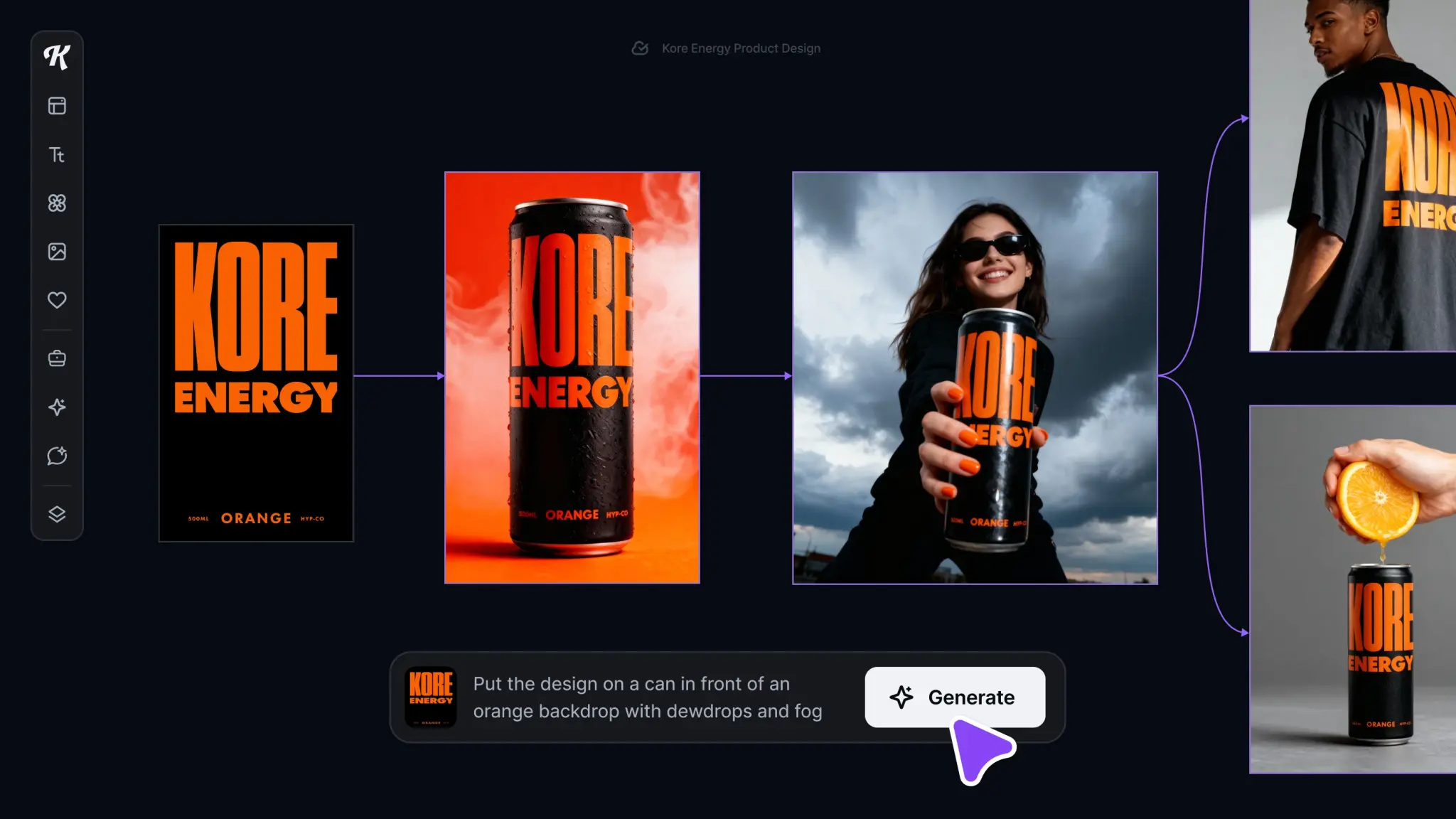
Key Differentiator: Vector generation and a template-first engine tailored for Print-on-Demand.
Kittl is tailor-made for the merch game. Its key differentiator is the built-in vectorization engine—it doesn’t just give you a pixel image; it helps you get to a scalable vector that’s ready for a screen printer or vinyl cutter. It combines generative AI with a massive library of vintage and design elements, making it less of an “art generator” and more of a “product factory” for anyone selling on Etsy or Shopify.
The Frontier: Advanced Video
We can’t talk about images without talking about where they are going: full-blown video generation.
Runway (Gen-4.5)
The leader in text-to-video. Perfect for editors who need B-roll that doesn’t exist or VFX plates. Its “Motion Brush” feature gives you director-level control over specific parts of the frame, separating it from tools that just randomize movement.
Kling O1
A new contender that has merged video generation and editing into one model. It allows for “complex reasoning” in video—meaning you can give it a script and it understands the physics of the scene better than older models.
But which AI image apps are best for YOU?
Here is the cheat sheet. Don’t overthink it—pick the stack that matches your job title.
1. The Photographer / Retoucher
- Primary: Adobe Photoshop + Firefly. It’s non-destructive and safe.
- Secondary: Nano Banana Pro (inside Photoshop) when you need higher realism or resolution than Firefly offers.
2. The Art Director / Illustrator
- Primary: Midjourney v7. For pure ideation and “vibes,” nothing beats it.
- Secondary: Ideogram 2.0 for any layout involving text.
3. The Video / Social Creator
- Primary: Higgsfield. For consistent characters and mobile-first motion.
- Secondary: Canva AI for volume and quick layout.
4. The Brand Designer
- Primary: Ideogram 2.0 for logo/type exploration.
- Secondary: Kittl for vector-ready merchandise assets.
5. The Technical Artist / Agency Pipeline
- Primary: Stable Diffusion 3.5 via ComfyUI. Build your own custom models. Own your pipeline. Rely on no one.
Some Future-Proofing Advice
The tools are going to change. Midjourney v8 will come out. Adobe will release a new Firefly model. Don’t get married to the software; get married to the workflow.
We are seeing a crackdown on free tiers- the days of generous free generation are likely ending (Google has already throttled free Nano Banana usage significantly). We are also seeing a convergence where “image” and “video” tools are becoming the same thing.
My advice? Start today. Pick one tool from the list above that fits your craft and commit to mastering it for 30 days.
Don’t let the AI generate the idea- you generate the idea. Let the AI do the heavy lifting.