If you’ve been following the creative landscape lately, you know the noise level is at an all-time high. We are drowning in tools. You’ve got Midjourney for images, Runway for video, obscure GitHub repos for upscaling, and a dozen other browser tabs open just to get one asset out the door.
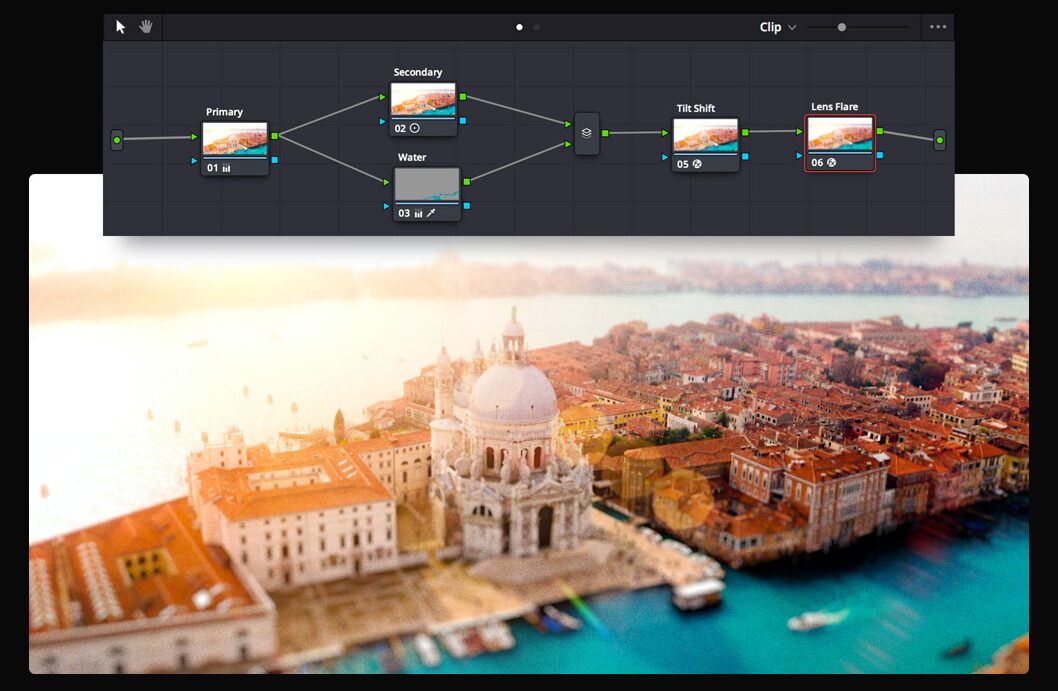
That’s why Weavy (recently acquired by Figma and transitioning to “Figma Weave”) has caught my attention. It’s not just another “magic button” generator. It’s a workbench. It’s a tool for people who care about craft and systems, not just slot-machine prompting – integrating just about every leading AI model to create images and videos in an infinite canvas.
But is this node-based beast the right force multiplier for your toolkit? Or are you better off looking elsewhere?
If Weavy isn’t fitting your vibe, here are the top 8 alternatives you need to know about.
Flora
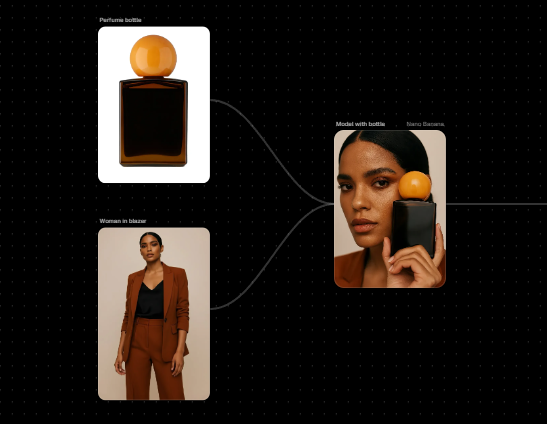
If Weavy is the new standard, Flora is the hungry challenger that arguably does “node-based” better for pure creatives. It markets itself as an “AI-powered infinite canvas” where you can chain together models like Nano Banana, Flux, GPT-5, and Runway into a single visual pipeline. Unlike some drier technical tools, Flora is built for multiplayer collaboration, allowing teams to ideate on the same board simultaneously.
-
Pros: Model agnostic, real-time multiplayer, whiteboard-style UI.
-
Cons: Expensive cloud compute if loops are left running.
-
Best For: Design teams who want “Weavy Lite.”
ComfyUI
Let’s be clear: Weavy and Flora wouldn’t exist without ComfyUI. This is the open-source engine that started the node-based revolution. It provides absolute, granular control over every single step of the generation process, from noise scheduling to latent upscaling, but it requires you to be your own IT department.
-
Pros: 100% Free, privacy (local), bleeding-edge updates.
-
Cons: Requires heavy GPU hardware, steep learning curve.
-
Best For: Technical artists and engineers.
Higgsfield
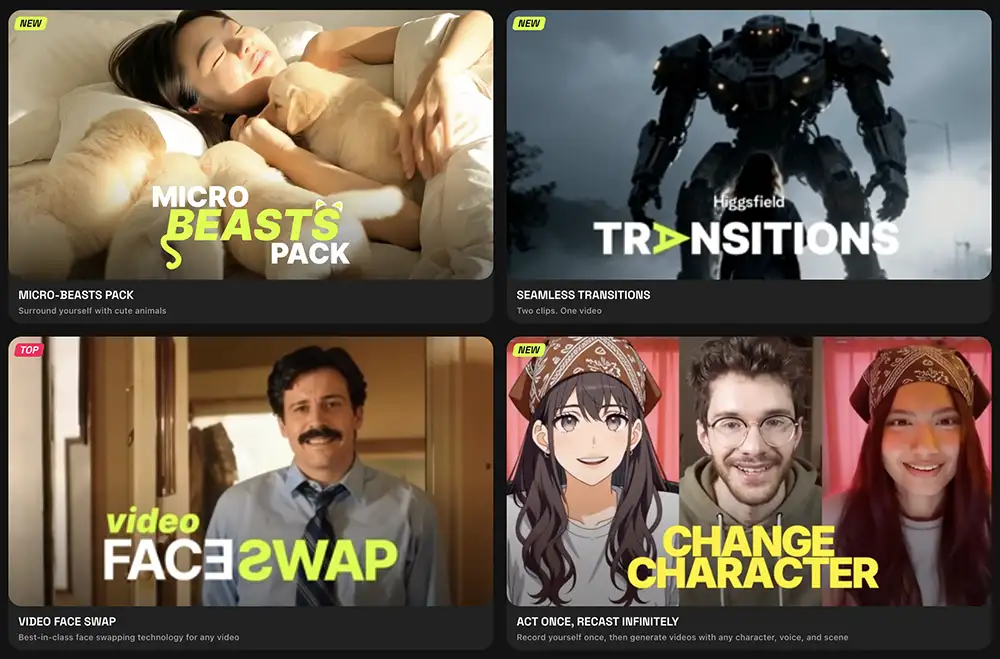
While other tools try to do everything, Higgsfield is laser-focused on one problem: Video Control. It positions itself as a “virtual camera crew,” giving you specific controls for camera movement (dolly, pan, truck) rather than just hoping a text prompt works. It’s the tool you use when you need a specific shot for a storyboard, not just a random cool animation.
You can do image generation in Higgsfield with Nano Banana or whatever other model you prefer but it’s not really the strong point or the focus
-
Pros: Directorial camera control, mobile-first app, character consistency.
-
Cons: Not really a true canvas app. More like a suite of features that loosely work together
-
Best For: Filmmakers and storyboard artists.
Invoke
If ComfyUI is Linux, Invoke is macOS. It takes the raw power of local Stable Diffusion models and wraps them in a polished, “safe for work” interface designed for professional studios. It offers a “Unified Canvas” that allows for outpainting and inpainting in a way that feels very familiar to Photoshop users.
-
Pros: Studio-ready project management, Unified Canvas for outpainting, IP security.
-
Cons: Slower update cycle than open-source tools.
-
Best For: Agencies and game studios needing compliance.
Leonardo
Recently acquired by Canva, Leonardo has evolved from a simple image generator into a massive asset-production suite. It combines high-end image generation (via their “Phoenix” models) with texture generation for 3D assets and real-time sketching. It is the “Swiss Army Knife” for reliable, high-quality commercial assets.
-
Pros: High “out of the box” quality, texture/motion tools, Canva integration.
-
Cons: Daily token limits can be restrictive.
-
Best For: Graphic designers needing high polish.
Freepik
Freepik isn’t just a stock photo site anymore; they have pivoted hard into AI with tools that prioritize speed. Their “Pikaso” tool allows for real-time sketch-to-image generation, letting you draw a crude stick figure and see it rendered as a 4K photo instantly. It bridges the gap between searching for stock and creating it.
-
Pros: Insane real-time speed, hybrid stock/AI workflow, built-in upscaling.
-
Cons: Defaults can lean toward a “stock photo” aesthetic.
-
Best For: Rapid prototypers and Art Directors.
Krea
Krea started as an image enhancer but found its footing by focusing on “flow.” It is less about complex node graphs and more about real-time, tactile creation. It is arguably the most “design-friendly” tool, allowing you to move shapes on a canvas and see the AI update the artwork instantly.
-
Pros: Zero latency (feels like magic), legendary enhancer/upscaler.
-
Cons: Limited depth for complex logic chains.
-
Best For: Concept artists and mood boarders.
Adobe Project Graph (Beta)
You didn’t think Adobe was just going to sit there, right? Project Graph is Adobe’s direct answer to Weavy, integrating generative AI nodes directly into the Creative Cloud ecosystem. It allows you to generate assets that flow directly into Photoshop or After Effects timelines.
-
Pros: Deep Creative Cloud integration, legally safe (Adobe Stock trained).
-
Cons: Requires subscription, strict guardrails (censorship).
-
Best For: Adobe power users.
Comparison: The Creative AI Landscape
| Tool | Product Position | Key Features | Best For | Pricing (Approx) |
| Weavy | The All-In-One Workbench | Node-based pipeline, Multi-model, Cloud-native | Pro Teams building systems | Free / $19 / $36 mo |
| Flora | The Collaborative Canvas | Real-time multiplayer, Whiteboard UI | Design Teams | $16 / $48 mo |
| ComfyUI | The Open Source Engine | Infinite control, Local privacy, No censorship | Technical Artists | Free (Requires GPU) |
| Higgsfield | The Virtual Camera Crew | Specific camera controls, Video consistency | Filmmakers | ~$6 / $17 mo |
| Invoke | The Studio Safe-House | Unified Canvas, IP Indemnification | Agencies | ~$15 / $39 mo |
| Leonardo | The Asset Factory | Fine-tuned models, Texture generation | Graphic Designers | Free / $10 / $24 mo |
| Freepik | The Speed Demon | Real-time sketch-to-image, Stock library | Rapid Prototypers | ~$9 / $20 mo |
| Krea | The Flow State Tool | Real-time enhancement, Visual pattern tools | Concept Artists | Free / $10 / $35 mo |
| Adobe Graph | The Ecosystem Native | Timeline sync, Safe for work (Firefly) | Adobe Users | Requires CC Sub |
The Bottom Line
We are in the golden age of “pick your weapon.”
If you want the visual coding experience of Weavy but want to test the market, look at Flora.
If you want video control and presets, go Higgsfield.
If you want infinite power and zero cost, install ComfyUI.
The tool doesn’t matter as much as the system you build with it. Start building yours today.