


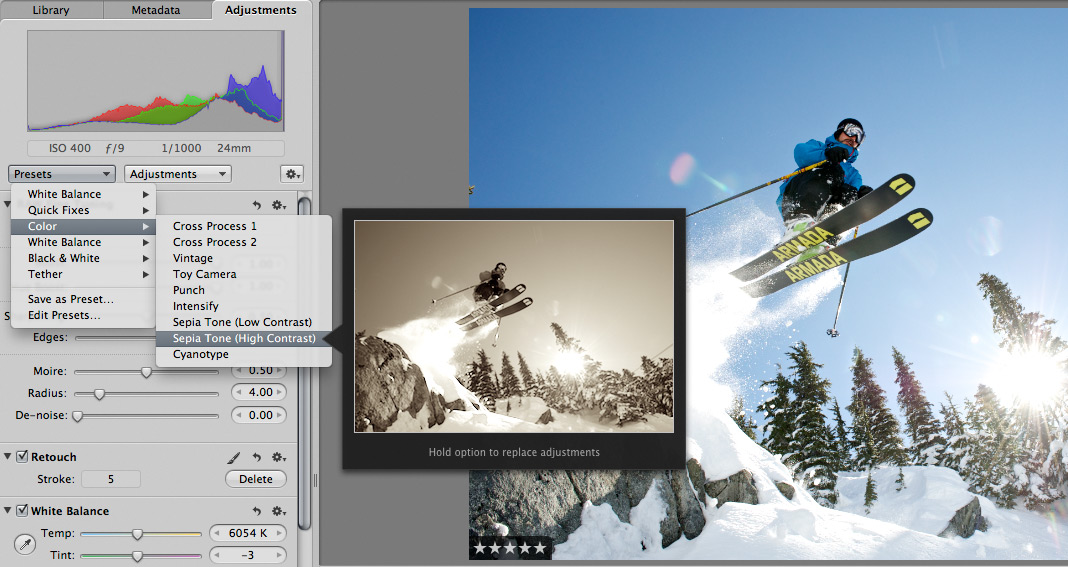
 Scott here. Many of you know that I’m the primary retoucher here around the Chase Jarvis studio. I was surprised to get into a fairly spirited debate the other day with some of my co-workers. The topic? Adjustment presets and plug-ins in Aperture or Lightroom or Photoshop.
I’ve got a strong opinion on this, but this experience has once again reminded me that there are a thousand ways to skin a cat and that my way is just that, my way.
Instead of letting a debate rage inside the office and then fade out, I figured, why not make it public? I want to hear from you.
Do you use presets for the post production of your images?
Do you make your own, or download them from other users online?
Do you use them for initial inspiration, or to create your final files?
What are your favorites and why?
I’m interested to hear your thoughts in the comments below. Don’t be shy. For those of you who give a rip, I’ll follow up this post with my personal take and we’ll all be a little more informed.












I don’t use presets, but I do use plug-ins for Photoshop. A plug-in allows me to create the look and feel I want for an image without having to spend hours in photoshop to create the same effect.
I thinks it’s different for people who only retouch, than for people who shoot and retouch their own images.
I Think presets are a great learning curve to help you achieve your style. Creating your own allows you to manage your time on any project. At the end, the question is:”Are you satisfied? “
I´m using an import preset which is very basic and make adjustments for every photo on my own.
I used presets from the net to understand how to achieve a certain style, but I always alter them further.
I use lightroom and I use presets as an inspiration source. I do move the sliders but at the end I don’t deviate that much in different styles(presets). For B/W I use silverfx and there I use some of the presets
Maybe I ought to use em a bit more to create a different look and to honor of the people who made them 🙂
I find myself looking at presets as in:”aha, that looks cool (or not), wow thats also possible” maybe later i start using them…
Aren’t all pre-planned or preconceived ideas on some level a preset? Most people who say they don’t use them, when pressed, admit they have a standard method for B&W, grungy colour, portraits, etc. etc. although it is often a bit different, depending on the image. Look for the “I hate presets… to get my look I ”
Personally, I used them a lot to learn how LR processing works, but now have my custom presets I use as starting points, depending on where I want the image to end up. My final images are (I think!) never a standard custom preset. That said, I will use Sync Settings judiciously on a shoot once I’ve nailed the look I want. “Saves time you could spend with your kids” to paraphrase Zarias 🙂