


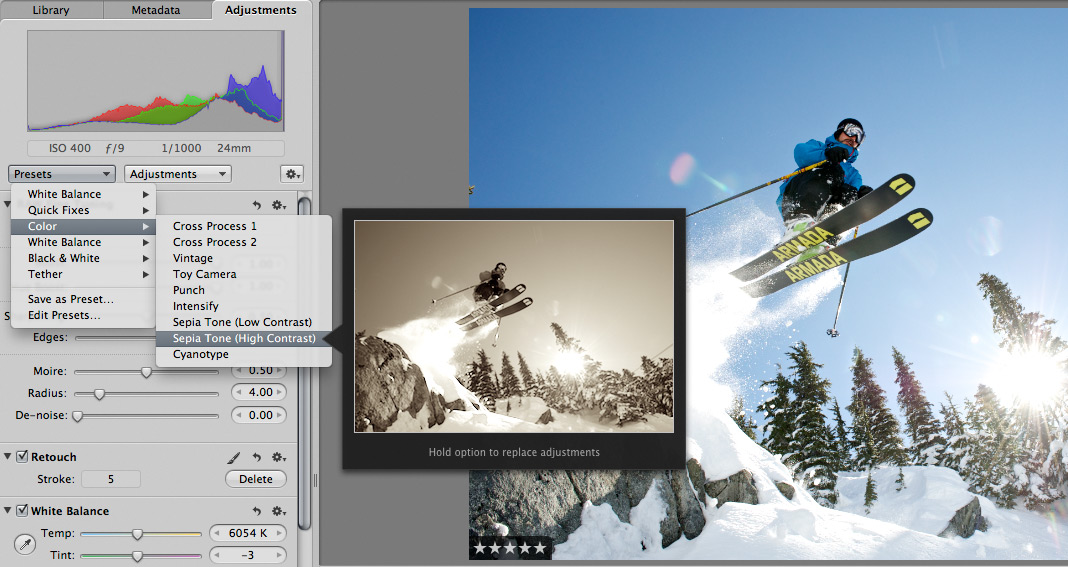
 Scott here. Many of you know that I’m the primary retoucher here around the Chase Jarvis studio. I was surprised to get into a fairly spirited debate the other day with some of my co-workers. The topic? Adjustment presets and plug-ins in Aperture or Lightroom or Photoshop.
I’ve got a strong opinion on this, but this experience has once again reminded me that there are a thousand ways to skin a cat and that my way is just that, my way.
Instead of letting a debate rage inside the office and then fade out, I figured, why not make it public? I want to hear from you.
Do you use presets for the post production of your images?
Do you make your own, or download them from other users online?
Do you use them for initial inspiration, or to create your final files?
What are your favorites and why?
I’m interested to hear your thoughts in the comments below. Don’t be shy. For those of you who give a rip, I’ll follow up this post with my personal take and we’ll all be a little more informed.













Every picture is a different story, so i try to analize the idea and the emotion of the photo, after that create specific adjustmens that represents the final image, i think retouchers have to think at first, WHAT AM I TRYING TO DO, and then apply presets other adjustments
Q: “Do you use presets for the post production of your images?”
— Only one I use is an action I recorded to setup my layers when I do skin retouching. Otherwise I have 1 go-to action that works in some photos otherwise each photo is so unique even within one shoot that actions/presets are almost useless to me.
Q: “Do you make your own, or download them from other users online?”
— I do rarely use Noise Ninja when I think it really should be less grainy
Q: “Do you use them for initial inspiration, or to create your final files?”
— Finals only
I actually don’t use PS/LR or Aperture, opting for Capture NX2. But when I do find myself in Photoshop I don’t use presets (although I have played with them once or twice). I’m sure there’ll be a few people wanting to jump on my choice of software, but I like it. Not having to launch a filter to get access to UPoint controls, and the fact that NX2 imports the NEF files accurately maintaining any picture controls used in camera. I also like the way Color Efex Pro 3 integrates with NX2. Just my 2 cents.
I’ve built a number of presets in LR simply as a shortcut to changes I find myself making to most photos. My “Good Starting Point” preset addresses lens correction, bumps up blacks, adds some sharpening & Noise Reduction. I also use presets to address single changes (like Camera Profile) and then I can just move over the preset and evaluate the best option in the preview box. It’s quicker than actually making and evaluating each selection on it’s own. But after the first step or two.. it’s all manual adjustments.
I don’t use them often. I want to be a photographer not a post production expert. Too bad, I think that is were we have gone. I see fewer good photographers and more people who shoot to “work on it” in post. I agree with Zack A, when he says, “If you catch yourself saying you will “fix it” in Photoshop, smack yourself in the face real hard.” Or something like that.
Maybe its just because I come from a newspaper/photojournalism background but my goal is to do as little as possible in post. For my newspaper work that means making sure the color is correct, the tone/contrast is correct (as close to what the eye saw) and maybe some cropping. I take that serious even though I know some don’t.
Do I do post work on my portraits, sure some. Do I use the latest presets or actions that everyone else is using, Hell no! Would I make more money if I did? Probably, especially in the portrait/wedding photo world.
Is there anything wrong with post production. No. There is some cool stuff I see among all the bad. Is is photography? I don’t know. Just my opinion & thoughts.
-Bryan