The landscape for AI video generation has moved past the novelty phase. We’re no longer just making surreal, morphing clips; we’re in the era of industrial-scale generative video. The conversation has graduated from the “wow factor” of a text-to-video prompt to the rigorous demands of professional production. The defining question is no longer who can generate pixels, but who can integrate those pixels into a non-linear editing (NLE) pipeline, a 3D compositing environment, and a scalable content workflow.
This is where the two dominant players, OpenAI’s Sora 2 and Google’s Veo 3, demand your attention. These are not toys. They are foundational platforms built for distinct purposes, each with a specific philosophy on how creative work gets done. Understanding the deep architectural and strategic differences between them is critical. This isn’t about picking a “winner”—it’s about choosing the right tool for a specific job, much like the ongoing search for the best AI image generator for a specific workflow and budget. Your ability to orchestrate these tools, not just operate them, will define your success in this new era.
The Two Titans of Generative Video
Before diving into a feature-by-feature breakdown, it’s essential to understand the market position and core identity of each platform. They aren’t just competitors; they represent two fundamentally different approaches to the future of video creation.
OpenAI Sora 2
Sora 2 is OpenAI’s play to become the core infrastructure layer for commercial video. It’s a premium, high-fidelity “world simulator” deeply embedded within the professional ecosystems you already use. Following its late September 2025 release, it has been positioned as an exclusive, high-value asset, integrated directly into platforms like Microsoft 365 Copilot and, most importantly for creative pros, Adobe’s ecosystem. The strategy here is clear: make Sora 2 an indispensable utility, as common in your toolkit as a keyframe or a bezier curve. You can learn more at the official OpenAI Sora website.
Google Veo 3
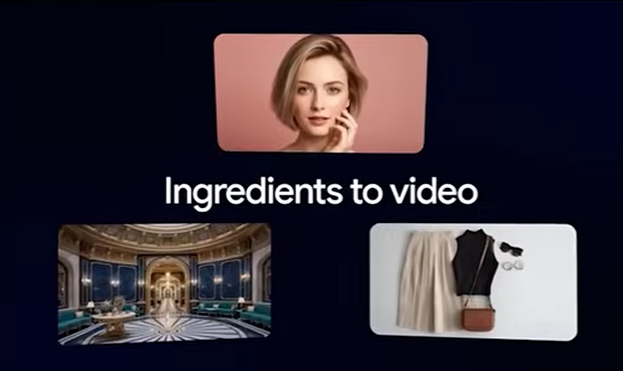
Google’s Veo 3 is the enterprise workhorse. Hosted on the Vertex AI platform, it’s less concerned with social apps and more focused on providing a scalable, predictable engine for developers and high-volume media pipelines. Google is pitching Veo 3 as a piece of enterprise infrastructure, designed for precision, brand safety, and reliability at scale. Accessing it is less like using a creative tool and more like tapping into a cloud computing service, which speaks volumes about its intended user: someone who is comfortable working with APIs and cloud consoles. Get the technical details on the Google Cloud Vertex AI page.
How Creative Professionals Can Use The Products
The real difference between these two platforms emerges when you put them to work. Their capabilities, limitations, and workflow integrations will directly impact your creative output, your deadlines, and your budget.
Workflow Integration: The Path of Least Resistance
How a tool fits into your existing process is everything. Seamless integration saves time and creative energy, while friction creates bottlenecks that kill productivity.
Sora 2: The Adobe Premiere Pro Plugin
This is Sora 2’s knockout feature for video editors, tapping directly into the ongoing debate over creative software ecosystems. The direct integration into Adobe Premiere Pro, via the Firefly video model, is a fundamental workflow shift. It transforms Sora from a standalone generator into an active utility within your NLE timeline.
Here’s how you can use it:
- Generate B-Roll On The Fly: Need a specific cutaway shot? You can generate it directly within your timeline without breaking your creative flow. No more context switching between a web app and your NLE. You can prompt for a “wide shot of a rainy street in Tokyo at night” and drop it into your sequence.
- Generative Extend: This is a problem-solver for every editor. If a sourced clip is just a few frames too short, you can use the model to intelligently add frames to the beginning or end. This isn’t a simple frame blend; it’s a contextual generation that understands the motion and content of the clip.
- Scene Editing: The model’s generative priors can be used for object removal or addition directly in your edit. While not as precise as a dedicated compositing tool like Nuke or After Effects, it’s incredibly powerful for quick fixes.
Veo 3: The Developer’s API
Veo 3’s integration is less about creative convenience and more about systemic control. Its primary interface for professionals is through Google DeepMind’s VideoFX and the Vertex AI Studio. This is a developer-centric environment.
What this means for you:
- Requires Technical Proficiency: To get the most out of Veo 3, you need to be comfortable with the Google Cloud Platform (GCP) console. Managing quotas, handling API calls, and navigating the Vertex AI environment is a steeper learning curve than a simple plugin, akin to the technical depth required by powerful tools like ComfyUI for image generation.
- Built for Automation: The power of this approach lies in automation. If you’re building a content pipeline that needs to generate thousands of videos for an app or a large-scale media project, Veo 3’s robust API is designed for that. It’s less for the individual artist and more for the technical director or studio building a custom workflow.
Technical Capabilities: Physics vs. Precision
At their core, the models “think” about video differently. Sora 2 aims to simulate reality, while Veo 3 aims to follow instructions perfectly.
Sora 2: The Physics Engine
OpenAI calls Sora 2 a “general-purpose simulator of the physical world,” and this isn’t just marketing copy. Its key strength is object permanence and interaction. In earlier models, a character walking behind a pillar might re-emerge with different clothes or simply vanish. Sora 2’s physics engine allows it to maintain the integrity of objects even when they are temporarily obscured. This is the baseline requirement for narrative storytelling, making it a reliable tool for creating scenes with consistent elements.
- Practical Use Case: You can generate a shot of someone solving a Rubik’s Cube, and the model will render the interaction with a high degree of physical accuracy. This reliability is what separates it from being a novelty and makes it a viable production tool.
Veo 3: Master of Prompt Adherence
Veo 3’s strength is its strict adherence to complex prompts. It excels at interpreting multi-clause instructions without adding extraneous details. For commercial work, where brand guidelines and specific visual mandates are non-negotiable, this is a massive advantage.
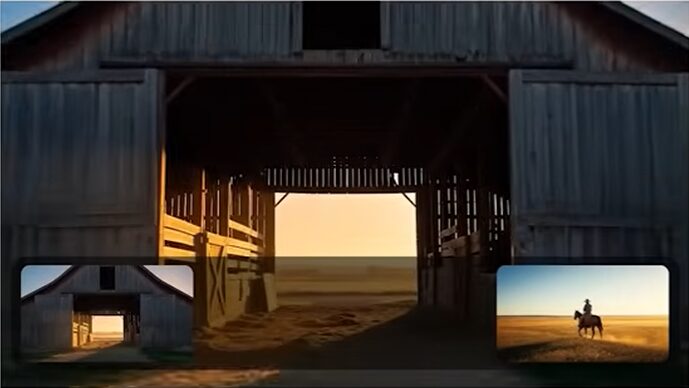
- Practical Use Case: If your prompt is “a red sports car driving on a coastal road during sunset, with a drone shot moving from left to right, avoiding any buildings,” Veo 3 is more likely to deliver exactly that without hallucinating a stray seagull or an unwanted billboard. This precision is invaluable for commercial directors and ad agencies.
- Veo 3 Fast: The platform also includes a lower-latency “Fast” model. This is designed for rapid iteration, allowing you to generate quick, low-cost rough cuts to check composition and timing before committing to a full, high-fidelity render.
Character Consistency
Creating a consistent character across multiple shots has been a major hurdle in AI video. Both platforms offer solutions, but with different philosophies.
Sora 2: “Cameos” and Social Integration
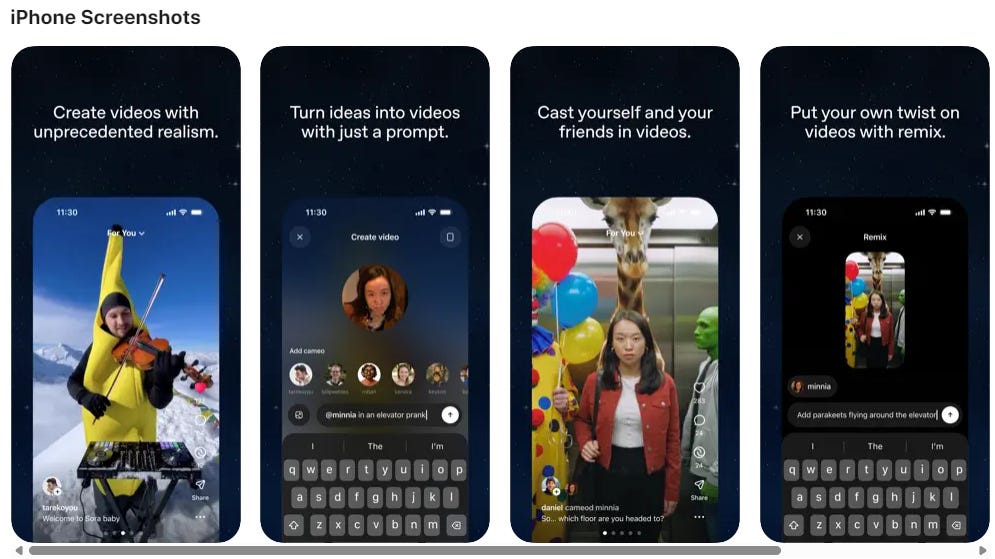
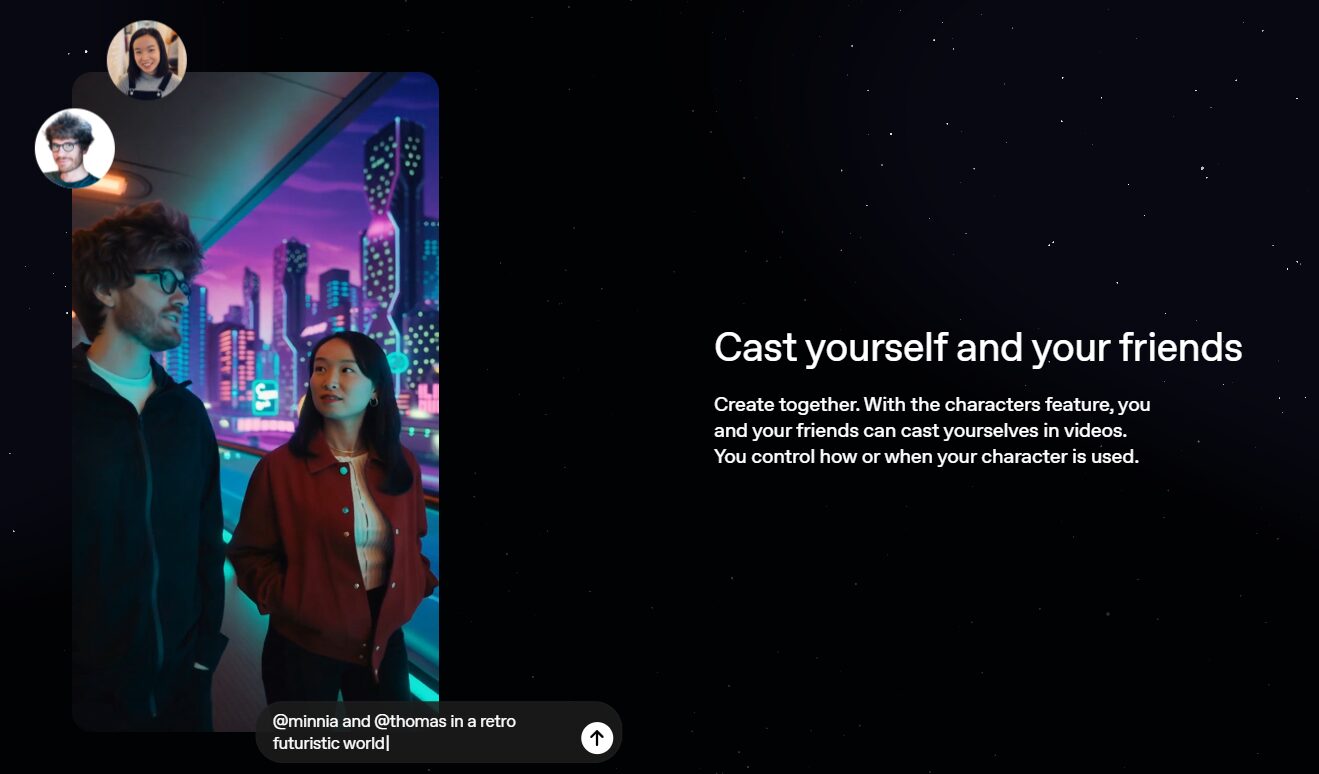
Sora 2 introduces the “Cameos” feature, which lets you train the model on a specific character’s likeness. Whether it’s a real person (with consent) or a generated persona, you can establish a “Cameo” and then place that character into different scenes while maintaining their core features. This is a powerful tool for narrative work, ensuring your protagonist looks the same from shot to shot. OpenAI is even experimenting with an iOS app to build a social element around this, creating a unique data source for improving the model.
Critical Limitations for Professionals
The deal-breakers are often in the details. Here’s where each model currently falls short for high-end production workflows.
Veo 3: The Alpha Channel Omission
This is a critical flaw for any VFX artist or compositor. Veo 3 does not natively export video with an alpha channel (transparency). If you want to generate an element like fire, smoke, or a character to composite over live-action footage, you are forced into a clumsy and time-consuming secondary workflow. You’ll need to use third-party tools for background removal, which often leads to edge artifacts and kills efficiency. For professional compositing pipelines in Nuke or After Effects, this is a major bottleneck.
Veo 3: Rigid Duration Limits
Veo 3 generations are capped at 4, 6, or 8 seconds. While you can extend clips, users report that stitching them together often introduces jitter or visual seams, breaking the continuity of the shot. This makes Veo 3 less suitable for longer, developing narrative takes and better for short, contained shots.
Audio Generation
Sora 2: Integrated but Imperfect
Sora 2 can generate synchronized audio—dialogue, sound effects, and ambient noise—to match the video. The technical synchronization is impressive, with sounds correctly timed to visual events. However, the quality is frequently described as “hit or miss,” often sounding robotic or uncanny. For professional work, this is best used as a high-quality scratch track for timing and pacing, not as a final audio deliverable. You will still need a proper sound designer.
Cost and Pricing Models
This is where the divide between the two platforms becomes a chasm. The economic model you choose will dictate how freely you can experiment, driving many creatives to constantly evaluate whether newer, more accessible models can fit their needs.
Sora 2: Premium Subscription and API Costs
Sora 2 is positioned at the premium end of the market. API pricing for 1080p resolution hovers around $0.50 per second. A single minute of generated footage will cost you $30 in raw compute, and that doesn’t include the subscription fees for the platforms it’s integrated with, like ChatGPT Pro or Microsoft Copilot. This pricing structure makes it a tool for well-funded productions and enterprise clients, not for indie creators who need to iterate hundreds of times.
Veo 3: The Consumption-Based Meter
Veo 3 uses a consumption-based model priced at approximately $0.75 per second of generated output. While transparent, this model can be dangerous for creatives. There are reports of users experiencing “bill shock” from unexpected costs, as you are charged for the API call regardless of whether the generation was successful or creatively useful. In a subscription model, a “failed” generation costs you a credit; in this metered environment, experimentation comes with a real financial risk.
The Bottom Line: Which Platform is for You?
The choice between Sora 2 and Veo 3 is not about which is “better” overall, but which is specifically engineered for your workflow, budget, and technical comfort level.
Is Sora 2 For You?
You should choose Sora 2 if your work is centered within the Adobe ecosystem, particularly Premiere Pro. The direct NLE integration is a massive efficiency gain for editors, making it the superior choice for generating B-roll and extending clips without leaving your timeline. Its advanced physics simulation and the “Cameos” feature make it the stronger option for narrative storytelling that requires object and character consistency. However, be prepared for its premium pricing. It’s built for professionals and enterprises who can absorb the high cost per second in exchange for workflow convenience and physical realism.
Is Veo 3 For You?
You should choose Veo 3 if you are a technical director, a developer, or a studio building an automated, high-volume content pipeline. Its greatest strength is its precise adherence to complex prompts, making it ideal for commercial and brand-specific work where there is no room for creative deviation. If you are comfortable working in a cloud API environment and need a scalable, predictable engine for large projects, Veo 3 is the enterprise-grade tool for the job. Be aware of its critical limitations for VFX work (no alpha channel) and the potential for high costs with its metered pricing model. It’s a tool that rewards technical precision over creative experimentation.