Your website isn’t just a portfolio; it’s the hub of your creative business. It’s your digital studio, your storefront, and your primary marketing channel, all in one. In an era where algorithms and platforms like TikTok can change overnight, owning your online presence isn’t just a good idea—it’s a critical business necessity. The platform you build on dictates what you can do, how fast you can move, and how much time you spend tinkering versus creating.
Making the right choice comes down to understanding the fundamental differences between the two most powerful options available to creative professionals today: WordPress and Webflow. This isn’t about which one is “better” in a general sense, but which one is the right tool for you, your skills, and your specific creative business goals—much like the ongoing debate between major creative software suites. One is an open-source titan that powers a massive portion of the internet; the other is a streamlined, visual-first platform built for designers. Let’s break down what that means for your work.
The Basics: WordPress and Webflow
Before diving into features, it’s essential to understand the core philosophy behind each platform. They approach the goal of building a website from two very different directions.
What is WordPress?
WordPress is an open-source content management system (CMS). In simple terms, it’s a free software you can use to create any kind of website. Because it’s open-source, it means a global community of developers constantly builds new tools, plugins, and themes for it. This is its greatest strength and its most significant complication.
There are two versions, and this is a critical distinction:
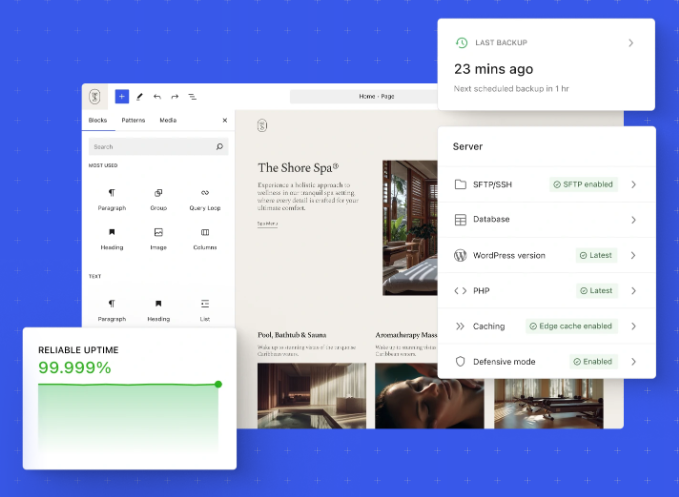
- WordPress.org: This is the self-hosted version. You download the software for free and then install it on your own hosting account. You have complete control, full ownership, and endless flexibility. You are also responsible for everything: security, updates, backups, and performance. When most professionals talk about WordPress, this is what they mean.
- WordPress.com: This is a commercial, hosted service that uses the WordPress software. It’s easier to start with but much more limited. It’s a good entry point for personal blogs, but not for a serious creative business that needs control and customization.
For the rest of this article, we’ll be focusing on self-hosted WordPress.org, as it’s the direct competitor to Webflow in terms of professional use.
What is Webflow?
Webflow is a web development platform that gives you the power of code in a completely visual interface. It’s a Software-as-a-Service (SaaS) product, which means it’s an all-in-one package: the design tool, CMS, and hosting are all handled by Webflow. You pay a monthly or annual subscription for the service.
Webflow is built around the core principles of web design—the box model, CSS properties, and responsive design—but it abstracts away the need to write the code yourself. You’re not dragging and dropping pre-built blocks as much as you are visually manipulating the structure and style of your site with incredible precision. It’s designed for people who think like designers but don’t want to live in a code editor.
How Creative Professionals Can Use The Platforms
This is where the decision gets made. It’s not about the technical specs on a feature list; it’s about how the tool integrates into your creative workflow and helps you build a sustainable creative business, whether that’s landing bigger clients, selling your work, or building a community.
Design, Customization, and Control
This is the most significant point of difference between the two platforms.
Webflow:
Webflow is built for granular, visual control. The Designer interface is essentially a visual abstraction of HTML and CSS. If you understand design principles, you will understand Webflow. You start with a blank canvas and have direct control over every element, class, and interaction.
- For Photographers & Videographers: You can build completely custom, pixel-perfect portfolio layouts. Want a dynamic grid that shifts on hover or a full-screen video background with a custom-timed text overlay? In Webflow, you can build that without hunting for a plugin. You can create unique CMS-driven galleries where each project has its own bespoke layout based on its content.
- For Graphic & Brand Designers: This is where Webflow truly shines. You can implement your exact design vision without compromise. The Style Manager allows you to create global styles, ensuring brand consistency across the entire site. It’s the perfect platform for creating a living style guide that powers the website itself.
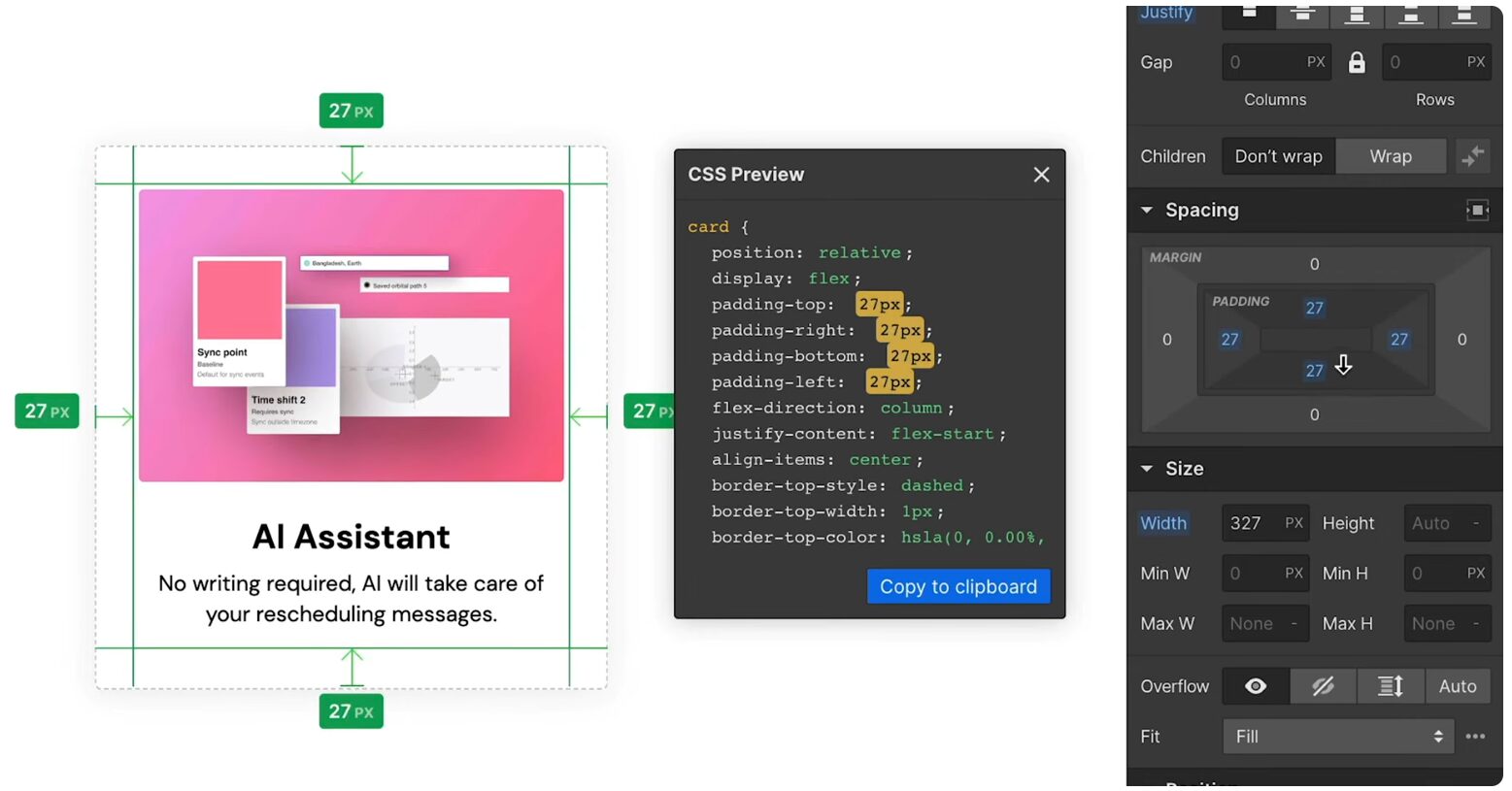
CSS styling via the Webflow style panel
WordPress:
With WordPress, your design control is determined by your theme and page builder. You start with a pre-existing structure (a theme) and then customize it.
- Themes: You can choose from thousands of free and premium themes. A well-coded theme from a reputable developer can give you a fantastic foundation. However, you’re always working within the constraints of that theme’s design.
- Page Builders: To get Webflow-level visual control, you need a page builder plugin like Elementor Pro or Divi. These provide a drag-and-drop interface for designing your pages. They are powerful but add another layer of complexity and code to your site, which can sometimes impact performance. The experience can feel less integrated, as you’re working with a third-party tool bolted onto the WordPress core.
Content Management (CMS) for Portfolios and Blogs
A website is a living thing. You need to be able to easily add new portfolio pieces, case studies, and blog posts.
Webflow:
The Webflow CMS is arguably its most powerful feature for creatives. You create “Collections,” which are structured databases for any type of content you can imagine.
- How it Works: You define the structure for a content type. For a “Portfolio Project” Collection, you could create fields for a cover image, a gallery of project images, a rich-text case study, a client name, and a project date. Then, you design a template to display this content. Every time you add a new project and fill in the fields, Webflow automatically creates a new, beautifully formatted page.
- Actionable Tip: You can use conditional logic in your designs. For example, you can design your template so that if the “Video” field in your CMS entry is filled, a video player is displayed at the top of the page; otherwise, a hero image is shown. This allows you to create dynamic and varied layouts from a single template.
WordPress:
WordPress started as a blogging platform, and its CMS is legendary for its power and flexibility, though it works differently.
- How it Works: The default content types are “Posts” and “Pages.” For a portfolio, you would typically use a plugin like Advanced Custom Fields (ACF) to create custom fields, just like in Webflow. You’d then need to either edit your theme’s PHP template files to display this content or use a page builder’s theme builder feature to create a template visually.
- Actionable Tip: Combine a plugin like ACF with a page builder like Elementor Pro. You can create a custom post type called “Projects,” use ACF to add all your specific fields (client, date, gallery), and then use Elementor’s Theme Builder to design a template that pulls in that custom field data for every project. It’s a powerful workflow but requires connecting multiple tools.
Ecommerce for Selling Your Work
For many creatives, the website is a point of sale for prints, digital products, presets, courses, or client services.
WordPress:
When it comes to e-commerce, WordPress has one killer app: WooCommerce. It’s a free, incredibly powerful, and endlessly extendable e-commerce plugin.
- Capabilities: You can sell anything with WooCommerce. Physical products like fine art prints with complex shipping rules, digital products like Lightroom presets or design templates, and even client services with deposits and invoicing. The ecosystem is massive. Need a specific payment gateway or a way to handle print-on-demand fulfillment? There’s a WooCommerce extension for it.
- The Catch: Like WordPress itself, you are in charge of managing it. Security, performance, and maintenance for an e-commerce store are serious business.
Webflow:
Webflow Ecommerce is a more recent addition, and it’s a much more streamlined, integrated experience.
- Capabilities: It’s excellent for selling standard physical and digital products. The setup is straightforward, and because it’s integrated with the Webflow CMS, you can design your product pages with the same visual freedom as the rest of your site.
- Limitations: It’s not nearly as extendable as WooCommerce. If you have complex needs—like advanced shipping calculations, subscriptions with specific trial periods, or integrations with niche payment gateways—you may hit a wall. It’s built for simplicity and direct sales, not for highly complex retail operations.
The Bottom Line: Is WordPress or Webflow For You?
There’s no single right answer, only the right fit for your skills, goals, and temperament. (And if neither of these feels quite right, it might be worth exploring an all-in-one platform like Squarespace).
Choose Webflow if:
- You are a designer at heart and want total, uncompromising visual control over your website without having to write code.
- You want an all-in-one platform where the design tool, CMS, and hosting just work together seamlessly, with security and maintenance handled for you.
- Your primary goal is to create a stunning, custom, and fast-loading portfolio or marketing site, with straightforward e-commerce needs.
- You value a clean, modern workflow and are willing to pay a premium for that integrated experience.
Choose WordPress if:
- You need maximum flexibility and are comfortable with a more technical, modular approach to building a website.
- Your project requires a specific function that can only be solved with one of the thousands of available plugins (e.g., complex e-commerce, membership sites, learning management systems).
- You want full control over your hosting environment and are prepared to manage the ongoing maintenance, security, and updates that come with it.
- You need to build a content-heavy site with a massive blog or complex taxonomies and are on a tighter initial budget (though costs for premium plugins and hosting can add up).