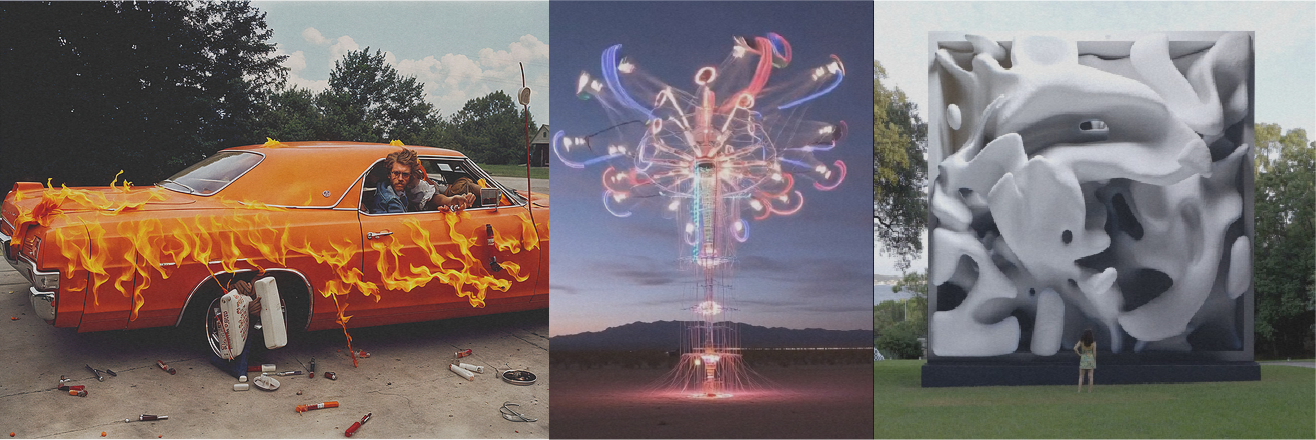
The conversation about artificial intelligence in the creative industry often devolves into fear or hype. Neither is useful for your career. If you are a professional photographer, designer, or art director, your focus must be on utility and execution. You need to know who is setting the standard, how they are doing it, and what tools will keep you relevant.
Observing the best AI artists is not about passive appreciation. It is about deconstructing their stacks. You look at their work to understand the capabilities of the current models—Midjourney v6, Stable Diffusion XL, Runway Gen-2—and to see where the ceiling currently sits.
The following artists and studios represent the top tier of generative workflow. They do not just type prompts. They combine advanced compositing, custom model training, and distinct stylistic curation to create work that commands high commercial rates.
Refik Anadol: Data Visualization and Large-Scale Installation
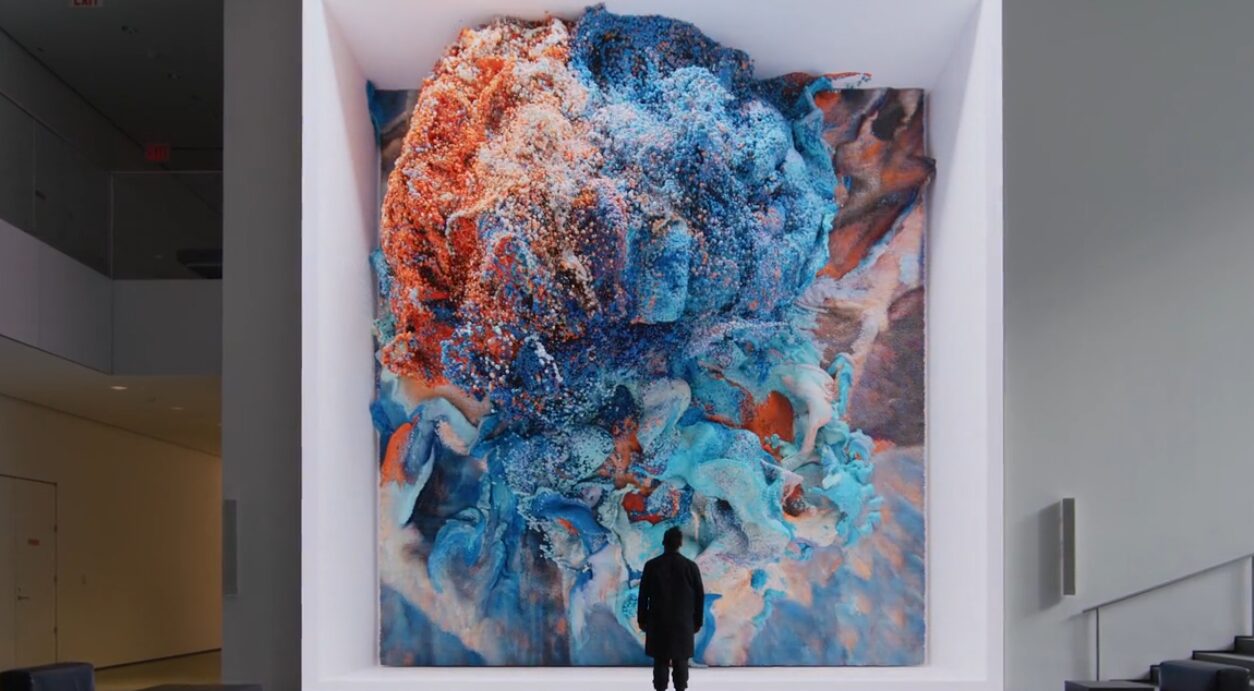
Refik Anadol operates at the intersection of architecture and machine learning. His work demonstrates how to handle massive datasets rather than single images. For creative professionals working in environmental design or experiential marketing, Anadol’s workflow is the benchmark.
The Methodology
Anadol uses fluid dynamics and massive data collections—millions of images or temperature readings—to train custom algorithms. He does not use off-the-shelf public models for his final output. He collaborates directly with technology leaders like NVIDIA and Google to access the computing power required for these visualizations.
Key Tools and Hardware
- NVIDIA Omniverse: Anadol utilizes this platform for real-time 3D design collaboration and simulation. It allows for the handling of complex 3D datasets that standard workstations cannot process.
- Custom GANs (Generative Adversarial Networks): His studio writes custom code to train networks on specific datasets, such as images of coral reefs or space telescope data.
- VVVV: A hybrid visual/textual live-programming environment used for prototyping and handling large media systems.
- TouchDesigner: Essential for real-time interactive multimedia content. If you are moving into installation art, learning TouchDesigner is mandatory.
Roope Rainisto: Post-Photography and Narrative
Roope Rainisto creates imagery that sits uncomfortably between street photography and hallucination. His work is critical for photographers to study because it highlights the importance of curation and the “human in the loop” aspect of AI. He proves that a distinct directorial eye is more valuable than the generation tool itself.
The Workflow
Rainisto is known for using Stable Diffusion rather than Midjourney for much of his fine-tuning. Stable Diffusion allows for greater control over the generation parameters and the ability to train the model on specific aesthetics (LoRAs).
Technical Analysis
- Stable Diffusion: By running Stable Diffusion locally (often via interfaces like Automatic1111), artists can control the “Denoising Strength” and “CFG Scale” (Classifier Free Guidance) with precision.
- Inpainting: Rainisto’s work suggests heavy use of inpainting. This involves masking a specific area of an image and regenerating only that section to fix hands, eyes, or compositional errors without altering the rest of the frame.
- Post-Processing: The raw output from a generator is rarely the final piece. Professional workflow involves taking the generated 1024×1024 or 2048×2048 image into Photoshop or Lightroom for color grading and grain addition to match film stocks.
Joshua Vermillion: Architecture and Spatial Design
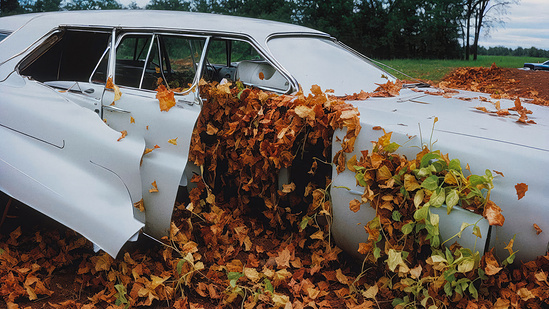
Joshua Vermillion uses AI to conceptualize architectural forms that would be prohibitively slow to model manually during the ideation phase. For architects and 3D modelers, he demonstrates how to use text-to-image generators as a sketching tool before moving into CAD.
The Integration
Vermillion often shares his process of using Midjourney to generate hundreds of iterations of texture, lighting, and form. He then moves these 2D concepts into 3D environments.
Key Tools
- Midjourney: Used for rapid prototyping of lighting conditions and material properties. The
--stylizeand--chaosparameters are essential here to explore unexpected variations. - Rhino 3D: The industry standard for architectural modeling. The workflow involves taking AI-generated reference images and building the geometry in Rhino to match.
- LookX: An AI platform specifically trained for architecture enthusiasts, allowing for better control over building geometries than generalist models.
Don Allen Stevenson III: XR and Future Tech
Don Allen Stevenson III bridges the gap between generative AI, Augmented Reality (AR), and Virtual Reality (VR). His work is relevant for motion designers and UX/UI specialists. He focuses on how AI assets behave in three-dimensional space.
The Tech Stack
Stevenson frequently tests beta features of major software, showing how they integrate.
- Snap AR (Lens Studio): He uses AI-generated textures and applies them to AR meshes.
- OpenAI DALL-E 3: Often used for generating assets that are then extruded into 3D.
- Cinema 4D: The bridge between the 2D generation and the 3D output.
- Meshy: A tool capable of turning 2D images into 3D models with texturing. This automates the modeling phase for background assets.
Check out Don Allen Stevenson III
Str4ngeThing: Renaissance AI and Fashion
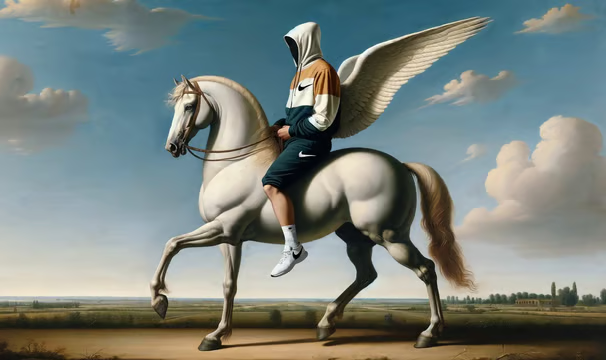
Str4ngeThing went viral by placing Nike apparel into Renaissance and Baroque settings. This style of work matters for fashion photographers and creative directors. It demonstrates “anachronistic synthesis”—combining two distinct, unrelated datasets (sneaker culture and 17th-century painting) to create a new commercial aesthetic.
Stylistic Execution
Creating this look requires a deep understanding of prompting for specific art styles, textures, and lighting arrangements (e.g., “Chiaroscuro lighting,” “Oil on canvas,” “Dutch Golden Age”).
Brand Consistency Tools
- ControlNet: For a professional to execute this for a client, they cannot rely on random generation. They use ControlNet (an extension for Stable Diffusion). ControlNet allows you to upload a reference image of a product (like a shoe) and force the AI to keep the exact outline and depth map of that product while changing the texture and environment.
- Canny Edge Detection: A specific preprocessor in ControlNet that creates a line drawing of your input image. This ensures the logo placement and silhouette of the fashion item remain perfect in the final generation.
Sougwen Chung: Human and Robotic Collaboration
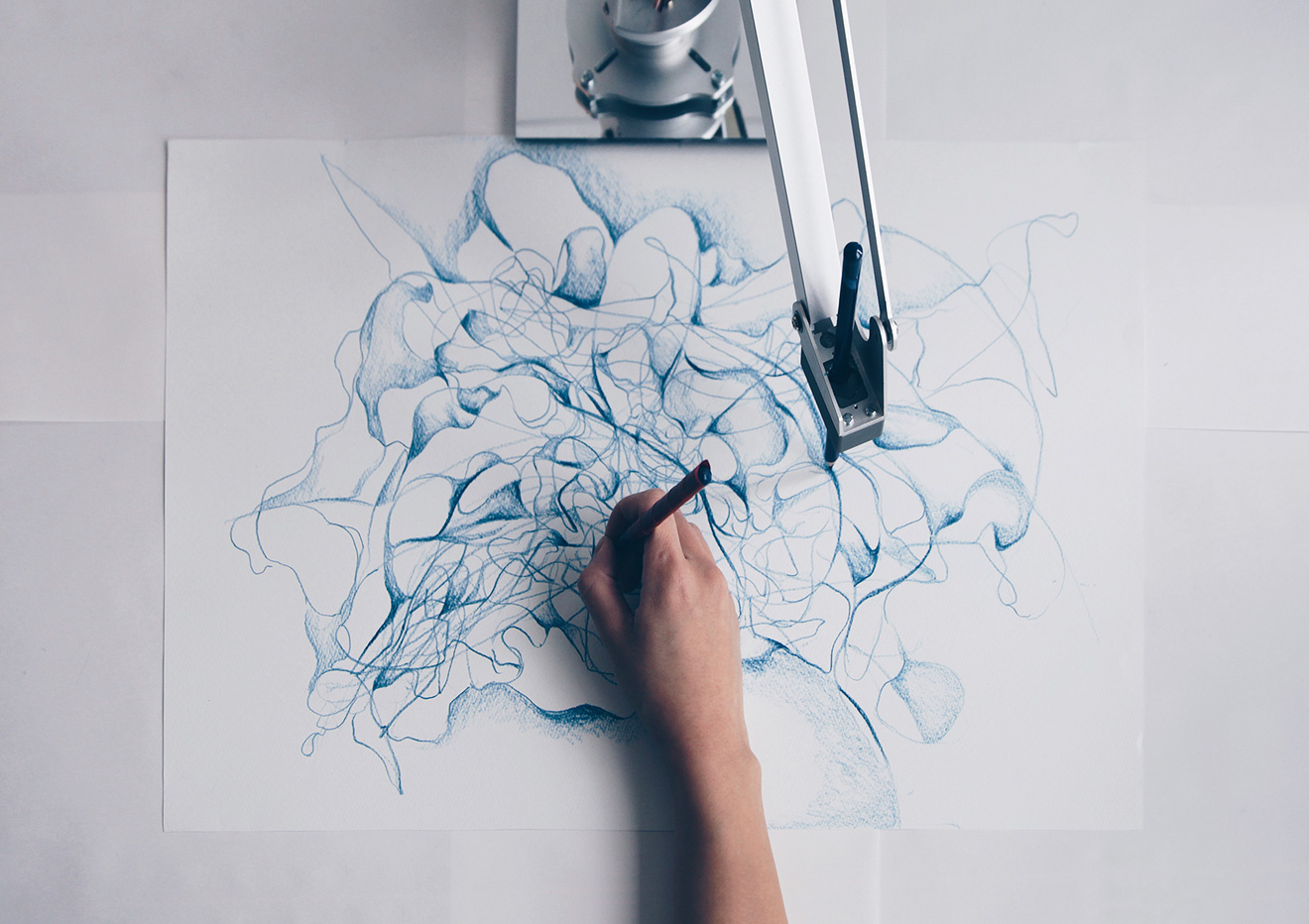
Sougwen Chung is a researcher and artist who builds robots to paint alongside her. This is distinct from screen-based AI. It involves “embodied AI.” For industrial designers and those interested in robotics, Chung’s work validates the physical application of neural networks.
The System
Chung uses custom robotic arms (D.O.U.G. – Drawing Operations Unit Generation) driven by neural networks trained on her own drawing gestures. The AI predicts the next stroke based on her current movement.
Relevance to Pros
This highlights the potential of physical output. We are moving toward a time when AI will drive CNC machines, 3D printers, and laser cutters with the same fluidity it currently drives pixels.
Explore Sougwen Chung’s Studio
Tim Tadder: Commercial Photography Adaptation
Tim Tadder is a high-end commercial photographer who adopted AI early. Instead of replacing his photography, he uses AI to create elements that are impossible to capture in camera, or to build mood boards that are indistinguishable from finished high-end campaigns.
The Hybrid Workflow
Tadder’s approach involves generating backgrounds or specific surreal elements and compositing them with studio-lit subjects. This requires matching the virtual lighting in the prompt with the physical lighting on the set.
Compositing Tools
- Adobe Photoshop (Generative Fill): While basic for some, the Contextual Task Bar in Photoshop is now a standard part of retouching. It is used to extend canvas borders or remove complex distractions.
- Magnific AI: This is an upscaling and hallucination tool. It adds detail to low-resolution generations. When you need a 4K image for print, upscaling in Photoshop often results in soft edges. Magnific AI adds texture (skin pores, fabric weave) back into the image during the upscaling process.
Niceaunties: Surreal Motion design
Niceaunties is a Singapore-based architectural designer and AI artist focusing on surreal, aging, and pattern-heavy aesthetics. For video editors and motion graphics artists, this work demonstrates the capabilities of video-to-video AI generation.
Video Generation Tools
- Runway Gen-2: The primary tool for text-to-video or image-to-video generation.
- Motion Brush: A feature within Runway that allows the user to “paint” over a specific area of a static image (like clouds or water) and dictate the direction and speed of movement for just that area.
- Topaz Video AI: AI video generation often suffers from flicker and low frame rates. Topaz is used to smooth motion (frame interpolation) and upscale the footage to 4K for professional delivery.
Establishing Your Own AI Workflow
Comparing the artists above reveals a pattern. None of them use a single tool in isolation. They build pipelines. If you want to achieve similar results, you must construct a workflow that mitigates the weaknesses of AI (randomness, low resolution) and leverages its strengths (ideation speed, texture generation).
1. The Ideation Phase
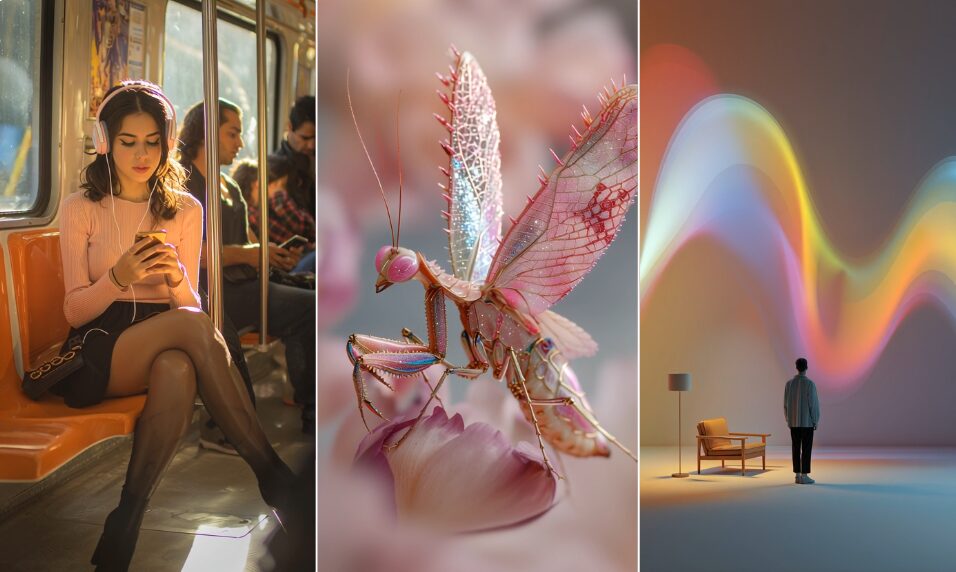
Use broad tools for this. Midjourney is currently the leader for aesthetic quality and coherence out of the box. Use it to generate 50-100 variations of a concept in an hour.
- Action: Use the
--tileparameter in Midjourney to create seamless textures for 3D mapping. - Action: Use the
/describefunction to reverse-engineer prompts from images you admire.
2. The Control Phase
Once the client approves a direction, you cannot rely on prompt luck. You must switch to Stable Diffusion with ControlNet.
- Requirement: You need a GPU with at least 8GB of VRAM (preferably 12GB or 16GB, like an NVIDIA RTX 4080) to run this locally.
- Technique: Use “OpenPose” in ControlNet. This extracts the skeleton of a human figure from a reference photo and forces the AI to generate a character in that exact pose. This is non-negotiable for commercial work where a specific stance is required.
3. The Consistency Phase
For character consistency (keeping the same face across multiple shots), you need precise tools.
- IP-Adapter: An advanced method for Stable Diffusion that allows you to use an image prompt as a strong reference for style or content.
- Training a LoRA: If you are working for a brand, you take 20-30 images of their product and train a LoRA (Low-Rank Adaptation). This “teaches” the AI the specific geometry of that product. You then load this LoRA into the generator so every car, shoe, or bottle you generate looks exactly like the client’s product.
4. The Upscaling Phase
AI generates low-resolution images (usually 1024px). This is insufficient for print or high-res web.
- Topaz Gigapixel AI: Uses deep learning to upscale images while preserving edge fidelity.
- Ultimate SD Upscale: A script for Stable Diffusion that breaks the image into tiles, upscales them individually, and stitches them back together to add varying levels of detail across the frame.
The Financial Reality of AI Art
The market does not pay for “prompts.” The market pays for solved problems. The artists listed above are not paid because they know how to type “cyberpunk city.” They are paid because they can deliver a specific cyberpunk city, with specific lighting, at a specific resolution, within a deadline.
Full Rate or Free
As you integrate these tools, your creating speed will increase. Do not lower your rates. You are charging for the years of taste development that allows you to curate the AI output, not the seconds it took the GPU to render it.
When you take on AI-based projects, apply the standard rule: Full rate or free. If a client wants you to use AI to “save money,” decline the project. If they want you to use AI to create something that was previously impossible or too expensive to stage physically, charge your premium rate. Using AI requires a subscription overhead (Midjourney, ChatGPT Plus, Runway, Photoshop, Topaz) and significant hardware investment. Your rate must reflect that infrastructure.
Conclusion: Specificity Wins
The era of generic AI art is already over. The novelty has faded. The “best” AI artists are now simply artists. They are Directors of Photography, Illustrators, and Art Directors who have added generative models to their existing toolkits.
Stop looking for the magic prompt. Start learning the nodes in ComfyUI. Start learning how to train a model on your own drawing style. Start treating this software with the same rigour you treat your camera or your NLE.
The artists mentioned here—Refik Anadol, Roope Rainisto, Sougwen Chung—are successful because they exert control over the chaos. That is your job. Take the tools they use, learn the settings, and apply them to your vision.