

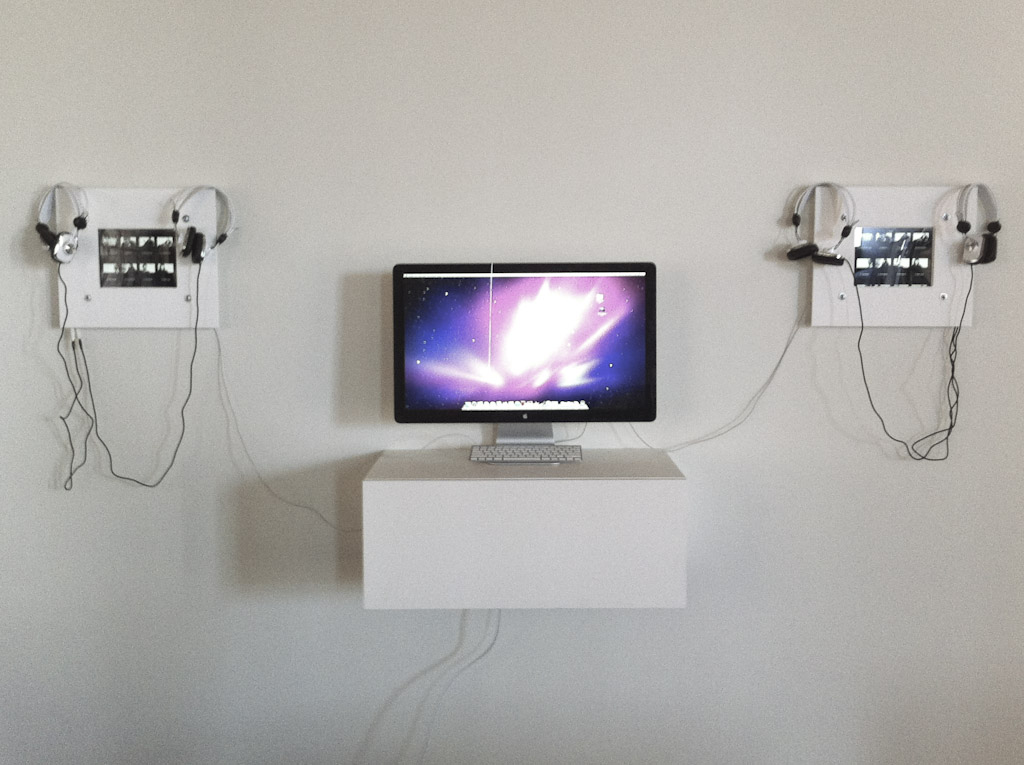
 [The debate continues about whether or not iPads are good portfolios for photographers and filmmakers. But those considerations aside, one thing I KNOW is that the iPad is great for is displaying photo & video content in a gallery setting, or on a studio wall in a waiting area. So in pure coincidence with Apple’s announcement today that the iPad2 is now available (early), Dartanyon has written up a post about how we made our custom iPad holders that were crazy-popular at my most recent gallery opening…]
Howdy folks, Dartanyon here. As Chase said above, iPads make amazing devices to display multimedia content. The screens are bright and crisp and photos and videos really shine. They also have the great advantage of allowing viewers to navigate and select the content they want to watch instead of waiting for a looping video feed to get around to the interesting part. As such, I’d like to walk you through how we went about creating some custom iPad holders for our recent Seattle 100 gallery show. And note: the price for this DIY project is scalable based on materials used and the results are great.
We wanted the iPads to function as video players that were user friendly, secure, and artfully displayed. We quickly discovered that there was no commercially available solution for what we were trying to accomplish. So what’s next? Go custom.
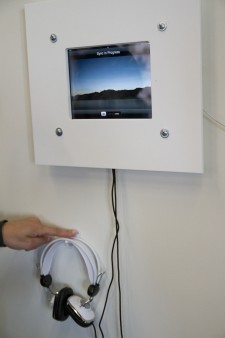
The challenges: iPads are designed to be interactive, to move between apps. How do you keep people from messing with them, checking their email, pointing them at un-savory sites, or worse yet walking away with them entirely?
Certainly we could just lock them up, as they do in retail environments, but that wouldn’t stop people from pushing the home button or launching other apps, thereby leaving the next user at a loss as to how to interact with the device. We needed a way to keep the user in “video” mode using only the touch screen for navigation while keeping all of the other nav buttons from being pressed [ also home or off]. We also needed a way to keep the iPads from walking away, and to keep them powered up for 4 days.
The plans: I really enjoy fabricating custom doo-dads [designing them at least] to overcome complex problems. It seemed natural that in the environment of an art gallery, the best approach would be to treat the iPads as just another piece of art … by framing them. First we needed to create a design to meet the above objectives. Additionally, since we were showcasing the video interviews, we needed to get audio pumped out of them too.
Click to Enlarge Click to Enlarge
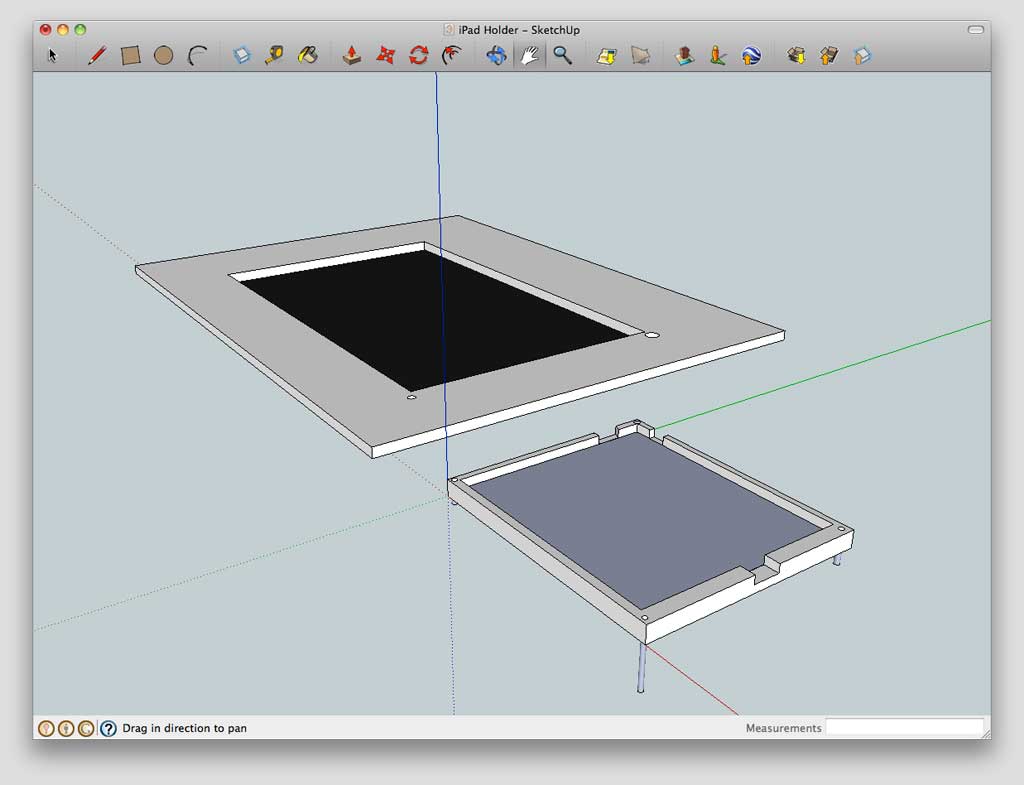
I started out by popping open Google SketchUp and laying out what was in my head. A base plate to go between the wall and the iPad, a set of rails to keep the iPad in place with cut outs to facilitate plugging in the dock connector cable, and a head phone splitter to a couple of sets of head phones (so two people could watch and listen at the same time). We wanted to make the iPads feel larger than they were so we came up with a “matte” top plate that would extend the area of the iPads 5 inches in all directions. This served to make the units themselves feel bigger in comparison to the huge prints on the wall, and also served to hide the connections from the general public.
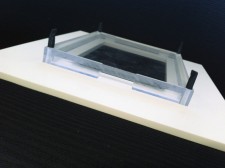
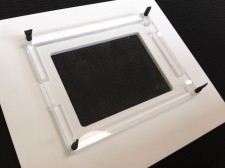
The fabrication: As much as I’d like to tell you that we have a milling machine in house, we don’t. So off I went, plans in hand, down to our favorite plastics shop and proceeded to go over my plans with them. A couple of days later we had a pair of awesome iPad frames that were just perfect. We could attach all of the cables and fire the iPads up, then place them in the trays. We paid a bit over $100 bucks for ours to be fabricated, but a similar display — perhaps even nicer and made from a less expensive material like wood, with just a few tools (jigsaw, drill, and sandpaper — could be made for an estimated $15-20 in materials.
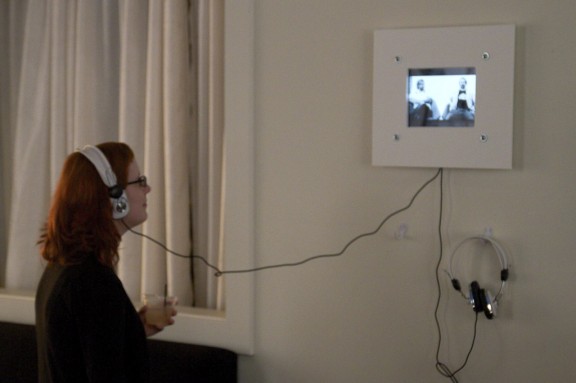
The installation: Each frame had holes at each of the four corners which allowed them to be secured to the wall. We also drilled a tiny little through hole — size to accomodate a paperclip — to access the home button, in the event we wanted to navigate or reset the ipad. We hid all of the cords behind the base plate, and placed some classy looking hooks – $5 from the local hardware store – just under the frames from which to hang the headphones.
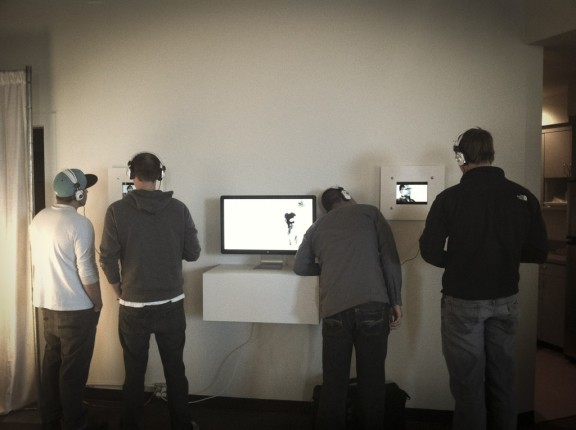
The results: The interactive video stations were a huge success at the show. People hung out and watched them for much longer than expected. Everyone really enjoyed being able to navigate through the videos using the touch screens. People have grown very accustomed to being able to control the content they watch. These wall mounted iPads were the perfect solution; giving us a platform to share multimedia art, and empowering the viewer to truly interact with the content.
Reminder – you CAN do this or get help from a friend on the cheap! Give it a try. I’d love to hear about your results or other ideas you’ve got for displaying the content on iPads as art.












Good Idea… thanks for sharing…
Fantastic Idea, love the iPads on the wall, but I have a question. What purpose does the big screen have???
I understand why you have the iPads on the wall, but whats with the monitor?
The monitor [with a laptop in the box below it] was locked into a local copy of the Seattle100 website using using a software called saft, that creates a Kiosk mode for safari, not allowing any other domains, expect those specified.
what’s the point of a low resolution 9″ screen when you have a 2560×1440 27″ monitor next to it…?
The point is to be able to interact with many pieces of video content, but not with any other bits or bytes on the device. We could have created some custom webpages I suppose and then used Saft to force kiosk mode on safari for those, like we did for the website that is running on the 27″ display, but then we would have needed more computers to make that happen.
We were using the tech we had available which included that laptop [in the box under the monitor] and a couple of iPads that were in house during that time period.
Looks like a great idea, but how did you solve the problem of stopping people from checking e-mail, or exiting video mode??
People couldn’t leave video mode or go to their email as they didn’t have access to the home button. So nobody could come out of the mode the installers put it in in the first place.
The white frame actually covers the iPad all the was to the edge of the screen, covering up the home button on the iPad which means that it can’t be taken out of the “Videos” app.
The current exhibit at the MOPA here in san diego is using the iPads to great effect. It really adds context to the 60’s street photography displayed for those of us born in the 70’s.