

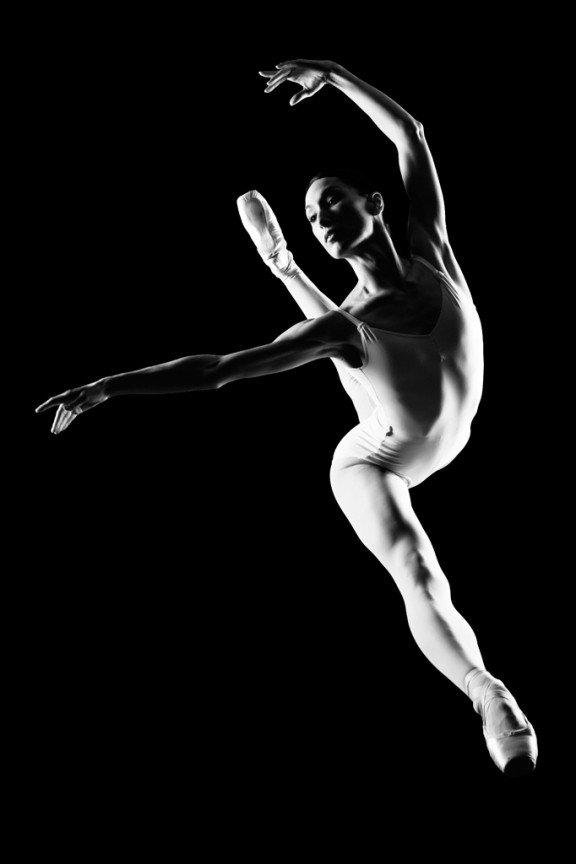
I learned to light after years of deconstructing the work of other photographers. And I know from your previous feedback that you guys are fond of these posts, so let’s dig into another one.
How did I make this picture?
Is it a lucky snapshot?
Is it lit?
If so, how?
The camera Settings?
The direction?
Post production?
Whatever details you think are needed to make this image.
Looking forward to you trying to pick this apart… I’ll reveal everything in a followup post. The person who gets the closest gets… …a chest bump and a pizza, or signed book or something. Don’t be shy. Let er rip.












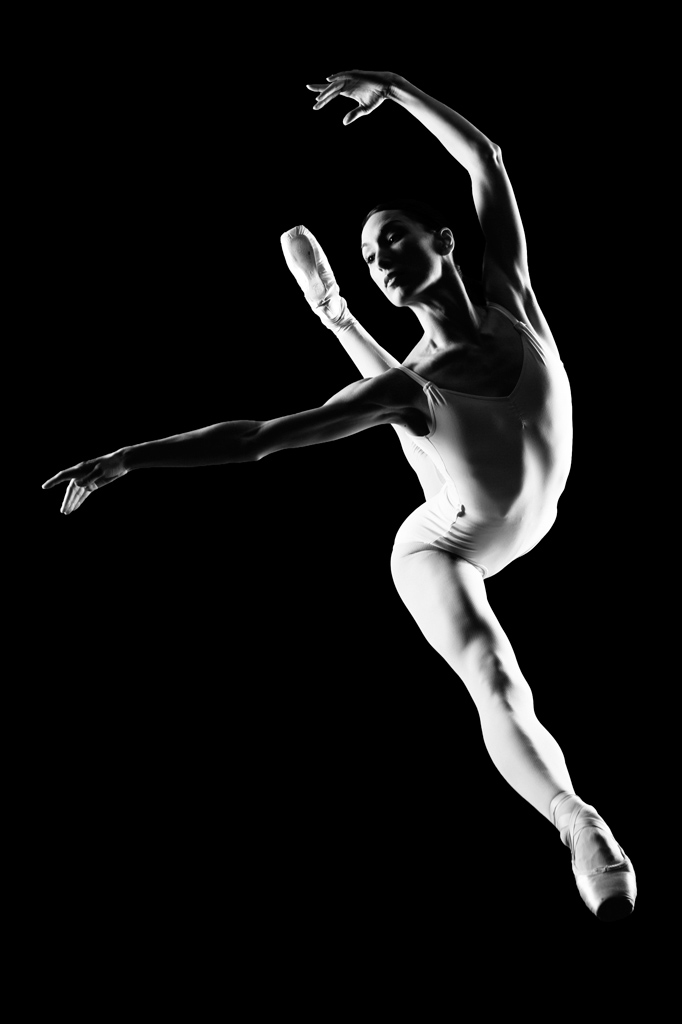
2 lights, both behind the dancer. 1 high small softbox camera left, the other low and hard camera right. white floor for bounce. Dancer on stage leaping, 200mm @ f8 for sharpness throughout. Chase is down in the pit in front of the stage shooting up to get some extra perceived leap height (prolly not much extra needed cuz the girl is ripped and can likely jump plenty high)
Post is a slight contrast boost, and black and white conversion.
– Plexi rig in use, shot from below the dancer.
– main light camera left, medium softbox a bit far, creating harder shadow edges.
– rim light camera right, slightly behind model, maybe 1 stop below main light.
– model is stationary (en pointe), no need for very fast flash, so the lights can be pretty powerful.
– D3(s/x) set to ISO200, F/16, maybe a 35mm lens (little wide distortion).
– you needed to position the model at an exact spot, to light very careful her left eyelid and cheek, so this took a few shots to get her into position.
– very little PP, just darken blacks and manage the highlight blow point, and slight crop. And convert to B&W, obviously.
The tension in her leg (the one on point) is making me think you shot this on plexi (aka Ground Control), two strobes 1 left, 1 right, rectangular softboxes with grids to narrow the light, shot from below, prob 50mm at f11, prob iso 200
Camera Settings:
1/250
f8
ISO 100
Focal Length 135mm
Ballet dancer is performing a jump towards the camera with black background. Two lights used placed at camera left and right. No modifiers other than to flag them off the background and lens. Light at camera left is 3-4 feet off the ground and positioned about 6-8 feet from the dancer, aligned even with her position. The light at camera right is positioned 1-2 feet off the ground and about 3-4 feet from the model metered with 1/2 stop more intensity. It is positioned slightly behind the dancer’s position.
Thanks for the challenge, and the answer should prove interesting.
Royce
Here goes:
1) Dancer not in air, standing on pointed toes on your plexiglass rig. leaning forward
2) Camera below and a bit to the front and left of the dancers toe.
3) Hassleblad, f11, 1/800, ISO 100, 50mm lens
4) Lighting, 2 large light sources gridded to contain spill and enhance contrast. 1 light camera left above the dancers’ shoulder height and a bit behind her. 2nd light, camera right at below shoulder height of dancer and also a little behind her. some dark backdrop above and behind her. black foam core above camera with hole in to kill reflection of photographer.
5)post: black clipping to produce the pure blacks. clone tools and brush adjustments to cover up hot spots.
hope im right!hehe