

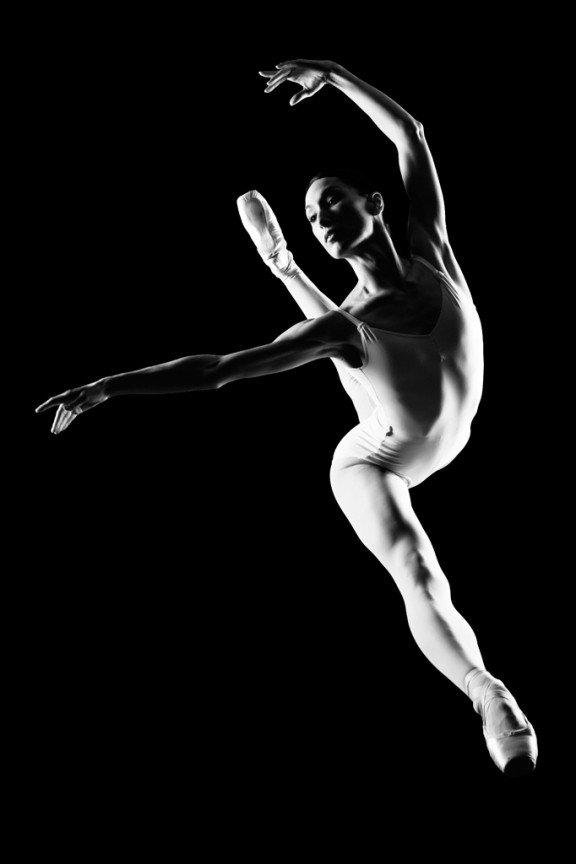
I learned to light after years of deconstructing the work of other photographers. And I know from your previous feedback that you guys are fond of these posts, so let’s dig into another one.
How did I make this picture?
Is it a lucky snapshot?
Is it lit?
If so, how?
The camera Settings?
The direction?
Post production?
Whatever details you think are needed to make this image.
Looking forward to you trying to pick this apart… I’ll reveal everything in a followup post. The person who gets the closest gets… …a chest bump and a pizza, or signed book or something. Don’t be shy. Let er rip.










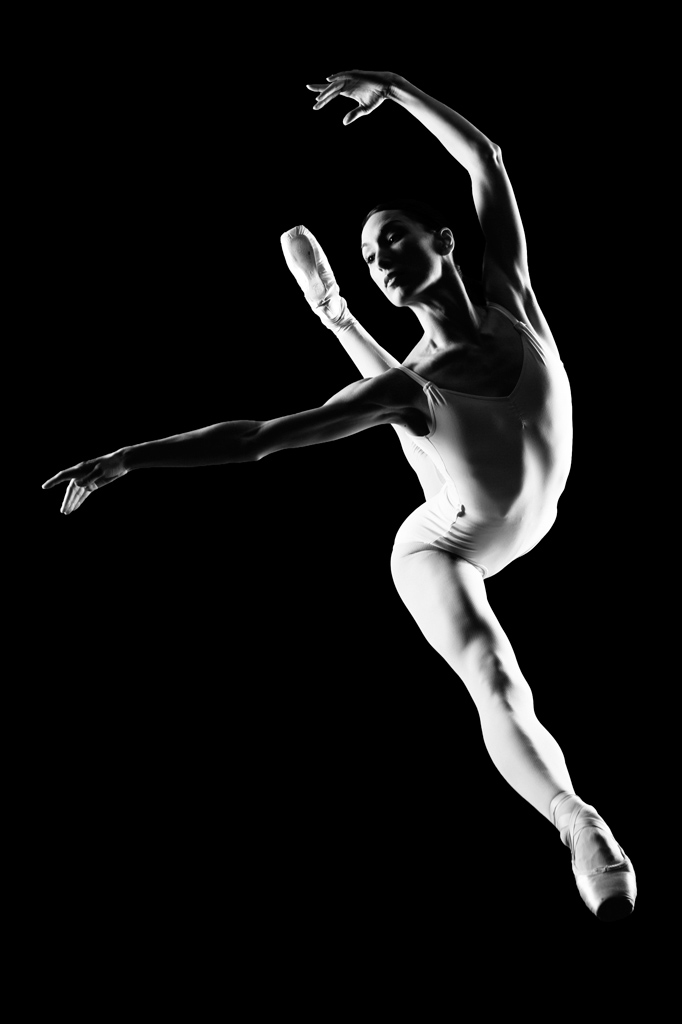
Is it a lucky snapshot?
Very unlikely to be at that angle to capture it if you were at the theatre, so I’d say planned
Is it lit?
I see light, so yes :o)
If so, how?
Black b/g (or a big room) and rim lights left/right.
It has a soft quality so probably Large softboxes (4×6) or possibly strobing through large silks.
The camera Settings?
Looks like a long lens and shot (or cropped) at an angle to suite her pose.
2 ways of shooting it
1) push it around the 1/250 mark (or higher if hss or m/f camera) at around F/11-16.
2) Low ISO and around 2-4 seconds at F/16+ using the strobes short flash duration (broncolor?) to freeze the subject
(1) is possibly not fast enough unless you catch her at the top of her arc, so I’m guessing it was method (2)
The direction?
Jump … and try not to look like you have a foot growing out your shoulder (d’oh!) :o)
Post production?
B/W conversion.
S curve adjustments to tweak the contrast and make the blacks black and the whites white.
Nice creamy look to the image, so possibly some tactful dodging/burning too.
CallumW
Two large strip boxes at almost 45 degree angle behind her on each side.
Model is actually on the floor.
Shot a top to bottom camera angle
2 hard Light sources ( One could be sunlight )
One to left & one right
SHOOT!
Post processing to ad more blacks & make B&W
Two large strip boxes behind her at almost 45 degree angle on each side.
my turn…
ok, two large light sources, probably large profoto octa or something like that at hard camera left at 90. narrower beam from the other side in a little tighter maybe a strip. as for exposure, 1/500th considering you may be using a hasselblad that can handle higher sync speeds. iso, 100 because, well, doesn’t everyone :-). f/11 to get nice and sharp.
post post post. ah, i’m going against the grain here. i’m sure it could have all been done in camera but i’m betting based on jarvis style that the background looked very different in the RAW file. Black added in post. other post processing including obvious black and white conversion (duh) and bit of high pass filter to bump in sharpness and finally a touch of blur to skin to add softness.