We’ve all been there: you wrap a shoot, you get into the edit, and you realize the perfect shot is the one you didn’t take. You need a bird’s eye view, or just a slight rotation to make the composition sing, but the moment is gone.
Until recently, that was it. You lived with the shot you had.
But we are living in a wild time for creative professionals. The new wave of AI tools isn’t just about generating images from scratch; it’s about remixing and refining the reality we’ve already captured. Today, I want to talk about a specific workflow I’ve been testing that feels like magic: creating new camera angles from a single flat image.
I pitted two of the most popular models against each other: Nano Banana Pro and Qwen Image Edit.
The Setup: Weavy Nodes
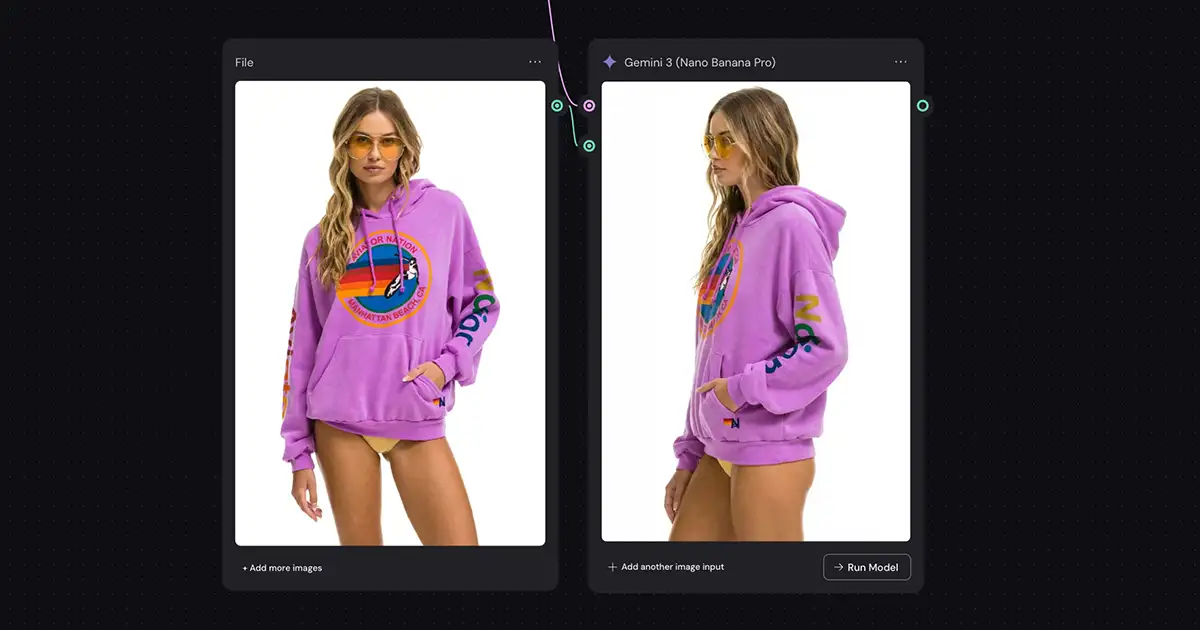
For this test, I used a node-based workflow in Weavy (aka Figma Weave). If you haven’t played with node-based editing yet, it’s like building a visual recipe for your image pipeline. I set up two parallel paths:
-
Nano Banana Pro: Google’s latest multimodal powerhouse.
-
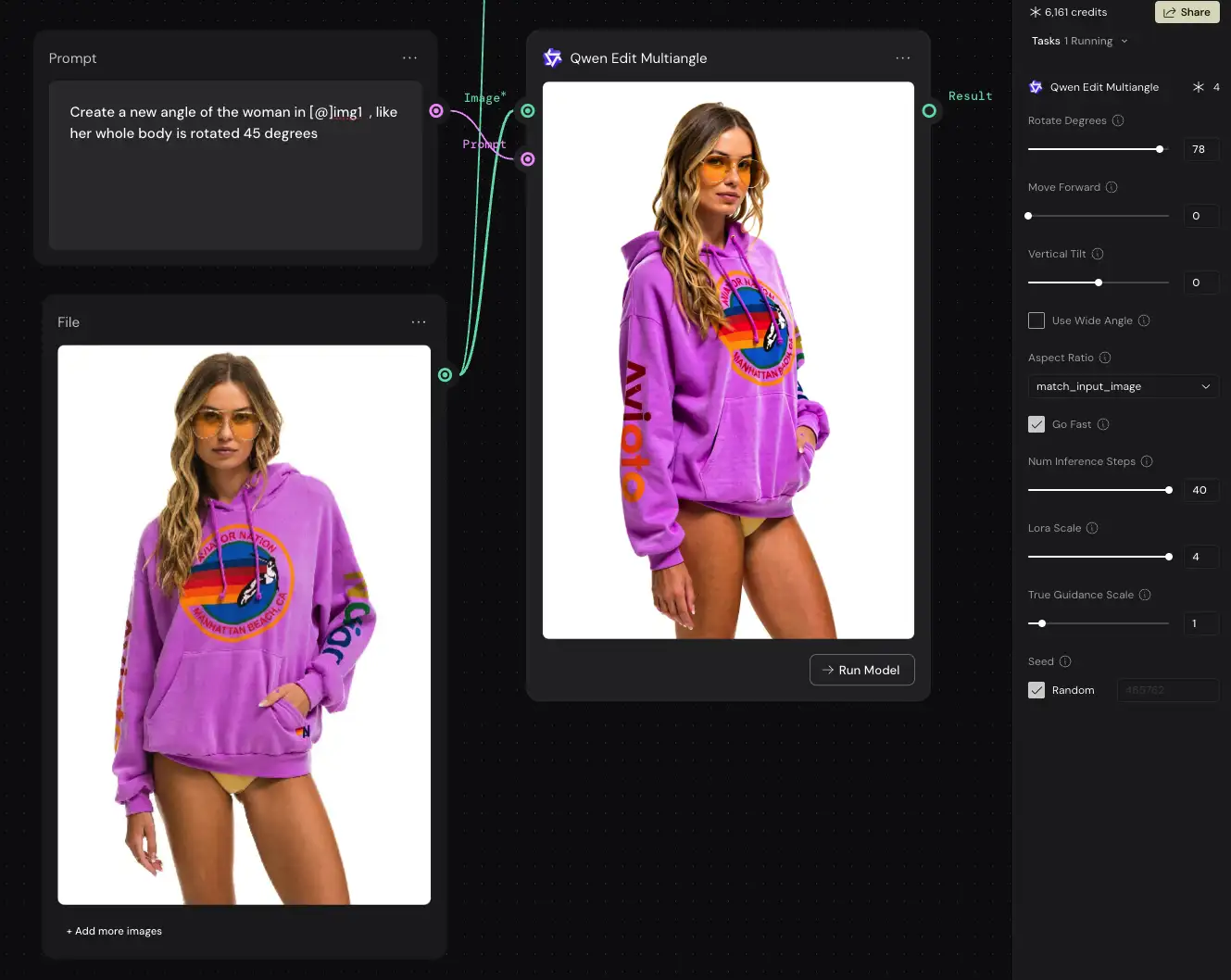
Qwen Image Edit: A popular model based on Stable Diffusion.
I threw two challenging portraits at them – one of a woman in an Aviator Nation hoodie and another of a girl with purple hair – and asked both models to rotate the subject, giving me a bird’s eye view and a 45-degree turn.
The prompt is simple (and works fine in the Gemini app):
- “Create a new angle of the woman in [@]img1, like her entire body is rotated 45 degrees. Use the same framing as the original image.”
How to create a new angle in the Gemini app
If you don’t have a Weavy, Higgsfield, etc account, the same prompt above works in the free Gemini mobile or web app (“Create a new angle of the woman in [@]img1, like her entire body is rotated 45 degrees. Use the same framing as the original image.”).
However, there are two gotchas: first, it will have a watermark. Second, it’s harder to re-roll if you don’t get the right result the first time – it’s usually best to just start a new chat in that case, so it doesn’t get hung up on the existing image.
The Contender: Qwen Image Edit
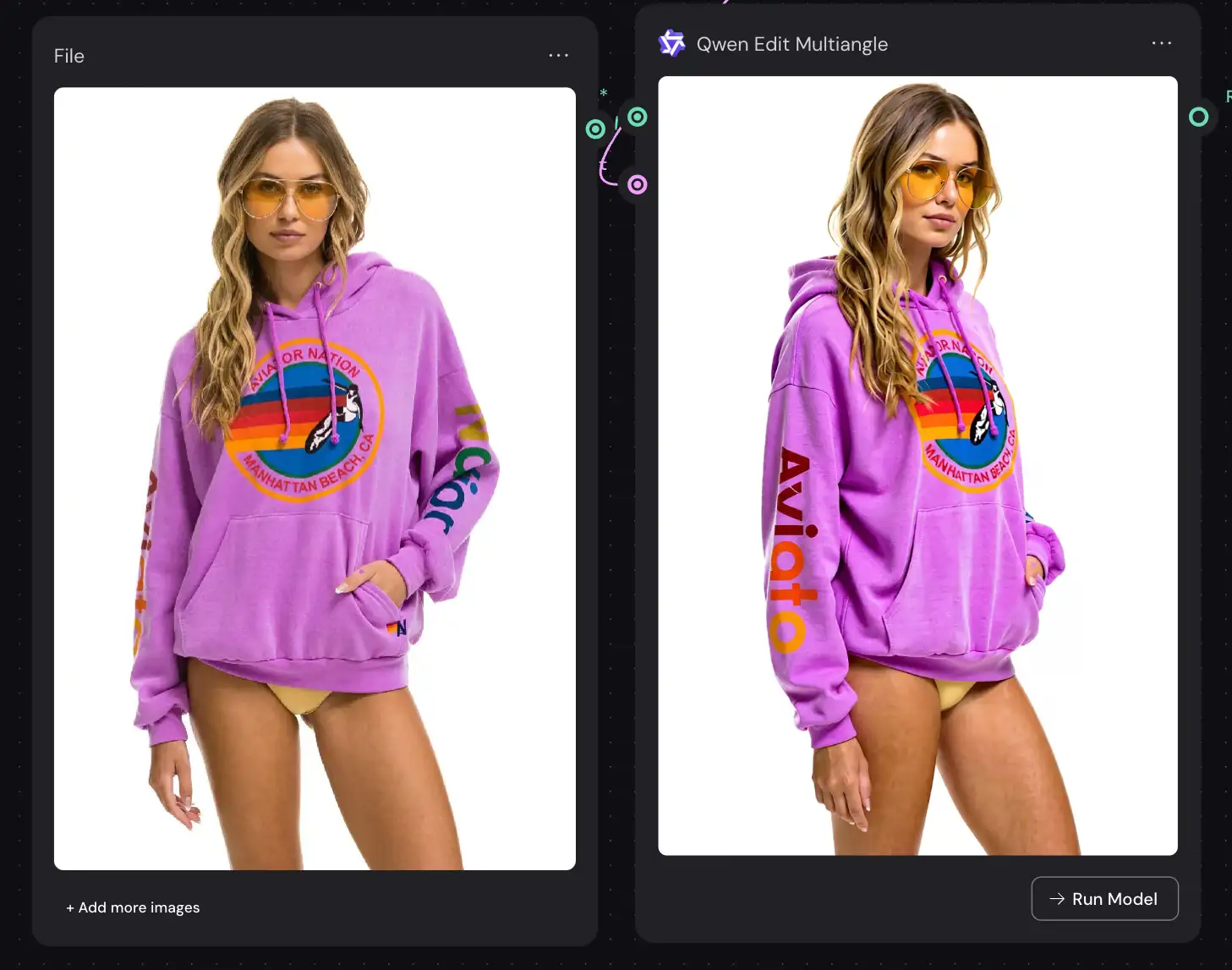
Let’s start with Qwen. On paper, it’s a solid tool, and for a lot of hobbyist applications, it’s just fine. But when you look at it through a professional lens, the cracks start to show.
The Color/Contrast Problem: Immediately, I noticed Qwen was crushing the blacks and pumping the contrast way too high. In the shot of the woman in the hoodie, the colors shifted significantly. It looked “punchy,” but not accurate. For a pro workflow, color fidelity is everything. I don’t want my tools grading my footage for me.
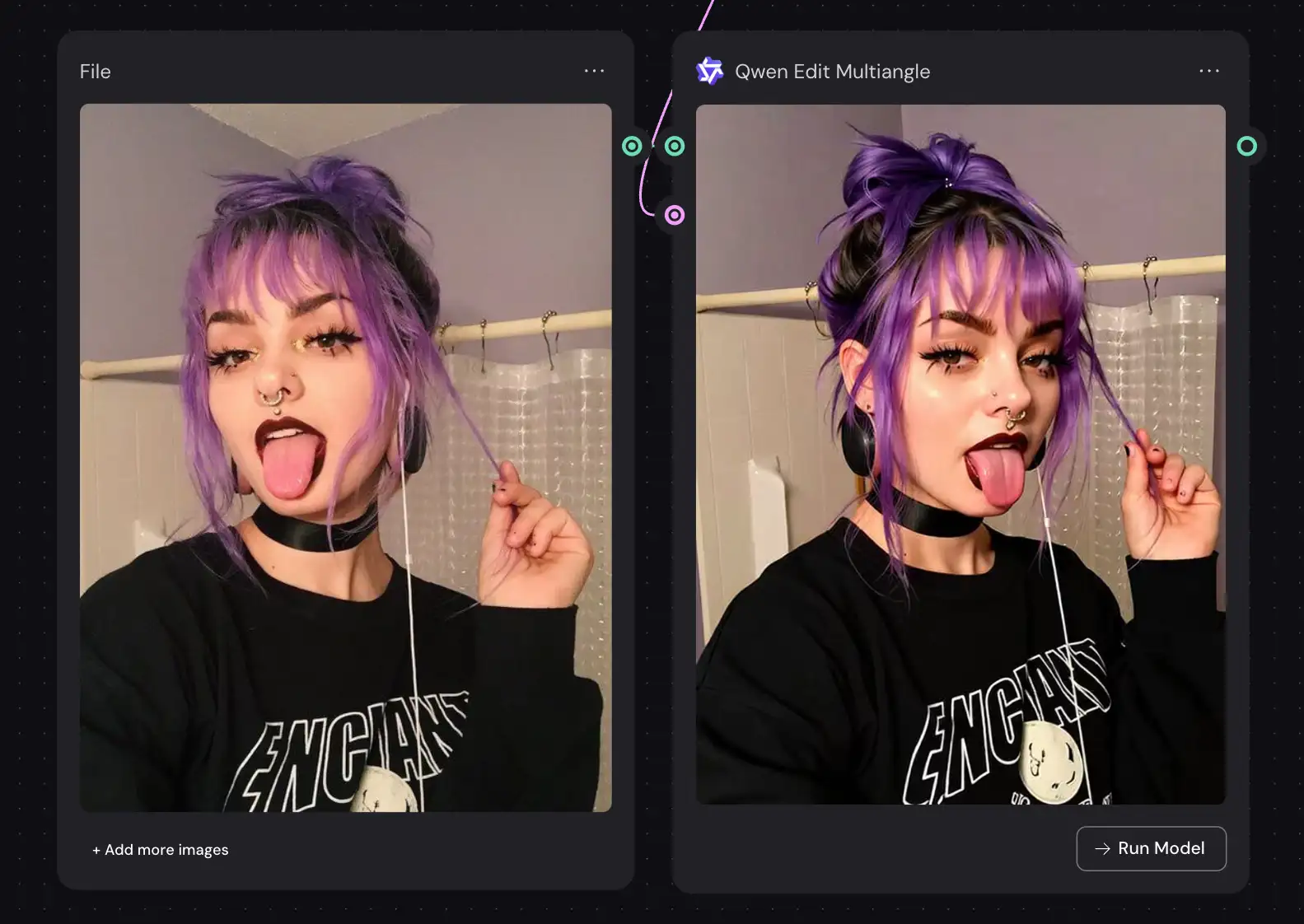
The “Stable Diffusion” Look: You know the look I’m talking about. A little bit plastic, a little bit soft in the details (look at the girl’s hair and skin, for example). Qwen is effectively a LORA (Low-Rank Adaptation) running on top of Stable Diffusion, and it inherits all the quirks of that architecture. It doesn’t quite understand the physics of light, just the statistical likelihood of pixels.
Text Trouble: This was a deal-breaker. I included text instructions in the prompt, but Qwen completely mangled the lettering on the hoodie. This is classic diffusion model behavior: it sees letters as shapes, not language (note the sleeves in the hoodie image above).
Prompt Adherence: I had to fight the tool a bit here. It didn’t respect the slider parameters for rotation (like “45 degrees”) unless I explicitly wrote them into the text prompt. Now, to be fair, this might be a quirk of Weavy’s implementation, so take it with a grain of salt, but friction is friction.
The Champion: Nano Banana Pro
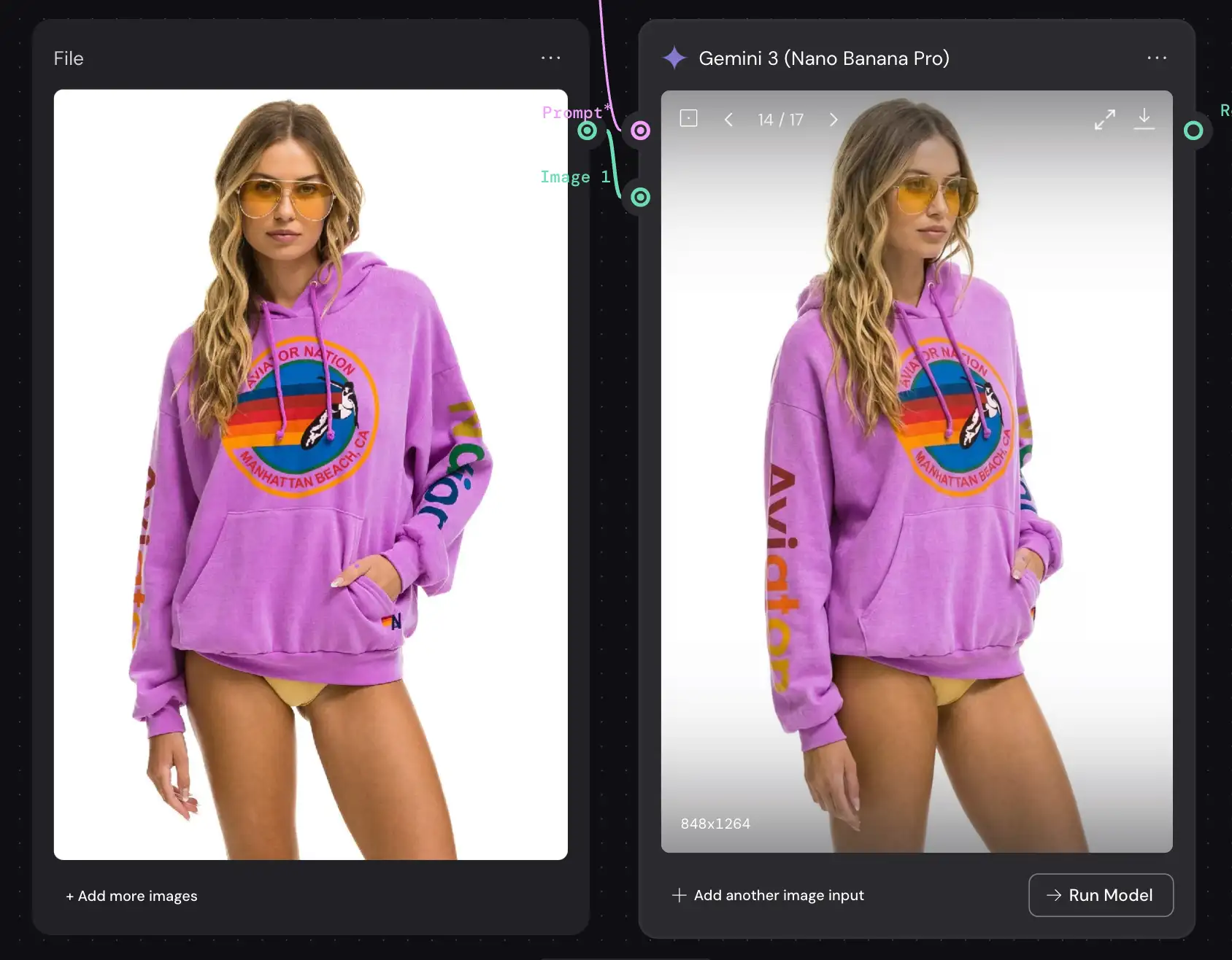
Then there’s Nano Banana Pro. And honestly? It’s in a different league.
It wasn’t perfect – I’ll be transparent, I had to “re-roll” the generation a few times because it didn’t always follow the prompt on the first try. The pose and position shifted more between generations than with Qwen. But when it hit, the quality was massive.
Product Consistency: Here is the killer feature. Nano Banana Pro is a multimodal LLM, not just a diffusion model. It has a world model. It understood that the subject was wearing an Aviator Nation hoodie—likely pulling from its integration with Google Shopping and Google Images—and it rendered the garment with that context in mind.
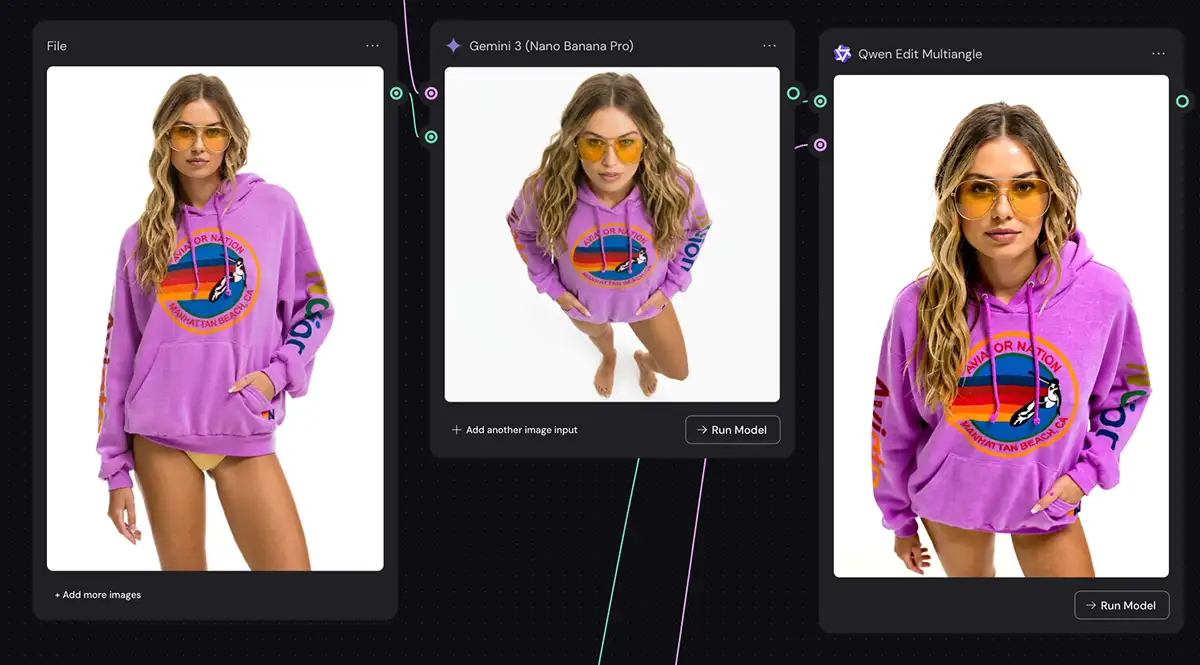
Bird’s Eye View: Because of that 3D world understanding, the bird’s eye view perspective was genuinely convincing. Qwen struggled to figure out the geometry of the scene from above, but Nano Banana seemingly “knew” how the body occupies 3D space.
Text Perfection: Because it’s an LLM, it can read and write. The text on the hoodie was rendered almost perfectly. No gibberish, no alien hieroglyphics.
Likeness & Color: The face looked like the person in the original photo. The colors remained true to the source material. It felt like a raw file being manipulated, not a filter being slapped on top.
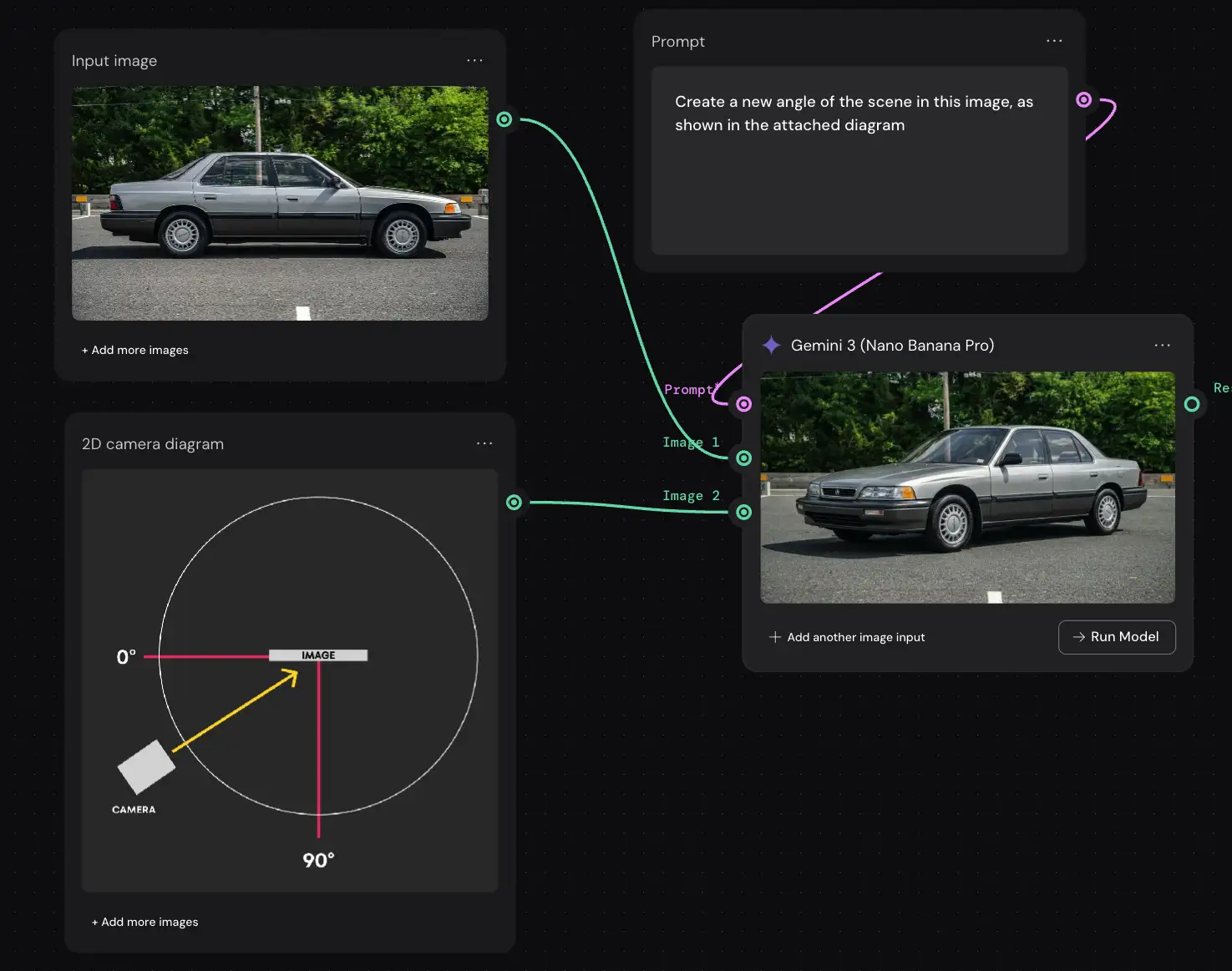
Controlling the Camera Angle in Nano Banana Pro
This is where Nano Banana Pro flexes its multimodal muscles in a way that genuinely surprised me. I decided to test if I could control the camera angle not with words, but with diagrams.
First, I tried a 2D top-down chart, showing a camera angle relative to a profile shot of an old Acura Legend and… nailed it. But it gets even better: I uploaded a crude 3D diagram showing a camera pointing at a cube in 3D space and to my surprise, it nailed it.

Now, full disclosure: my diagrams were not perfect. But that’s actually the best part. Nano Banana Pro didn’t need perfection. It understood the intent, guessed at the math, and did a pretty damn good job.
Again, it’s not perfect, but this does give you the ability to control the camera angle in Nano Banana Pro with relative precision (you can do the same with lighting).
The Verdict
If you’re just messing around, Qwen is fast and creates high-contrast, poppy images. But for creative professionals who need reliable, high-fidelity results? It’s hard for me to recommend Qwen.
The color shifting alone is a headache we don’t need, and the inability to handle text limits its utility for commercial work.
Nano Banana Pro might require a little more patience with the re-rolls, but the difference in output quality is undeniable. It respects the identity of your subject, understands the text in your scene, and renders light and geometry with a sophistication that diffusion models just haven’t caught up to yet.
For my money (and my workflow), Nano Banana Pro is the easy choice – especially Higgsfield’s “Angles” implementation.
PS – More on Nano Banana Pro:
- How to repose a model
- How to do style transfer in Nano Banana
- Nano Banana FAQs
- Does JSON prompting work?
- How to master Nano Banana prompting
- Extend an image
- How to use Midjourney with Nano Banana Pro
- Remove the Nano Banana watermark
- Set up a virtual product shoot with Nano Banana
- Upscale an image to 4K
- Add texture to a logo