


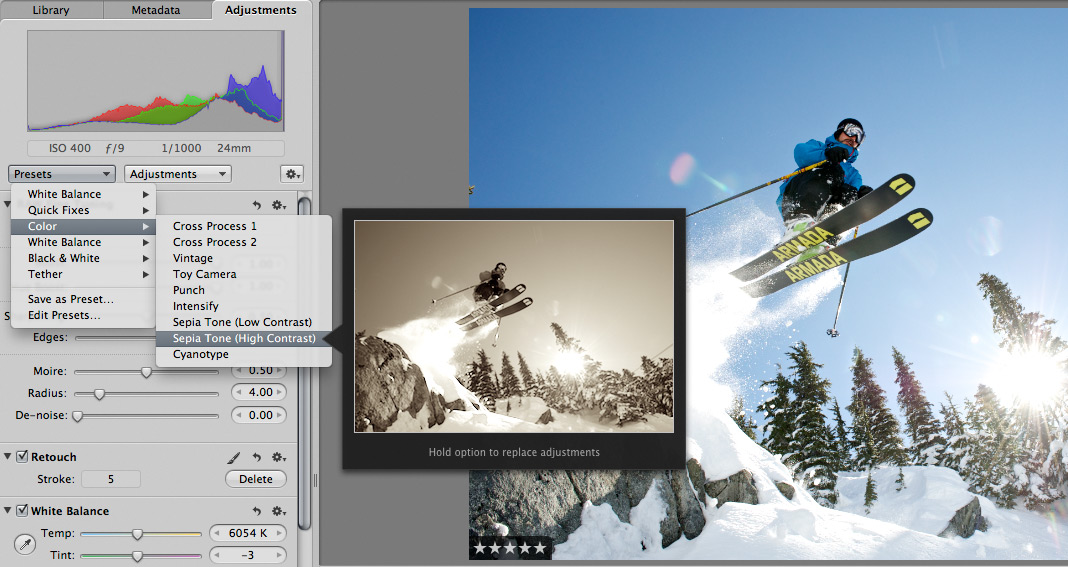
 Scott here. Many of you know that I’m the primary retoucher here around the Chase Jarvis studio. I was surprised to get into a fairly spirited debate the other day with some of my co-workers. The topic? Adjustment presets and plug-ins in Aperture or Lightroom or Photoshop.
I’ve got a strong opinion on this, but this experience has once again reminded me that there are a thousand ways to skin a cat and that my way is just that, my way.
Instead of letting a debate rage inside the office and then fade out, I figured, why not make it public? I want to hear from you.
Do you use presets for the post production of your images?
Do you make your own, or download them from other users online?
Do you use them for initial inspiration, or to create your final files?
What are your favorites and why?
I’m interested to hear your thoughts in the comments below. Don’t be shy. For those of you who give a rip, I’ll follow up this post with my personal take and we’ll all be a little more informed.











i do not have a staff to do work for me, so I’m of the opinion that presets/plug-ins/actions are great for getting art out there fast. It is for those really special shots that I spend my time doing manual tweaks and pops. My really special shots are accidents, so I do manual on maybe 1 in 20. And once in a great while, I will take a shot that is perfect as is. No post production necessary. Kind of like what we had to do when there was that film stuff.
I take some inspiration from other’s presets (which I currently have downloaded on my laptop), but I will not use one of them for the final image. I have about 15 presets I’ve made and use regularly, always tweaking them still to specific photos. I feel like there is a loss of personal touch and artistry if the photographer just uses someone else’s presets and doesn’t bother to try on his/her own.
I use presets in Lightroom.3. I used to use presets creted by other people. Now I developed my own presets, with a distinct look and feel. I have a basic one that I apply when importing the photos into Lightroom. After I adjusted all the photos I create virtual copies and apply one preset for black and white and/or one for split toning for the best images.
Don’t care how you get there – it’s all about the finished image. No one cares or knows if you use a preset, but they do care about how the image looks. Personally, if the photo looks dull I move my lights or my feet to improve it first.
I think they’re somewhere in the middle. I’ve never seen a preset that worked great on all shots. So definitely not instant gold. But they can be useful in a few situations. Like to get you close and let you tweak for the desired result. Sometimes having a few presets can help you decide what will suit an image best, or as I’ve seen you guys do, to give the client an impression of the style when tethered.
Personally I don’t often use them, but when I do, it’s normally my own.