The conversation around AI video generation is no longer about novelty. We’ve moved past the initial phase of surreal, morphing clips and into an era of industrial-grade production tools. As of late 2025, the market is sharply divided. On one side, you have the heavyweight “world simulators” like OpenAI’s Sora 2 and Google’s Veo 3, built for high-fidelity, physically accurate shots and deep enterprise integration. On the other, a new class of specialized, workflow-native tools has emerged.
This is where ByteDance’s Seedance 1.0 enters the picture. Backed by the same parent company as TikTok, Seedance isn’t trying to be a general-purpose physics engine. It’s an AI video generator engineered with a specific point of view: it’s built for narrative. While other models focus on generating a single, perfect shot, Seedance is designed to generate a complete, edited scene. For creative professionals whose work is rooted in storytelling—filmmakers, social media creators, and brand storytellers—this distinction is critical. It shifts the creative process from generating assets to directing sequences.
What Exactly is Seedance 1.0?
Seedance 1.0 is a text-to-video AI model developed by ByteDance. It leverages the company’s immense repository of short-form video content from platforms like TikTok to understand not just what a video should look like, but how it should be structured. Its core function is to interpret a single prompt and generate a sequence of multiple, cohesive shots that follow a logical narrative flow, complete with cuts.
Unlike standalone generator platforms that require you to export clips and import them into a separate non-linear editor (NLE), Seedance is built for ecosystem integration. It is available within popular online video editors like VEED and is widely believed to be the technology powering many of the generative features within CapCut, the world’s most popular mobile video editor.
This tight integration means Seedance is less of a destination and more of a utility. It’s a feature embedded directly into the tools where creative work is already happening, designed to accelerate content creation for social media, marketing, and rapid prototyping. It trades the raw, photorealistic power of its more expensive competitors for speed, narrative intelligence, and workflow efficiency.
How Creative Professionals Can Use It
The true power of any tool is revealed in its application. Seedance 1.0 is not an all-in-one solution, but for specific tasks, it offers a decisive advantage. Its value isn’t just in generating pixels, but in understanding the language of editing.
Master Native Multi-Shot Storytelling
This is the single most important feature of Seedance 1.0. While other models require you to generate a wide shot, then a medium shot, then a close-up as three separate tasks—and then hope the character and lighting remain consistent—Seedance can do it in one pass. It’s trained to understand the grammar of cinematic language.
This allows you to move from being a prompt engineer to being a director. You’re not just describing an image; you’re outlining a scene.
Actionable Workflow:
Structure your prompts to describe a sequence of actions and shots. Instead of a simple prompt like, “a woman walking in a neon-lit city,” craft a narrative prompt:
- Prompt Example: “Wide shot of a woman with a red umbrella walking down a rain-slicked street in a futuristic city. Cut to a close-up of her face, looking up at the neon signs. Final shot: A point-of-view shot from her perspective, showing the steam rising from a street food vendor’s cart.”
Seedance will interpret these cues and generate a short, edited sequence containing those three distinct shots, maintaining character and environmental consistency across the cuts. This is invaluable for storyboarding, creating ad content, or generating dynamic social media videos that would otherwise require multiple takes or extensive stock footage searches.
Leverage In-Editor Workflow Integration
Seedance’s integration into platforms like VEED and CapCut eliminates the friction of context switching. This is a massive efficiency gain. The creative process is no longer fragmented across a generator, a file storage system, and an NLE.
Actionable Workflow:
Use Seedance as an on-demand B-roll generator directly within your timeline. If you’re editing an interview and need a cutaway to illustrate a point, you can generate it in VEED without leaving your project.
- Identify a Gap: You need a 5-second clip of a “scientist looking at a computer screen displaying complex data.”
- Generate In-App: Use the integrated Seedance feature within VEED to generate the clip directly from a text prompt.
- Refine and Place: The generated video appears in your media bin. You can immediately trim it, color-correct it, add a title card, and lay it into your timeline.
This seamless loop of generating, editing, and publishing within a single environment is Seedance’s main advantage for creators who need to produce high volumes of content under tight deadlines.
Use Performance Profiles for Rapid Iteration
Seedance 1.0 offers different performance tiers, including a Pro Fast model that is 30-60% faster than the standard Pro version. In creative work, the ability to iterate is everything. Waiting five minutes for a single high-quality render can kill creative momentum.
Actionable Workflow:
Treat the performance profiles as you would different resolutions in a traditional video workflow.
- Draft with “Fast Mode”: When you’re in the early stages of a project, use Seedance 1.0 Pro Fast to quickly generate multiple options. This is for blocking out your narrative, testing different visual ideas, and getting rapid feedback from clients or collaborators. Don’t worry about perfect visual fidelity at this stage; focus on composition and story.
- Render with “Pro Mode”: Once you have sign-off on the concept and shot selection, re-run the final, approved prompts using the standard Pro model to generate the highest-quality clips for the final deliverable.
This tiered approach allows you to experiment freely without being penalized by long render times, saving the heavy compute for the shots you know will make the final cut.
Understand its Limitations
No tool is perfect, and Seedance’s strengths come with trade-offs. Being aware of them is key to using it effectively.
- No Native Audio: Seedance generates silent output. This is a major drawback compared to models like Sora 2, which can generate synchronized sound. All sound design, dialogue, and music must be added manually in your editor. For professional work, this means treating Seedance purely as a picture generator and dedicating proper resources to your audio post-production.
- Short Duration: Clips are generally capped at around 10 seconds. This makes it ideal for social media, montages, and B-roll, but unsuitable for generating longer, continuous narrative takes. You must think in terms of short, punchy sequences.
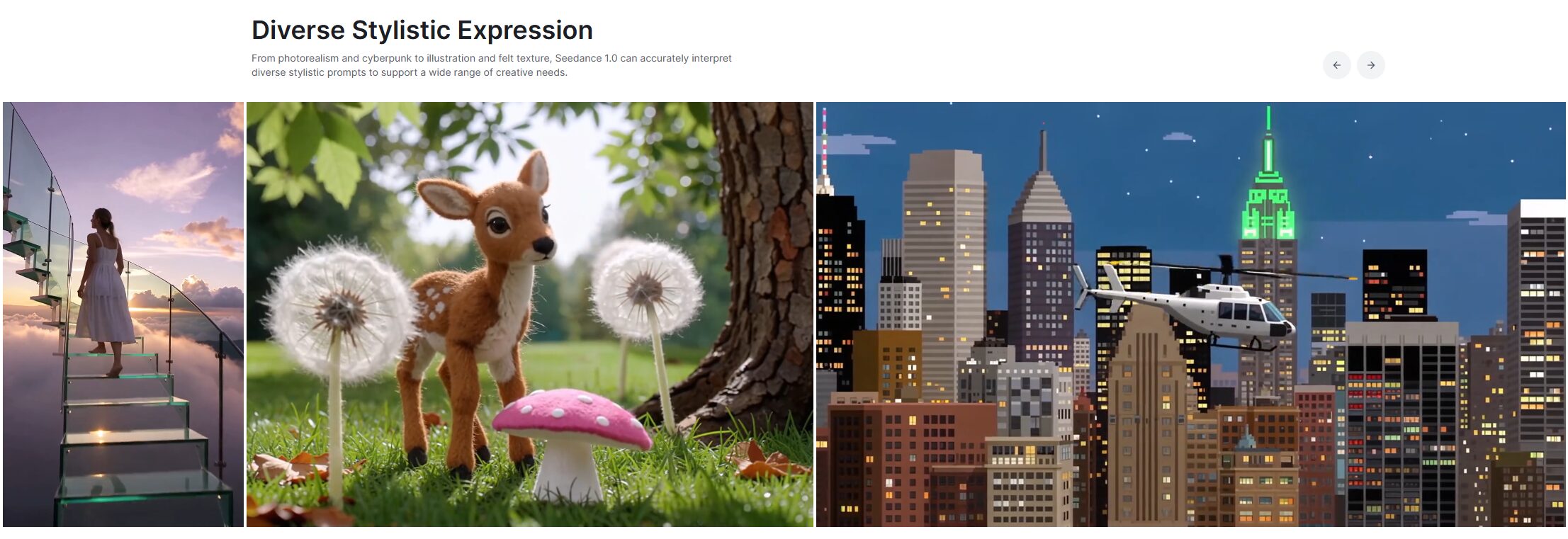
- A Social-First Aesthetic: Because it’s trained on ByteDance’s data, Seedance excels at creating content that feels modern, dynamic, and visually engaging in a way that aligns with social media trends. It may be less effective at generating visuals that require a more subdued, classic, or highly specific cinematic style. It’s a tool with a distinct visual personality.
How Seedance 1.0 Compares to the Competition
To make an informed decision, you need to know where a tool fits in the broader market. Seedance occupies a very specific niche.
Seedance vs. Sora 2 and Veo 3: The Narrative Tool vs. The World Simulators
OpenAI’s Sora 2 and Google’s Veo 3 are designed to be foundational models. They excel at creating single, continuous shots with stunning physical realism and strict prompt adherence. They are also priced accordingly, with consumption-based models that can cost upwards of $0.50 per second of generated video, positioning them for high-budget enterprise use.
Seedance is playing a different game. It sacrifices best-in-class physics for narrative intelligence. Where Sora generates a perfect 20-second shot of a person solving a Rubik’s Cube, Seedance generates a 10-second scene of a character finding a clue, reacting to it, and running out the door. It’s the difference between a tool for visual effects and a tool for storytelling. The subscription-based pricing also makes it far more accessible for independent creators and small studios.
Seedance vs. Runway and Wan: The Social Creator vs. The VFX Artist
Runway Gen-4 and Alibaba’s Wan Alpha are built for technical artists who need deep integration into professional post-production pipelines. Runway’s killer feature is the ability to export camera tracking data, allowing you to perfectly composite 3D elements in software like Blender or After Effects. Wan’s game-changing innovation is its ability to generate video with a native alpha channel, making it the top choice for creating VFX assets with transparency, like smoke or fire.
Seedance offers none of this deep technical integration. It’s not designed for compositing or 3D workflows. Its integration is with editors like CapCut and VEED. It’s a tool for the creator who needs a finished video ready for publishing, not the VFX artist who needs a single element for a complex composite. It prioritizes speed to final story over technical flexibility.
Is Seedance 1.0 Right for You?
The decision to adopt a new tool comes down to a simple question: does it solve a problem for you better than anything else?
Seedance 1.0 isn’t a replacement for a full-stack AI pipeline. It won’t generate a photorealistic shot with the physical precision of Sora 2, nor will it give you the compositing-ready assets of Wan Alpha or the 3D camera data from Runway.
But it does one thing exceptionally well: it generates stories. If your work involves creating short-form narrative content, social media videos, advertisements, or storyboards, Seedance’s ability to generate multi-shot scenes from a single prompt is a massive workflow accelerator. Its integration into mobile and web-based editors makes it one of the fastest tools for going from idea to finished product.
If you are a social media creator, a marketing professional, or a filmmaker looking for a rapid pre-visualization tool, Seedance 1.0 should be at the top of your list to evaluate. If you are a VFX artist, 3D generalist, or high-end commercial director, your needs will be better served by the more technical, specialized platforms. Seedance is the workhorse for the storyteller in the creator economy.