The first wave of AI image generation was like a slot machine. You’d feed a prompt into a chat box, pull the lever, and hope for the best. It was fun, novel, and occasionally useful, but it was a clumsy fit for a professional creative workflow. The lack of precise control, the inability to iterate on specific parts of an image without rerolling the entire thing, and the constant app-switching created a massive tax on real productivity. For pros who live and die by brand consistency, granular control, and efficient pipelines, the chatbot interface was a dead end.
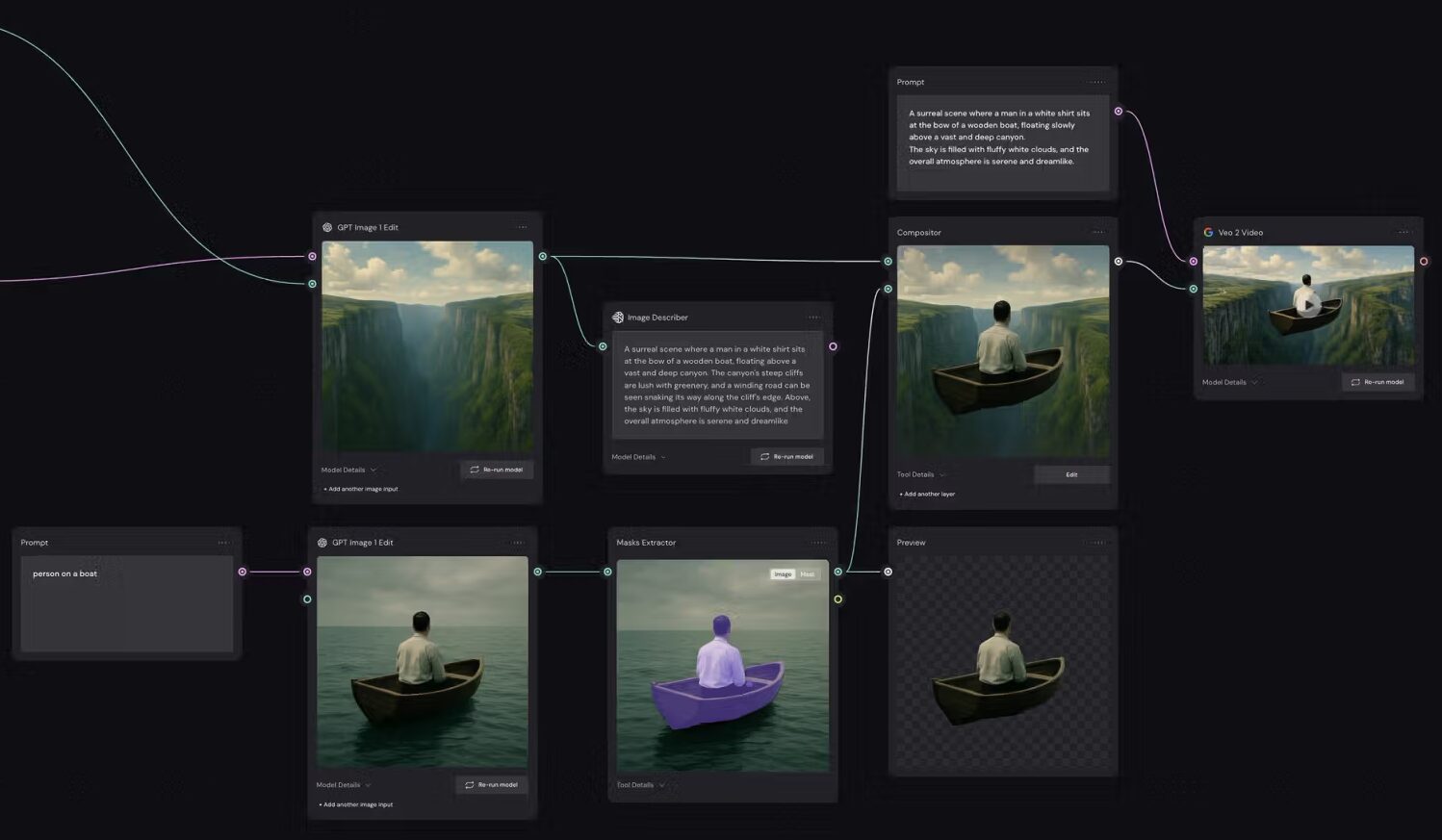
That era is over. The market has shifted hard toward node-based, “intelligent canvas” environments. This is a paradigm you’ll recognize if you’ve ever worked in high-end VFX or color grading tools like Houdini, Nuke, or DaVinci Resolve. Instead of a linear conversation, your creative process becomes a visual flowchart. Each step—from text encoding to image generation, upscaling, background removal, and even video animation—is a distinct node you can wire together.
Weavy aka Figma Weave
Figma Weave is the result of Figma’s 2025 acquisition of the powerful node-based AI tool, Weavy. This isn’t just another feature bolt-on; it represents Figma’s strategic move to absorb the entire asset generation pipeline into its core design platform. The goal is to eliminate the fragmented workflow of designing a layout in Figma, generating assets in Midjourney, upscaling in Topaz, and compositing in Photoshop.
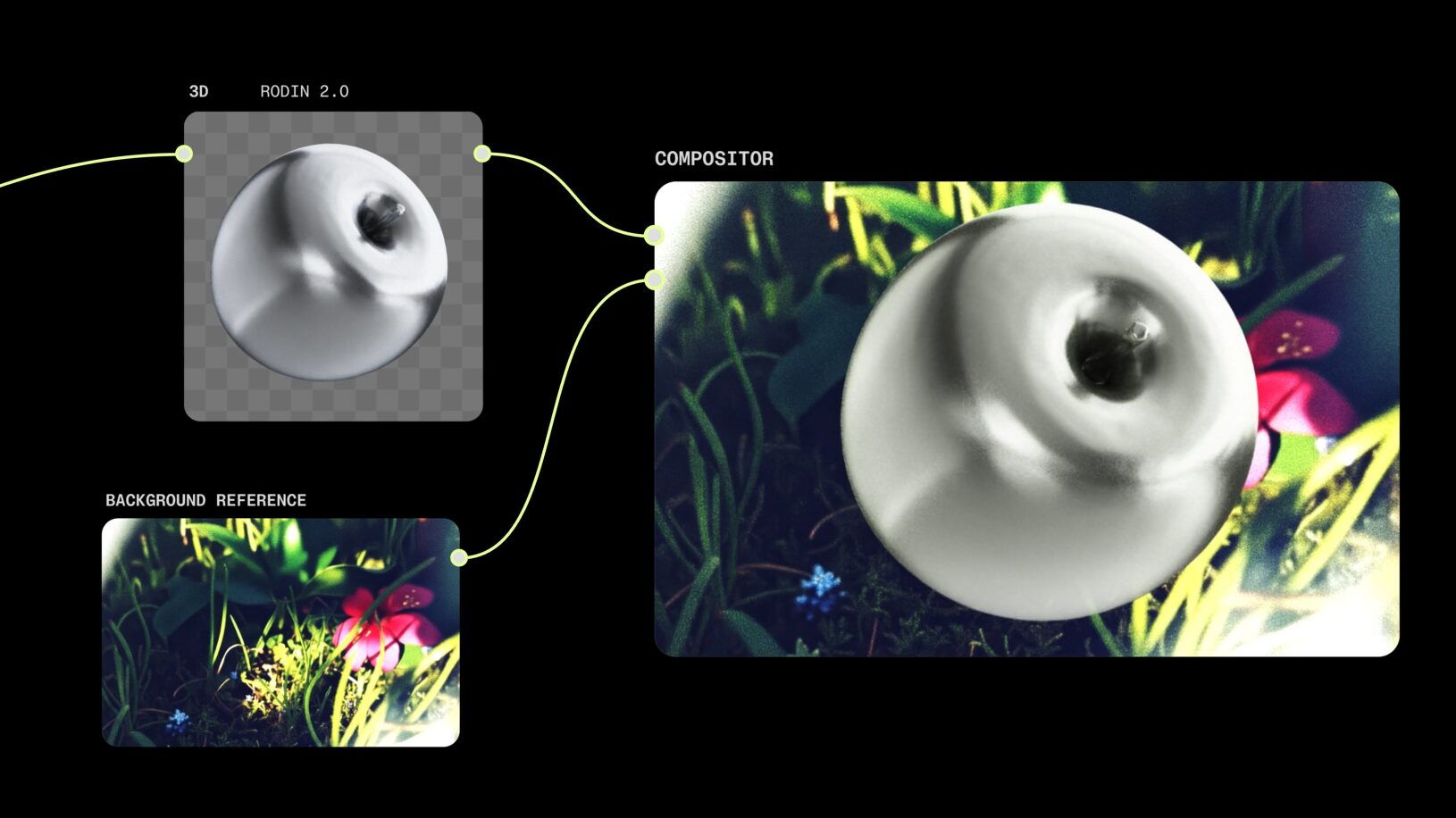
At its core, Weave is an intelligent canvas that lives directly inside Figma. It combines the procedural power of AI nodes with traditional compositing tools like layer masks, color grading, and relighting. This hybrid architecture is its defining feature. It treats AI as a fundamental substrate of the entire design process, allowing you to iterate on visual content with the same fluidity as you iterate on layout and typography. It’s built for teams and aims to become the central nervous system for design and media generation.
Leonardo.ai
Leonardo has evolved from a popular image generation platform into a mature, all-in-one creative suite. While it doesn’t use a visual “wires and nodes” interface like Weave, it operates on the same underlying logic. Its “Blueprints” system allows you to create structured, repeatable workflows by chaining inputs, modifiers, and outputs in a more streamlined UI.
Leonardo’s power lies in its mature ecosystem and its focus on creative control through fine-tuning and proprietary models. Its key differentiators are the ability for users to train their own custom AI models and the exceptional prompt adherence of its Phoenix foundational model. It’s less about blending into an existing design tool and more about providing a self-contained, powerful environment for generating and managing a massive volume of highly consistent, style-specific assets.

How Creative Professionals Can Use Them
Choosing the right tool comes down to understanding how it fits into your specific workflow. Both platforms offer immense power, but they are optimized for different kinds of creative challenges.
Weavy/Figma Weave: The Ultimate Creation Machine
Weavy is built for creative pros who want full control, and are willing to deal with somewhat of a learning curve to get there. If you’ve used nodes before it’s an easy switch; if not then expect some friction – but it’s worth it.
Unify Your Workflow
The single biggest advantage of Weave is the death of the “tab-switching tax.” A UI designer can mock up a new feature, generate hero images for it using a node graph, composite them directly onto the layout, and even animate them for a prototype—all without ever leaving Figma.
- Practical Application: Imagine you’re designing a product page. You can build a node graph that takes your product shot, runs it through an IP Adapter to generate lifestyle backgrounds, uses a ControlNet to ensure consistent lighting, and then composites the final image into your Figma frame. If the client wants a different background, you just change that one node; the lighting and composition remain locked.
Build “Apps” to Scale Creativity
Weave’s “App Mode” is a game-changer for agencies. A technical director or senior creative can build a monstrously complex node graph that encodes all of a client’s brand guidelines—specific LoRAs for character style, negative prompts to avoid corporate clichés, and nodes for precise color grading. They can then “publish” this graph as a simple interface.
- Practical Application: Build a “Social Media Asset Generator” for a client. Your social media manager doesn’t see the spaghetti of nodes. They just see a few simple fields: “Headline,” “Product SKU,” “Background Color.” They fill out the form, and the complex graph runs in the background, spitting out a perfectly on-brand asset. This turns your creative direction into a scalable, reusable piece of software.
Hybrid AI and Traditional Compositing
Purely generative outputs are often 90% of the way there, but that last 10% requires deterministic control. Weave shines here by mixing AI generation with classic editing tools in the same workflow.
- How it Works: You can generate a character with a Flux Pro model node, pipe that output into a traditional “Curves” node to tweak the contrast, add a “Mask Extractor” node to isolate the subject, and then feed it into a “Sora” node to generate a video. This hybrid approach lets you intervene at any point, applying manual corrections that propagate through the rest of the pipeline. It bridges the gap between the unpredictability of AI and the precision of a tool like Photoshop.
Model Agnosticism
Weavy isn’t locked into a single proprietary model. Through integrations with services like fal.ai, it gives you access to a huge library of open-source and proprietary models. You can build a workflow and instantly A/B test the output by swapping a Stable Diffusion XL node for a Flux node to see which one delivers better results. In a world where the state-of-the-art model changes every few weeks, this flexibility is critical.
Leonardo.ai: The Style Consistency Powerhouse
Leonardo is the weapon of choice for creators and studios whose primary challenge is maintaining a unique and consistent visual identity across a vast number of assets.
Master a Unique Style with Fine-Tuning
This is Leonardo’s killer feature. While other platforms let you use pre-trained models, Leonardo gives you a best-in-class toolset for training your own. For a game studio or a major brand, this is non-negotiable.
- Practical Application: A game studio can upload 50 character concepts created by their lead artist. Leonardo will train a custom model on that specific dataset. Now, any artist on the team can use that model to generate hundreds of new characters, props, and environments that perfectly match the game’s established art style. This ensures absolute visual consistency and multiplies the output of the art department.
Nail the Details with Phoenix and Elements
Leonardo’s foundational model, Phoenix, is exceptional at two things that often trip up other models: understanding complex prompts and rendering clean text within an image.
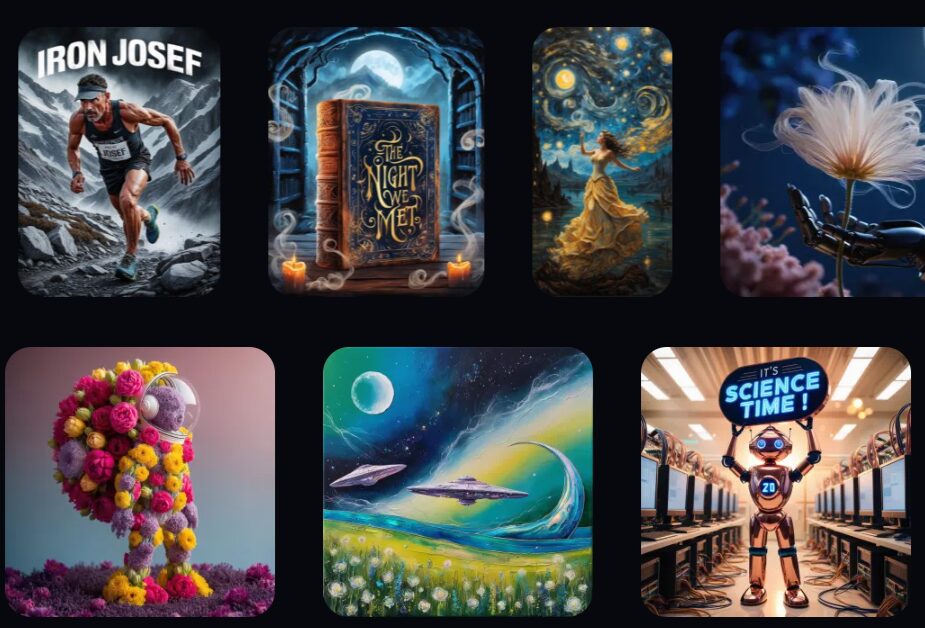
- How it Works: This eliminates the need to generate an image and then painstakingly add text in a separate design tool. You can create a movie poster or an ad banner and have the model render the headline directly into the composition with surprising accuracy. This is a massive time-saver.
- Elements: Leonardo’s “Elements” are essentially fine-tuned LoRAs that you can stack and control with precision. You can add “Glass Bending” at a weight of 0.6, “Epic Lighting” at 0.8, and “Cinematic” at 0.5 to create a complex, layered style that is entirely your own.
Streamline Content Creation with Motion
While Weave offers deep, complex video integration, Leonardo’s “Motion” tool is built for speed and efficiency. It’s an incredibly effective image-to-video pipeline perfect for social media.
- Practical Application: You generate a stunning image of a new product. With a single click, you can activate the Motion tool and use a simple slider (from 1-10) to control the “intensity” of the animation. It adds subtle, atmospheric movement to your static image, turning it into an engaging video loop for Instagram or TikTok in seconds.
Manage Assets Like a Pro
Leonardo is built from the ground up to handle the demands of high-volume production. It includes robust features for organizing, searching, and managing thousands of generated assets. The “Character Reference” feature allows you to upload an image of a character and maintain their appearance across dozens of new generations, solving a major pain point for anyone creating narrative content.
The Bottom Line: Which One Is for You?
Strip away the marketing, and the choice becomes clear. It’s about your primary workflow and your biggest pain points.
Go with Figma Weave if:
You are a product designer, a UI/UX professional, or part of a branding agency that already operates within the Figma ecosystem. Your priority is a seamless, unified workflow where asset generation and design happen in the same place. You need to build scalable, brand-safe “design machines” that can be used by your entire team, turning complex AI processes into simple, accessible tools. You value collaboration and a future-proof, model-agnostic platform.
Go with Leonardo.ai if:
You are a game developer, a concept artist, a solo creator, or a brand that requires a distinct and unwavering visual identity. Your top priority is creating a unique style and maintaining it with absolute consistency across thousands of assets. You need best-in-class tools for training your own custom models on your proprietary data. You need reliable text generation within your images and a powerful, self-contained suite for high-volume asset production and management.