

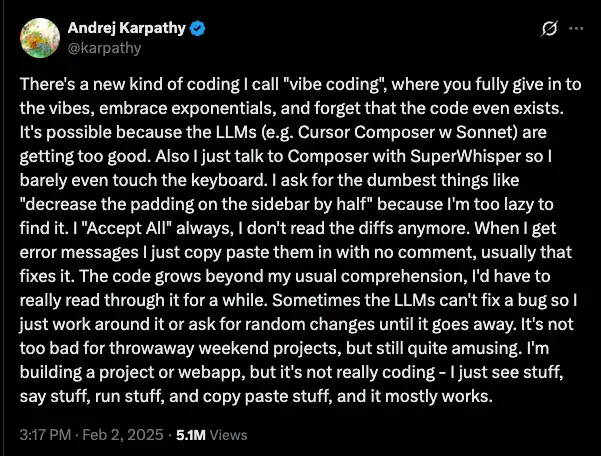
You’ve probably seen people talk about “vibe coding.” It was original coined by Andrej Karpathy as a tongue-in-cheek term, but it’s caught on as a way to refer to the new style of software development where you let AI take the wheel.
Essentially, you tell the AI what you want (“an app where I can upload a photo, it adds my watermark, and emails it to my client”) and it will do the rest – no actual coding knowledge required. You can literally build a functioning app in minutes!
That said, its not without it’s shortcomings and gotchas (it’s not quite as simple as the apps would have you believe). So I’ll give you a rundown of the different options for vibe coding, their pros and cons, and you can decide if it’s for you.
The two types of AI coding apps
First, understand that the entire landscape of AI coding tools is split into two worlds- and this is an important distinction because picking the wrong one is a guaranteed path to frustration.
True “vibe coding” apps
This is your world. These tools are built for the explosive, messy, brilliant phase of initial creation. Their goal is speed, idea validation, and getting something real into the world fast. Think of them as the digital equivalent of a sketchbook- a place for rapid experimentation before you commit to the final masterpiece.
These tools work by taking your natural language prompts or visual designs and translating them into a functional application. They handle the tedious setup of servers, databases, and user authentication, letting you focus on the what, not the how. Platforms like Replit, Bolt.new, and Base44 live here. They empower a new kind of creative: the “full-stack creator,” who can ideate, design, build, and deploy an entire project solo.
Note that despite what the companies may tell you, it’s unlikely you’ll actually get production-level code from these apps (and beware of security issues).
AI-assisted coding apps
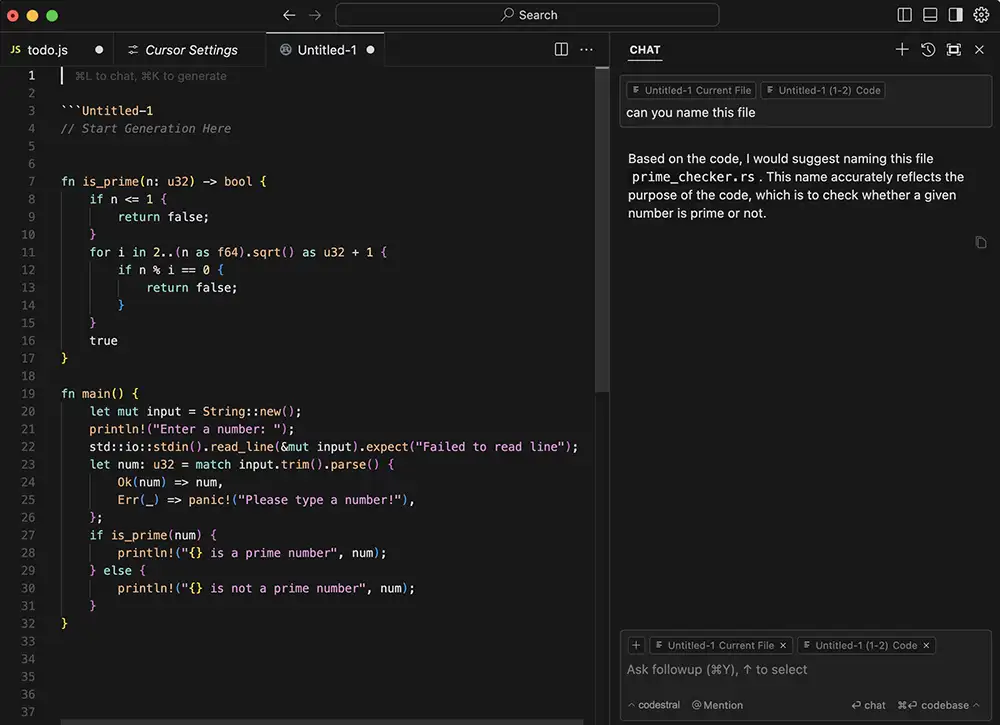
This is the world you need to ignore. These are apps for engineers who already know how to build software- it just helps them write code. “Production” refers to the live, high-stakes software that runs the world. It has to be secure, infinitely scalable, and available 99.999% of the time.
Tools in this category (like GitHub Copilot, Claude Code or Cursor) are sophisticated AI assistants that live inside a professional software developer’s complex toolkit. They’re designed to help someone who already has a deep understanding of programming, software architecture, and infrastructure management. Using them without that background is like trying to fly a 747 with a driver’s license. They are the power tools of a professional builder, not the all-in-one kit you need to get your idea off the ground.
You can absolutely get production code from these apps, IF you already understand how to write code (a bit of a catch 22, but that’s reality for now).
Which Vibe Coding Tool is Right for My Project?
Choosing the right tool depends on the job. You wouldn’t use a sledgehammer to hang a picture. Here’s a breakdown of the best tools for creatives, sorted by what they do.
The All-in-One App Builders
These are the heavy hitters. You give them a prompt, and they generate a complete application with a front-end, back-end, and database.
Replit
Replit is a creative supercomputer in your browser. Its AI Agent can build, debug, and deploy entire applications from a single prompt. While it dramatically simplifies creation, you’re still operating in a pro-level interface. This makes it best for the ambitious creative who isn’t afraid to see the code and wants a single, powerful platform that can grow with them.
Check out Replit
Bolt.new
Bolt.new is all about getting from idea to live app with zero friction. It’s minimalist, prompt-focused, and ridiculously fast. It’s the perfect choice for marketers, entrepreneurs, and anyone who prioritizes speed above all else. If you need to get a landing page live today to start testing a concept, Bolt.new is your tool.
Check out Bolt.new
Lovable
Lovable is an AI apprentice that generates clean, developer-friendly code that you own completely. It’s built for those who work closely with developers or want a prototype that can be handed off and scaled without being rebuilt. Its deep integration with Figma and professional tools like GitHub makes it the gold standard for turning a pixel-perfect design into a professional-grade application.
Check out Lovable
Base44
Base44 is the “Squarespace for apps.” It’s truly all-in-one, handling the UI, back-end, database, and user sign-ups with zero external setup. It’s undeniably the simplest path from an idea to a functional internal tool or MVP for a purely non-technical creator. The trade-off for this convenience is vendor lock-in; it’s easy to start but can be difficult to leave if you outgrow the platform.
Check out Base44

The UI & Visual Generators
These tools are specialists. They don’t build full apps, but they create the high-quality visual components that go into them.
v0 by Vercel
Think of v0 as a factory for beautiful, responsive UI components. You describe what you want—a gallery, a sign-up form, a dashboard header—and it generates the production-quality React code. For a non-coder, its value is in creating perfect visual assets that you can hand to a developer, giving you precise control over the final look and feel.
Check out v0
Galileo AI
Galileo is an idea machine. It turns a simple text prompt into a polished, high-fidelity UI design in seconds. It’s the ultimate tool for rapid visual brainstorming. Need to show a client three different directions for a landing page by lunch? Galileo is how you do it. It creates a stunning picture of an app, not the app itself.
Check out Galileo AI
The Bridge from Design to code
These tools connect the world of visual design (which is almost always Figma) with the world of functional code.
Builder.io Visual Copilot
This is the magic wand for any creative team that works with developers. It’s a Figma plugin that converts your designs into clean, production-ready code. It dramatically cuts down on the manual, error-prone process of translating a design into a real product, ensuring your vision is executed perfectly.
Check out Builder.io
Figma Make
Figma’s built-in AI features are designed to make your static designs feel like real, interactive applications. With a simple prompt, you can have it wire together multiple screens into a clickable user flow, complete with transitions and animations. It’s the best way to present ideas and validate a user experience before any code is written.
Check out Figma Make
Subframe
Subframe takes a different approach. Instead of being a plugin that translates a static design, it’s a design tool where you are already working with real, production-ready components. It’s built on the idea that what you see is a real React and Tailwind component, not just a picture of one. This “component-first” approach, combined with AI to help generate new layouts from prompts, means there is zero translation loss. The code isn’t just “production-ready”; it’s the clean, structured code a developer would have written by hand, making it the most direct bridge from a visual idea to a developer’s toolkit.
Check out Subframe
What’s the Catch? (Because There’s Always a Catch)
These tools are powerful, not magical. The marketing hype about “no-code” often hides the new skills and challenges you need to master. This isn’t a reason to back away; it’s a reason to step up. Daring to take on new challenges is the essence of creativity. It’s about a willingness to move beyond your comfort zone to achieve something bigger. For a deeper dive into this mindset, check out this free chapter from the book “Never Play It Safe.” It’s a powerful reminder that real growth happens when you push boundaries.
Here are the real-world hurdles you’ll face:
- You’re the Debugger Now: When the AI misunderstands your request or gets stuck in a loop, you can’t file a bug report. You have to learn how to guide it with clearer instructions. You’re not just a director; you’re an active collaborator who needs to spot logical flaws and correct them.
- The Maintenance Trap: Getting the app built is day one. What about day 100? An AI-generated app can become a “black box” that you can’t update or fix. A successful project requires ongoing maintenance, security patches, and bug fixes. You either need to rely on the AI to solve these issues or hire a developer to manage the code it wrote.
- Confusing Token-Based Pricing: Many of these tools use a usage-based pricing model built on “tokens.” Every prompt you send and every line of code the AI generates consumes these tokens. This makes costs unpredictable. Worse, a failed or buggy generation still consumes tokens, meaning you can burn through your budget just trying to fix the AI’s own mistakes.
- The Illusion of Ownership: While most platforms let you export your code, the real risk is vendor lock-in, especially with all-in-one platforms. If your database and user accounts are tied to a single service, migrating to a new platform later can be a technical nightmare. The convenience of an easy setup can become the complexity of being trapped.
How Can I Use Vibe Coding on a Real Project?
Let’s move from the abstract to the practical. Here’s how you can use these tools to solve real-world creative problems.
Use Case: Building a Pro Portfolio Site
- The All-in-One Approach (Replit): Give Replit a detailed prompt to build a gallery, an about page, and a functional contact form. You’ll have a live, working site in minutes. The trade-off is that you might need to ask the AI to tweak the visual design with a few follow-up prompts to get it just right.
- The UI-First Approach (v0 by Vercel): Use v0 to generate a visually perfect, pixel-perfect gallery component and contact form. The code will be best-in-class. Then, hand those assets to a freelance developer to integrate them into a live website. This path guarantees visual perfection but requires collaboration.
Use Case: Launching a Marketing Landing Page
- The Rapid Builder Approach (Bolt.new): If your only goal is to start collecting email signups now, use Bolt.new. A simple prompt can generate a live, hosted landing page with a working form in under five minutes. It’s the fastest path from concept to lead generation.
- The Design Ideator Approach (Galileo AI): If your goal is to perfect the messaging and visuals before building, use Galileo. Generate several high-fidelity mockups to test different creative directions. This is the right choice when the strategy needs to be flawless before you commit to a build.
Use Case: Turning a Figma Design into a Real App
This is where chaining tools together creates a workflow that was impossible for a solo creative just a year ago.
- Start with a Great Figma Design: Structure your file correctly using Auto Layout and clear layer names.
- Convert with Builder.io: Use the Visual Copilot plugin to translate your static design into a working React front-end application and send it directly to Lovable.
- Add Logic with Lovable: Now, use plain English to bring it to life. Tell Lovable to connect a database, set up user logins, and define what happens when a user clicks a button.
The result is a fully functional, full-stack application built directly from your Figma design, with almost no manual coding. This workflow allows you, the designer, to build and test the true interactive experience of your product.
The bottom line
Do you NEED to learn how to use vibe coding apps? Probably not. But if it sounds interesting, spend a weekend playing around – just avoid the apps like Cursor that are intended for more technical people (unless that’s you).
PS – Also check out Midjourney, Nano Banana, Meta AI and Squarespace