

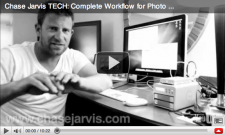
 Without a doubt, one of our most popular posts of 2010 has been this post where we outline in detail our photo and video workflow from capture to delivery of digital assets to clients. Every step is included in that post or video, but EVEN THEN we had a huge number of questions about it. As in hundreds and hundreds. Questions that are important and deserve answers. That’s the reason we’ve decided to dedicate an entire episode of chasejarvisLIVE to this topic for tomorrow!
Who: YOU and the Chase Jarvis Crew
What: chasejarvisLIVE discusses photo & video workflow – takes questions from a global audience
Where: tune in to http://www.chasejarvis.com/live
When: Tuesday, Sept 28 at 9:30am Seattle west coast time [12:30pm New York time] [to help with time zone weirdness here’s a quick iCal & gCal -d worked up]
I’ll offer my decade of experience on the matter, but what’s more cool is that I’ll be hosting my entire tech crew on the show: Scott, Dartanyon, and Erik. They’re the guys who literally walk the data through each of the steps, whether it’s still photos, HDdSLR video, RED or Phantom cinema cameras. They’re opinionated and have a ton of experience–they have all been doing this at the pro level for about 5-10 years. And tomorrow we’ll a lot of the questions that came in after our initial posting, plus we’ll be taking questions LIVE from YOU via twitter at hashtag #cjlive.
It’s a big topic, with dozens of components, from the very basic to the very complex. We’re aiming to simply this complex process. I’m re-posting the video from a few month ago after the jump in case you missed it or in hopes that you’ll get a chance to watch it and formulate some questions for tomorrow’s show. Click to see that again and keep reading…
–And in truth, more than ever before, what we’re preaching about workflow can be applied to anyone these days. We all have digital assets and all those assets need backup protocols and a plan for how to deal with important data. AND most importantly this is all scalable to your own needs.
We have beefy needs, and you might not. Tomorrow is a good chance to ask us questions about scaling your workflow according to your particular needs, even if they’re completely basic. You can put questions in the comments in advance an we’ll pull from there, but live Q&A will be available too….
Hope to see you tomorrow at http://www.chasejarvis.com/live












Great 🙂 Will there be a chance to see a rerun later ?
Ah, I’m so bummed that I’m going to miss this. Please post it later!
It will be posted up on YouTUbe when we have a chance, and on our audio podcast too
Cant’ wait! Thanks Chase!
Is copyright registration part of your workflow? I realize it doesn’t quite fall into the technical side of dealing with data, but it seems like it would fit in there somewhere. Or is it unnecessary with client-based photography?
Assuming photography you need to copyright register, when would that occur within your workflow?
Looking forward to the episode!
Awesome,
Can you also put a ical event link online so im not gone mis it because of the timezone
Thanks Chase
thoughts about using Google Moderator[1] for the Q&A portion? Seem well suited for this exact purpose.
[1] http://www.google.com/moderator/
I added gCal & iCal to the post for you.