

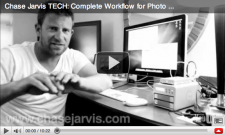
 Without a doubt, one of our most popular posts of 2010 has been this post where we outline in detail our photo and video workflow from capture to delivery of digital assets to clients. Every step is included in that post or video, but EVEN THEN we had a huge number of questions about it. As in hundreds and hundreds. Questions that are important and deserve answers. That’s the reason we’ve decided to dedicate an entire episode of chasejarvisLIVE to this topic for tomorrow!
Who: YOU and the Chase Jarvis Crew
What: chasejarvisLIVE discusses photo & video workflow – takes questions from a global audience
Where: tune in to http://www.chasejarvis.com/live
When: Tuesday, Sept 28 at 9:30am Seattle west coast time [12:30pm New York time] [to help with time zone weirdness here’s a quick iCal & gCal -d worked up]
I’ll offer my decade of experience on the matter, but what’s more cool is that I’ll be hosting my entire tech crew on the show: Scott, Dartanyon, and Erik. They’re the guys who literally walk the data through each of the steps, whether it’s still photos, HDdSLR video, RED or Phantom cinema cameras. They’re opinionated and have a ton of experience–they have all been doing this at the pro level for about 5-10 years. And tomorrow we’ll a lot of the questions that came in after our initial posting, plus we’ll be taking questions LIVE from YOU via twitter at hashtag #cjlive.
It’s a big topic, with dozens of components, from the very basic to the very complex. We’re aiming to simply this complex process. I’m re-posting the video from a few month ago after the jump in case you missed it or in hopes that you’ll get a chance to watch it and formulate some questions for tomorrow’s show. Click to see that again and keep reading…
–And in truth, more than ever before, what we’re preaching about workflow can be applied to anyone these days. We all have digital assets and all those assets need backup protocols and a plan for how to deal with important data. AND most importantly this is all scalable to your own needs.
We have beefy needs, and you might not. Tomorrow is a good chance to ask us questions about scaling your workflow according to your particular needs, even if they’re completely basic. You can put questions in the comments in advance an we’ll pull from there, but live Q&A will be available too….
Hope to see you tomorrow at http://www.chasejarvis.com/live











awesome.. very helpful! thanks chase
Chase, you’re the man!
Are you going to post the video on youtube afterwards? I’m busy at that time 🙁
Why do you shoot all your vids in black and white?
hey kevin: we don’t do all of them. the ones that are about sharing info are in b/w so we can use daylight and basic lighting together without stressing about white balance. I DO like the aesthetic, but it’s part laziness too… we’re busy folks so we try to make this easy on us.
Hi Chase,
Many thanks for this!
At the moment I am working out of Bucharest, Romania with my partner and we are doing some commercial photography in addition to own personal reportage projects. Up until now, we have just been using 1 TB and 2 TB Lacie external drives for our still images and we back these up a second time. However, we have just started doing 5D MKII video and are wondering what you would suggest for the next step up in back-up solutions instead of just a bunch of individual disks? A RAID? What kind? Obviously we don’t have needs anything like yours, but we need space for more than just 3 TB.
Best,
Davin