The world of generative AI is undergoing a tectonic shift, and if you’re not paying attention, you’re already falling behind. The initial phase – the one defined by typing a sentence into a chatbot and praying for a decent result – is over. That linear, “slot machine” workflow was a neat party trick, but it was never going to cut it for serious, professional-grade creative work where consistency, control, and iteration are non-negotiable. The friction was unbearable: generate in one app, upscale in another, edit in a third, and pray nothing breaks along the way.
The professional standard has now migrated to node-based, intelligent canvases. It’s about building a repeatable process, a “design machine” where you can isolate and control every single variable – composition, character identity, lighting, color grade – independently.
Leading this charge are two powerful platforms: Weavy and Freepik Spaces.
Weavy aka Figma Weave
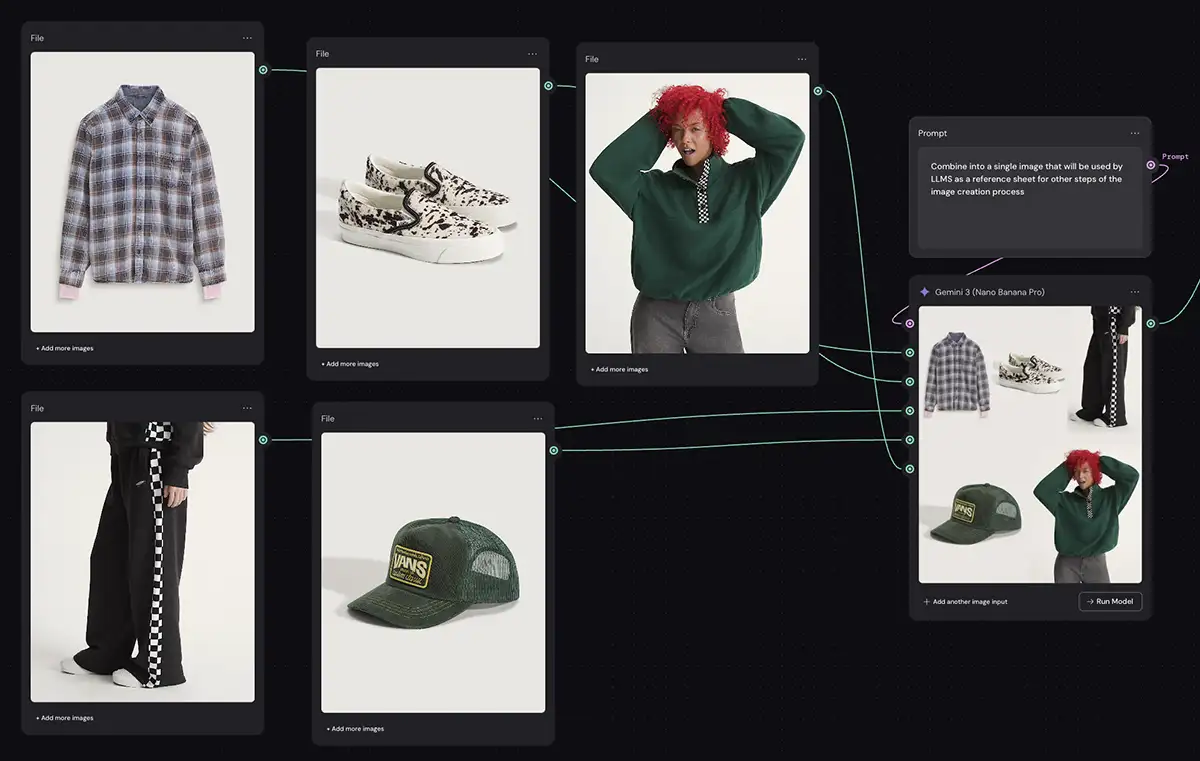
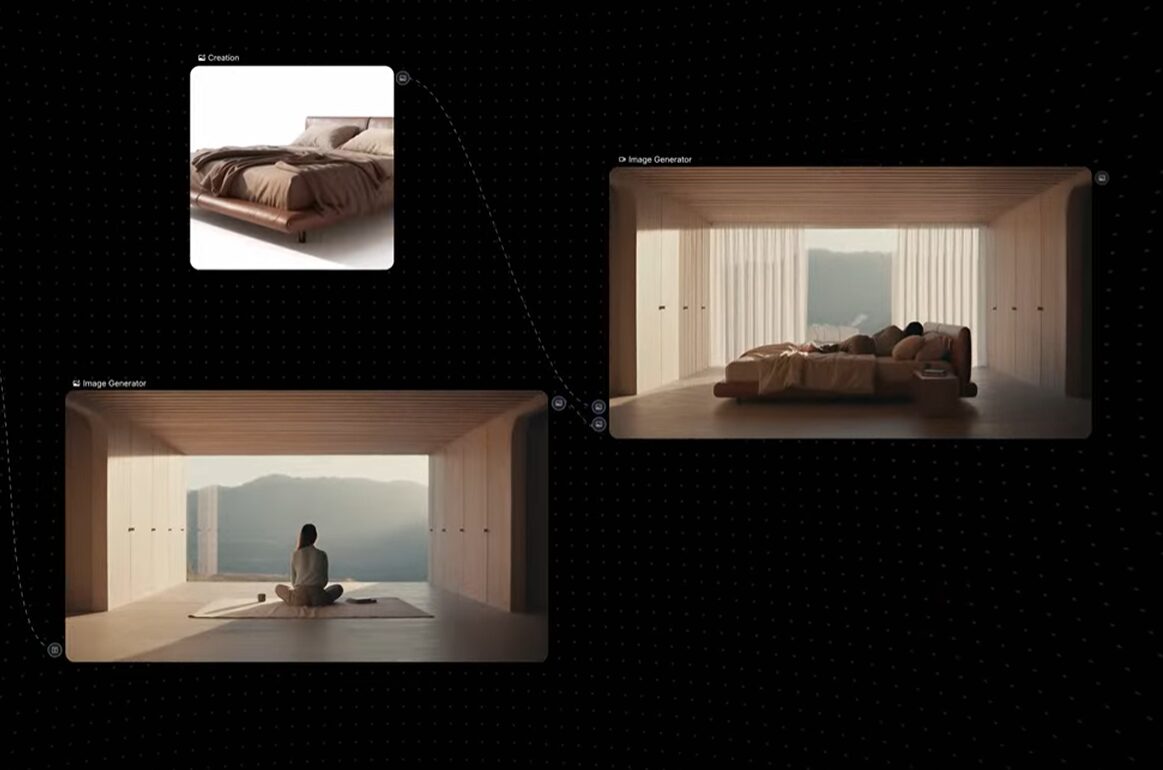
Weavy is powerful node-based AI canvas. Each node represents an instance of one of the popular AI models like Nano Banana, GPT, Seedream, Reve, Higgsfield, etc to creates images/video, an adjustment like levels, masking, or workflow tools like routing, arrays, dropdowns, etc. Connect the nodes together and you can do just about anything you want.
- Load Model: Choose the foundational model (e.g., a Stable Diffusion variant).
- Prompt Concatenator: Combine multiple prompts into one bigger prompt.
- Apply ControlNet: Add a node to guide the generation based on an input image’s composition or depth map.
- Denoise Latent: This is the core generation step, where the image is created.
- Upscale Image: Run the output through an upscaler to increase resolution.
- Color Grade: Apply a final color adjustment to match a specific look.
Freepik Spaces
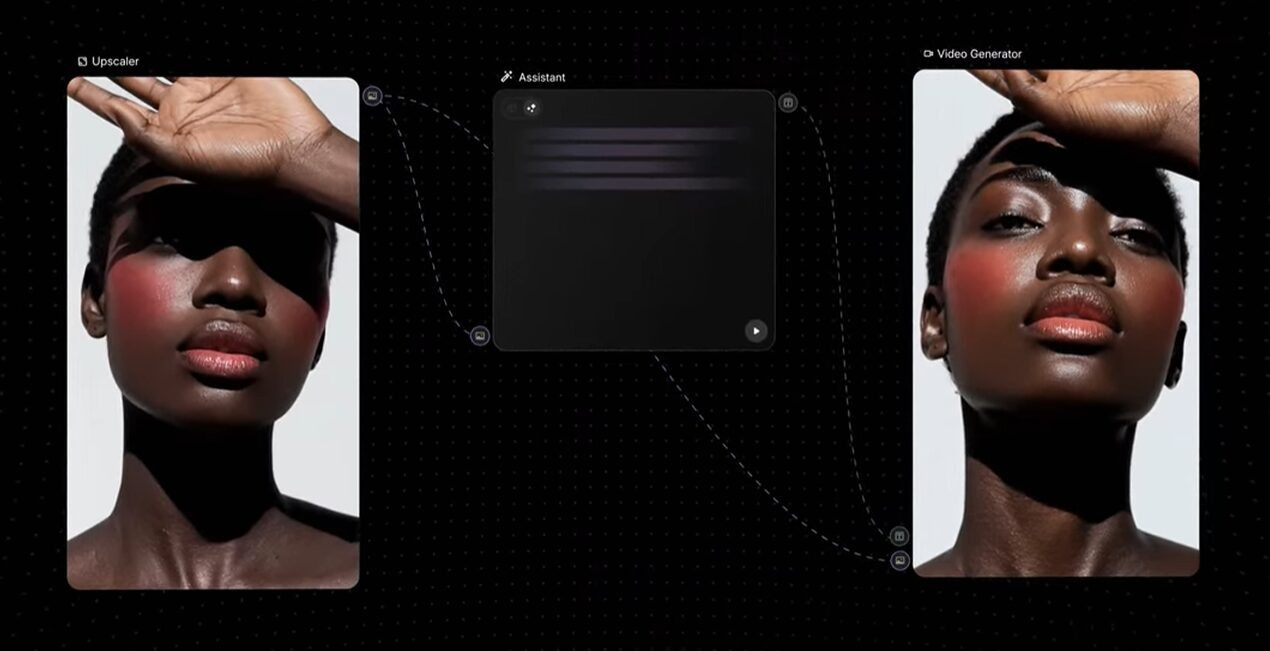
Freepik Spaces is Freepik’s strategic pivot from a stock asset library to an AI-powered creation platform. Its proposition is simple and incredibly compelling: to deliver the power of a complex tool like ComfyUI, but without the steep learning curve, hardware requirements, or painstaking setup. It’s a “Managed ComfyUI” experience that runs entirely in the cloud.
The killer feature is its native integration with Freepik’s massive library of stock photos and vectors. You can pull professionally composed images directly into your node graph to use as a structural base for AI generation via ControlNets or IP Adapters. This solves one of the biggest problems in AI art: weak composition. By starting with a solid foundation, you get higher-quality, more intentional results.
Importantly, Spaces is also built from the ground up for real-time, multiplayer collaboration, allowing entire teams to build, edit, and comment on a single generative workflow simultaneously.
How Creative Professionals Can Use The Products
Let’s cut to the chase. How does this new paradigm actually change your day-to-day workflow? Here’s a breakdown of the features that matter and how to leverage them.
Core Architecture and Workflow Philosophy
Your choice between Weavy and Freepik Spaces will largely depend on which workflow philosophy fits your brain and your projects.
With Weavy, the entire experience is built around unifying design and generation. It operates on a hybrid model, seamlessly blending generative AI with traditional, deterministic editing tools.
- How to Use It: Imagine you’re designing a landing page in Figma. Instead of leaving a grey box for the hero image, you open Weavy. You can build a node graph that starts with a generative model like Flux Pro to create a character. But the output doesn’t have to be final. You can then pipe that character through a “remove background” node, then a “Curves” node to adjust the contrast, and finally a “Levels” node to perfect the color grade – all before feeding it into a video animation node. You’re layering probabilistic AI with the precise, deterministic control you’d expect from Photoshop or After Effects. This non-destructive process means you can tweak the lighting on the character without ever risking an accidental change to their face or clothing.
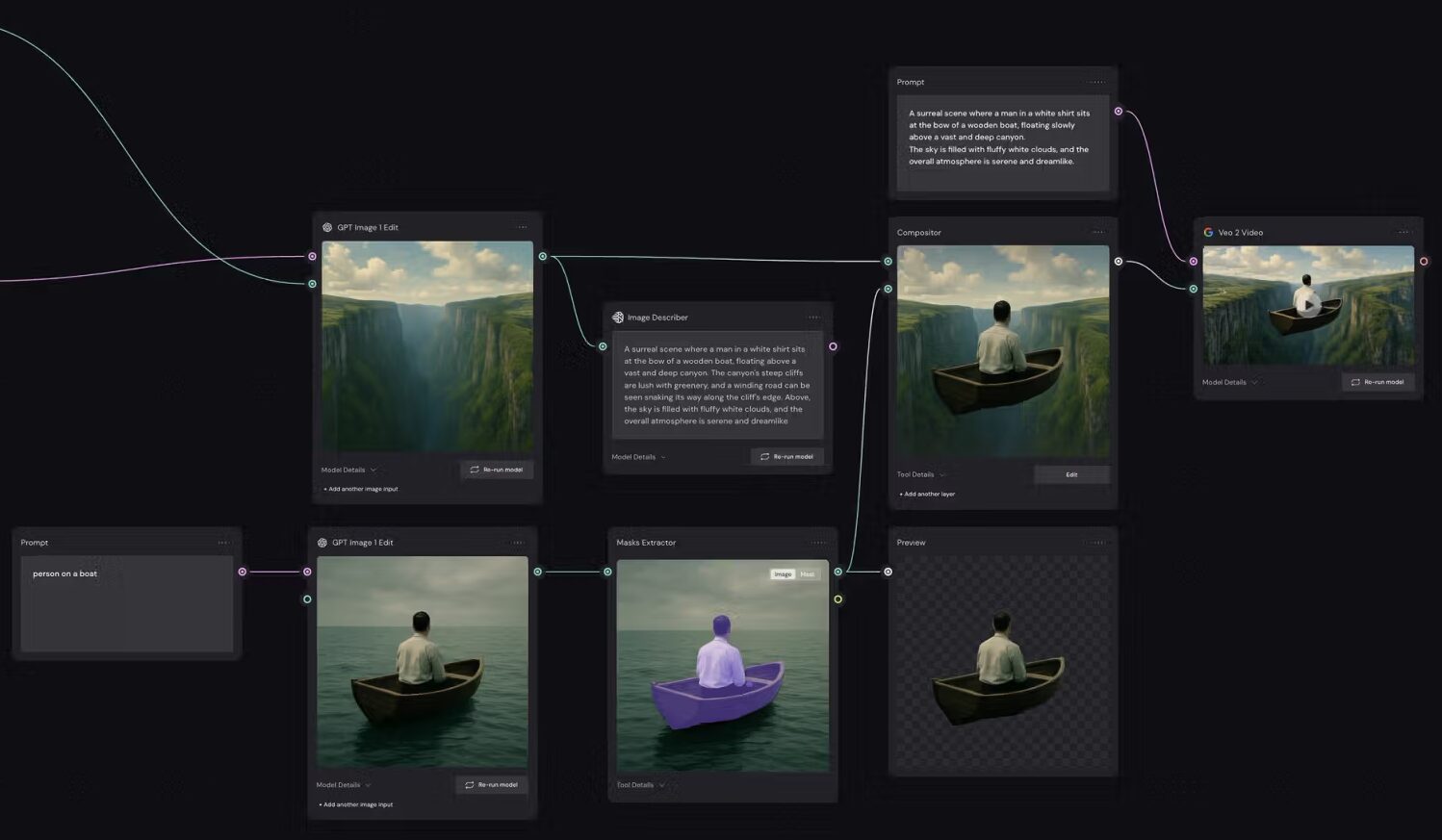
Freepik Spaces is built for accessibility and collaboration, aiming to be the “ComfyUI for the masses.” It mirrors the raw logic of open-source diffusion models but abstracts away the most intimidating technical layers.
- How to Use It: You’re concepting a campaign for a new beverage brand. The art director wants a “cyberpunk jungle” aesthetic. In Spaces, you can start with a “Stock Image Node” and pull in a high-quality photo of a dense forest from Freepik’s library. You then connect this to an IP Adapter node to borrow the composition and an SDXL Turbo node with your “cyberpunk jungle” prompt. The AI will restyle the professional photograph instead of trying to generate a complex scene from scratch. This workflow gives you consistently better compositions and structure. While a teammate watches you work, they can drop comments directly on the nodes, suggesting you add a “Glass Texture” LoRA with a weight of 0.6 to give the scene a futuristic, polished look. It’s a shared, live-editing environment for AI.
Scaling and Team Collaboration
For agencies and in-house teams, the ability to scale production while maintaining brand consistency is everything. This is where the two platforms take very different—but equally powerful—approaches.
Weavy introduces a feature that is an absolute game-changer for agencies: App Mode.
- How to Use It: You’re a senior art director at an agency. You spend two days building a complex and precise node graph for a new client’s social media campaign. It uses specific ControlNets for composition, a custom-trained LoRA for their product, and a chain of post-processing nodes to ensure every image adheres to the brand’s color palette. With App Mode, you can “publish” this entire graph as a simple, user-friendly tool. Your social media manager or junior designer now sees a clean interface with just a few fields: “Headline Text,” “Product Photo,” and “Call to Action.” They input the simple content, and the complex graph runs in the background, generating a perfectly on-brand asset every single time. You’ve effectively turned your creative direction into a piece of bespoke software, allowing you to scale production without ever diluting quality or consistency.
Freepik Spaces champions scalability through real-time, multiplayer collaboration.
- How to Use It: Your creative team is spread across the globe, working on a fast-turnaround marketing project. Inside a Freepik Space, your U.S.-based art director can lay down the initial node structure while the U.K.-based designer simultaneously experiments with different prompts. At the same time, the project manager in Asia can leave sticky notes on specific nodes, asking to see a version with a different color scheme. It’s the collaborative magic of Figma or Google Docs applied to the generative process. This eliminates version control issues and long feedback loops, letting a team co-create an asset in real-time. This is the only major node-based tool offering this level of live collaboration, making it essential for distributed teams.
Asset and Model Flexibility
The AI model landscape changes almost weekly. Being locked into a single proprietary model is a death sentence. Both platforms understand this and offer flexibility, but with different advantages.
Figma Weave operates on a model-agnostic philosophy. Through its deep integration with services like fal.ai, it gives you direct access to a massive, constantly updated library of open-source and proprietary models.
- How to Use It: You’re not sure whether Stable Diffusion’s new Flux Pro model or an open-source community model will generate the best result for your project. In Weave, you don’t have to choose. You can build your core logic once, then duplicate a section of your node graph. In one branch, you use a Flux node; in the other, you swap in a different checkpoint. You can run both generations simultaneously on the canvas, compare them side-by-side, and decide which one to move forward with. This A/B testing capability is critical for staying on the cutting edge and ensures you’re never stuck waiting for the platform to integrate the latest and greatest model.
Freepik Spaces leverages its massive stock library to create a powerful synergy between human-made and AI-generated content.
- How to Use It: Your client needs a photorealistic shot of a car driving on a coastal highway at sunset, a notoriously difficult scene for AI to generate from pure noise without getting weird artifacts. In Freepik Spaces, you search the integrated library for a stock photo that has the perfect road curvature and lighting. You feed this image into a ControlNet Canny node to extract the basic shapes and a Depth Map node to understand the 3D space. You then write a prompt for a “futuristic concept car.” The AI uses the professional photograph as a rigid scaffold, resulting in a perfectly composed, realistic image that would have taken dozens of rerolls to achieve from a blank slate.
Video Generation Capabilities
The frontier of generative AI is video. Both Weavy and Freepik are integrating motion capabilities, but they are still in the early innings of this marathon.
- Inside Weavy, you get access to best-in-class models like Sora, Veo, and Kling through its API integrations. This lets you experiment with A/B testing different video models just as you would with images. You can generate a character, then feed that static image into both a Sora node and a Kling node to see which one delivers more realistic motion.
- Freepik Spaces has integrated models like Wan 2.5, which is notable for its ability to generate 1080p video with accompanying audio. For social media and marketing teams, this is huge. It removes an entire post-production step, allowing you to generate a short, high-quality video clip with sound directly from the canvas, ready to be deployed.
The Bottom Line: Which Is For You?
Both platforms are powerhouse tools leading the charge into the new era of professional creative AI. Neither is objectively “better”—they are simply built for different primary use cases.
Choose Weavy if…
You are a builder focused on scale and automation. While other tools are digital sketchbooks, Weavy is a factory. It is the superior choice for e-commerce pros and technical marketers who need to turn a single product shot into hundreds of variations instantly. Its superpower is the “Iterator” node, which allows you to batch-process assets through a logic-driven pipeline (e.g., Input Product -> Remove BG -> Generate 50 Scenes -> Upscale). If you want to build a system that works for you while you sleep, creating consistent, high-volume assets without manual repetition, Weavy is your engine.
Choose Freepik Spaces if…
You work in a highly collaborative team, especially one that is remote or distributed. Its real-time, multiplayer functionality is unmatched and is essential for co-creation and rapid feedback. It’s also the clear winner if you don’t have access to a powerful local GPU, as all the heavy lifting is done in the cloud. If your workflow involves creating commercial advertising, marketing assets, or social media content that benefits from starting with a professionally composed stock photo, the synergy with Freepik’s massive library will give you a significant quality advantage.