If you’ve been following the explosion of AI image generators lately, you know the landscape is shifting under our feet every single day. For creative professionals—photographers, designers, art directors—the question isn’t “will AI replace us?” It’s “is this the end of creativity or just the beginning?” and, more importantly, “which of these tools can actually help us execute our vision faster?”
Today, I want to talk about Higgsfield Soul.
I’ve been experimenting with it, and honestly, it’s a mixed bag of absolute brilliance and frustrating limitations. But if you know how to navigate it, it might just be the secret weapon your mood boards have been waiting for.
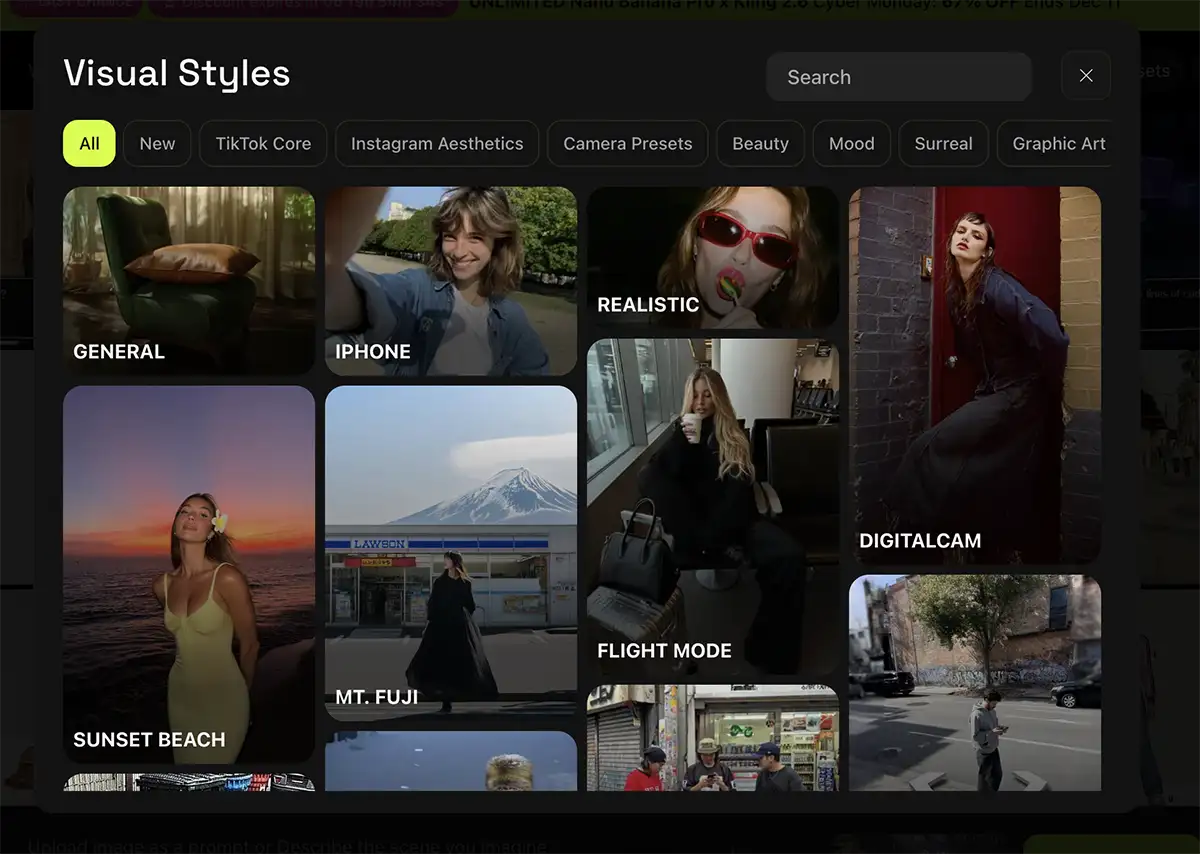
The “Soul” of the Machine: Visual Styles
Let’s start with what Higgsfield Soul does best: Vibe.
Most AI generators require you to be a “prompt engineer,” wrestling with text to describe lighting, film stock, and camera angles. Higgsfield Soul flips that script with Visual Styles. You can jump into presets like “2000s Cam,” “iPhone,” or “Sunset Beach” and immediately get a look that feels authentic and lived-in.
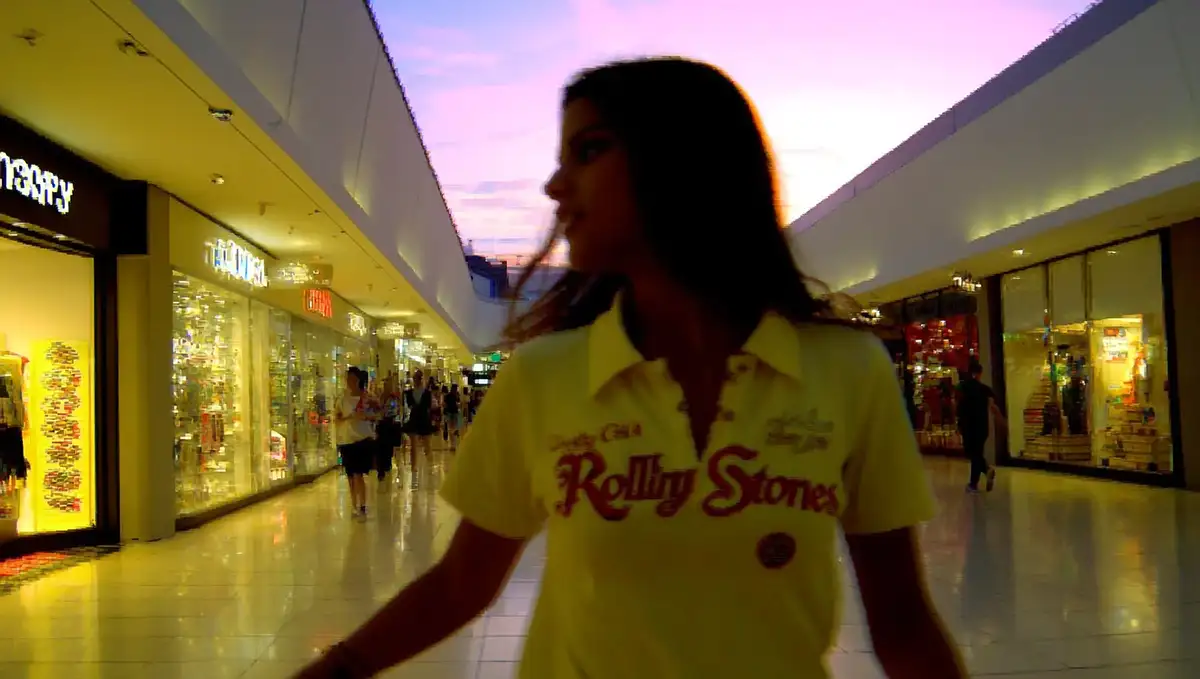
Take a look at this example using the 2000s cam preset:
At first glance? It’s a banger. The nostalgia is instant. The lighting feels like a disposable camera flash in a dimly lit room. It captures an emotion – a “soul” – that is often hard to prompt for manually.
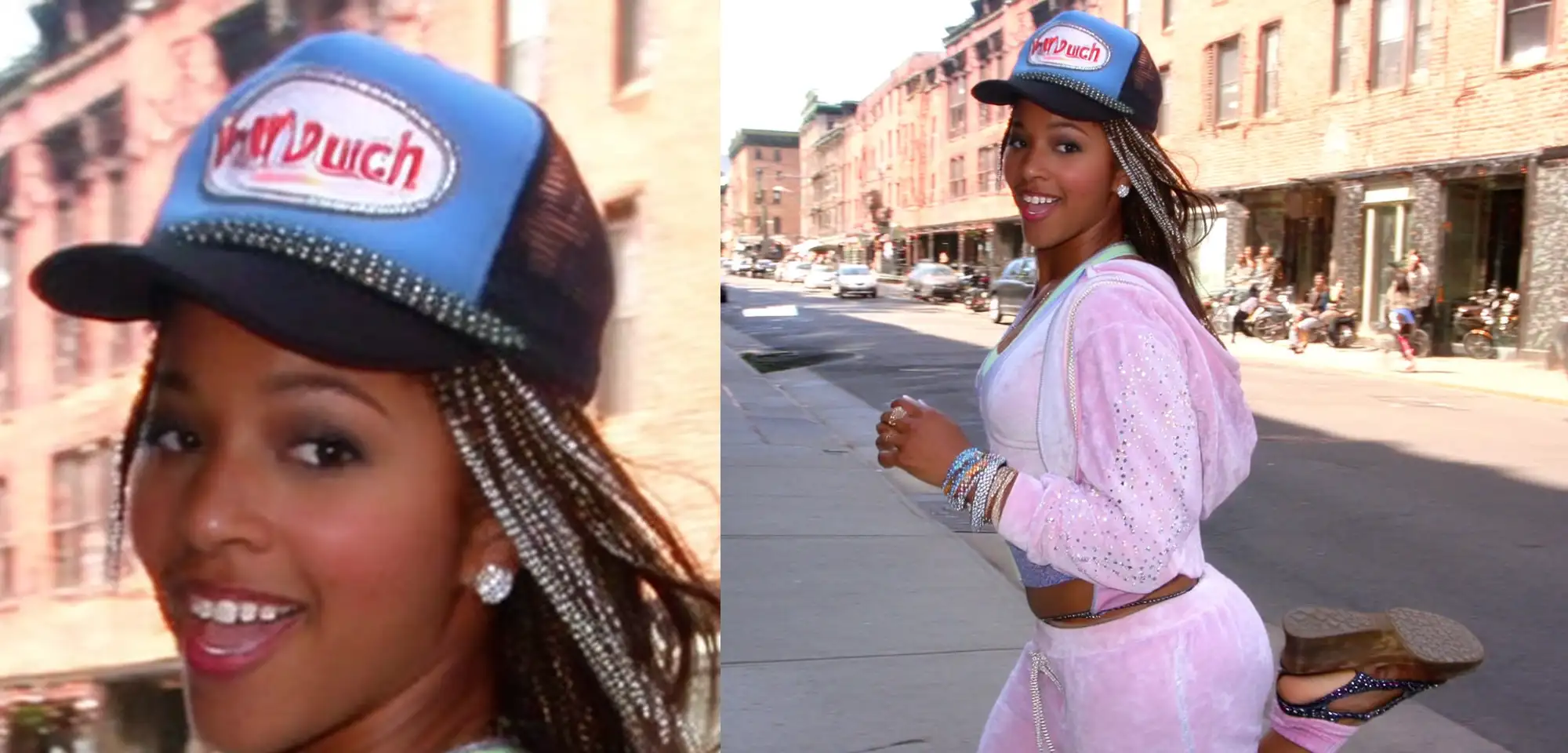
Great for vibe, but struggles with text and product consistency
But – and this is a big “but” – creative professionals need to look closer. We know that the devil is in the details.
If you zoom in on that Y2K image, you’ll see the cracks. The text on her hat? It’s mangled gibberish. Her pose? It’s got that slightly awkward, “AI didn’t quite understand human anatomy” leg kick.
Here’s another example where the tool got a little too creative. I fed it a prompt for a “Y2K influencer at the mall in a Rolling Stones shirt.”
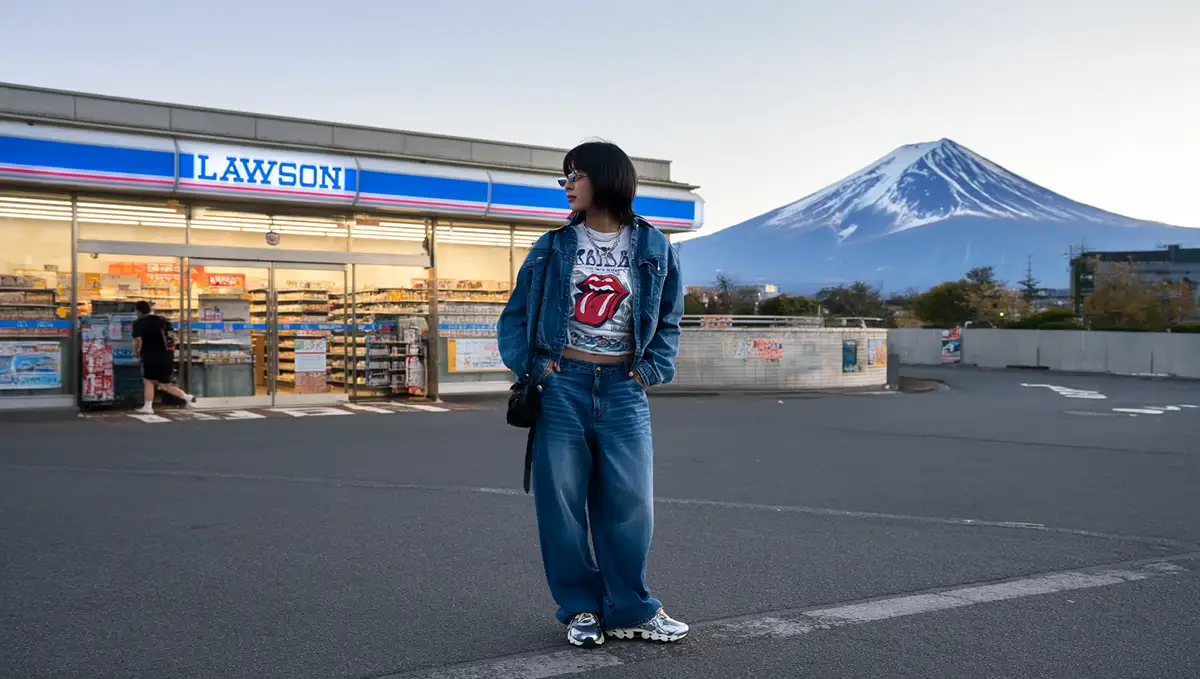
Instead of a mall, Higgsfield’s “Enhance Prompt” feature (which feels like it’s always on) decided to transport her to a parking lot in front of a Lawson store with Mount Fuji in the background. Is it a cool image? Absolutely. Is it what I asked for? Not at all.
And look at the shirt. That does not say “Rolling Stones.”
For a hobbyist, this is fine. For a Creative Director trying to mock up a specific campaign for a client, this lack of control is a dealbreaker for final delivery.
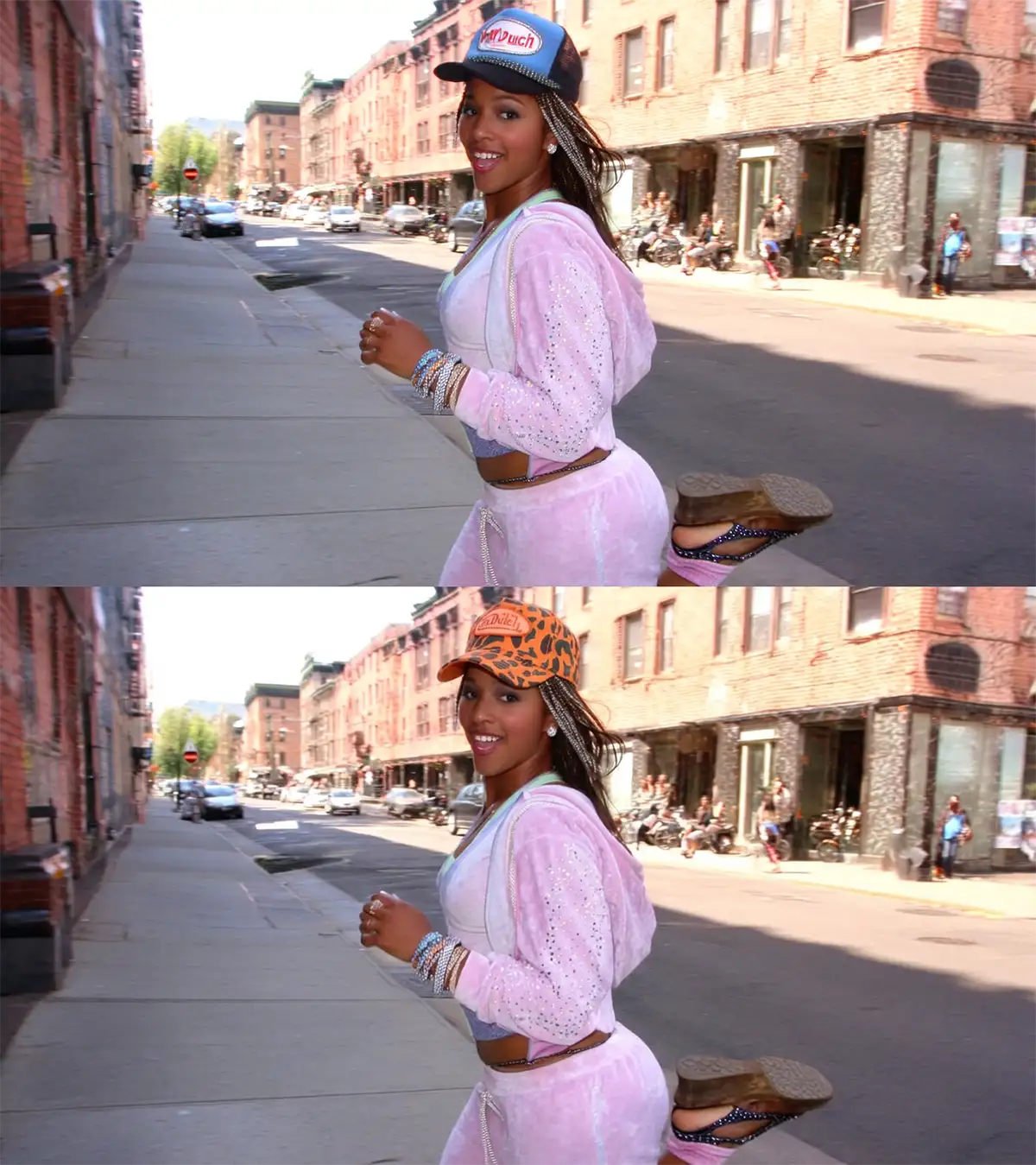
Higgsfield Soul + Nano Banana Pro workflow
So, do we throw the tool out? No. We adapt. We find the workflow that serves the vision.
If you love the aesthetic of Higgsfield Soul but need the precision of a professional tool, here is the strategy:
-
Ideate in Higgsfield Soul: Use the presets to generate your base assets. Let the AI surprise you with composition and lighting. It’s a digital sketchbook.
-
Refine in Nano Banana Pro: Shockingly good at text and product consistency. The perfect way to finalize a Higgs field image.
Nano Banana Pro (which I’ve mentioned in my guide to AI tools for pros) is the “technical director” to Soul’s “creative director.” It is widely regarded as being 99% perfect for text rendering and product consistency.
The Strategy:
-
Create your character and vibe in Soul.
-
Take that seed or character ID and bring it into Nano Banana Pro.
-
Use Nano Banana to fix the text on the hat, correct the logo on the shirt, and stabilize the pose. Get a new angle if needed.
This hybrid approach gives you the best of both worlds: the effortless style of Soul and the rigid accuracy of Nano Banana.
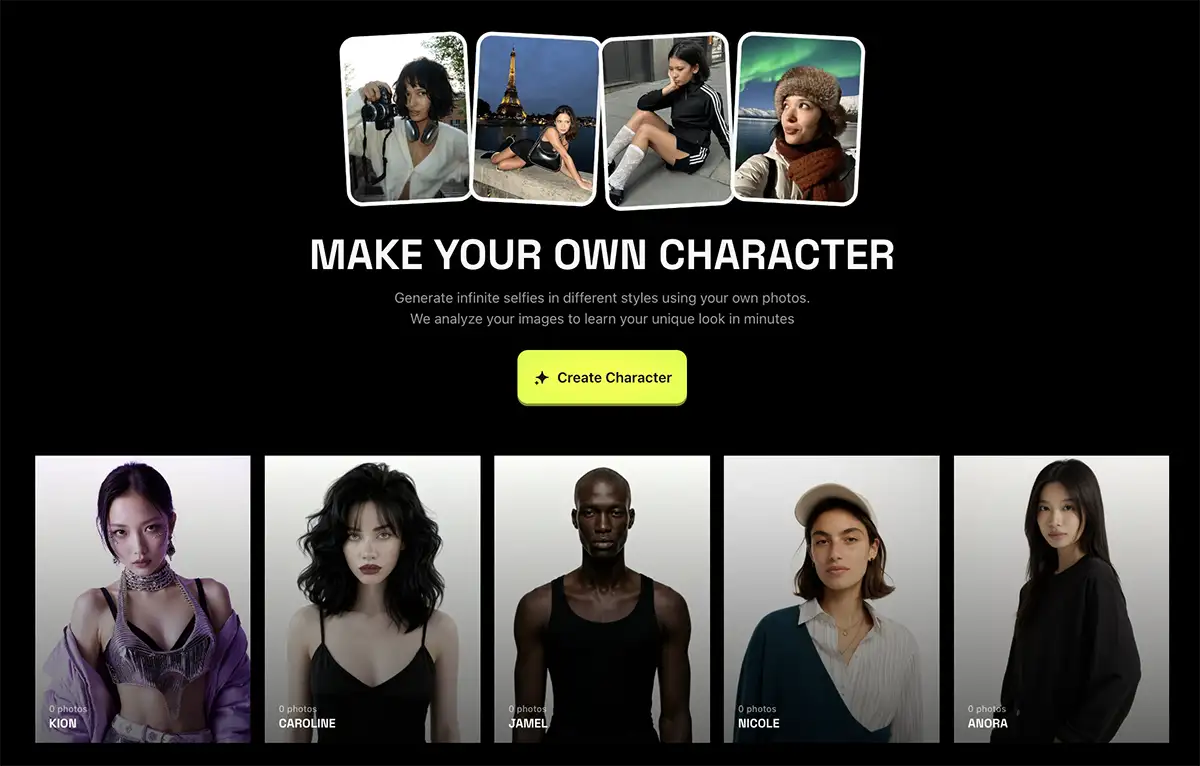
Higgsfield Soul’s “Character” Feature
One feature I want to highlight is the Soul ID Character.
Consistency is the holy grail of AI storytelling. Usually, you generate a person, and in the next frame, they look like a completely different human. Soul ID attempts to lock in that face and identity across different prompts and styles.
While it’s not perfect, combining Soul ID with the Nano Banana Pro editing workflow allows you to actually build a narrative. You can have your “Y2K Influencer” travel from that accidental Mt. Fuji parking lot to the actual mall you originally wanted, without her face morphing into a stranger’s.
Conclusion: It’s a Sketchpad, Not a Final Print
Let’s be real – Higgsfield Soul, on its own, is likely unusable for final client delivery on most commercial projects. The text issues and the “hallucinating” prompt enhancements are too unpredictable for high-stakes work.
However, as a starting point? It’s incredible.
It removes the friction between “I have an idea” and “I can see it.” For that alone, it’s worth giving it a look. Just make sure you keep a tool like Nano Banana Pro in your back pocket to clean up the mess when you’re ready to ship final deliverables.