

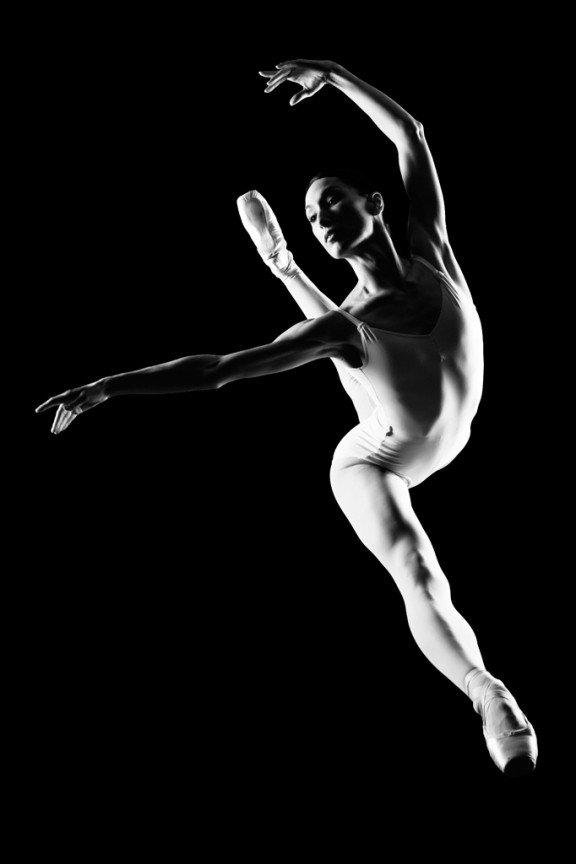
I learned to light after years of deconstructing the work of other photographers. And I know from your previous feedback that you guys are fond of these posts, so let’s dig into another one.
How did I make this picture?
Is it a lucky snapshot?
Is it lit?
If so, how?
The camera Settings?
The direction?
Post production?
Whatever details you think are needed to make this image.
Looking forward to you trying to pick this apart… I’ll reveal everything in a followup post. The person who gets the closest gets… …a chest bump and a pizza, or signed book or something. Don’t be shy. Let er rip.










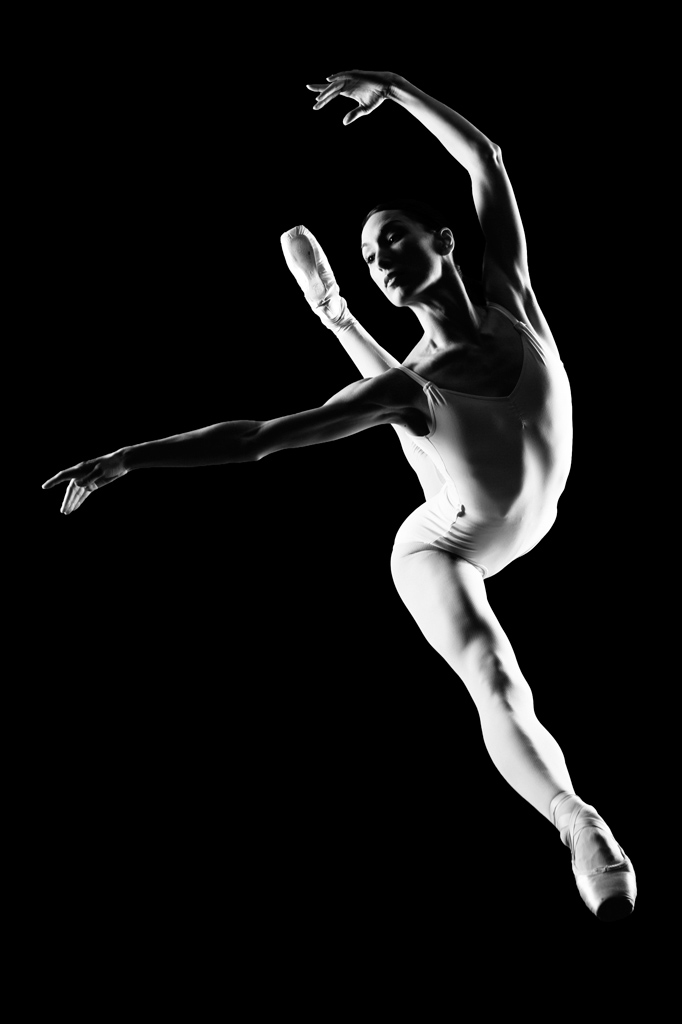
Setup: Shot from below (she’s en pointe), her right hand is almost pointing directly at the main light, rim is 180 degrees from main, both equal in power and fired through GIANT softboxes (or octas).
Direction: Calm, graceful, pose, serene thoughts, I have faith in you…
This is not a super fast move so 1/200 with decent strobes and it’s tack sharp, at f/16
Convert to b/w via channel mixer
Chase, thanks for sharing with everyone, you are a great help in this community!
Michael
http://www.michaelsinkphotography.com
Seems like you used two lights. The one on the left about as high as the center of the dancer and the other down 45 deg to the right.
Maybe softboxes on both but depends on the distance, could be hard light as well. 1/250 sync speed with a small apature to dim everything else out.
Black seamless, large octobox to the model’s left. Beauty dish high to model’s right slightly behind midline. Camera manual 1/250 sec f9 iso 100. Post done in aperture and Silver Pro Efex.
I doubt you will read this far, but thought I’d take a shot at it.
The light on camera right is the intriguing bit. Its obviously under her, given the angle of bright / shadow. Means 2 choices; flash is at floor level pointed up as she jumps, or as others have said, shes on glass, in splits, and off the floor. The other light, is well above her on camera left. Strobes are very close, NO SOFT BOXES, harshness is the goal.
F4 (shot at some distance using med zoom) – 1/320 – ISO 400, black background, contrast / darken in post.
Maybe an octa camera left slightly behind her, and a stripbox on the right slightly behind her both about the level of her hips. Shot with very fast strobes so shutter speed isn’t a big deal, probably around f11. Convert to B&W in post and increase contrast in curves.