

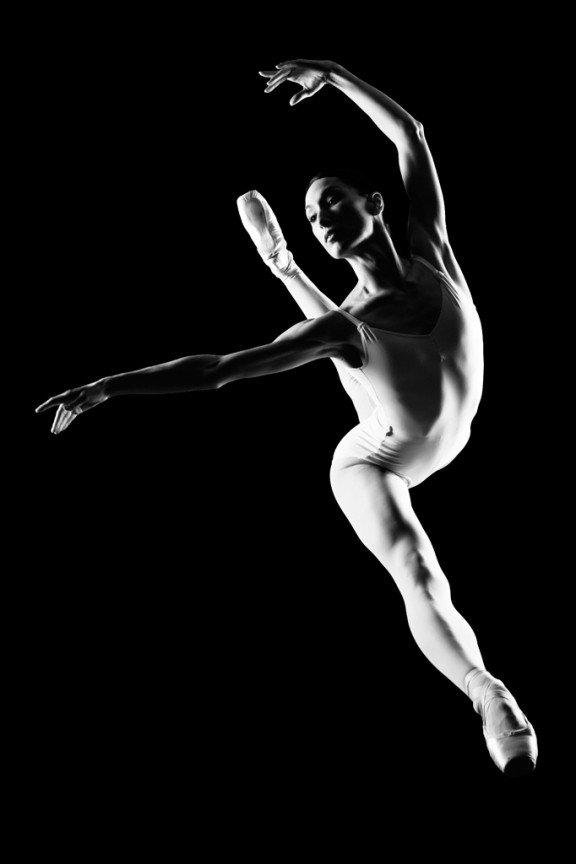
I learned to light after years of deconstructing the work of other photographers. And I know from your previous feedback that you guys are fond of these posts, so let’s dig into another one.
How did I make this picture?
Is it a lucky snapshot?
Is it lit?
If so, how?
The camera Settings?
The direction?
Post production?
Whatever details you think are needed to make this image.
Looking forward to you trying to pick this apart… I’ll reveal everything in a followup post. The person who gets the closest gets… …a chest bump and a pizza, or signed book or something. Don’t be shy. Let er rip.











crosslighting. one from 45 deg. front and one from 45 deg back.
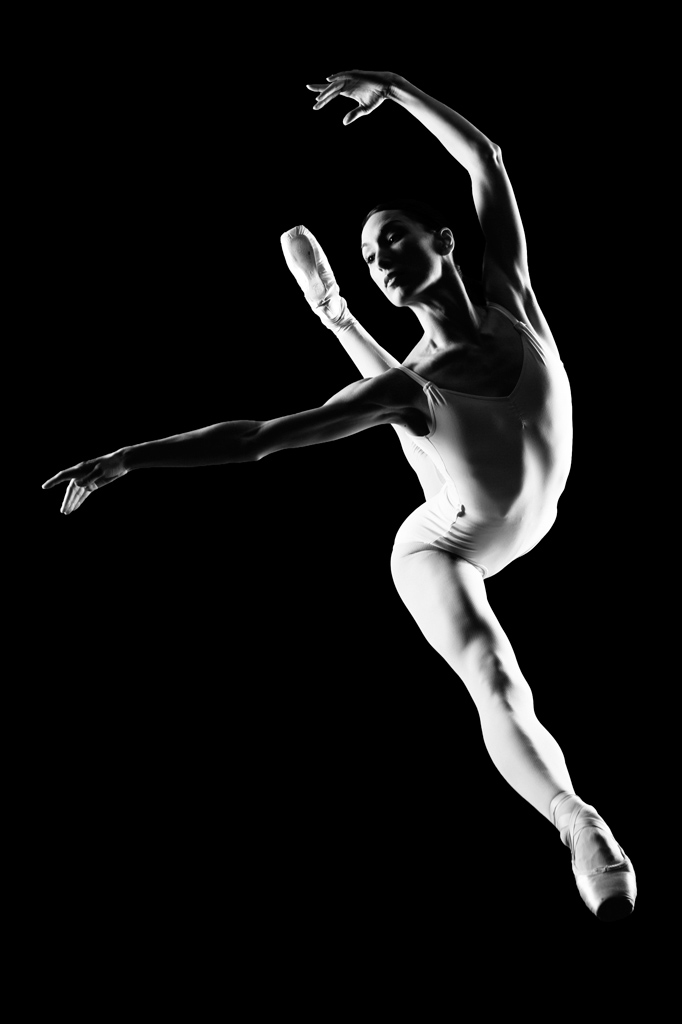
Two lights – One subject left, slightly behind subject, set at a height equivalent to the height of the dancer’s leap. One subject right, again slightly behind subject and set at a height equivalent to the height of the dancer’s leap. Power settings are equal between the lights and probably set at max, given what appear to me to be blow-outs both left and right. Both in softboxes. Fast shutter to kill the ambient. You are up on a ladder to get the straight on shot.
How did I make this picture? “Ready?… Set… Jump!”
Is it a lucky snapshot? No, probably one from 1250+/-
Is it lit? Yes
If so, how? Two large octogon softboxes with little diffusion or two sb’s.
The camera Settings? 1/250 unless your using two SB’s in which case your probably at 1/500…f8?
The direction? From Photog; “ok… Jump!” oh you mean lighting… Three o’clock and nine o’clock.
Post production? Set black point, bump contrast.
Whatever details you think are needed to make this image. Good talent, couple flashes, a little lightroom, coffee.
Hey Chase and Team I hope you made it down this far!
I have to agree with a few others that she was standing on plexiglass or something similar. The camera is underneath and in front of her.
The two lights are “basically” rim lights coming from about 45 degrees behind her to either side. Camera left light is in line with the height of her head and the camera right light is shooting a little more downward…aimed right through her arched arm and leg directly at her right hand (see those three fingers?)
The modifiers look to be pretty big but that is difficult to tell since I don’t know the size/height of the model. I could guess all day at the actual lights but it really depends on when in your career this was taken…
Sorry to say that she looks a little soft in the face so I am guessing that you are at f/6.3? Probably taken at sync speed, so 1/250th? ISO 200, I would say 100 but you use Nikon. If you are using film or your Polaroid then all bets are off…on all of this stuff.
If you stare at her outline long enough you can see a soft glow around the brighter areas, which leads me to believe that the blacks were boosted in post and then black was painted (either adjustment brush or brush) around her for maximum effect..
That is where I would start if I wanted to try to reproduce this shot…
Can’t wait to see if we are all just rookies over analyzing everything.
Dano
Forgot to mention that the composition is just perfect so there may have been a little bit of cropping done in post.
Dano
Umm after looking at this image without my glasses I cannot see the halo I was referring to so I am an idiot and my glasses create a glare/halo effect around the brightest areas in this image…apologies.
Dano
f/11, 1/250, ISO 100
2 large softboxes — same settings for both.
The right one being directly perpendicular to the subject, and the left at the same distance, but slightly higher and angled down, and placed slightly behind the subject.