In the middle of the AI video fray stands Google Veo 3, the tech giant’s heavyweight contender. But unlike its competitors who are vying for the attention of indie filmmakers and social media creators, Veo 3 isn’t trying to be the most artistic or the most accessible tool on the block. It’s positioned as an enterprise-grade workhorse, a piece of industrial infrastructure designed for reliability and precision. For the working creative professional, this raises a critical question: Is this powerhouse built for your workflow, or is it a specialized tool for a different kind of job?
What Exactly is Google Veo 3?
Google Veo 3 is a flagship text-to-video diffusion model hosted on Google’s Vertex AI platform. It’s not a standalone app you download or a simple web interface designed for casual use. Instead, think of it as a raw engine for high-volume, high-fidelity video generation. Its primary users are developers building apps that need video generation capabilities or large media companies that can plug it directly into their automated content pipelines.
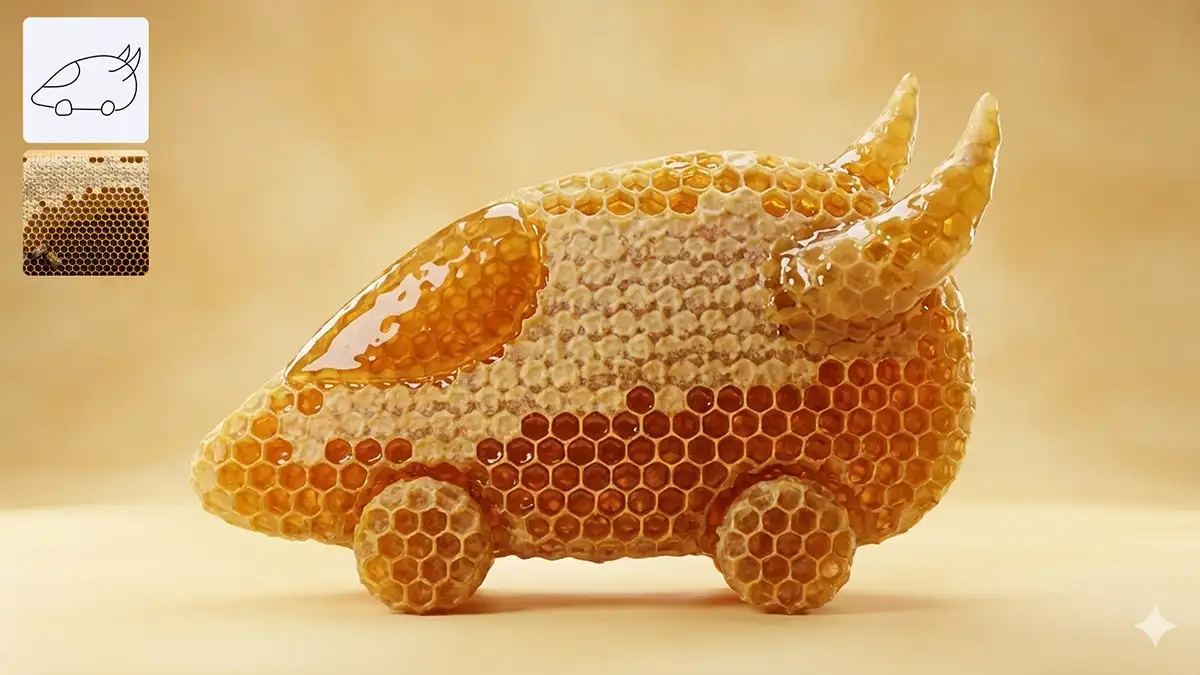
The core identity of Veo 3 is built around one thing: prompt adherence. While other models might interpret a prompt with some artistic license, Veo 3 is engineered to follow complex, multi-clause instructions with relentless precision. It’s designed to eliminate the guesswork and randomness that plague other generators. For a creative director who needs to match a specific storyboard or a brand that must adhere to strict visual guidelines, this is Veo 3’s main value proposition. It trades creative serendipity for predictable, repeatable output.
How Can Creative Professionals Use It?
Understanding Veo 3 requires looking past the marketing and focusing on how its specific architecture impacts the day-to-day workflow of a creative pro. It has powerful features, but they come with equally significant limitations.
The Core Strength: Flawless Prompt Adherence
This is where Veo 3 makes its case. If your work depends on getting exactly what you ask for, this model delivers. Commercial projects, product visualizations, and corporate B-roll often require a level of specificity that other, more “imaginative” models struggle with.
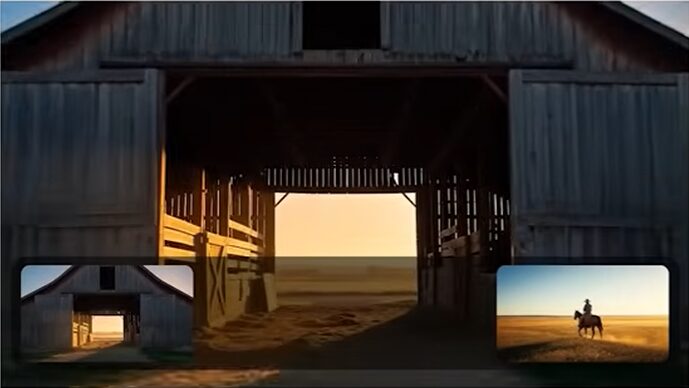
Imagine you’re creating a spot for a new electric vehicle. Your prompt is: “A wide-angle shot of a sleek, silver electric sedan driving on a winding coastal highway at golden hour, with the ocean on the right and sunlit cliffs on the left.” With many models, you might get a red car, a city street, or the ocean on the wrong side. Veo 3 is optimized to parse that sentence clause by clause and render a clip that matches the description with technical accuracy. This makes it a powerful tool for commercial artists, advertisers, and designers who need to move from a precise concept to a usable video asset without multiple rounds of prompt engineering roulette.
It has audio generation
Unlike most other AI video models, Veo 3 can also generate audio including dialogue, music, sound effects, etc. It’s definitely not perfect and it can get a little weird sometimes but it’s there and it might save you the time of generating the audio separately with something like Elevenlabs and syncing it. Or even if you do use another app for the audio, this can still be useful as a good reference track.
Technical Specifications and Output
Veo 3 generates video at a crisp 1080p resolution and supports standard aspect ratios like 16:9 for landscape and 9:16 for vertical content. This covers the baseline requirements for most professional and social media delivery.
One of its more useful features is the inclusion of Veo 3 Fast, a lower-latency variant of the main model. This is a critical workflow consideration. The high-fidelity model is expensive and can be slow, which is a killer for ideation and experimentation. The intended workflow is to use Veo 3 Fast to generate quick, low-cost drafts to check composition, pacing, and subject matter. Once you’ve landed on a prompt that works, you can commit to a full, high-quality render with the primary model. This two-tier system allows for rapid iteration without burning through your entire project budget on concepts that don’t pan out.
The Big Limitations: Duration and Compositing
Here’s where the reality of using Veo 3 for creative work sets in. The model comes with two massive limitations that are immediate deal-breakers for many common creative workflows.
The 8-Second Ceiling
Veo 3 generations are capped at a rigid duration of 4, 6, or 8 seconds. For creating short clips for social media or simple B-roll cutaways, this might be sufficient. But for anyone working in narrative, character-driven storytelling, or even longer-form commercial work, this is a non-starter.
While it’s technically possible to generate multiple clips and “extend” a shot, the results are almost never seamless. Users consistently report that stitching Veo 3 clips together introduces visual artifacts, camera jitter, and subtle shifts in lighting or character appearance that break the illusion of a continuous take. This makes the model fundamentally unsuited for generating anything longer than a single, isolated shot. For longer, more cohesive scenes, a tool like OpenAI’s Sora 2, with its superior physics and temporal consistency, is a far better choice.
No support for alpha channels
This is arguably the single biggest flaw for professional VFX artists, animators, and motion designers. Google Veo 3 does not support the native generation of alpha channels (i.e., transparent backgrounds).
If you want to generate an element – like a wisp of smoke, a muzzle flash, a character on a green screen, or a magical effect – to composite over live-action footage, Veo 3 can’t give you a clean, pre-keyed asset. You’ll get the element you want, but it will be rendered against a fully opaque background that you then have to manually remove. This forces you back into a traditional, time-consuming workflow of rotoscoping or using third-party background removal tools, which often produce messy edges and artifacts.
This omission stands in stark contrast to a competitor like Alibaba’s Wan Alpha, an open-source model designed specifically to generate video with a perfect, native alpha channel. For any compositing-heavy pipeline, Wan Alpha is the obvious choice, as it delivers assets that are immediately ready for use in Nuke, After Effects, or Fusion.
Workflow Integration and Technical Demands
Unlike Sora 2, which has a convenient plugin for Adobe Premiere Pro, Veo 3 is not designed for easy integration into a typical creative suite. Its primary interface for professionals is through Google DeepMind’s VideoFX tool or the much more complex Vertex AI Studio.
Accessing Veo 3 typically requires setting up a Google Cloud Platform (GCP) project, navigating the console, and managing quotas. It feels less like a creative tool and more like an enterprise cloud service. For a freelance motion designer or a small studio editor, this technical barrier is significant. This is a tool that expects you to be comfortable in a developer’s environment, a stark difference from the artist-centric interfaces of platforms like Runway or Midjourney.
The Pricing Model: Enterprise vs. Individual Creator
Veo 3 uses a consumption-based pricing model that can be both transparent and dangerous. You are charged per second of generated video/audio output, at a rate of approximately $0.75 per second for high-quality renders.
For a large enterprise with a predictable, high-volume need, this metered pricing is straightforward. But for an individual creator, it can be a liability. The creative process is messy and iterative. You need the freedom to experiment, to try a dozen prompts before you find the right one. With a subscription model like the one used by Kuaishou Kling, a “failed” generation just costs you a few credits from a monthly allotment. With Veo 3, every single generation, successful or not, hits your credit card. This can lead to “bill shock,” where the cost of experimentation quickly spirals out of control. This pricing structure makes Veo 3 a poor choice for speculative creative work and a better fit for projects where a client has already signed off on a specific concept and budget.
Is Google Veo 3 Right for You?
The bottom line is that Google Veo 3 is a powerful, highly specialized tool, not a creative Swiss Army knife. Deciding if it fits in your toolkit depends entirely on the kind of work you do.
Veo 3 is a solid choice if:
- Your primary work is in advertising, corporate video, or commercial product visualization, where absolute adherence to a specific prompt is the most important factor.
- You are a developer or part of a large media organization looking to integrate a reliable video generation API into a larger, automated pipeline.
- Your output consists almost exclusively of short, isolated clips (under 8 seconds) that do not require compositing or integration with other footage.
- You have a clear, pre-approved budget for your video generation and are comfortable with a pay-as-you-go pricing model that penalizes experimentation.
You should look elsewhere if:
- You are a VFX artist, compositor, or motion designer. The lack of an alpha channel is a fundamental workflow killer. You need a tool like Wan Alpha.
- You are a filmmaker or storyteller creating narrative content. The 8-second duration limit and poor clip-stitching make it impossible to build coherent scenes. Sora 2 is a better fit.
- Your work requires specific, controllable camera movements like complex pans, tilts, or dolly shots. Kuaishou Kling or Runway Gen-4, with its camera data export, offer far more directorial control.
- You are an independent creator or a small studio on a budget. The consumption-based pricing is too risky for the iterative, experimental nature of creative development. A subscription tool like Kling or a free, locally-run model like Wan is more economical.
Ultimately, the era of relying on a single AI tool is over. The professional workflow of 2025 is a hybrid one, where the orchestrator—not just the prompter—wins. You might use Midjourney for concept art, Sora 2 for narrative plates, Wan Alpha for VFX elements, and Runway to track it all together in a 3D environment. Google Veo 3 has a place in that ecosystem, but its role is that of a specialist: a precision instrument for commercial work, not a versatile tool for creative exploration. Know its strengths, respect its weaknesses, and use it only for the specific job it was built to do.