If you’ve ever had a perfect vertical shot that needs to be a horizontal hero image, you know the pain of manually painting in edges. Today, you can skip the grunt work and use generative “outpainting” tools like Nano Banana Pro.
You can use the Gemini web or mobile app and simply prompt “Extend the image to fill 16:9,” which usually yields great results. However, the native app applies a watermark, which is a dealbreaker for most professional work.
The Pro Workflow: Using 3rd Party Implementations
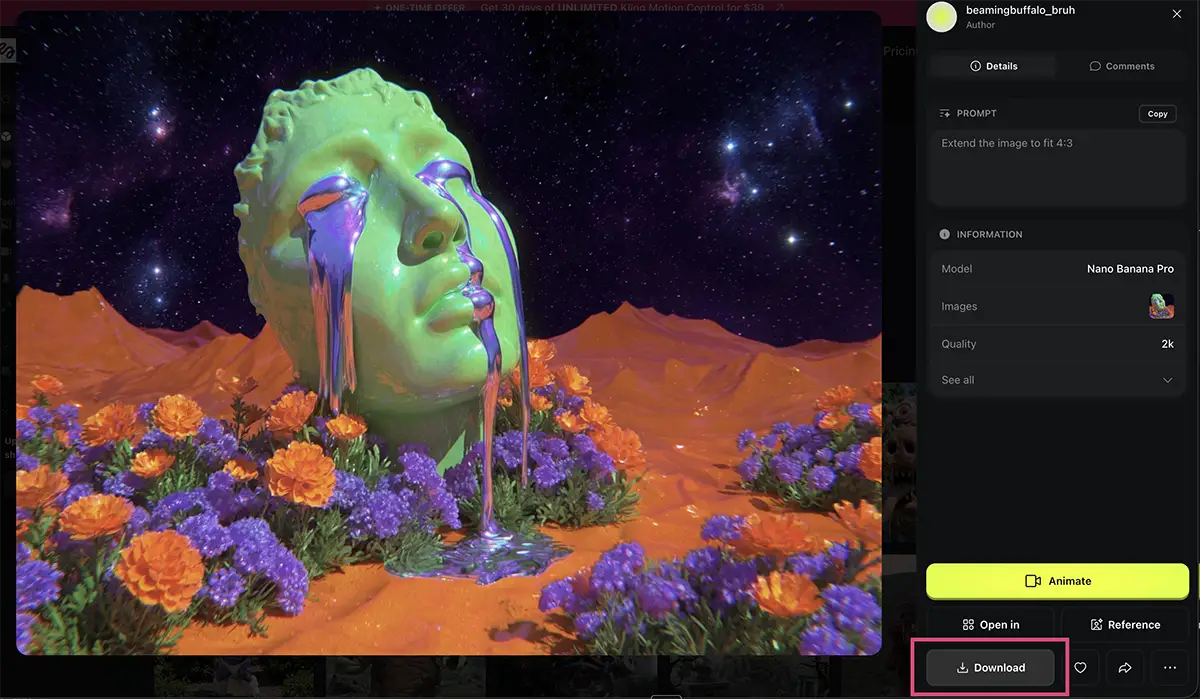
To get the power of Nano Banana Pro without the watermark, you want to use a third-party implementation. For this walkthrough, I used Higgsfield AI, but the workflow is virtually identical if you’re using other popular AI creation platforms like Freepik, Weavy, Flora, or Leonardo.
Here is the dead-simple process:
-
Find the Model: Go to your platform of choice (like Higgsfield) and ensure you are selecting the Nano Banana Pro model.
-
Upload & Prompt: Upload your source image. In the prompt box, keep it simple.
-
Prompt: “Extend the image to fit 4:3”
-
-
Generate & Download: Select your resolution, hit generate, and download the finished clean image.
The Example: The Crying Statue
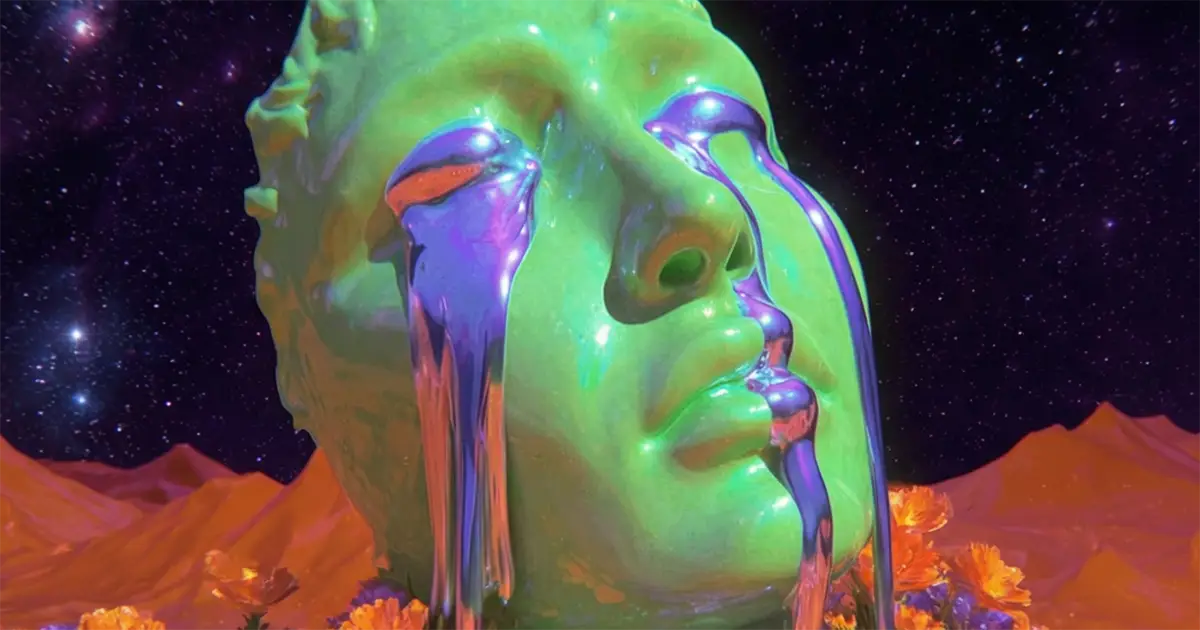
I tested this with an image I created in Midjourney—a surreal, vertical shot of a crying green statue. It was cool, but I needed a wider version for a project.
I uploaded it to Higgsfield and ran the prompt: “Extend the image to fit 4:3”
It seamlessly built out the desert landscape and the starry sky. No seams, no weird artifacts, and importantly – no watermark.
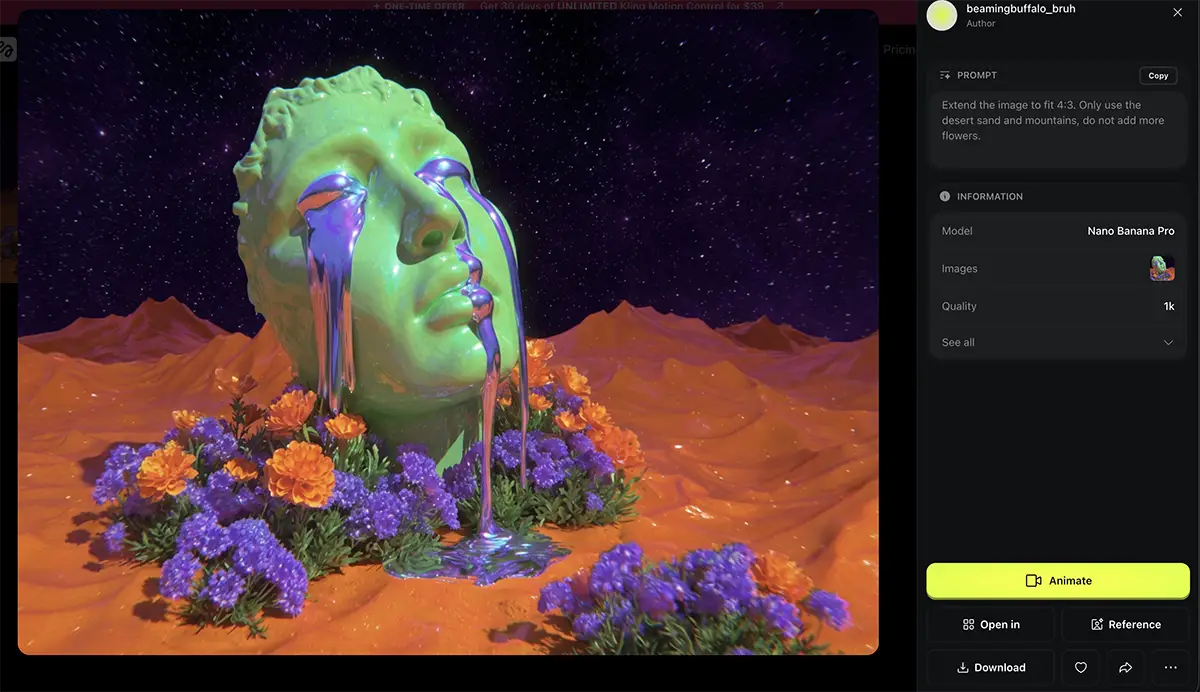
The “No flowers” version. It only extended the ones it absolutely needed to.
Refining your prompt
One of the best things about Nano Banana Pro is that it listens, so you can also give it directions on exactly how to extend the image.
Eg, I decided the flowers at the base of the statue were too distracting, so I re-ran the prompt with a specific constraint:
“Extend the image to fit 4:3. Only use the desert sand and mountains, do not add more flowers.”
It generally follows these instructions well. However, remember that AI is probabilistic, not deterministic. You might have to “re-roll” (generate again) a few times to get exactly what you want.
Think of it like a photo shoot: you rarely get the perfect shot on the very first shutter click. Don’t be afraid to iterate.
Nano Banana Pro vs. Photoshop Generative Expand
So, why not just use Photoshop? The answer is that it depends on your goals and needs:
-
Use Photoshop Generative Expand when you need absolute, pixel-perfect control. If you need to mask specific layers, adjust curves on the extended portion immediately, or composite multiple elements, Photoshop is still the king of the “orchestration” phase.
-
Use Nano Banana Pro when you want speed and creative flair. Honestly, for a one-shot extension, Nano Banana often nails the vibe and lighting faster than Adobe’s Firefly model. It’s a great option for moving quickly when you’re in the concepting phase or building rapid mockups.
PS – More on Nano Banana Pro:
- How to repose a model
- How to do style transfer in Nano Banana
- How to upscale in Nano Banana
- Does JSON prompting work?
- How to master Nano Banana prompting
- How to add film grain
- How to use Midjourney with Nano Banana Pro
- Remove the Nano Banana watermark
- Set up a virtual product shoot with Nano Banana
- Nano Banana pricing
- Add texture to a logo
- Edit an image in Nano Banana