Midjourney v7 Niji is here – a much-anticipated update to the aesthetic-focused AI image generation app.
For the uninitiated, you might be asking: What exactly is Niji? In their own words, “this is our version of our image models specifically tuned for Asia and Anime.” It’s a collaboration between Midjourney and Spellbrush, designed to understand the specific aesthetics, line work, and composition of anime and illustrative styles better than the base model. You can read their official breakdown here.
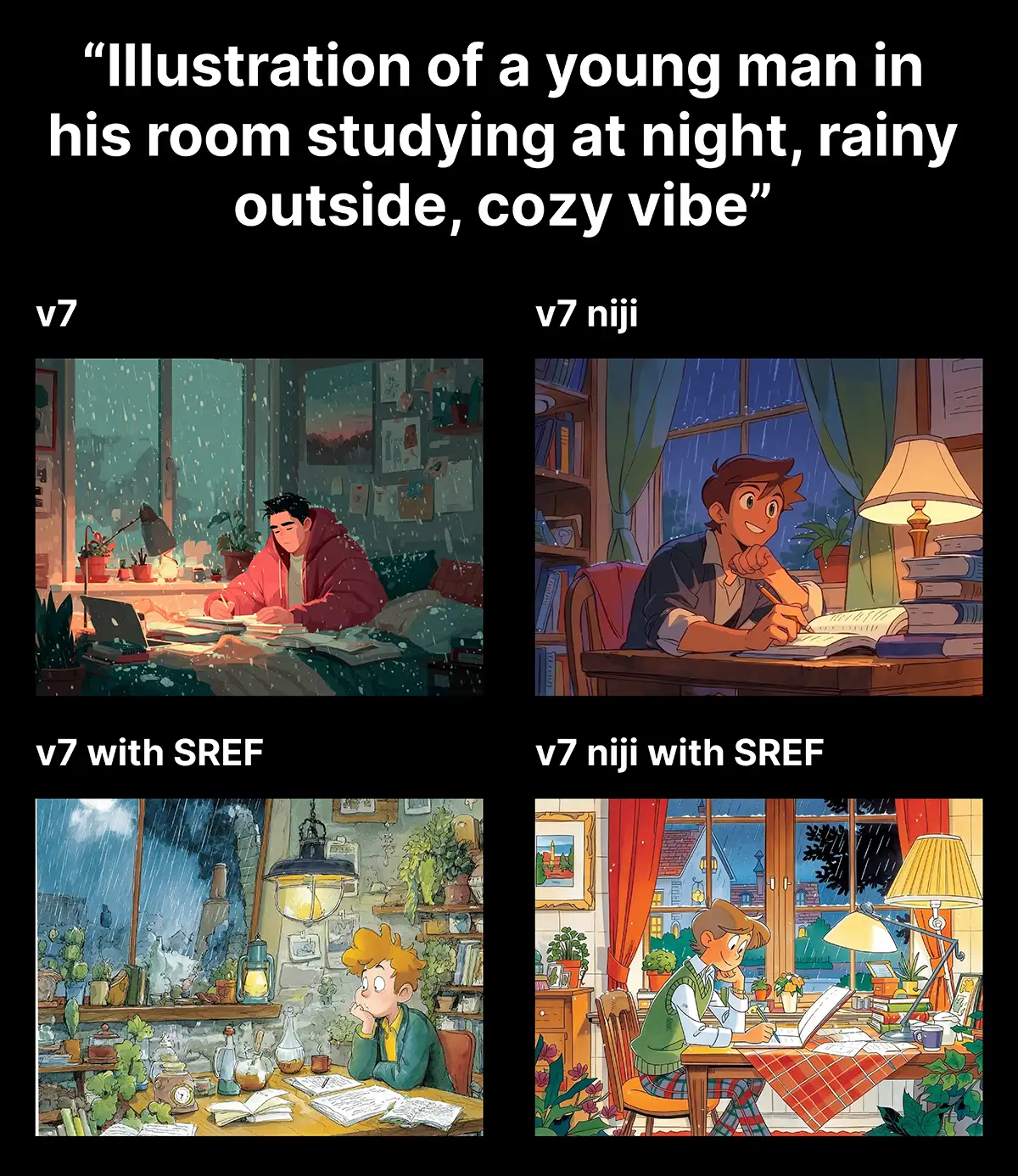
So how does it stack up? I ran two tests, based on the same core prompt: “Illustration of a young man in his room studying at night, rainy outside, cozy vibe.”
Test 1: The “Cozy Study” Vibe
First, I tested it with a simple prompt that could go in a few different aesthetic directions. I also wanted to see how it would interact with a SREF.
1. Midjourney v7 (Standard)
First, I ran the prompt through the standard v7 model. No style references, no Niji mode.
The result was solid – classic Midjourney quality. It gave me a moody, painterly look. The lighting was dramatic, leaning towards a semi-realistic digital art style. It’s a good image, but it feels a bit “default.”
2. Midjourney v7 + Style Reference (--sref)
Next, I applied a specific style reference (an image with a distinct, illustrative look) to the standard v7 model.
The difference was immediate. The AI picked up the texture and color palette of the style reference perfectly. It moved away from that “digital paint” look and adopted the specific artistic DNA I gave it. This is why Midjourney remains a top tool for art directors—that ability to control the aesthetic is unmatched.
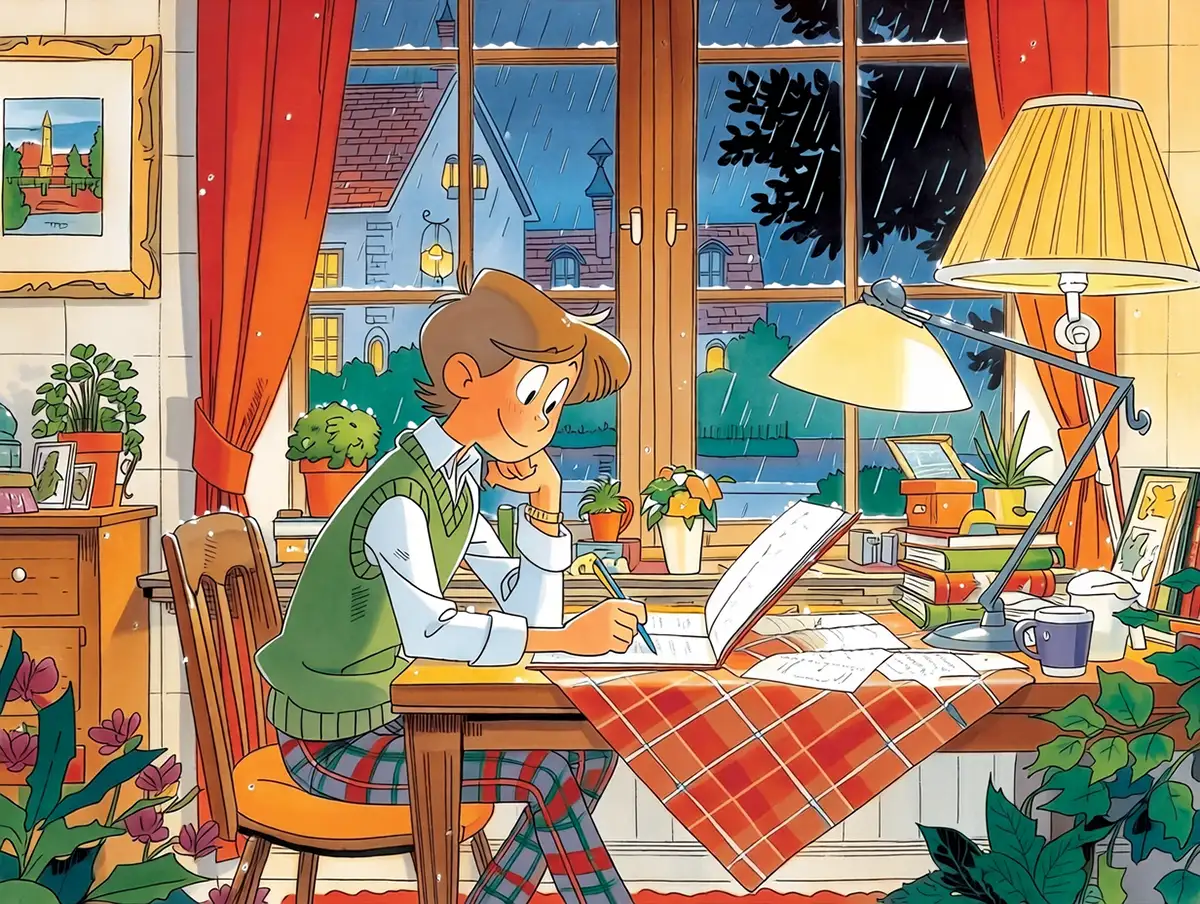
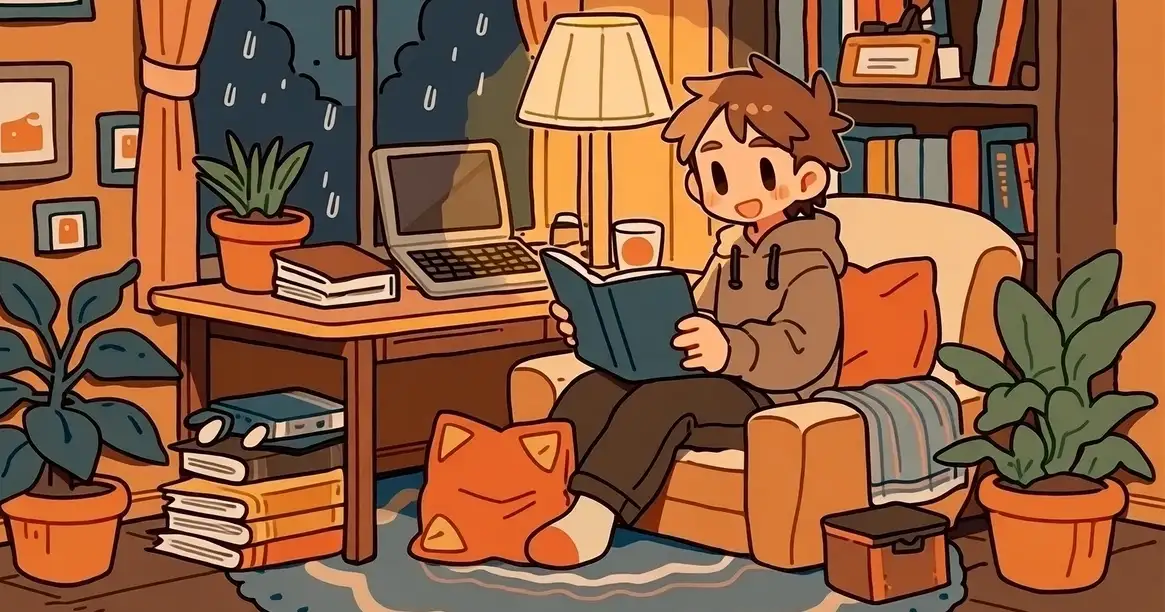
3. Midjourney v7 + Style Reference + Niji Mode
Finally, I kept the same style reference but flipped the switch to Niji v7.
The image changed completely. It kept the colors and some of the texture from my style reference, but the structure became undeniably anime. The character’s face became more stylized—larger eyes, simplified nose, that distinct “manga” facial structure. The room felt more like a background in a high-budget animation.
Even though I gave it a strong style reference, Niji said, “I see your style, but I’m going to do it my way.”
Test 2: The “Children’s Book” Style
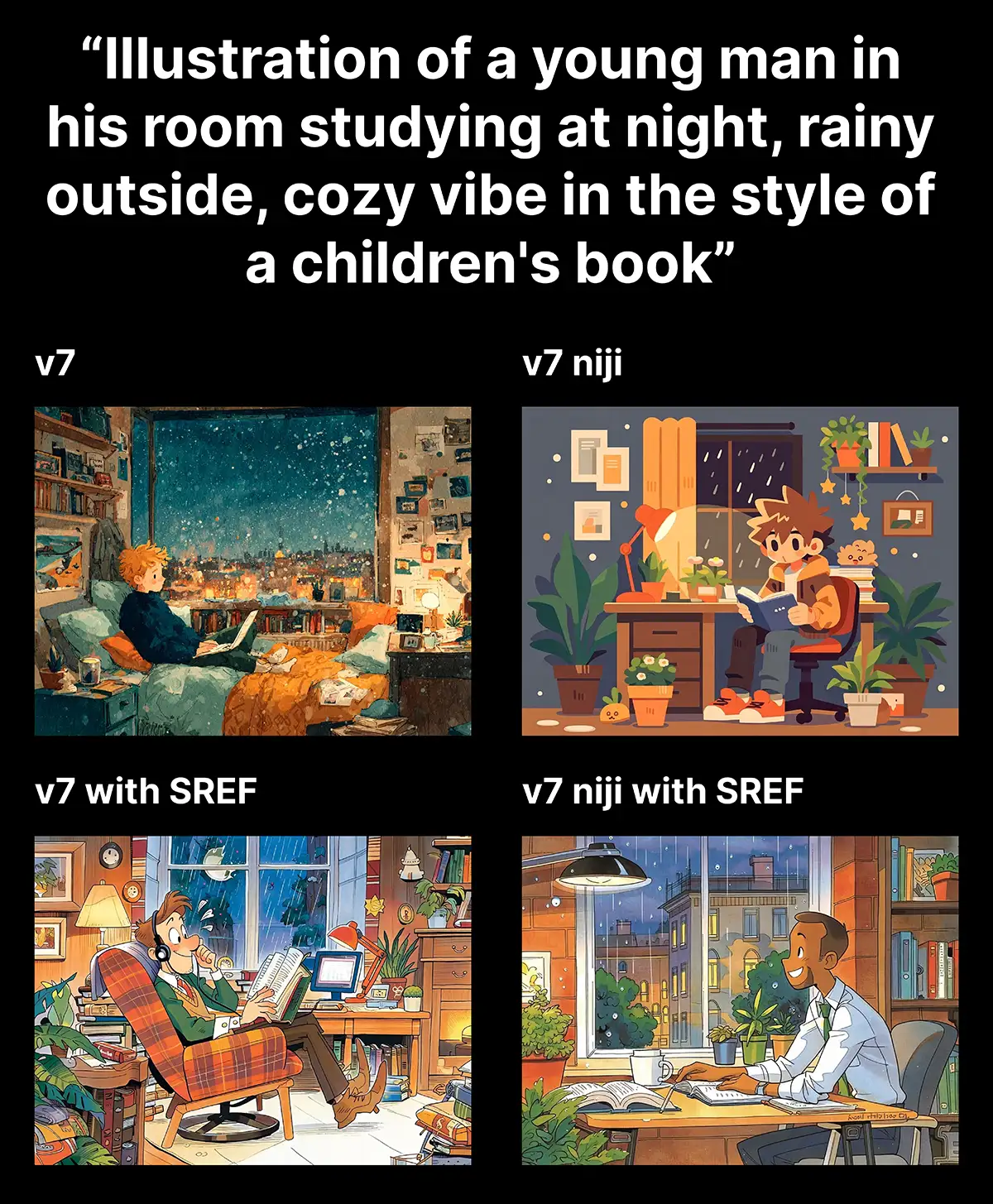
Next, I wanted to see how it would interact with a style that’s explicitly NOT anime, so I added this to the prompt:
“…in the style of a children’s book”
1. Midjourney v7 (Standard)
The standard model nailed the brief. It looked like a modern whimsical illustration you’d see in a bookstore. Soft edges, warm lighting, very western in its artistic influence.
2. Midjourney v7 + Style Reference
Again, adding the --sref tightened up the look, locking it into the specific visual language of the reference image I provided. It felt consistent and professional.
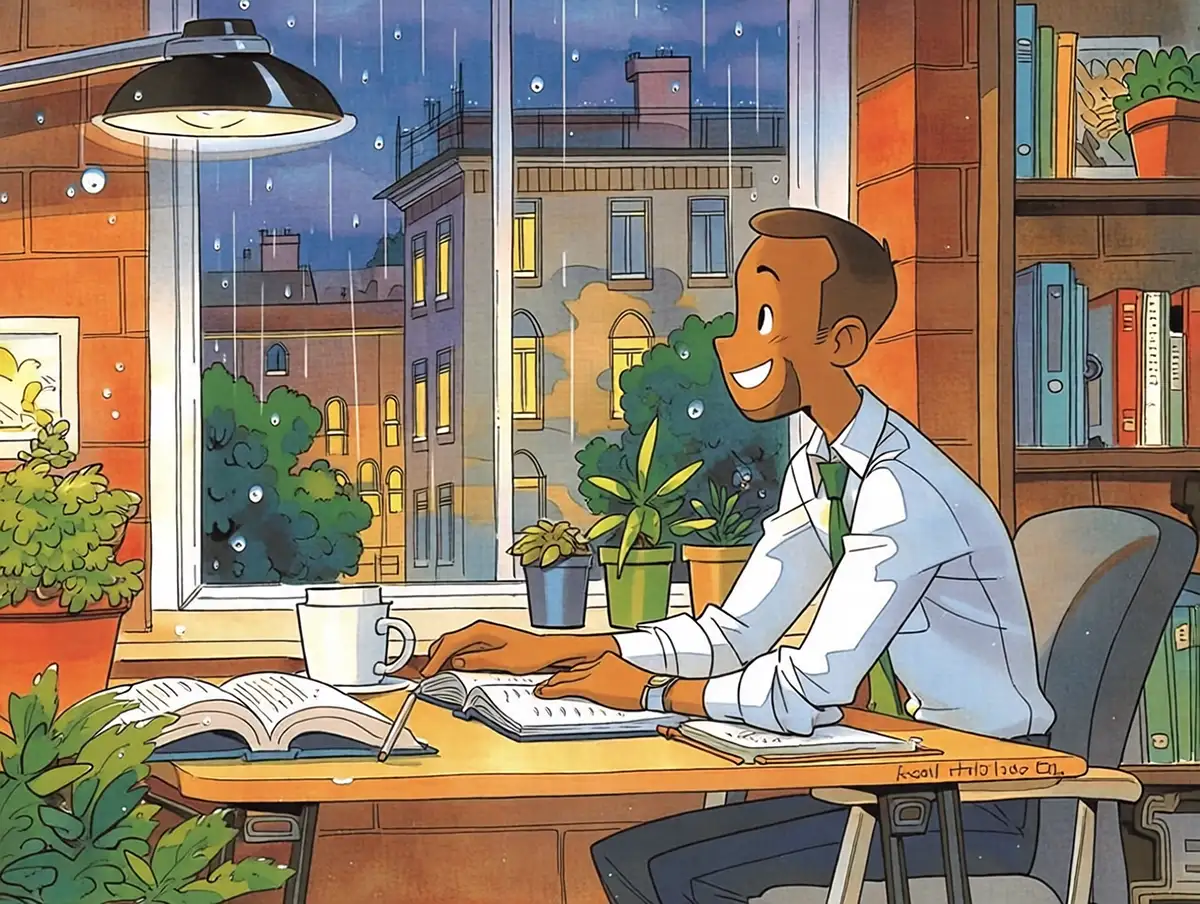
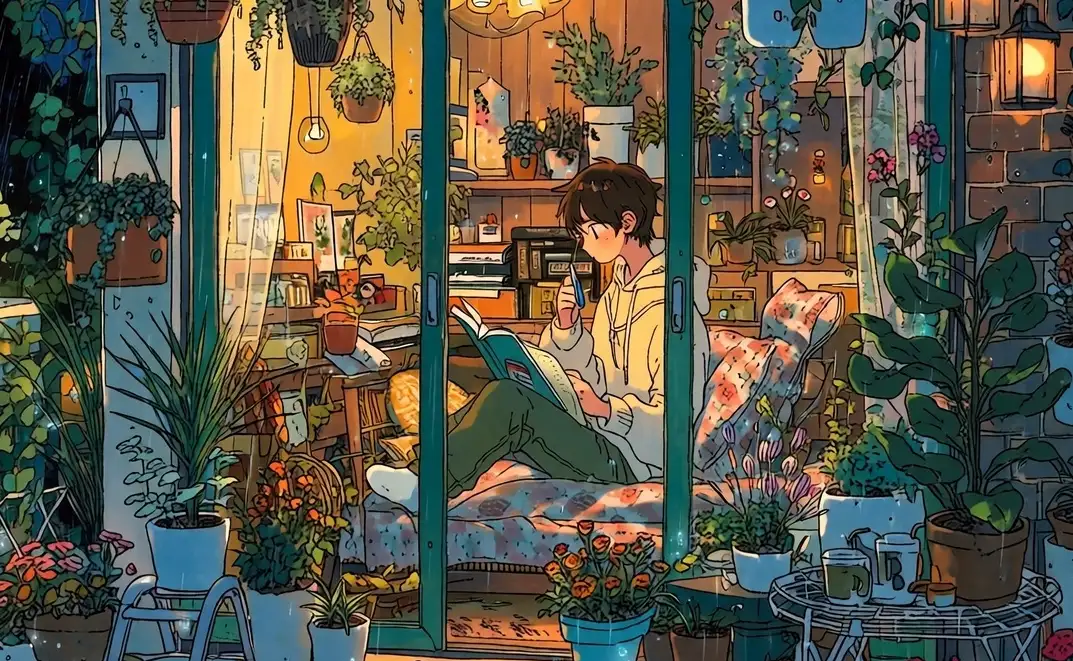
3. Midjourney v7 + Style Reference + Niji Mode
Once again, Niji stepped in with its own opinion.
Despite the prompt explicitly asking for a “children’s book” style, and despite the style reference, Niji v7 injected that anime flavor. The character looked like a protagonist from a slice-of-life series. The “children’s book” vibe was there, but it was filtered through an anime lens.
The Verdict
After testing these variations, the conclusion is clear: Midjourney v7 Niji is definitely a big improvement over Niji v6. The quality, lighting, and coherence are super impressive.
Essentially, Niji adds an “anime flavor” to everything. It doesn’t matter if you have a strong style reference or a specific prompt – Niji will bend the geometry, the facial features, and the composition toward that anime aesthetic.
Who is this for?
-
If you want Anime/Manga aesthetics: This is your new best friend. It is hands down the best model on the market for this specific look. It’s cleaner and more stylish than the base model.
-
If you want neutral or western styles: You might find it of limited use. It’s “opinionated” software—it wants to draw things a certain way, and it’s hard to fight it.
If you are looking to build a pipeline that requires strict style adherence without the anime bias, you might want to stick to the standard model or explore workflow combinations with ComfyUI.