In the current creative landscape, your website is more than a digital portfolio—it’s the central hub of your business. It’s your lead-generation tool, your storefront, your archive, and your primary marketing channel. With AI changing workflows at an incredible speed, the platform you build this hub on matters more than ever. It needs to be powerful, flexible, and aligned with how you actually work. This is where the decision between established players like Squarespace and newer, design-centric platforms like Framer becomes critical.
This isn’t just about picking a template anymore. It’s about choosing a creative partner that can keep up with the demands of a modern creative career. Do you need an all-in-one, reliable system that lets you focus on your craft, or do you need a tool that offers limitless design freedom and integrates AI at its core? Let’s break down the real-world differences to help you decide which platform will serve your professional goals best.
What is Squarespace?
Squarespace is a well-established, all-in-one website builder known for its award-winning templates and ease of use. Think of it as a complete operating system for your online presence. It bundles hosting, domains, e-commerce, blogging, and analytics into a single, straightforward package. For years, it has been the go-to choice for photographers, artists, and writers who need a polished, professional website without writing a line of code or getting bogged down in technical maintenance. The entire philosophy is built around providing a curated, high-quality experience where the technical side of running a website fades into the background, letting your work take center stage. You can find it at squarespace.com.

What is Framer?
Framer started its life as a high-fidelity prototyping tool for UI/UX designers, and that DNA is evident in its current form as a website builder. It’s a design-first platform built for creatives who think visually and demand granular control. Framer operates on a freeform canvas, much like design tools such as Figma or Sketch. It’s built for creating highly custom, interactive, and responsive websites directly from a design-like interface. Its biggest differentiator is the deep integration of AI, allowing you to generate and iterate on entire websites with text prompts. It’s the platform for designers and tech-savvy creatives who want to build a site that looks exactly as they envisioned, with no compromises. You can find it at framer.com.
How Creative Professionals Can Use The Products
This is where the rubber meets the road. How do these platforms function in a real creative workflow? It comes down to your priorities: control vs. convenience, and design vs. deployment speed.
Design and Customization
Squarespace: Structured Freedom
Squarespace is built on a template-based system. You start by choosing a professionally designed template that serves as your foundation. From there, you customize it with your own branding, content, and imagery.
Their latest editor, Fluid Engine, offers a significant leap in flexibility. It’s a grid-based, drag-and-drop system that allows you to place content blocks (text, images, galleries) with much more precision than their classic editor. You can overlap elements, create more dynamic layouts, and have fine-tuned control over mobile-specific designs.
However, you are still working within the guardrails of the Squarespace system. You can’t, for instance, create entirely custom animations for every single element on the page. The customization is powerful, but it’s contained within the platform’s toolset. This is a strength for creatives who want to ensure a professional, cohesive result without needing a degree in web design. It prevents you from making a mess.
Framer: Absolute Control
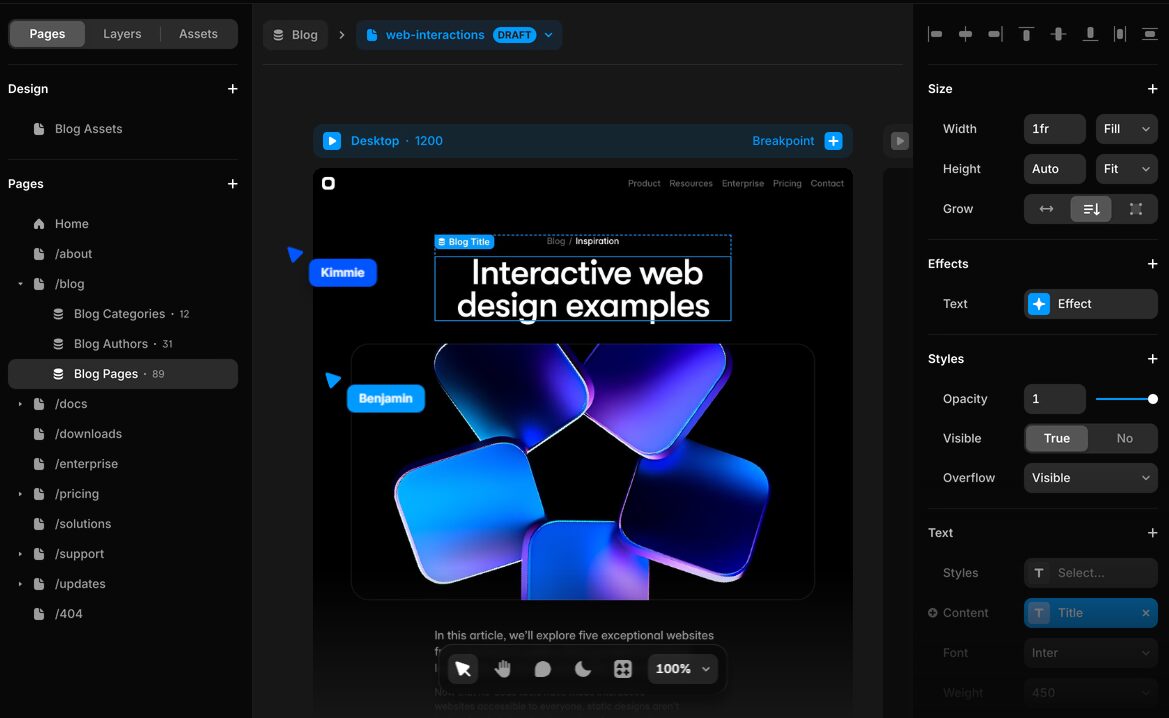
Framer offers a completely different paradigm. It presents you with a blank canvas, similar to opening a file in Figma. There are no pre-set template constraints. Every element, from a navigation bar to a button, is an object you can place and style with absolute precision.
This is where Framer shines for designers. You have direct control over:
- Layout and Responsiveness: You can set precise styling for every breakpoint (desktop, tablet, mobile). Instead of letting the template dictate the mobile look, you are in the driver’s seat, ensuring your design is perfect on every device.
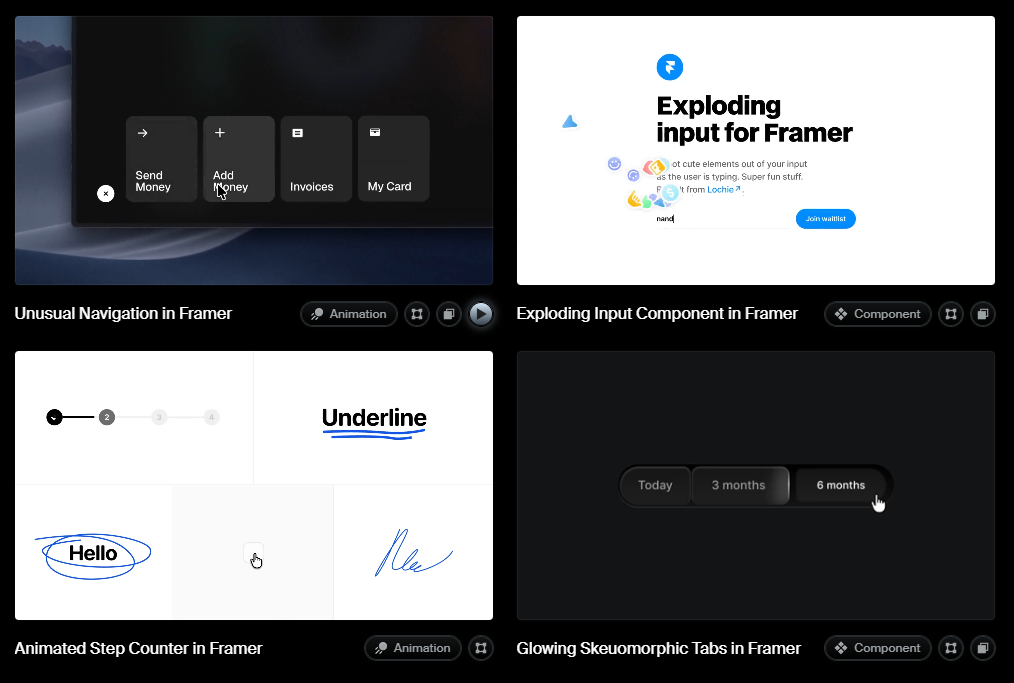
- Interactions and Animations: Framer has a robust, built-in system for creating complex animations. You can add scroll effects, entrance animations, and hover states to any element without needing plugins or custom code.
- Typography and Spacing: You get CSS-level control over typography, including custom font uploads, and can manage spacing with pixel-perfect precision using stacks and grids—concepts familiar to any UI designer.
The workflow for many is to design a site in Figma and then use Framer’s Figma-to-HTML plugin to import the design directly into Framer, turning a static design into a live website in minutes.
AI Capabilities
Squarespace AI
Squarespace has integrated AI primarily as a content-generation assistant. Within any text block, you can use Squarespace AI to write or refine your copy. You can give it a prompt to draft an artist statement, write product descriptions, or brainstorm blog post ideas. It’s a useful feature for overcoming writer’s block and speeding up content creation, but it’s an add-on to the existing workflow rather than a core component of the building process.
Framer AI
Framer has put AI at the very core of its product. You can start a new project by simply typing a prompt describing the website you want. Framer AI will generate a complete, multi-page starting point with unique copy, imagery, and layout. This is a massive accelerator. You can go from a blank page to a fully designed, responsive website in under a minute.
From there, the AI remains your partner. You can select any section and prompt the AI to change its design, rewrite the copy to fit a different tone, or translate it into another language. This iterative process—generate, refine, tweak—is incredibly powerful for creatives who want to experiment with different concepts quickly without starting from scratch each time.
Portfolio and Gallery Features
Squarespace: Best-in-Class Galleries
This is an area where Squarespace has a long and proven track record. It offers a wide variety of stunning, pre-built gallery blocks perfect for showcasing visual work. Photographers and visual artists will find layouts like:
- Grid Galleries: Classic, masonry, and offset grids that are easy to configure.
- Carousels and Slideshows: Full-screen and full-bleed options that make a powerful visual impact.
- Portfolio Pages: Specialized page types that allow you to create beautiful project case studies with a mix of images, video, and text.
The system is optimized for high-resolution images, and features like right-click protection and image focal point controls are built right in, making it a turnkey solution for a professional portfolio.
Framer: Limitless Customization
Framer doesn’t have “gallery blocks” in the same way Squarespace does. Instead, it gives you the tools to build any kind of gallery you can imagine. You can use its powerful CMS (Content Management System) to manage your projects and then design a completely custom layout to display them.
Want a gallery where images animate on scroll and reveal project details on hover in a unique way? You can build that in Framer. Want to create a filterable case study grid based on custom tags like “Branding” or “Photography”? You can do that too. This requires more setup than dragging a gallery block onto a page, but the tradeoff is total creative freedom. It’s a platform where you can build a portfolio that is as unique as your work itself.
E-commerce and Blogging
Squarespace: An All-in-One Solution
If you plan to sell products—be it prints, digital downloads, or services—Squarespace offers a mature, fully integrated e-commerce platform. You can manage inventory, process payments, and calculate shipping all within your site’s dashboard. It’s robust and ready to go out of the box.
Similarly, its blogging engine is one of the best in the business. It’s a straightforward, powerful tool for creating and managing content, which is essential for any creative professional’s marketing efforts.
Framer: Integrations Required
Framer does not have native e-commerce functionality. To sell products, you’ll need to integrate a third-party service like Gumroad, Lemon Squeezy, or Shopify Buy Buttons. This is a perfectly viable workflow, but it means managing your products and payments on a separate platform.
For content, Framer has a powerful CMS that can be used for blogging. It’s incredibly flexible, allowing you to create custom fields and structure your content exactly how you want. However, for a simple blog, it can feel like overkill compared to Squarespace’s more traditional, user-friendly blogging interface.
The Bottom Line: Is Squarespace or Framer for You?
The choice here is clear once you define your priorities. There’s no single “best” platform; there’s only the platform that’s best for you and your workflow.
Choose Squarespace if…
You are a photographer, artist, writer, or any creative professional whose primary goal is to showcase your work in a polished, professional, and reliable way without a steep learning curve. You want a powerful all-in-one system that handles your portfolio, blog, and online store seamlessly. You value beautiful, proven templates and a straightforward building process that lets you focus on creating your work, not on designing a website from scratch. It’s for the creative who wants to get online quickly and effectively with a platform that just works.
Choose Framer if…
You are a UI/UX designer, brand designer, or a tech-savvy creative who demands complete and total control over the design of your website. You are comfortable with concepts used in design software like Figma and want to apply them to the web. You want to build a highly custom, interactive site with unique animations and a pixel-perfect responsive layout. You are excited by the prospect of using AI to accelerate your workflow, from generating initial designs to refining copy. It’s for the creative who sees their website as a design project in itself.