Higgsfield AI just dropped a new app called Angles 2.0, which as you’d guess from the name allows you to create new angles from an existing image.
Maybe you wish you’d stepped two feet to the left. Maybe you need a high-angle shot for a vertical social crop, but you only generated a wide eye-level frame… Angles 2.0 aims to solve that problem.
I took it for a spin- here’s the breakdown of how it works, what I loved, and where it falls short.
The Setup: A Virtual Vans Shoot
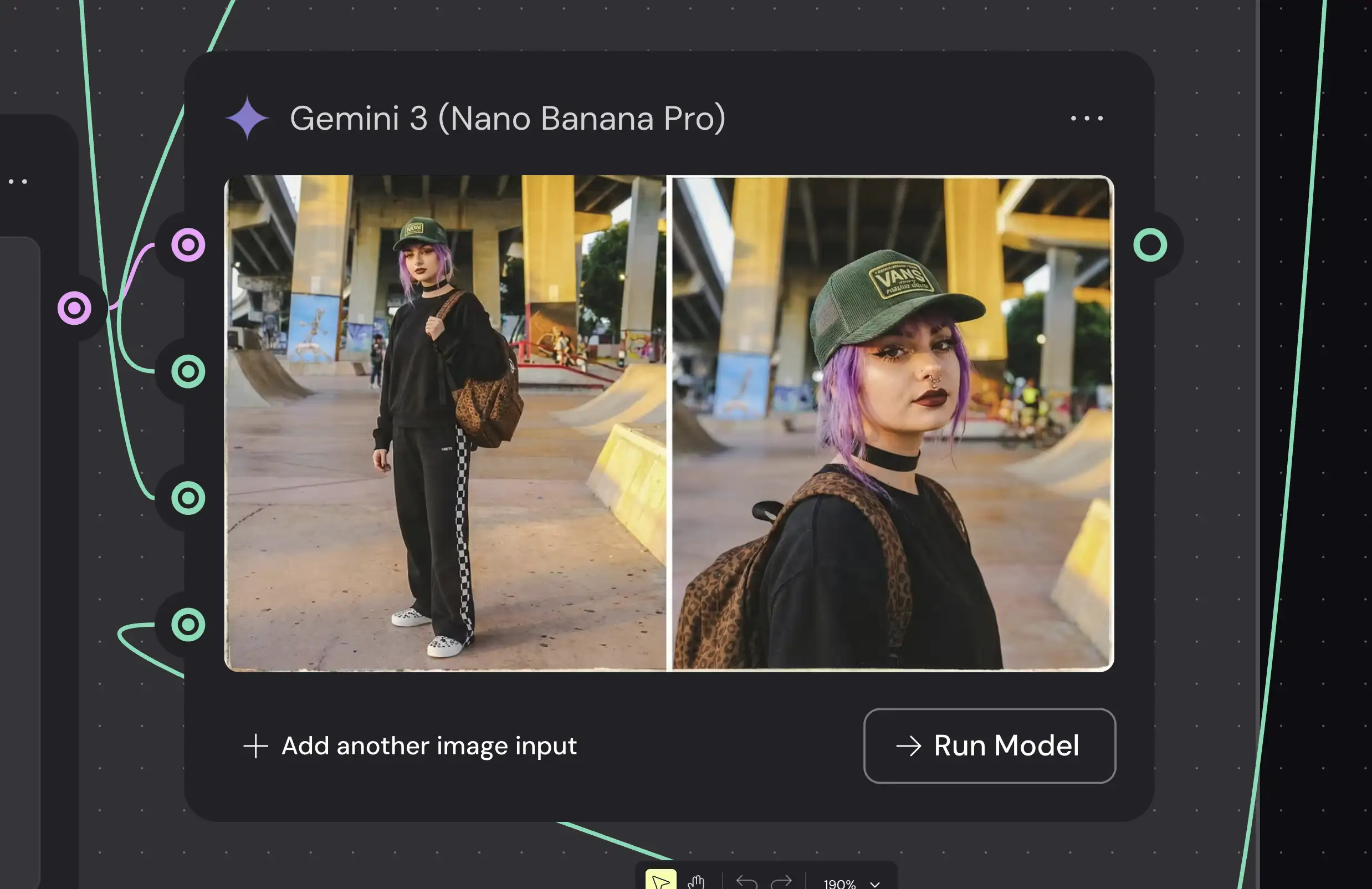
To test this out, I used a project I’ve been building in Weavy: a virtual product shoot.
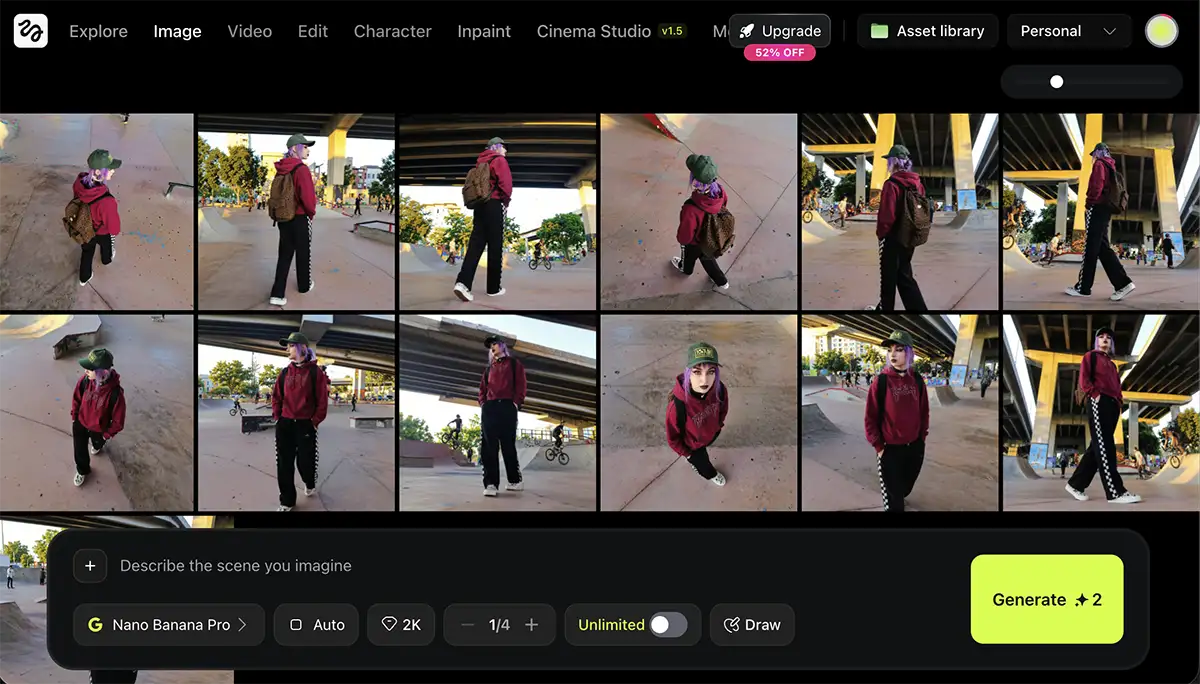
I had this shot of a skater girl in a burgundy hoodie at a skatepark. I really liked the “golden hour” lighting and the texture of the concrete, but for the layout I was building, I needed more variety. I needed to see her from above, and I needed a few side profiles to tell a complete story.
Instead of trying to brute-force new angles via complex prompting, I decided to drop the image into Higgsfield Angles 2.0.
How It Works
The interface is incredibly intuitive—honestly, it’s one of the best UI implementations I’ve seen for this kind of control.
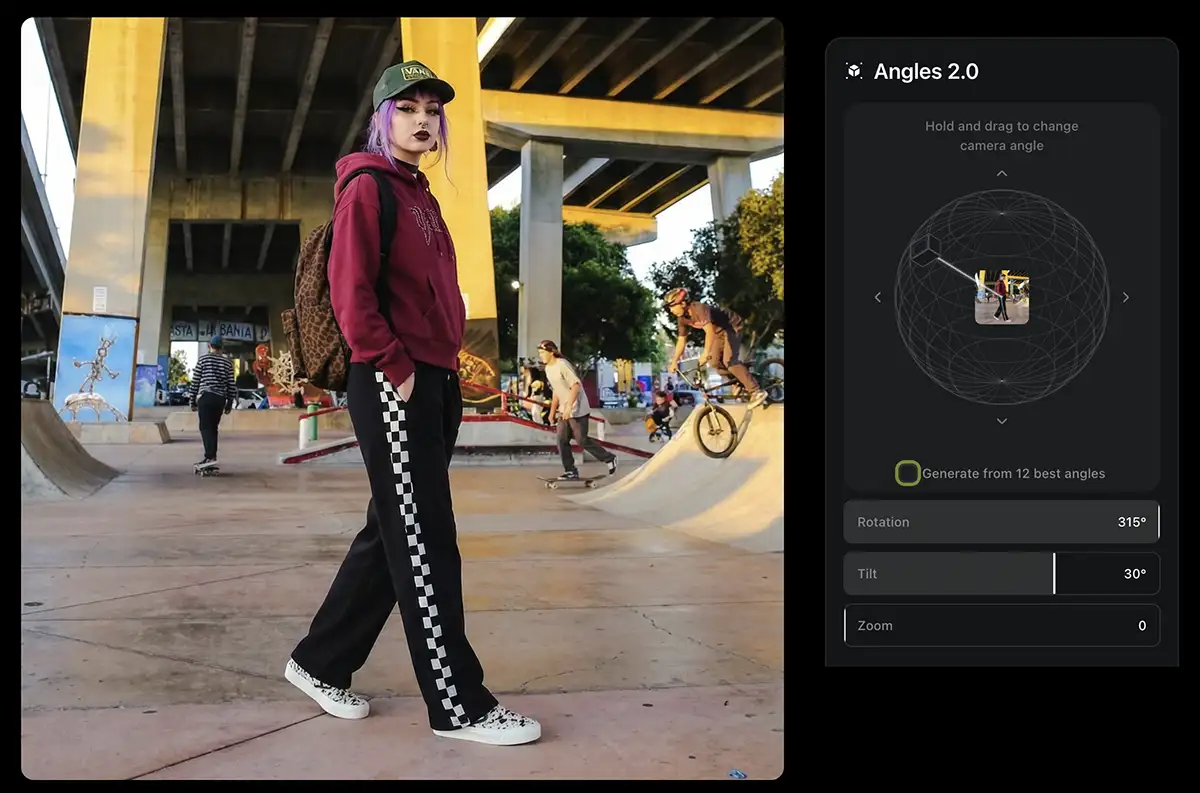
Once you upload your image, Higgsfield gives you a 3D wireframe sphere around your subject. It’s not just a slider; it’s a visual representation of 3D space. You literally grab the camera icon on the screen and drag it to where you want the new shot to be taken from.
-
Manual Control: You can rotate, tilt, and orbit the “camera”
-
Generate 12 Angles: There’s also a checkbox to “Generate from 12 best angles,” which automatically spits out a contact sheet of the subject from every direction.
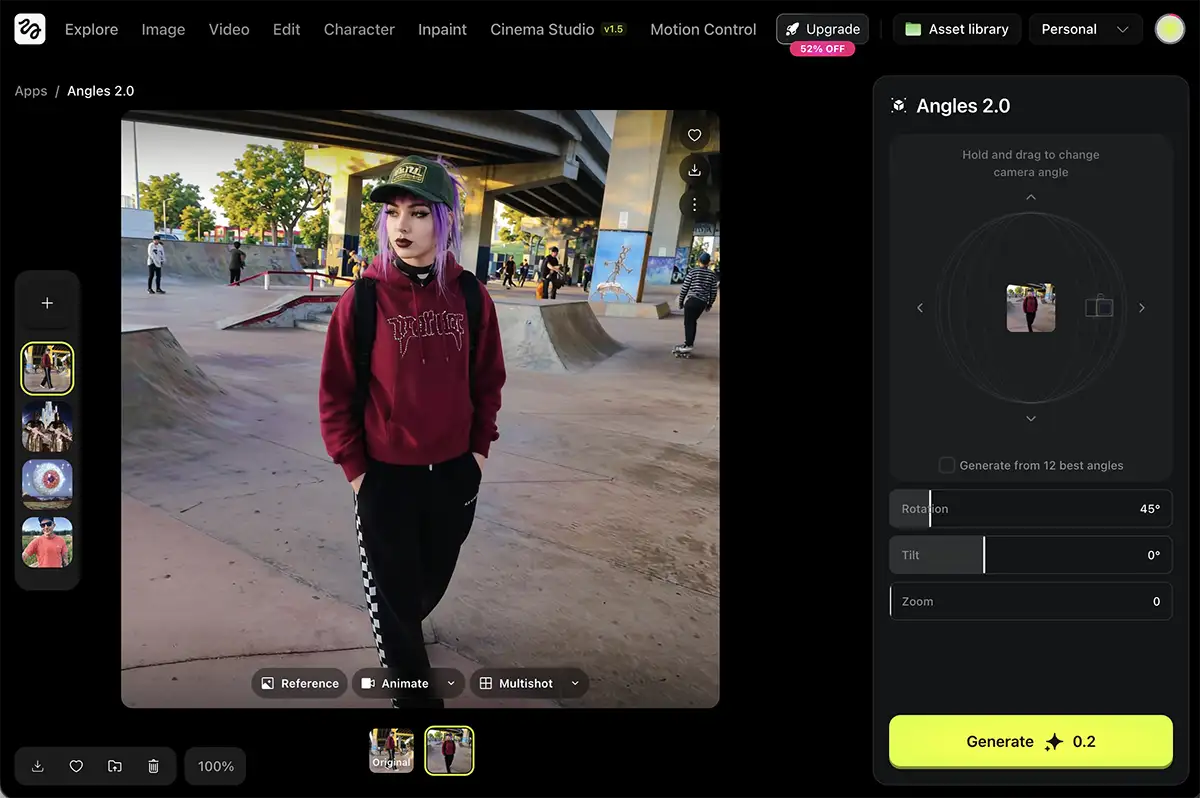
I pulled the camera up for a high-angle look and hit Generate (takes a few seconds – it’s not realtime).
The Results
The quality is extremely good.
Under the hood, this is essentially a “Nano Banana wrapper.” If you’ve read my articles on Nano Banana Pro, you know it’s currently the best models for consistency and reasoning. Angles 2.0 is taking that raw power and putting a beautiful, user-friendly skin on it.
The new images showed up instantly in my Higgsfield library. The character consistency was spot on – same hoodie, same checkered pants, same makeup… just from a new angle.
The Good
-
The UI is King: The 3D sphere is intuitive. For photographers who think in terms of “where am I standing,” this makes sense instantly.
-
It’s Cheap: At only 0.2 credits per image, it is very affordable to experiment. You can churn out 100+ variations for the cost of a coffee.
-
Ecosystem Integration: Once you have that new angle, you can immediately jump into other Higgsfield apps. I took a few of the new shots and ran them through Relight and Skin Enhancer without leaving the platform.
-
Quality: Because it’s built on Nano Banana, the output doesn’t feel like a cheap filter. It feels like a photograph.
The Bad
-
Resolution: This is my biggest gripe. The output resolution is currently capped at the same size as the original input. For most pro work, you’ll want to run these through an upscaler in a second step.
-
Workflow Friction: While the UI is nice, it’s still a separate app. If you are a power user building complex node trees in ComfyUI or Weavy, having to export an image, upload it to Higgsfield, generate, and bring it back is a bit of a hassle.
-
Subscription: You do need a Higgsfield subscription (starting around $9/mo) to use it. If you’re already paying for Weavy or other pro tools, it’s another line item on the credit card.
The Verdict
Higgsfield Angles 2.0 is extremely well done.
They have managed to take a complex technical process (re-rendering a subject from a new perspective) and make it feel like you’re just moving a camera in a video game.
Who is this for? If you are a creator who needs to iterate fast – social media managers, mood board creators, or art directors – this is a no-brainer. If you already have a Higgsfield subscription, you should absolutely be using this.
Who can skip it? If you are a hardcore ComfyUI or Weavy power user, you can build similar workflows yourself (as I’ve shown in previous tutorials). You might not need this app, but even then, sometimes it’s nice to just drag a slider and get the shot without wiring up nodes.
PS – Checked out Higgsfield Vibe Motion or Kling 3 yet?