The first wave of generative AI was a slot machine. You’d type a prompt into a chat box, pull the lever, and hope for a jackpot. It was novel, and sometimes you’d get lucky. But for professional work, “getting lucky” isn’t a strategy. Creative direction demands precision, iteration, and control—three things the chatbot model fundamentally lacks. Regenerating an entire image just to change the lighting is inefficient and unpredictable. It breaks the creative flow and is useless for complex production pipelines where consistency is non-negotiable.
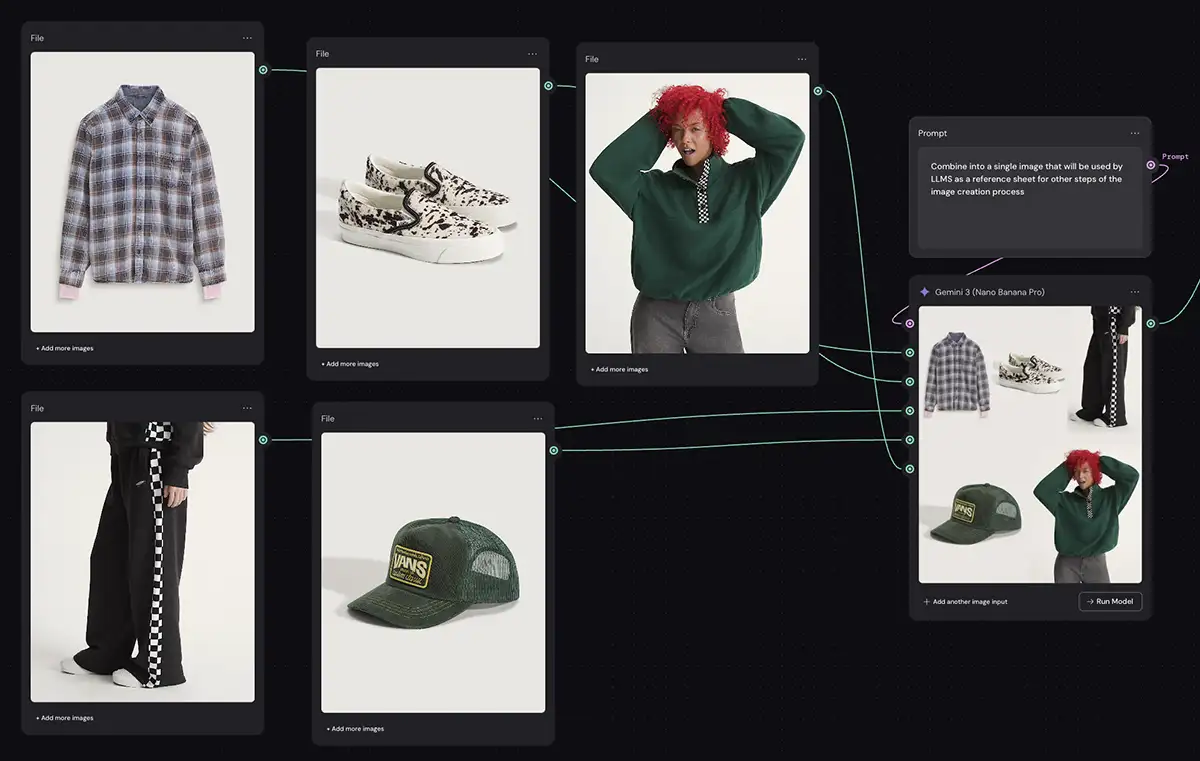
The industry is rapidly moving beyond that simple, linear interface. The new frontier is the “intelligent canvas”—a workspace that merges the procedural power of node-based editors with the flexibility of an infinite whiteboard. This isn’t about just “prompting” anymore; it’s about visual programming. You’re no longer just asking for a picture; you’re architecting a system to produce the exact asset you need, every single time. These platforms give you a transparent look at the creative process, a “glass box” where you can see and control every step, from initial concept to final render. For any creative professional serious about integrating AI into their workflow, understanding these tools isn’t optional—it’s the new baseline.
What Are Generative AI Canvas Apps?
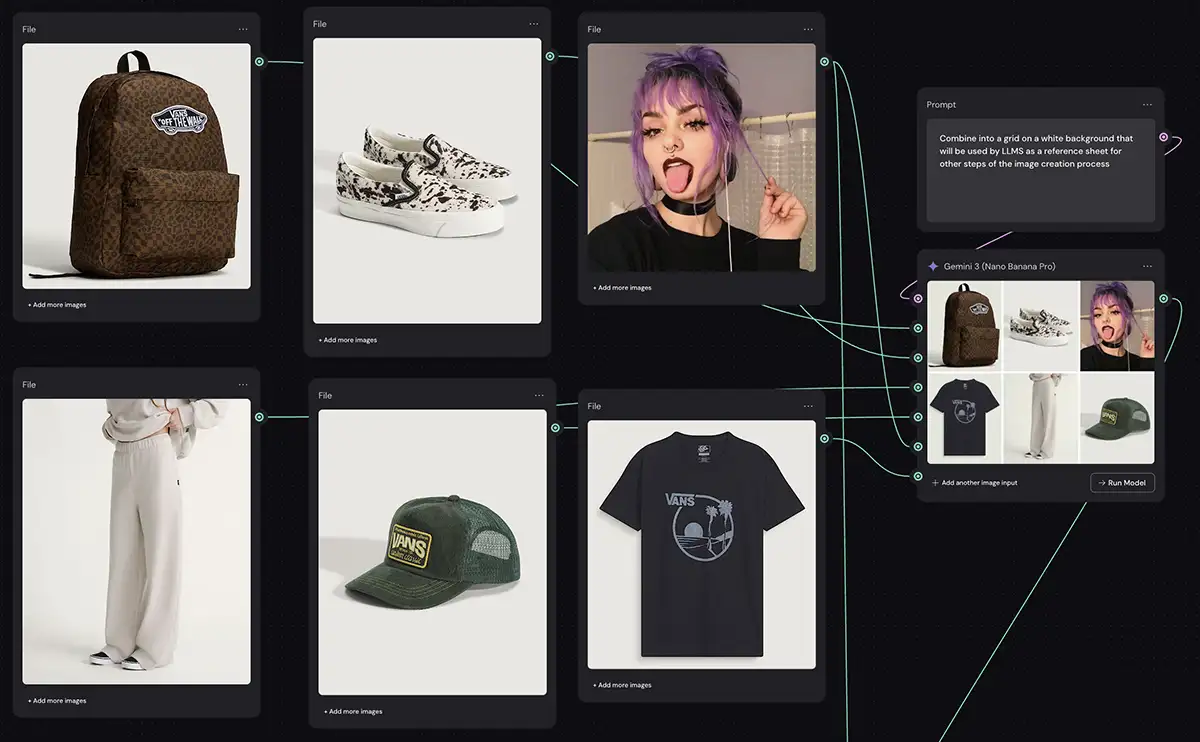
At their core, generative AI canvas apps transform the creative process from a linear command into a dynamic, visual workflow. Instead of a text prompt being the beginning and end of the interaction, it’s just one component in a larger system you design on a canvas.
Think of it like the node-based systems in high-end VFX software like Nuke or Houdini, but built for the speed and flexibility of modern generative models. On an intelligent canvas, an image isn’t a static, final object. It’s a mutable asset that flows through a pipeline of operations you define. You might start with a text prompt node, feed its output into a ControlNet node to lock the composition, run that through a LoRA node to enforce a specific style, and then branch the result into three different upscaling nodes to compare results.
This approach gives you a level of granular control that’s impossible with chat-based tools. You can isolate and manipulate specific attributes—color grade, character identity, depth of field—independently. It’s a non-destructive workflow that allows for endless iteration. You can visualize the entire genealogy of an asset, create multiple variations from any point in the chain, and collaborate with your team on the same visual blueprint. This shift is turning creative directors into system architects who build reusable, brand-compliant “design machines,” and operators who can then use those machines for high-level ideation without going off-brand.
Most Popular Generative AI Canvas Apps
Weavy
Figma’s acquisition of Weavy and its rebranding as Figma Weave is a defining moment for the design world. Figma is already the operating system for interface design, and by embedding a powerful, node-based generative engine directly into its platform, it’s making a definitive statement: asset generation and interface design are no longer separate processes.
Features, Capabilities, and Limitations
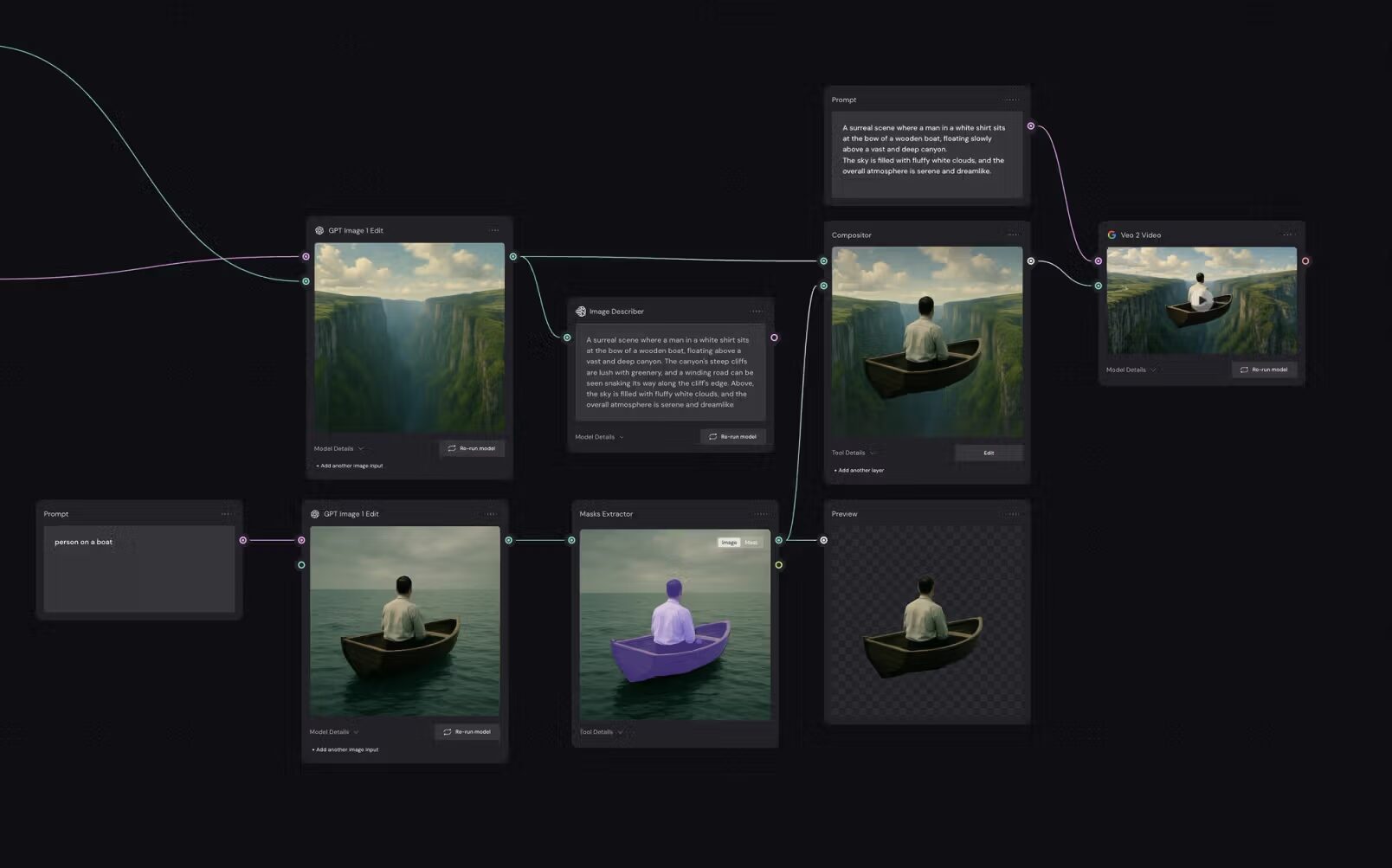
Weavy’s power comes from its hybrid architecture. It combines generative AI with classic, deterministic compositing tools. You can generate a character with a diffusion model node, then feed that output directly into a traditional “Curves” or “Levels” node for color grading, all within the same graph. Its “App Mode” is a standout feature, allowing technical leads to build a complex node graph and then publish it as a simplified interface for other team members or clients. A social media manager, for example, could get a simple form for “Product Name” and “Background Color,” while a sophisticated network of IP Adapters and ControlNets runs in the background. Weave is also model-agnostic, integrating with services like fal.ai to give you access to a massive library of open-source and proprietary models.
More on Weavy:
- Weavy FAQs
- How to clone any image style in Weavy
- Virtual product shoot in Weavy
- Weavy vs ComfyUI
- Weavy vs Flora
Pros and Cons
- Pros:
- Very easy to use for people who are familiar with node-based workflows from After Effects, MAX/MSP, Nuke, etc
- The integration of traditional editing tools provides deterministic control over probabilistic AI outputs.
- You can build just about any workflow you want, and integrate almost every AI model
- Cons:
- A bit of a learning curve for users who aren’t used to thinking this way and/or haven’t used a node-based app before
- Advanced parameters that power users crave for fine-tuning aren’t always there compared to ComfyUI
- Since it’s browser-based, extremely complex node graphs can tax performance vs a native desktop application
Flora (FloraFauna)
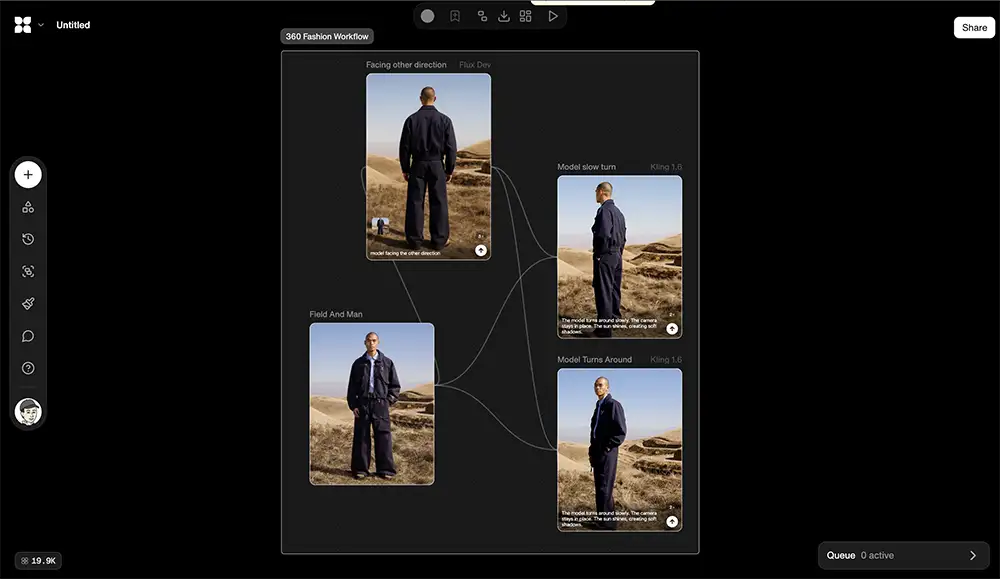
Flora positions itself as a tool for “visual thinking,” aimed more at high-level creative direction than just raw image synthesis. Its interface is built around “Flows”—pre-configured node templates designed for specific industries like fashion, architecture, or filmmaking. This approach is designed to combat the “blank canvas paralysis” that can strike when faced with a new, empty node editor. Instead of starting from scratch, a filmmaker can load a “Storyboarding Flow” that already has the necessary nodes for character consistency and scene generation pre-populated.
Features, Capabilities, and Limitations
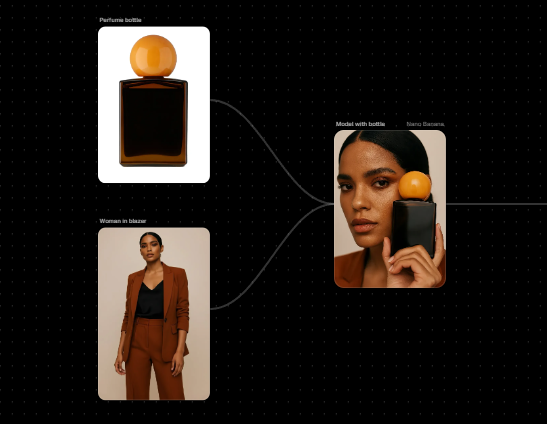
Flora’s strength is in narrative consistency. Its “Story Analysis” feature can ingest a script and generate a sequence of consistent shots by using an LLM as the “brain” of the node graph to interpret scene context. This makes it incredibly powerful for pre-visualization. It excels at maintaining character identity across multiple frames by properly integrating LoRAs and treating character as a constant variable. It also has sophisticated “Style Extraction” nodes that can analyze a reference image and apply its aesthetic—lighting, color, texture—across an entire campaign.
Pros and Cons
- Pros:
- Industry-specific “Flows” drastically reduce setup time and provide immediate value and make it more beginer-friendly
- The platform’s narrative-focused tools are superior for anyone working in story-driven media.
- Its highly visual, Miro-like infinite canvas fosters ideation and makes it easy to explore multiple creative directions at once.
- Cons:
- Users have noted that the credit system can be opaque, especially for video generation, leading to unexpected costs. While its video features are useful, they can feel basic compared to dedicated video platforms, sometimes lacking granular camera controls.
- And though recent updates have improved performance, very large node graphs can still be demanding on browser resources.
Freepik Spaces
Freepik, long known as a massive library of stock photos and vectors, has strategically pivoted with Freepik Spaces. Instead of just selling assets, they now provide the platform to create them. Spaces is explicitly designed to be a more accessible, cloud-based alternative to the open-source power of ComfyUI. It removes the two biggest barriers to entry for advanced AI: the hardware requirement and the steep learning curve. By running everything in the cloud, you can execute workflows that would normally require a high-end GPU on a standard laptop.
Features, Capabilities, and Limitations
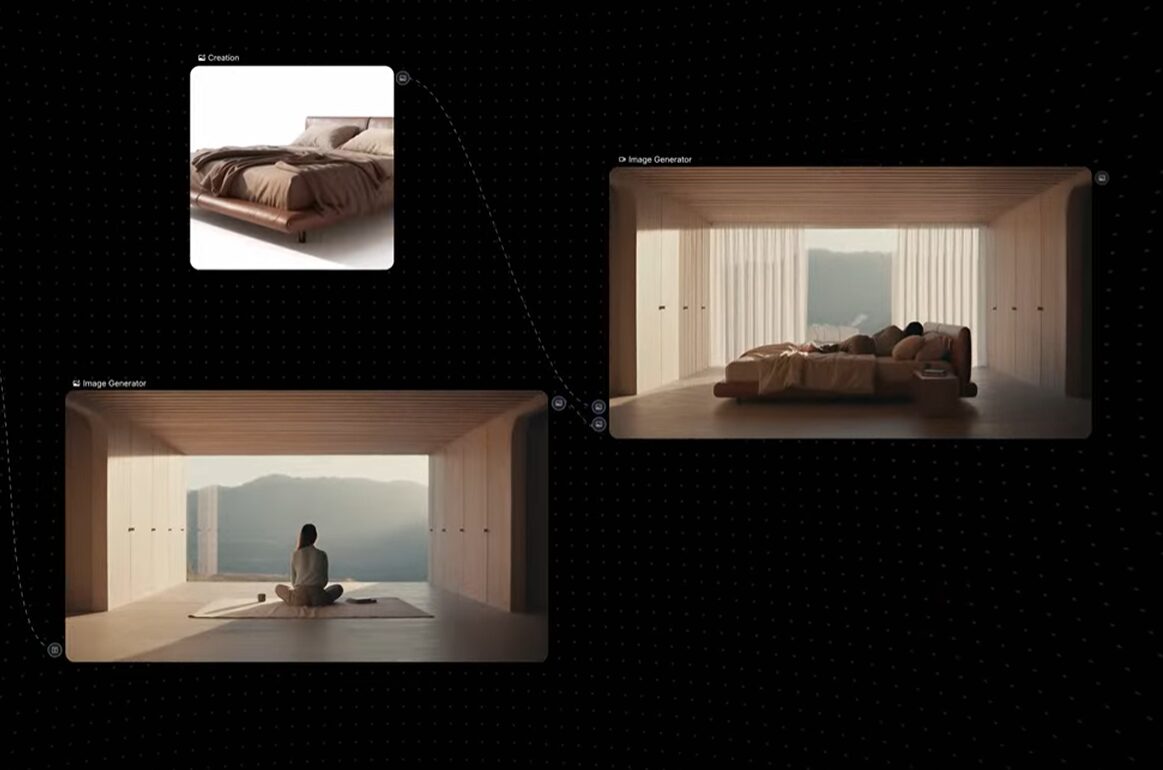
The killer feature for Freepik Spaces is its seamless integration with Freepik’s enormous stock asset library. You can pull a “Stock Image Node,” search for a professionally shot composition, and pipe that directly into a ControlNet to guide your AI generation. This solves the “cold start” problem and ensures your outputs are built on a solid compositional foundation. It’s also one of the only tools in this category to offer real-time, Google Docs-style collaboration, where multiple users can work on the same node graph simultaneously. It supports a range of models, including video models like Wan 2.5 capable of generating 1080p video with audio.
Pros and Cons
- Pros: Cloud-based compute makes advanced AI accessible to everyone, regardless of their local hardware. Real-time multiplayer editing is a game-changer for remote teams. The synergy with a massive stock asset library provides an endless source of high-quality starting material.
- Cons: The workflow is heavily geared toward using Freepik’s stock library, which might feel restrictive if you want to use purely custom assets. Like other user-friendly platforms, it abstracts away some of the deepest technical parameters, which may frustrate artists who need absolute control. Generating video in the cloud can also involve queue times, slowing down rapid iteration.
Krea
Krea has carved out its niche by focusing relentlessly on one thing: speed. Its entire architecture is optimized for real-time, low-latency generation. Using Latent Consistency Models (LCMs), Krea Nodes lets you see the impact of your changes—a new word in a prompt, a quick brush stroke on the canvas—almost instantly. This transforms the creative process from a turn-based request-and-wait cycle into a fluid, continuous feedback loop, enabling a state of improvisational flow that’s impossible on slower platforms.
Features, Capabilities, and Limitations
Krea’s real-time capability opens the door for interactivity. You can pipe a webcam feed or a screen capture directly into a node graph, allowing your physical movements or live sketches to drive the AI generation. This has made it a favorite for live visual artists and interactive installations. It’s also known for its powerful “Logo Illusion” and patterning features, which use ControlNet to seamlessly embed logos or patterns into complex scenes. Krea’s canvas is truly multi-modal, allowing you to blend image, video, 3D object, and audio nodes in a single cohesive workspace.
Pros and Cons
- Pros: Instantaneous feedback enables a true “flow state” of creativity. Its versatility with live inputs like webcams makes it best-in-class for interactive and performance-based art. The multi-modal canvas is excellent for creating complex mixed-media projects.
- Cons: The trade-off for speed is often resolution; real-time models can lack the fidelity of slower ones, and high-quality final outputs usually require a separate upscaling step. Generated video clips are typically short, limiting its use for longer-form narrative content without significant external editing. The computational cost of real-time video can also burn through credits quickly.
Leonardo.ai
Leonardo.ai differs from the node-based tools on this list. Instead of a procedural graph, it offers a layer-based “Unified Canvas” that functions more like Photoshop with generative capabilities. It is designed for users who want spatial control over their image—moving elements, erasing borders, and extending backgrounds—without managing a complex web of nodes and wires.
Features
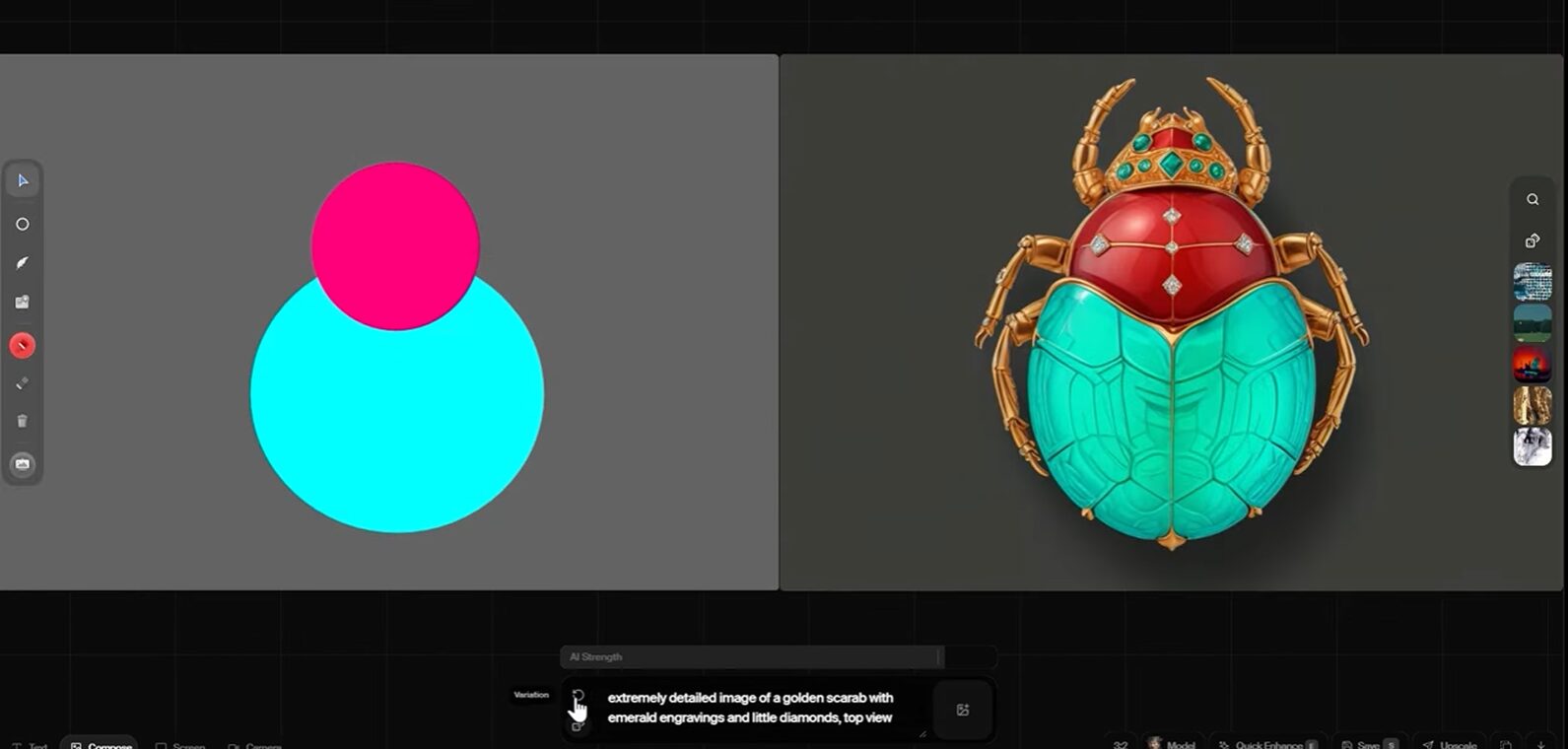
Leonardo’s “Realtime Canvas” allows you to draw on a whiteboard and see a generated image update instantly as you sketch. This creates a tight feedback loop for concepting, similar to Krea but with more robust drawing tools.
The “Unified Canvas” is the primary workspace for editing. It supports Inpainting (changing specific parts of an image) and Outpainting (extending the canvas) using a familiar brush and layer interface.
The platform recently introduced “Blueprints.” These are not node graphs you build yourself but pre-configured workflows for specific tasks, such as product photography or character consistency. They function as advanced presets that chain multiple steps together in the background.
Pros and Cons
-
Pros: The interface is immediately familiar to anyone who has used traditional design software. The Phoenix model offers excellent text rendering and prompt adherence. It provides granular control over specific regions of an image through masking and layers.
-
Cons: It lacks the procedural flexibility of a true node-based system. You cannot easily reuse a complex modification pipeline on a new asset. Blueprints are currently static presets rather than a customizable logic system.
Which Generative AI Canvas Is Right for You?
The best tool is the one that fits your specific workflow. Forget the hype and focus on the output you need to deliver.
- For Branding and UI/UX Agencies: Figma Weave is the clear choice. Its integration into the Figma ecosystem is undefeated. The ability to build brand-safe generators with “App Mode” and immediately use assets in your UI mockups will consolidate your workflow immensely.
- For Film, Animation, and VFX Pre-production: Flora is built for you. Its focus on narrative consistency, story analysis, and pre-configured “Flows” for storyboarding makes it the strongest option for developing visual narratives and establishing a cohesive look.
- For Marketing and Social Media Teams: Freepik Spaces or Leonardo.ai. Freepik gives you speed and an endless supply of starting material from its stock library, perfect for rapid commercial work. Leonardo’s superior text-in-image generation and simple, powerful motion tools are optimized for creating content that performs on social feeds.
- For Experimental Artists and Tech-Focused Studios: Krea or a self-hosted ComfyUI setup. Krea’s real-time capabilities are unmatched for interactive installations and live performance art. For absolute, granular control and pushing the technical boundaries of the medium, nothing beats the raw power of ComfyUI.