


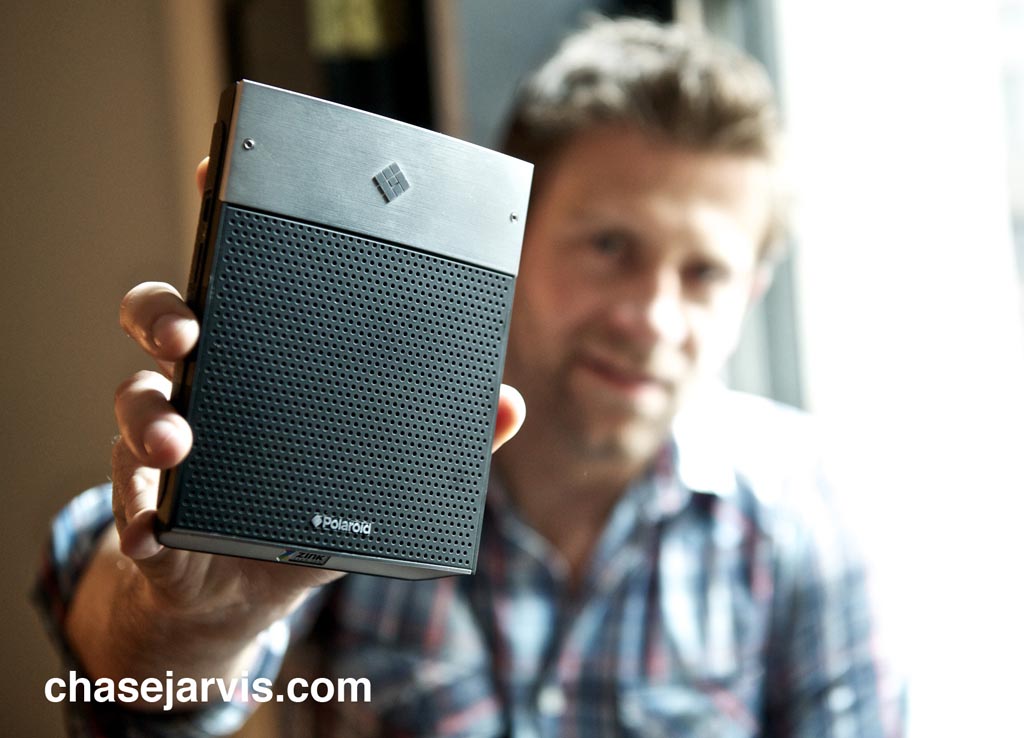
The Polaroid GL10 Mobile Instant Printer
The GL10 (I’ve been fondly calling it the Polaprinter) was designed to be the center of attention at any party, and as a mechanism to easily print the images we’re all making everyday on our mobile phones, point-and-shoots, etc. Until you’ve actually handed one of your friends a print from their 21 run, from a 2am escapade on the dance floor, from the birthday bash, or last night’s dinner party, you might not get it. But from that point on, you will. These days a little print is a rare treat. Now we’ve finally got some photos to put back on the fridge rather than leaving them locked up in a thumb drive or on Facebook.
So the GL10 is great for all that, but since I’ve been able to talk rather openly about it since January…[hit ‘continue reading for more images & links]…you know it’s been a fresh little workhorse for me. I created the first piece of fine art with this new printer back in January (which I’m proud to say immediately sold to a patron on the board at the Seattle Art Museum) and–more recently–it’s one of the tools I have been using it to print the ongoing Dasein: Invitation to Hang show here in NYC. She’s a worthy steed. And until you’ve printed bunches with her, you’ll have to take my word how nice it is to A) never have to futz with formatting a basic snapshot before hitting ‘print’; and B) never have to shell out bank for costly ink cartridges that ultimately just add to the landfills.
Here’s the nuts and bolts you wanna know about the GL10:
_it prints on 3×4 inch Zink (zero-ink) paper
_the Zink paper comes–in heritage Polaroid fashion–in packs of 10 sheets
_it prints in two formats: full bleed or with the traditional Polaroid frame
_it is USB and bluetooth enabled for printing from computer or mobile phone
_is battery operated OR can be plugged in
If you’re a tech-spec geek, you’ll want to check on the tech sites in forthcoming days for all the detailed info. You should know that there’s desktop software available AND mobile app software in the dev pipeline. Also, to date, Apple has still not released its Bluetooth API for printing, so sadly the iPhone doesn’t enjoy the benefits of other platforms for direct printing. I’m…ahem…banking all that gets worked out soon.
Wanna buy one? They’re available for pre-order now at Polaroid.com for $169.99 OR if you’re really jonesing for one: I’ve heard they will be on shelves this morning in limited quantities in an exclusive sneak peek at Bloomingdale’s on Lexington Ave here in NYC. They’re in the Mens Accessories section. GL10 availability at Bloomingdale’s isn’t being highlighted to general public until later this morning when they unveil some posh storefront windows displays (check those out tomorrow if you’re into that sort of stuff), but by then you’ll probably have gobbled all of the printers up anyway.
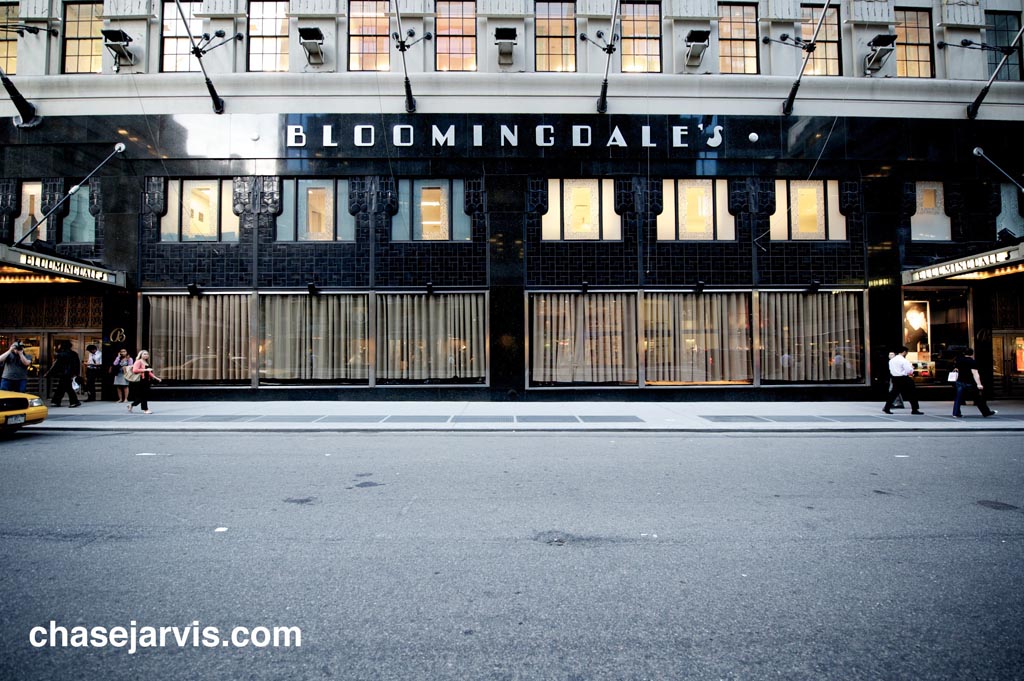
Set to be unveiled tomorrow here on Lexington Ave. But you found out today.


Updated: here’s a couple snapshots of the prints with my iphone. Obviously no technical analysis here, just to give you flavor.
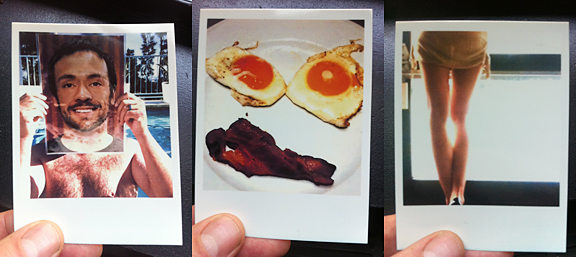






I’m wondering if they improved the quality of the Zink paper, about a year and a half ago I bought the Polaroid Pogo which uses the same technology and made some prints (unfortunately the device got stolen as it was really cool) and hanged them on a wall, in the meantime they have curled badly and don’t look as nice as the day I printed them.
Any idea if the problem is still persistent?
In the post before this one I noticed that the prints on Ace Hotel wall look like they have serious curling problems, and was wondering about this too.
Any idea on when we can see more on the GL30 Camera?
i’ve played around with it. sexy. watch this space and you’ll be the first to know….again 😉
What’s the difference between that and the Polaroid pogo?!
I wondered the same thing. Apparently the Pogo prints on 2×3 Zink paper ($13USD per 30 prints) that turn into stickers if you peel off the backing. The new GL10 prints on 3×4 Zink paper (reported to be $20USD per 30 prints). I found more information on Zink.com. Apparently it’s available in 4×6 as well (requires Pandigital device).
Ahh so it’s a bigger pogo. I have a pogo, but this looks better… so do the prints.
I don’t get it.. why not just use a polaroid camera?
@rebekah: these are to print digital prints outta your phone, p&s, etc. for those folks not lucky enough to have a polaroid camera or folks whose primary camera is…ahem…the one thats with them 😉
Very cool – thanks for the heads-up! I may have to grab one of these once it hits stores nationwide.
How is the quality of the prints btw?