The AI video landscape of late 2025 is a battlefield. The initial novelty of generating surreal, unstable clips has given way to an industrial-grade arms race. It’s no longer about who can generate pixels; it’s about who can integrate those pixels into a professional workflow. For creative professionals, this isn’t a game. It’s about finding tools that are reliable, controllable, and economically viable.
In this arena, you have the giants like OpenAI’s Sora 2 and Google’s Veo 3, building closed, high-fidelity “world simulators” deeply embedded into enterprise ecosystems like Microsoft 365 and Adobe Premiere Pro. But a different kind of challenger has emerged, one built on speed, user control, and aggressive economics. That challenger is Kuaishou’s Kling AI video generator, and it has become the quiet workhorse for independent creators who need to get the job done without a corporate budget.
What Exactly Is Kuaishou Kling?
Kling is a text-to-video AI model developed by Kuaishou, a Chinese technology firm. On the surface, it does what the others do: you type in a prompt, and it generates a video clip. But its core distinction, and the reason it matters to working creatives, is its obsessive focus on user control.
You can find the platform at kling.kuaishou.com.
Unlike the more black-box approaches of its competitors, Kling was designed with a “Professional Mode” that provides a level of granular camera control that moves video generation from a game of chance to an act of direction. This is a tool that acknowledges the user is a filmmaker, not just a prompter. Kuaishou’s rapid iteration cycle—pushing from version 1.0 to 2.5 Turbo in a remarkably short time—shows a responsiveness to the real-world needs of creators, a trait often missing from larger, slower-moving corporations.
How Can Creative Professionals Use It?
Kling’s value isn’t in being a perfect world simulator. Its value is in being a practical, controllable tool for specific production tasks. You don’t use a hammer to drive a screw, and you don’t use Kling for every AI video task. Here’s where it excels and how to leverage it.
Master Granular Camera Control with Professional Mode
This is the killer feature. Most AI video generators treat camera movement as a suggestion. You add “panning left” to a prompt and hope the model interprets it correctly. This “slot machine” workflow is unacceptable for any project where precision matters.
Kling’s Professional Mode blows this up by externalizing camera controls. It gives you a dedicated interface with parameter sliders and negative prompts to define and restrict motion. You can specify:
- Pans, Tilts, and Rolls: Dial in the exact movement you need, from a slow, creeping pan to a dramatic Dutch angle roll.
- Zooms: Control the speed and direction of your zoom, creating a smooth dolly zoom or a rapid crash zoom.
This deterministic control makes Kling a viable tool for pre-visualization. You can mock up an entire sequence with the specific camera moves you plan to shoot, providing a far more accurate representation of the final product than a static storyboard. For motion graphics artists and videographers creating B-roll, it means you can generate clips with the precise motion needed to fit into an existing edit.
Win the Economic Battle
For freelancers and independent studios, budget is everything. The consumption-based pricing of competitors is brutal for the creative process, which requires iteration. At roughly $0.50 per second for Sora 2 and $0.75 for Google’s Veo 3, the cost of experimentation can kill a project before it starts. Generating a dozen 10-second clips to find the perfect one could cost you over $60.
Kling’s strategy is a direct attack on this model. It uses a credit-based subscription that is vastly more affordable. A “Pro” subscription runs about $25.99 per month for around 3,000 credits. This completely changes the dynamic. It moves AI video generation from a precious resource to be carefully rationed into a workhorse utility you can use freely.
This economic difference is a workflow feature. It means you can afford to experiment. You can run hundreds of variations on a prompt to dial in the perfect look, test different camera moves, and build a library of assets without the fear of “bill shock” at the end of the month. This low barrier to entry has made it the default tool for creators who need to produce high-volume content for platforms like YouTube and TikTok.
Balance Visual Fidelity vs. Temporal Consistency
No tool is perfect, and it’s critical to understand Kling’s limitations. Its primary strength is in its Visual Fidelity. The model is exceptionally good at generating rich textures, cinematic lighting, and natural human movement in short bursts. For clips up to about five seconds, the output can look phenomenal, often surpassing competitors in its aesthetic quality.
However, Kling struggles with Temporal Consistency on longer clips. As a generation extends past the 5- or 10-second mark, you’ll notice background details begin to blur or morph. Characters in a crowd scene might lose coherence or de-sync. An object on a table might subtly change shape.
The actionable takeaway is this: use Kling for what it’s good at. It is an elite tool for creating short, impactful B-roll, dynamic shots for a montage, or atmospheric clips. It is less reliable for generating a long, continuous master shot where every detail must remain perfectly stable from beginning to end.
Leverage the 2.5 Turbo Update for Editorial
The release of Kling 2.5 Turbo was a direct response to the needs of editors and social media creators. The “Turbo” designation signifies a focus on rapid inference, balancing output quality with generation speed so you can iterate even faster.
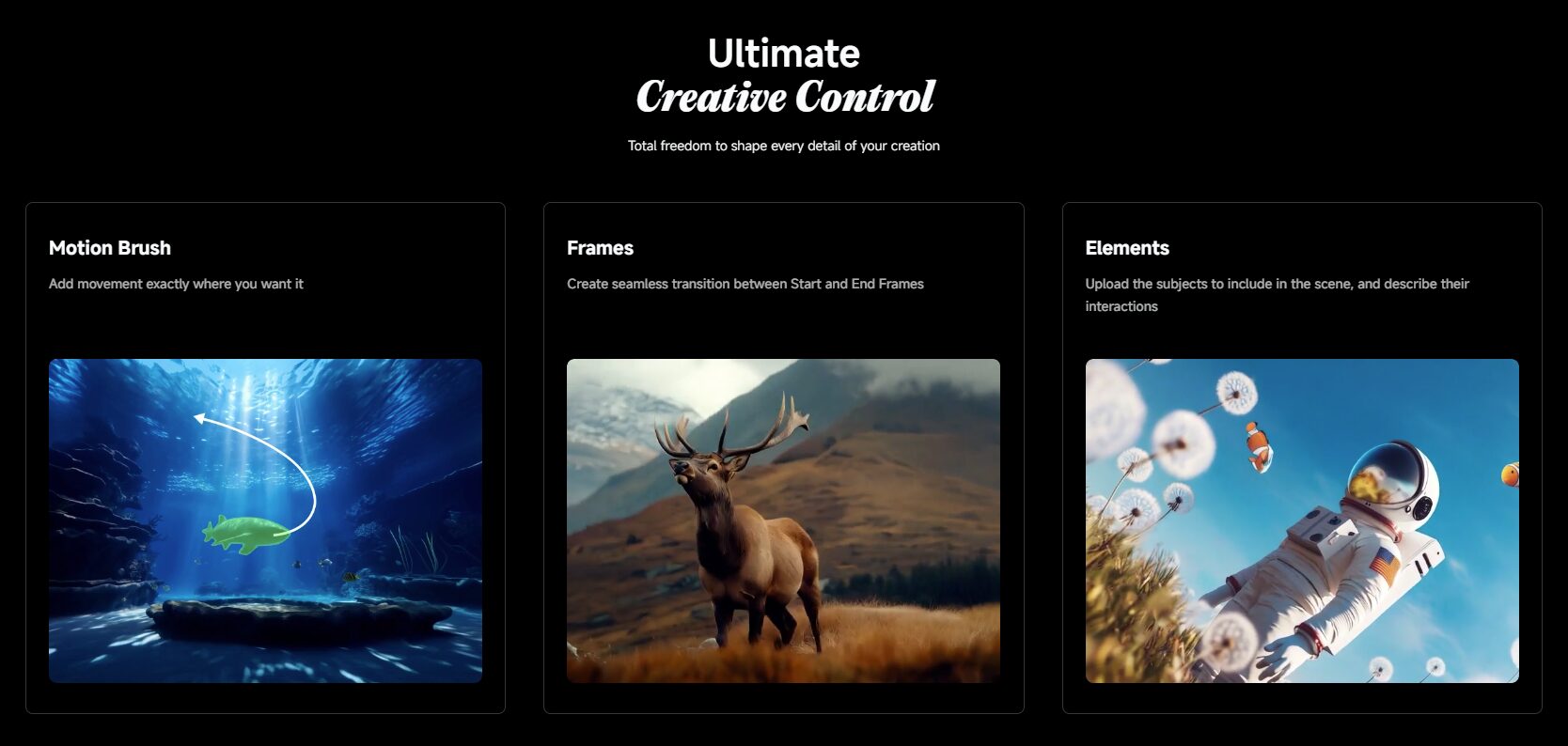
More importantly, this update introduced Start and End Frame control. This allows you to define the exact visual state of the first and last frames of your clip. For any editor, this is a massive feature. One of the biggest challenges in assembling a sequence from AI-generated clips is managing the jarring transitions. With this feature, you can ensure a clip starts on a wide shot and ends on a close-up, allowing it to be cut seamlessly against the next shot in your timeline. It’s a professional feature that demonstrates an understanding of post-production workflows.
Know Your Place in the Broader AI Ecosystem
The era of using a single tool is over. The smart workflow in 2025 is a hybrid pipeline. Kling is a critical component, but it’s not the whole story. A successful “AI Orchestrator” knows when to use which tool:
- For Native Transparency: If you need to generate a VFX element like smoke, fire, or a character on a transparent background for compositing, Kling can’t do it. You need Alibaba’s Wan Alpha, the only major model purpose-built with a native alpha channel. Its open-source nature also means you can run it locally on a consumer GPU like an NVIDIA RTX 4090.
- For 3D Integration: If your goal is to integrate 3D elements (like text, models, or UI) with AI footage, Kling will make your life difficult due to its unstable camera perspective. The superior tool here is Runway Gen-4, which can export the 3D camera tracking data as a JSON or FBX file. You can then import this data directly into Blender, After Effects, or Cinema 4D for a perfect composite.
- For Narrative Storytelling: If you need to generate a full “scene” with multiple shots (a wide, a medium, a close-up) that maintain character consistency, Kling will require you to generate and stitch multiple clips. ByteDance’s Seedance 1, integrated into VEED and CapCut, is designed for this “Native Multi-Shot Storytelling” and understands the grammar of editing within a single prompt.
- For Unmatched Aesthetics: If the goal is pure visual beauty and texture in a single frame, Midjourney remains the undisputed king. Its Image-to-Video feature starts with a superior aesthetic base, even if the resulting motion is simpler than Kling’s.
Is Kuaishou Kling Right for You?
Here’s the bottom line.
Kling is the right tool for you if you’re an independent filmmaker, a social media content creator, a motion designer, or a videographer who values direct, hands-on control and needs the freedom to iterate endlessly without going broke. It is for the professional who needs a workhorse to generate high-quality, controllable B-roll and pre-visualization shots, and who understands its limitations for longer narrative takes.
It is NOT for you if you work in an enterprise environment that demands deep integration with the Adobe or Microsoft ecosystems—that’s OpenAI’s Sora 2 territory. It’s not for you if your project requires pixel-perfect object consistency in takes longer than 10 seconds, or if your primary need is generating VFX assets with transparent backgrounds. Try Grok if you want fast, fun animations.
If your workflow demands granular camera control and the freedom to experiment, Kling is your new go-to. If you need a completely integrated, physics-perfect world simulator for a top-tier pipeline, you need to look elsewhere. Choose the right tool for the job.