If you’ve been following the explosion of generative AI, you’ve probably hit the same wall I have. You spend an hour tweaking a prompt in Midjourney, rolling the dice over and over. You finally get the perfect lighting, the perfect film grain, and that intangible vibe you were chasing—but the specific details are wrong. The text is gibberish. The branding is off. The prop in the subject’s hand looks like an alien artifact.
So you switch to a more controllable model, maybe something like Nano Banana or a fine-tuned Stable Diffusion checkpoint. You get the details right, but the soul is gone. The lighting looks flat. The texture feels digital.
Here’s the hard truth: No single AI tool can do it all.
Today, I’m going to show you how to break out of the “prompt and pray” cycle by combining the two most powerful tools in the game right now: Midjourney for aesthetics and Nano Banana Pro for precision.

Slightly weird, vibey images like this are VERY hard to make with anything besides Midjourney
Treat AI models like specialized tools
In traditional photography, we use different lenses for different jobs. You don’t shoot a wide landscape with a macro lens, and you don’t shoot a portrait with a fisheye (unless you’re going for a very specific look).
We need to treat AI models the same way.
-
Midjourney is your “Director of Photography.” It understands composition, lighting, style references, and mood better than anything else on the market. It’s an aesthetic engine.
-
Nano Banana Pro (especially when used inside a node-based canvas like Weavy) is your “Prop Master” and “Retoucher.” It understands specific objects, text, and coherence.
When you use them together, you get the best of both worlds: unbeatable vibes with pixel-perfect details.
The Case Study: 90s Underground Metal
To show you how this works, let’s look at a recent project. The concept was simple: a raw, low-fidelity, documentary-style shot of a fan outside a death metal show in the early 1990s.
Step 1: The Base (Midjourney)
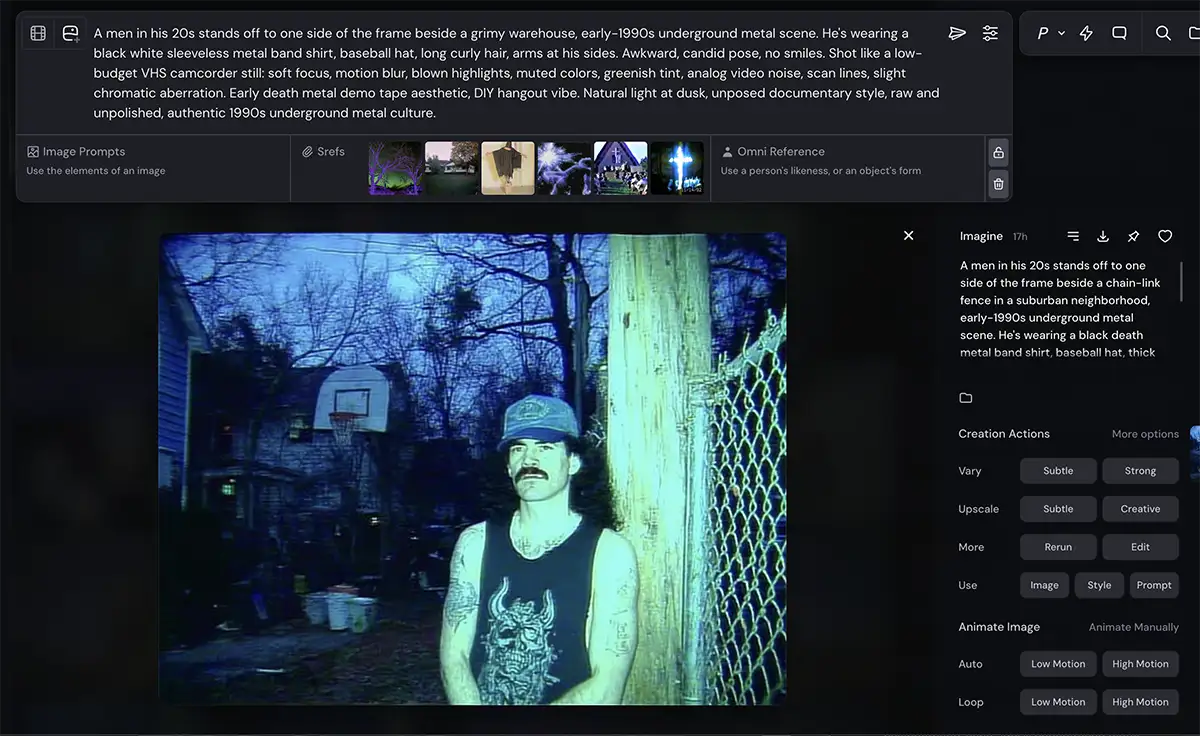
I started in Midjourney because I needed that specific “bad camcorder” look. I didn’t just want a picture of a guy; I wanted the texture of a degraded VHS tape.
I used a prompt that focused entirely on the aesthetic: “soft focus, motion blur, blown highlights, greenish tint, analog video noise.” I also used Style References (sref) to lock in that specific crunchy, digital-analog hybrid look.
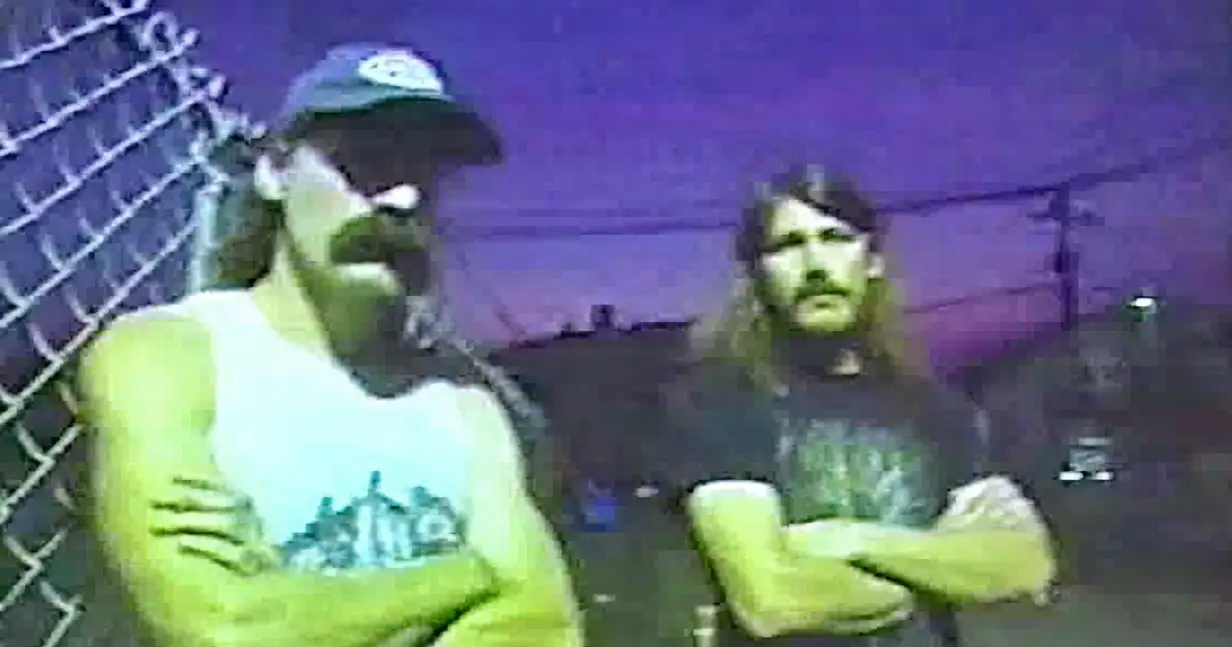
Here is the result:
The Good: The vibe is incredible. The lighting is harsh and direct, the background has that perfect suburban spookiness, and the noise feels authentic.
The Bad: Look at the shirt. It’s a generic, gibberish illustration. If you’re trying to evoke a specific subculture, details like this kill the authenticity immediately. A real metalhead knows that logo is fake.
In the past, you might have spent hours in Photoshop trying to warp a logo onto that shirt, or re-rolling the prompt 500 times hoping Midjourney would spell “Morbid Angel” correctly (spoiler: it won’t).
Step 2: The Fix (Nano Banana + Weavy)
Instead of fighting the tool, I moved the asset into Weavy.
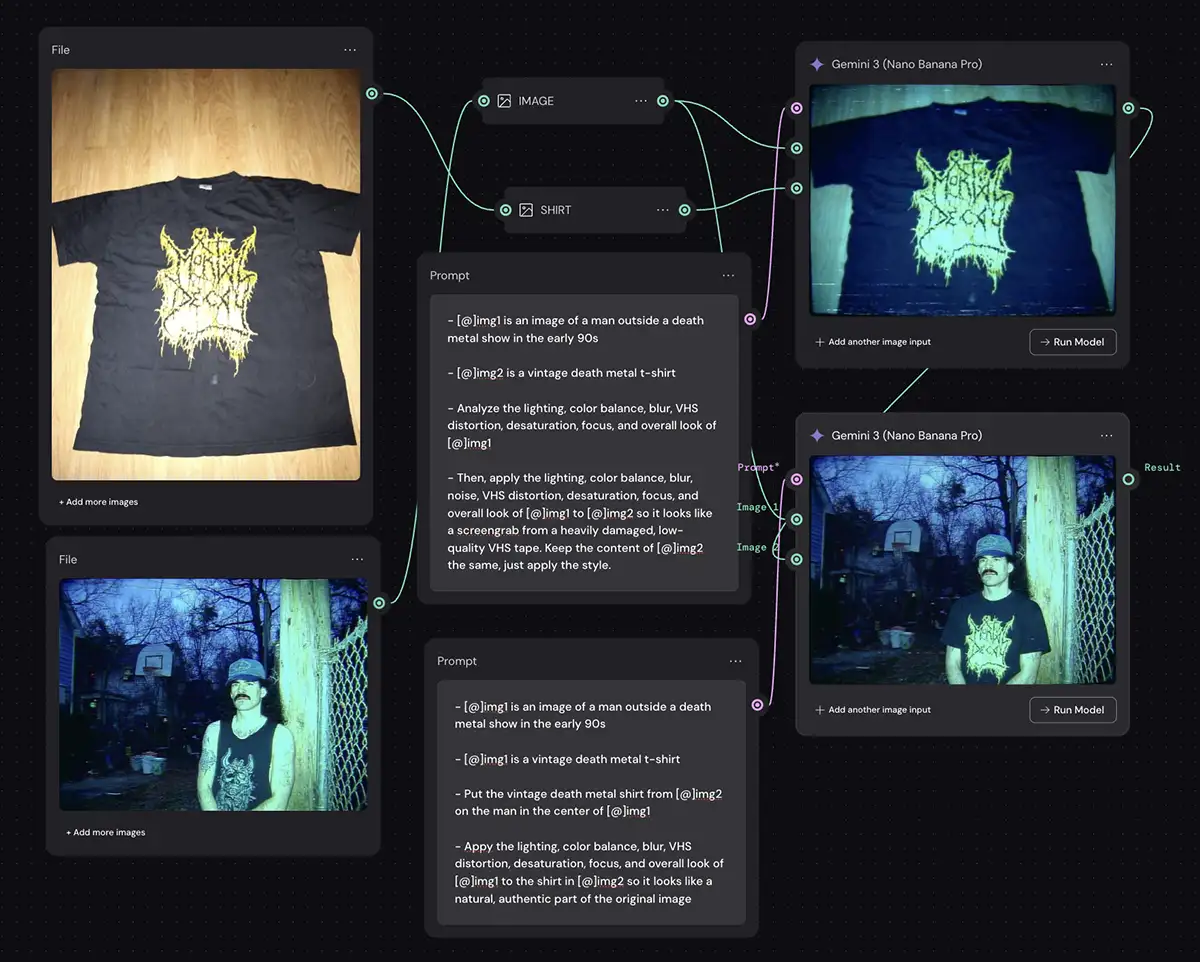
Weavy is a node-based canvas that lets us chain different models together. It gives us the “deterministic control” that pros need by allowing you to build the exact workflow you need and iterate on it.
Here is exactly what’s happening in that graph:
-
Input 1: The base image from Midjourney (our guy in the fake shirt).
-
Input 2: A photo of a real vintage death metal t-shirt.
-
The Edit Engine: I’m feeding both images into Nano Banana Pro.
-
The Instructions: I’m telling Nano Banana to “Analyze the lighting, color balance, blur, VHS distortion… of [Input 1]” and then “apply that style to the shirt in [Input 2] so it looks like a screengrab from a heavily damaged VHS tape.”
This is the secret sauce. I’m not just pasting the shirt on top. I’m asking the AI to re-imagine the vintage shirt as if it were present in the original lighting conditions of the Midjourney generation THEN compositing them together.
Sometimes you can one-shot this but the more specialized the lighting effects are, the less likely it is that you can one-shot it.
The Result
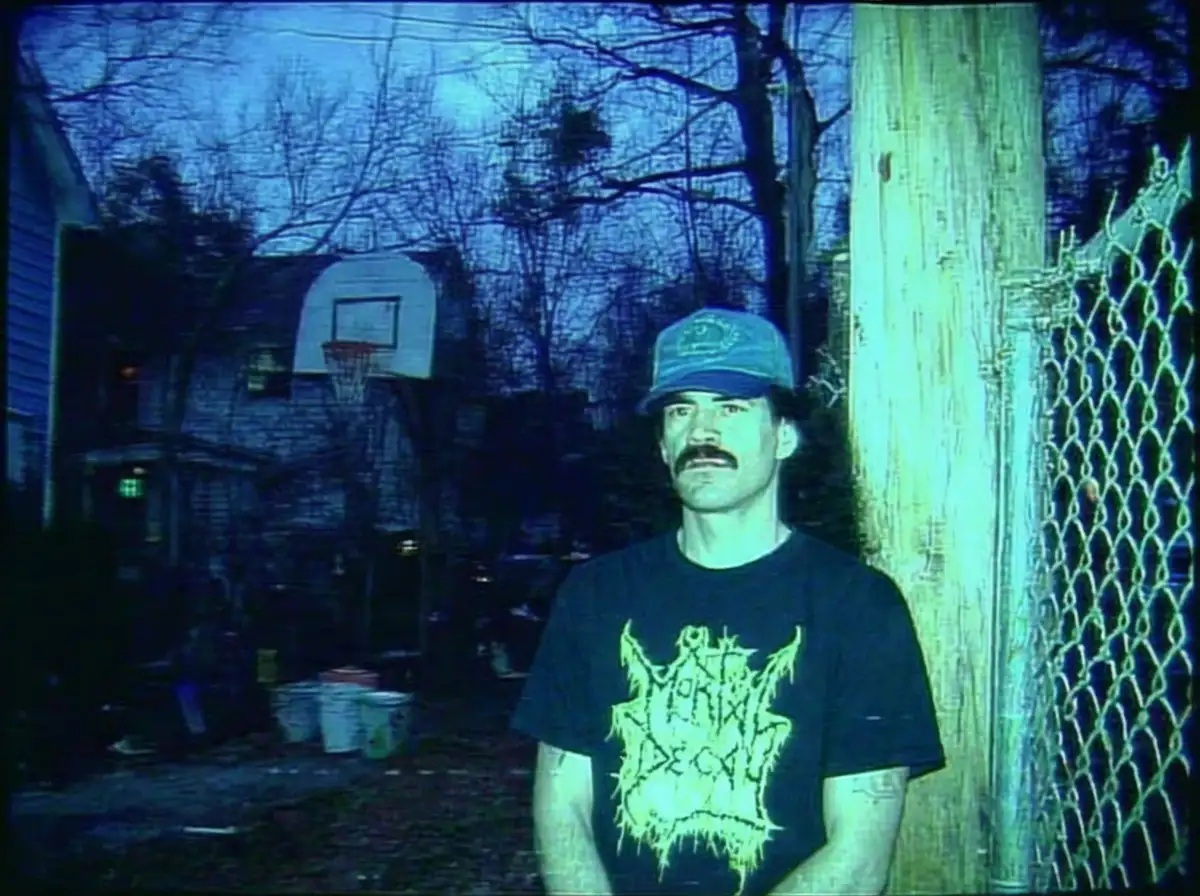
Look at the difference. The shirt now features a readable, authentic logo. But more importantly, look at the integration. The black of the cotton matches the black point of the video noise. The distortion on the logo matches the chromatic aberration of the lens.
It looks like a single, cohesive photograph.
Why This Workflow Wins
This “Hybrid Workflow” solves the biggest paradox in AI art: The trade-off between style and control.
By letting Midjourney handle the “macro” (composition, lighting, mood) and Nano Banana handle the “micro” (text, logos, specific faces), you stop compromising.
You can apply this to anything:
-
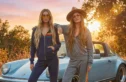
Product Photography: Use Midjourney to generate a wild, stylized background, then use Nano Banana to insert your client’s actual product with perfect perspective.
-
Fashion: Generate a model with a specific pose and vibe in Midjourney, then swap in the actual garment you’re selling.
-
Storyboarding: Create consistent characters (Nano Banana’s strength) across highly cinematic environments (Midjourney’s strength).

The Bottom Line
Don’t be a purist. Don’t get stuck in one ecosystem. The creative professionals who will thrive in this new era are the ones who treat these models like instruments in an orchestra. You don’t just play the violin; you conduct the whole symphony.
Next Step: If you haven’t already, check out my guide on Best Generative AI Canvas Apps to see if Weavy, Flora, or Freepik is the right platform for you to start building these workflows.
Now go make something.
PS –