

 You may have already seen this, but in case you missed it…
If you’ve ever doubted that photo/imaging/video was going to integrate really nicely with the web, then think again, and take a peek at this:
No, no, no, not my dumb arse there off to the side…take a look at the image. It’s more than a stupid cartoon and my stupid face. What you’re looking at is my screen grab of a digital hologram.
I know this sounds like I’m pulling your digital leg, but I’m digital not: I went to a website, printed out a piece of paper – a sort of “key” -, turned on my MacBook Air web cam, held this piece of paper facing the webcam, clicked ‘go’, and it all began to animate. Digital 3D.
Everything you need to know is at this site here. Takes a couple of steps, but worth it in IMHO.
Just so happens that this site is a renewable energy site for GE, and just so happens that these little animated graphics are totally kooky, but what blows my mind is the potential for photographs to integrate with the web. Print a photo, show it to your webcam on some site and BAM, some dope-ass image dances in front of you. Print an image on a t-shirt, point your web cam at it and booyah! an alien pops out of your chest in 3D.
Ok, not to get childish, and dismiss the goofy graphics and the cheesy application, but consider the possibilities… Images in your possession are now able to interface with web enabled holograms. Holy crap. (Sizzling sound of my mind cooking…)
Any other ideas of how cool this could be, and some killer photo-centric applications for this little gem? Do share your thoughts.
[For those of you who don’t want to visit that site, don’t have a printer, lazy, or are on a mobile device, here’s a step by step walk thru after the jump…Click the ‘continue reading’ link below.]—Play by play:
1. I visited the GE.ecomagination “augmented reality” site
2. I was prompted to print out “the key”. This is what the key looked like:

3. I had to update to Flash 10 – was prompted via a link on the site.
4. I right clicked in the main display window and selected the bottom camera option in the list – “USB video class video”. Instructions say all Mac users should do this…
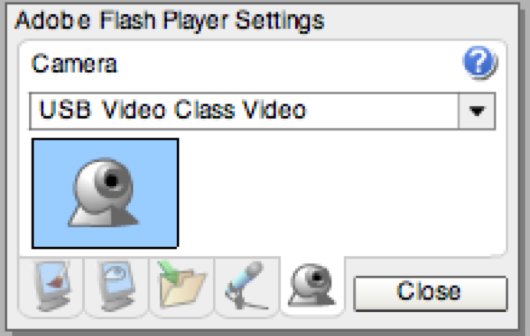
5. I clicked on the “Launch Solar Energy” button, and the image started to animate. Voila.
Here’s a vid that’s as kooky as the animation, but you’ll get the point if you’re on a mobile device that can watch it:
And yes, for those go-getters, the code is just waiting for you here.
Lastly, again, anybody got ideas of how this could be used in photography?
(Thanks Patrick – we’re keeping an eye on your Dogs in School site coming soon. And the alien popping out of the t-shirt idea is his, so don’t swipe it).













Great resource, thanks for posting it!!!
domain to look http://blahc-blahc.net
I really enjoy reading on this web site , it contains great blog posts. “He who sees the truth, let him proclaim it, without asking who is for it or who is against it.” by Henry George.