

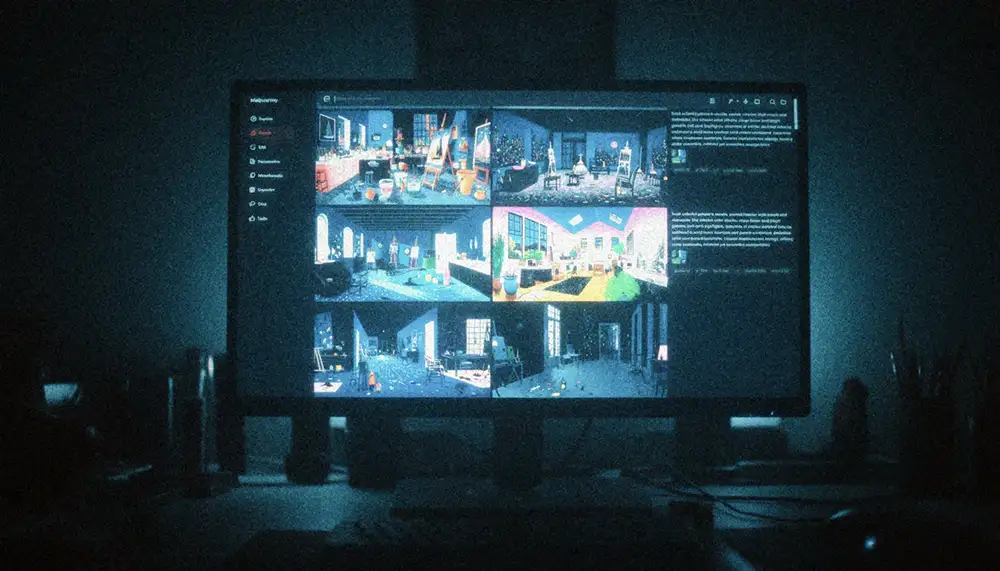
The creative landscape has shifted. Tools like Midjourney are no longer novelties or toys for subreddit enthusiasts; they are integrated components of professional workflows. Whether the background is in photography, graphic design, art direction, or illustration, the ability to synthesize high-quality imagery on demand is a requirement, not a bonus.
To navigate the ecosystem effectively, professionals need clear answers. This guide addresses the most critical Midjourney FAQs, focusing on technical control, commercial viability, and integration into existing high-end workflows.
How To Access Midjourney
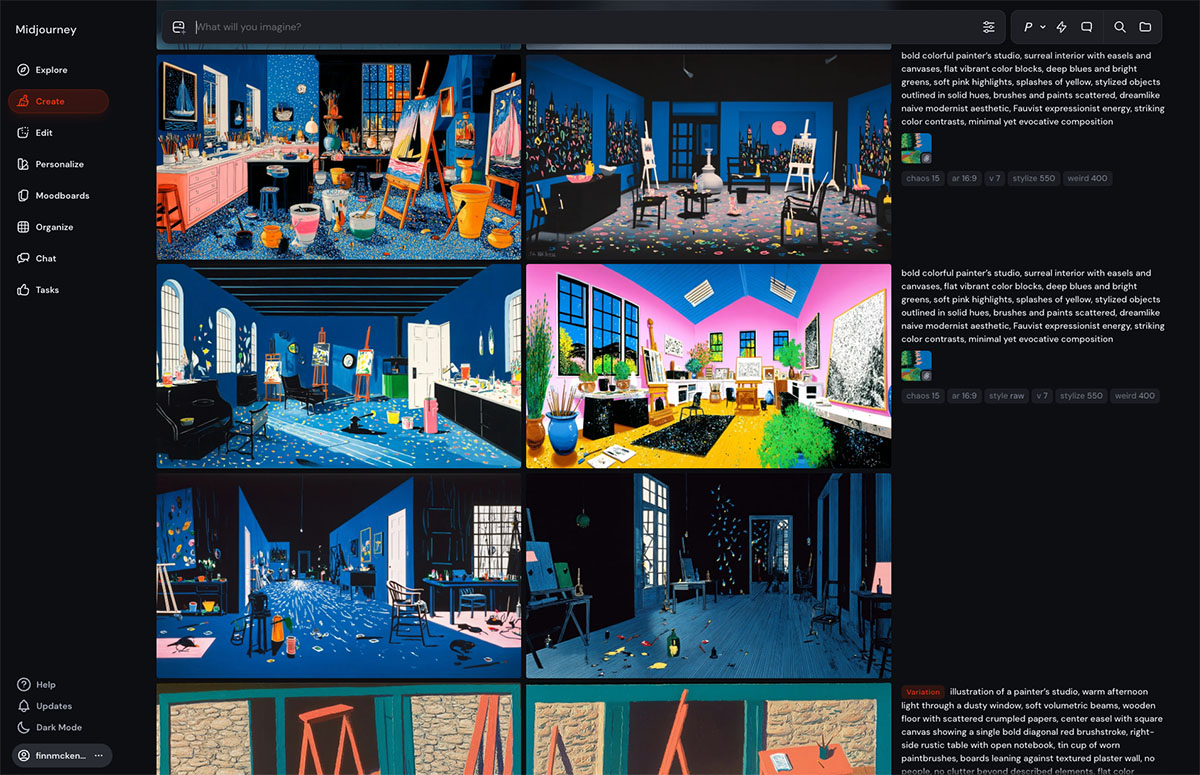
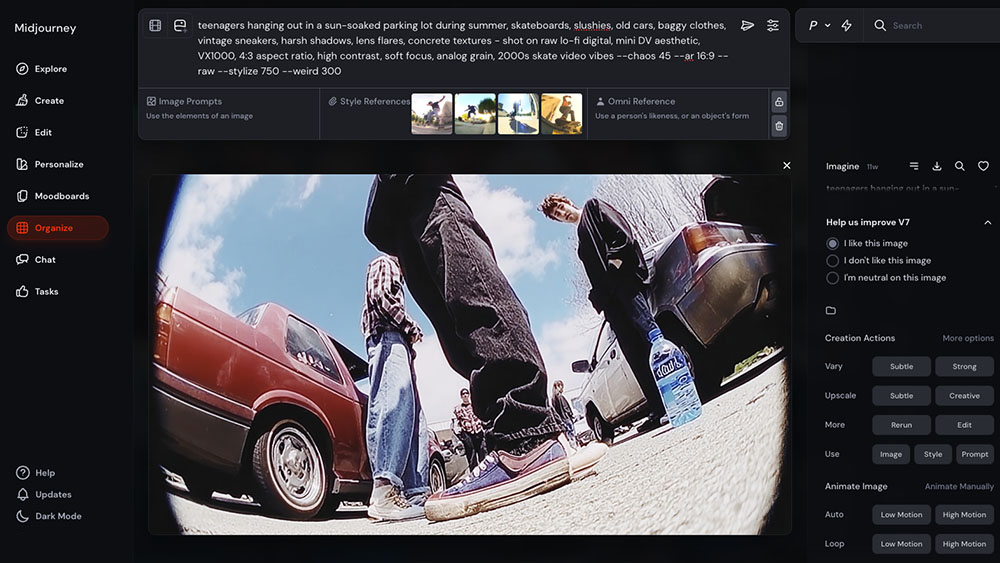
Understanding the interface is the first hurdle. Midjourney historically operated through Discord, which can feel alien to professionals used to standalone Adobe suites or Capture One. However that’s no longer the case.
Is Discord the only way to use Midjourney?
Not anymore. Although it’s technically in beta Midjourney rolled out a web-based interface earlier which is now available to everyone. You can still use Discord if you want but the web interface is superior regarding asset management and parameter adjustments.
However, the Discord bot remains the primary access point for many features like the “Insight Face Swap” bot or community feedback. To set this up professionally:
- Download the Discord desktop application. Do not rely on the browser version; it lacks the stability needed for heavy sessions.
- Create a private server. Do not generate client work in the public newbie channels. Click the “+” icon in Discord to create a server, then invite the Midjourney Bot to that server. This creates a quiet, controlled environment for prompting.
Is Midjourney free?
No. Midjourney is a paid subscription service.
While the company has occasionally opened brief, limited-time trials during major software updates (like the release of V6 or the web interface rollout), there is no permanent free tier. The “free trial” era that existed in the platform’s early days is effectively over – although you can use Meta AI which is based on Midjourney and completely free.
For creative professionals, the entry point is the Basic Plan (approx. $10/month), which provides around 3.3 hours of GPU time. However, most workflows will quickly demand the Standard Plan or higher to access “Relax Mode” (unlimited generations). If you are using this tool for client work, treat the subscription as a standard overhead cost, similar to your Adobe Creative Cloud membership.
Which subscription tier is best for professionals?
The “Basic Plan” is insufficient for commercial workflows. Professionals should look at the Pro Plan or Mega Plan.
The reasoning is simple: Stealth Mode.
By default, every image generated on Midjourney is public and visible in the member gallery. If creating concepts for a confidential ad campaign or an NDA-bound film pitch, public visibility is a dealbreaker. The Pro and Mega plans allow the use of the /stealth command, ensuring generated assets remain private.
Additionally, the Pro plan offers “Fast Hours” (GPU time) which acts as a priority lane. Waiting five minutes for a render during a client meeting is unacceptable.
Understanding Parameters and Technical Control
The difference between a generic AI image and a professional asset lies in the parameters. These command-line suffixes dictate how the algorithm interprets the prompt.
How do I control the aspect ratio?
The default output is a 1:1 square. For film storyboards or web banners, this is rarely useful. Add --aspect or --ar to the end of the prompt followed by the ratio.
- Cinematic/Video:
--ar 16:9or--ar 2.39:1(Anamorphic scope). - Portrait/Social:
--ar 4:5(Instagram) or--ar 9:16(Stories/TikTok). - Print:
--ar 2:3or--ar 3:2(Standard 35mm sensor ratio).
What does the Stylize parameter do?
The --stylize (or --s) parameter controls how strictly local Midjourney adheres to its own artistic training versus the literal prompt text. The range is 0 to 1000. The default is 100.
--stylize 0to 50: High fidelity to the prompt. Good for logos, specific UI elements, or when exact composition is required. It looks less “artistic” but offers more control.--stylize 250to 750: The sweet spot for high-end photography and illustration.--stylize 1000: Maximum artistic interpretation. Useful for abstract concepts or when the prompt is vague and the goal is simply to “make it look cool.”
How to use negative prompting?
To remove unwanted elements, use the --no parameter. This is essentially a boolean subtraction.
If generating a workspace but the AI keeps inserting people, add --no people humans figures. If a cinematic shot looks too painterly, add --no illustration painting drawing. This forces the model toward photorealism.
What is the Weird parameter?
The --weird parameter (0 to 3000) introduces unconventional aesthetics. For editorial fashion or avant-garde design, this breaks the “stock photo” look that lower parameters often produce. It forces the model to choose unlikely color palettes and compositions. Combining --weird with --stylize often yields the most unique results.
Achieving Consistency in Characters and Style
A major criticism of generative AI is consistency. How does one keep the same model across five different shots? Midjourney has introduced specific features to address this.
How to use Character Reference (Cref)?
The Character Reference feature allows the user to upload a URL of a character image and tell Midjourney to maintain that face and outfit in new prompts.
Format: [Prompt Description] --cref [URL of image] --cw [0-100]
The --cw (Character Weight) is the variable to watch.
--cw 100(Default): Captures the face, hair, and clothing.--cw 0: Captures only the face. This allows for changing the character’s outfit or setting while keeping the facial identity.
How to use Style Reference (Sref)?
This feature transfers the visual aesthetic (color grading, brush strokes, lighting vibe) from a reference image to the new generation without copying the subject matter.
Format: [Prompt Description] --sref [URL of image] --sw [0-1000]
For Art Directors building a mood board, this is critical. Take a specific visual target—say, a 1970s Kodachrome aesthetic—and apply it to fifty different concepts using --sref.
What is a Seed number and why does it matter?
Every image generated attracts a random “seed” number to determine the initial noise pattern. If a prompt is re-run without specifying a seed, a new random number is assigned, resulting in a completely different image.
To iterate on a specific composition:
- Find the seed of a successful generation (React with an envelope emoji ✉️ to the result in Discord, and the bot will DM the seed number).
- Add
--seed [NUMBER]to the next prompt.
This keeps the base generation stable while minor tweaks to the text prompt are made.
Resolution and Upscaling for Print
Midjourney generates images at roughly 1 megapixel (1024×1024) by default. This is adequate for digital mockups but insufficient for final production or print.
Can Midjourney generate 4K images?
Directly, no. However, the internal upscalers have improved.
- Upscale (Creative): Increases resolution while halluncinating new details. This changes the image slightly but adds texture suitable for high-res viewing.
- Upscale (Subtle): distinctively doubles the resolution while strictly preserving the pixel structure of the original generation.
What works best for billboards or print ads?
For professional print resolution (300 DPI at large scale), the internal Midjourney upscaler is rarely enough. The workflow requires external software.
Topaz Photo AI is the industry standard here. It uses predictive AI to sharpen and upscale images up to 600% without significant artifacting.
Another option is Magnific AI, which is specifically designed to “hallucinate” high-frequency detail during the upscaling process, making skin textures and fabrics look hyper-real at 4k and 8k resolutions.
Commercial Usage and Copyright
This is the most volatile area of AI. The answers here are based on current terms of service and legal precedents, which are subject to change.
Who owns the images generated in Midjourney?
According to Midjourney’s Terms of Service, if the user is a paid subscriber, they own the assets they create. This includes the right to reprint, sell, and merchandise.
If the user is on a free trial (which is rarely available now) or unpaid tier, the license is a Creative Commons Non-Commercial 4.0 Attribution International License. For pros, pay the subscription. Do not compromise client work over a monthly fee.
Can AI art be copyrighted?
Currently, the US Copyright Office has stated that works created entirely by AI without sufficient human authorship cannot be copyrighted. Prompting alone often does not meet the threshold for “human authorship.”
However, if the AI generation is a component of a larger work—for example, a generated background that is heavily manipulated, painted over, and composited in Photoshop—the human-created elements and the final selection/arrangement can potentially be protected. Consult an intellectual property attorney for specific cases. Never promise a client exclusive copyright ownership of a raw AI generation.
Can I use real brand names in prompts?
Technically, yes, but tread carefully. Prompting for “A Nike shoe” will generate a swoosh. While this is useful for internal visualization, using trademarked logos in commercial final art is a legal liability.
Use AI to generate the concept of the shoe, then use Photoshop to scrub the generated logo and replace it with the official, legally cleared client asset.
Integrating Midjourney into Professional Workflows
Midjourney is a raw material generator. It creates “digital clay.” The professional’s job is to sculpt that clay using established tools.
Collaboration with Adobe Photoshop
The “Generative Fill” in Adobe Photoshop is the perfect companion to Midjourney. Midjourney often struggles with specific details, such as hands, text, or specific object placement.
- Workflow: Generate the base image in Midjourney -> Import to Photoshop -> Use Lasso Tool on the glitched hand -> Type “Hand holding coffee cup” in Photoshop Generative Fill.
- Expansion: Use the “Crop” tool in Photoshop with Generative Expand to widen the aspect ratio of a Midjourney image without stretching it.
Vectorizing for Graphic Design
Midjourney outputs raster (pixel) data. For logos and iconography, vectors are required.
- Workflow: Generate the icon in Midjourney using
--no shading realistic detailsto get a flat look -> Import to Adobe Illustrator -> Use the Image Trace feature (or the new Text to Vector Graphic tool) to convert the pixels into scalable paths.
Motion Design and Video
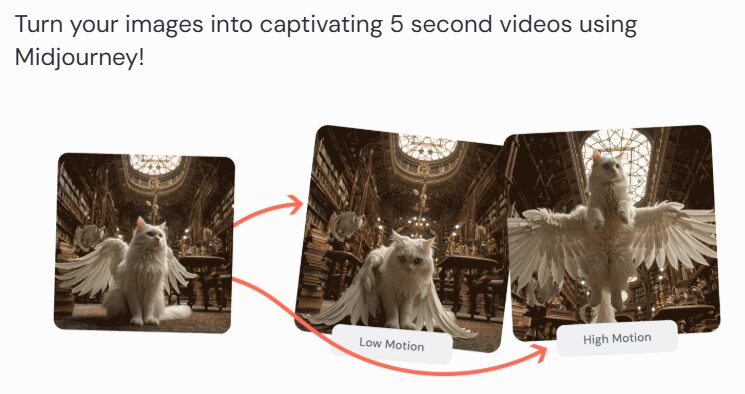
Midjourney images serve as excellent style frames for motion graphics.
- Workflow: Generate a character and a background separately. Use Photoshop to separate the character onto a transparent layer. Import into After Effects. Use the “Puppet Pin” tool to animate the character joint-by-joint over the Midjourney background.
Prompting Strategy: The Formula
Abandon the idea of “talking” to the AI. Think in keywords and descriptors. A robust prompt structure for photorealism looks like this:
[Subject] + [Action/Context] + [Environment] + [Lighting] + [Camera Gear] + [Style/film stock] + [Parameters]
Example Breakdown
Instead of: “Show me a cool car driving in the city at night.”
Use: “1990s Porsche 911 Turbo, speeding, motion blur, Tokyo highway, rain slicked roads, neon signs, volumetric fog, rim lighting, shot on Arri Alexa, 35mm lens, f/1.8, Cinestill 800T, photorealistic, cinematic grading –ar 16:9 –stylize 750”
Key Lighting Terms
The lighting descriptors drastically change the quality of the output.
- “Rembrandt Lighting”: Creates a dramatic triangle of light on the cheek. Moody.
- “Octane Render”: Gives a glossy, 3D style raphics look.
- “Global Illumination”: Soft, realistic light bounce.
- “Hard Light / Chiaroscuro”: High contrast, deep shadows.
Troubleshooting Common Issues
Why does the text look like alien gibberish?
Midjourney v6 has improved text generation, but it is still hit-or-miss. To get accurate text, put the desired text in quotation marks within the prompt: storefront sign that says "COFFEE".
If it fails, do not waste credits re-rolling. Fix it in Photoshop or Illustrator. That is the faster, professional solution.
The colors look washed out or “too fake.”
This is often due to the default “digital art” bias.
- Add “Unsharp Mask” or “Chromatic Aberration” to the prompt to add lens imperfections that make the image feel real.
- Add “Film Grain” or specify a film stock like “Kodak Portra 400” to introduce texture.
Variations vs. Remix Mode
Clicking “V1” (Variation 1) creates a subtle iteration. However, for significant changes, enable Remix Mode in the settings (/settings command). When “V1” is clicked with Remix on, a text box appears, allowing the prompt to be edited before the variation is generated. This is essential for changing a subject’s expression or the time of day while keeping the composition identical.
The Future of the Creative Career
Knowing the deeper technicalities of Midjourney separates the hobbyist from the practitioner. The goal is not to let the machine dictate the output, but to constrain and guide the machine to execute a specific vision.
The market rewards those who can deliver high-quality results efficiently. By mastering the parameters, understanding the legal landscape, and integrating AI into a broader ecosystem of professional software, creatives secure their value.
Do not settle for the “middle”—average prompts yielding average results. Push the tool. Force it to render the specific, unique vision that exists in the mind’s eye. That is the job.
















